
Lutron PD-6ANS-BL
Lutron Caseta Original Smart Light Switch Instruction Manual
Model: PD-6ANS-BL
Product Overview
The Lutron Caseta Smart Light Switch provides convenient control for various lighting types and general-purpose fans. This smart switch integrates with smart home devices and automation systems, allowing for control via wall switch, smartphone app, or voice commands. It is designed to turn regular bulbs into smart lighting without needing to replace every bulb in your home.
This switch supports up to 720-Watt incandescent, halogen, ELV, MLV, 6 Amp dimmable LED/CFL, and 3.6 Amp general-purpose fans. A neutral wire is required for installation.

Figure 1: Lutron Caseta Smart Light Switch (PD-6ANS-BL) in its packaging and as a standalone unit, highlighting its design and the requirement for a neutral wire.
Setup and Installation
Installation of the Lutron Caseta Smart Light Switch is designed to be straightforward, typically taking as little as 15 minutes. It can replace existing electrical light switches and is compatible with both single-pole and 3-way switch configurations. A neutral wire is required for proper operation.
Before You Begin:
- Ensure power is turned off at the circuit breaker before beginning any electrical work.
- Verify that your existing wiring includes a neutral wire.
- For detailed wiring diagrams and safety instructions, refer to the official Installation Manual (PDF) available via the provided link.
Installation Steps:
- Turn off power to the switch at the circuit breaker.
- Remove the existing wall plate and switch.
- Identify the wires: line, load, neutral, and ground.
- Connect the wires from the Caseta Smart Switch to your home's wiring according to the provided instructions. The switch comes with necessary wire nuts and a jumper wire.
- Secure the switch into the electrical box.
- Install the new wall plate (sold separately).
- Restore power at the circuit breaker.
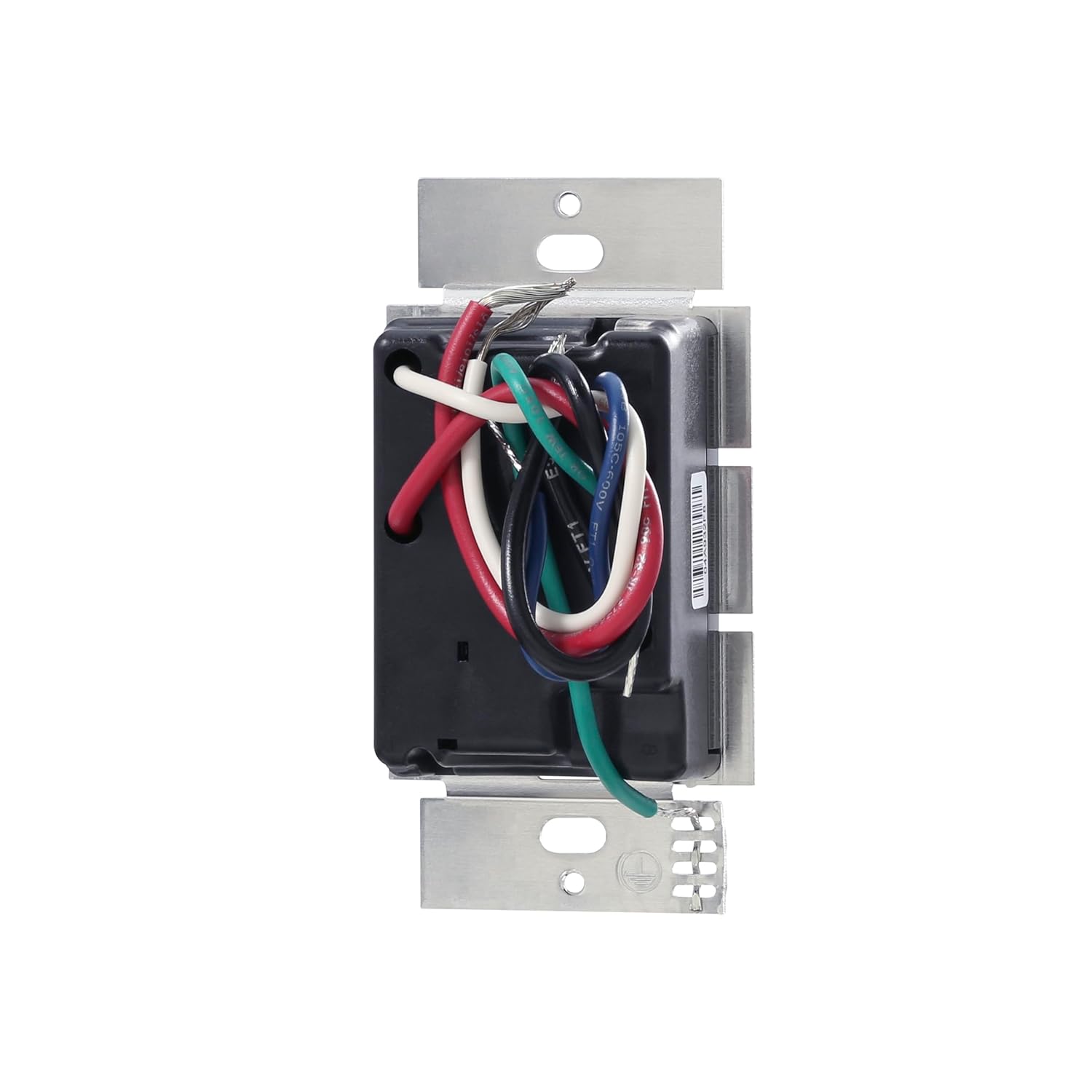
Figure 2: Rear view of the Lutron Caseta Smart Light Switch, illustrating the various wires (red, black, white, green) for connection during installation.

Figure 3: Detailed view of the Caseta Smart Switch face, indicating the top button for turning lights on, the status LED that glows softly when off, and the bottom button for turning lights off.
Operating Instructions
The Lutron Caseta Smart Light Switch offers multiple ways to control your lighting and connected fans, providing flexibility and convenience.
Control Methods:
- From the Wall: Use the physical buttons on the switch for direct control. The top button turns lights on, and the bottom button turns lights off.
- Lutron App: Download the free Lutron app to control your lights from your smartphone or tablet. The app allows for remote control, setting schedules, and activating scenes. (Caseta Smart Hub required for app control).
- Voice Assistant: Integrate with popular voice assistants like Alexa, Apple Home, and Google Assistant for hands-free control. Simply use voice commands to turn lights on/off or adjust settings. (Caseta Smart Hub required for voice control).
- Pico Remote: Pair with a Pico remote control (sold separately) for flexible on/off control from anywhere in your home, or mount it to a wall for an additional switch location without new wiring.

Figure 4: Visual representation of the four primary control methods for Caseta smart lighting: directly from the in-wall switch, via the Lutron app on a mobile device, using a voice assistant like Alexa, and with a portable Pico remote.
Smart Features (Caseta Smart Hub Required):
- Scheduling: Set lights to turn on or off automatically at specific times or based on sunrise/sunset.
- Smart Away: Randomly turn lights on/off while you're away to give the appearance that someone is home, enhancing security.
- Scene Control: Create custom lighting scenes for different activities or moods, and activate them with a single tap or voice command.
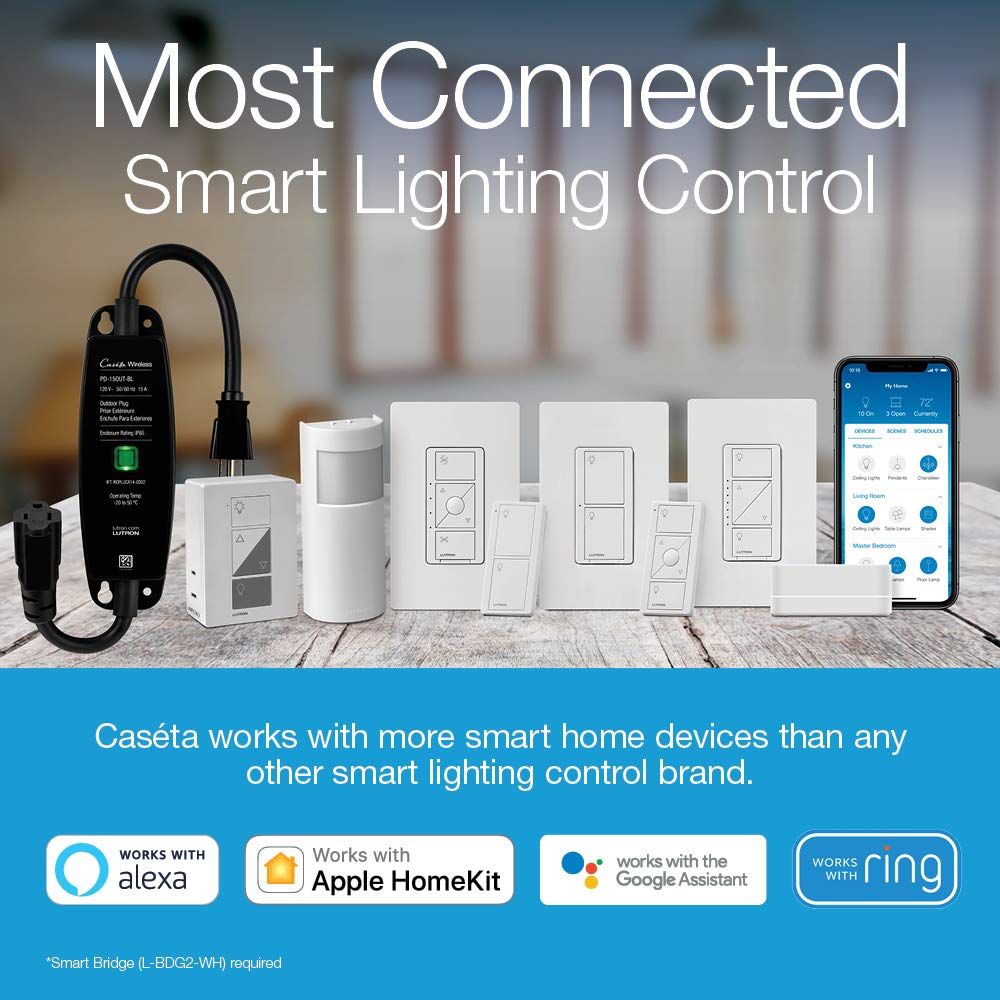
Figure 5: An overview of the Lutron Caseta ecosystem, demonstrating compatibility with leading smart home devices and platforms such as Alexa, Apple HomeKit, Google Assistant, Ring, and Sonos.
Maintenance
The Lutron Caseta Smart Light Switch is designed for long-term, reliable operation with minimal maintenance. To ensure optimal performance and appearance:
- Regularly wipe the switch and wall plate with a soft, damp cloth to remove dust and smudges.
- Avoid using abrasive cleaners, solvents, or harsh chemicals, as these can damage the finish or internal components.
- Ensure the area around the switch is free from obstructions that might impede airflow or access.
Troubleshooting
If you encounter any issues with your Lutron Caseta Smart Light Switch, consider the following basic troubleshooting steps:
- No Power/Lights Not Responding: Check the circuit breaker to ensure power is on. Verify all wiring connections are secure.
- App/Voice Control Issues: Ensure your Caseta Smart Hub is properly connected to your home network and powered on. Check your Wi-Fi connection. Restart the Lutron app or your voice assistant device.
- Intermittent Operation: Confirm that the switch is within range of the Caseta Smart Hub or Pico remote. Ensure there are no major electrical interferences.
For more complex issues or if troubleshooting steps do not resolve the problem, please refer to the comprehensive Installation Manual or contact Lutron customer support.
Specifications
| Feature | Detail |
|---|---|
| Model Number | PD-6ANS-BL |
| Product Dimensions | 1.44 x 2.94 x 4.69 inches; 3.2 ounces |
| Operation Mode | ON-OFF |
| Current Rating | 6 Amps |
| Operating Voltage | 120 Volts |
| Circuit Type | 1-way (compatible with 3-way applications using Pico remote) |
| Load Compatibility | 720W incandescent/halogen/ELC/MLV, 6A LED/CFL, 3.6A fans |
| Neutral Wire Required | Yes |
Warranty Information
For detailed information regarding the product warranty, please refer to the official Warranty Document provided by Lutron.
Support
For further assistance, installation guides, or technical support, please utilize the following resources:
- Installation Manual: A comprehensive guide for setting up your Caseta Smart Light Switch.
- Online & Call Support: Lutron offers 24/7 online and call support for their products. Refer to the official Lutron website for contact details.
Download Installation Manual (PDF)
Related Documents - PD-6ANS-BL
 |
Lutron Caséta Switch 3-Way Wiring Diagram with Pico Remote Detailed wiring diagram for a Lutron Caséta switch in a 3-way application with a Pico Remote, including wire color coding and connection points. |
 |
Lutron Caséta Smart Dimmer Switch for ELV+ Bulbs (PD-5NE-WH): User Manual & Specifications Comprehensive user manual and specification submittal for the Lutron Caséta Smart Dimmer Switch (PD-5NE-WH), detailing features, specifications, operation, mounting, dimensions, wiring diagrams, and color finishes for ELV+ bulbs. |
 |
Lutron Caséta Wireless Advanced Installation Guide: Dimmers, Switches & Controls Comprehensive installation guide for Lutron Caséta Wireless smart lighting systems, covering dimmers (PD-6WCL, PD-10NXD, PD-5NE), switches (PD-5WS-DV, PD-5ANS, PD-6ANS), fan controls (PD-FSQN), and motion sensors (PD-OSENS, PD-VSENS). Learn about 3-way and multi-location installations, advanced features, and troubleshooting. |
 |
Lutron Caséta Wireless Advanced Installation Guide: Dimmers & Switches Comprehensive installation guide for Lutron Caséta Wireless dimmers, switches, and accessories. Learn about 3-way, multi-location setups, and advanced features for smart home lighting. |
 |
Lutron Caséta Wireless In-Wall Switch Quick-Start Guide A concise guide for installing and setting up the Lutron Caséta Wireless in-wall switch (PD-5ANS, PD-6ANS) for single-pole applications, including wiring instructions, load compatibility, and basic operation without a Smart Bridge. |
 |
Lutron Caséta Load Controls: Dimmers, Switches, and Fan Controls - Specifications and Wiring Comprehensive specifications, features, operation, and wiring diagrams for Lutron Caséta smart lighting load controls, including dimmers, switches, and fan controls. Covers models like PD-10NXD, PD-5NE, DVRF-5NE, PD-6WCL, DVRF-6L, PD-5WS-DV, PD-5ANS, PD-6ANS, DVRF-5NS, and PD-FSQN, detailing their capabilities, installation, and compatibility. |