
Introduction
The MARATHON Atomic Travel Alarm Clock is designed for convenience and accuracy, featuring atomic time synchronization, an auto night light, and displays for time, date, and indoor temperature. Its compact and lightweight design makes it ideal for travel or everyday use.

Front view of the MARATHON Atomic Travel Alarm Clock, displaying the current time, date, and indoor temperature.
Key Features
- Atomic Time Synchronization: Automatically sets time and date via radio signal for precise accuracy.
- Auto Night Light: Integrated light sensor activates a soft backlight in low-light conditions.
- 12/24 Hour Display: Easily switch between standard and military time formats.
- Six Time Zones: Select from multiple time zones for global travel.
- Indoor Temperature Display: Shows temperature in Celsius or Fahrenheit.
- Date Display: Includes day of the week, month, and year.
- Compact & Lightweight: Designed for portability with a foldable stand.

Visual representation of the clock's self-setting capability, multilingual display options, and sleek, modern design.

The compact size of the alarm clock, shown fitting easily into a travel bag, emphasizing its portability.
Setup
1. Battery Installation
- Open the battery compartment cover located on the back of the clock.
- Insert two AAA batteries (included), ensuring correct polarity (+/-).
- Close the battery compartment cover securely.
2. Initial Time Setting & Atomic Synchronization
Upon battery installation, the clock will automatically attempt to synchronize with the atomic time signal from Boulder, Colorado (WWVB). This process may take several minutes to a few hours depending on your location and signal strength.
- Ensure the clock is placed near a window or in an open area for optimal signal reception.
- The atomic signal icon (often a tower or wave symbol) on the display will indicate signal reception status. A solid icon means successful synchronization.
3. Setting Time Zone
If the atomic time feature is enabled, you will need to select your correct time zone.
- Locate the time zone setting button (often labeled 'ZONE' or similar) on the clock.
- Press the button repeatedly to cycle through the available time zones (e.g., PST, MST, CST, EST, AST, NST) until your desired zone is displayed.
Note: If you prefer not to use the atomic time feature, there is typically a switch located under the battery cover to disable it. Refer to the physical manual for exact switch location and labeling.
Operating Instructions
1. Time and Date Display
The clock displays time, date (day, month, year), and indoor temperature simultaneously. You can switch between 12-hour and 24-hour formats.
- To toggle between 12-hour and 24-hour format: Locate the '12/24H' button (or similar) and press it.
- To switch temperature units (°C/°F): Locate the '°C/°F' button and press it.

A detailed view of the clock's dynamic display, showing time, day, date, and temperature readings.
2. Setting the Alarm
- Slide the ALARM switch to the 'ON' position.
- Press the 'ALARM SET' button (often represented by a bell icon) to enter alarm setting mode.
- Use the 'UP' and 'DOWN' arrow buttons to adjust the alarm hour and minute.
- Press 'ALARM SET' again to confirm and exit alarm setting mode.
3. Snooze and Backlight
The large button on top of the clock typically serves as both the Snooze and Backlight activation.
- When the alarm sounds, press this button to activate snooze, which will temporarily silence the alarm for a few minutes (usually 5-10 minutes).
- Press this button at any time to activate the backlight for a few seconds to view the display in the dark.
4. Auto Night Light
The clock features an automatic night light that illuminates the display in dim environments.
- There is a physical switch, usually located under the battery cover, to enable or disable this feature. Ensure it is set to 'ON' for the auto night light to function.
- The light sensor is typically located near the display. Avoid obstructing it for proper operation.

The clock positioned on a nightstand, demonstrating its suitability for bedside use and highlighting its lightweight and compact nature.
Maintenance
1. Battery Replacement
When the display dims or functions become erratic, it's time to replace the batteries. Follow the battery installation steps in the Setup section.
- Always replace both AAA batteries at the same time.
- Dispose of old batteries responsibly according to local regulations.
2. Cleaning
- Wipe the clock's surface with a soft, dry cloth.
- Do not use abrasive cleaners or chemical solvents, as they may damage the finish or display.
Troubleshooting
| Problem | Possible Cause | Solution |
|---|---|---|
| Atomic time not syncing | Weak signal, interference, atomic feature disabled. | Move clock closer to a window or open area. Ensure atomic feature switch (under battery cover) is ON. Allow several hours for synchronization. |
| Auto night light not working | Auto night light feature is disabled. | Check the switch located under the battery cover and ensure it is in the 'ON' position. |
| Display is difficult to read from certain angles | LCD displays have optimal viewing angles. | Adjust the clock's angle using its foldable stand to find the best viewing position. |
| Alarm is too quiet or too short | Alarm volume is fixed, or user expectation. | The alarm sound is designed to be effective for waking. Ensure no obstructions are blocking the speaker. The alarm typically sounds for a set duration (e.g., 60 seconds) before resetting. |
Specifications
| Attribute | Detail |
|---|---|
| Brand | MARATHON |
| Model Number | CL030036BL |
| Color | Blue |
| Display Type | Digital |
| Product Dimensions | 2.75"W x 3.25"H (7 cm W x 8.25 cm H) |
| Power Source | Battery Powered |
| Batteries Required | 2 AAA batteries (included) |
| Material | Plastic |
| Item Weight | 1.9 ounces (54 Grams) |
| Operation Mode | Atomic |
| Mounting Type | Tabletop |
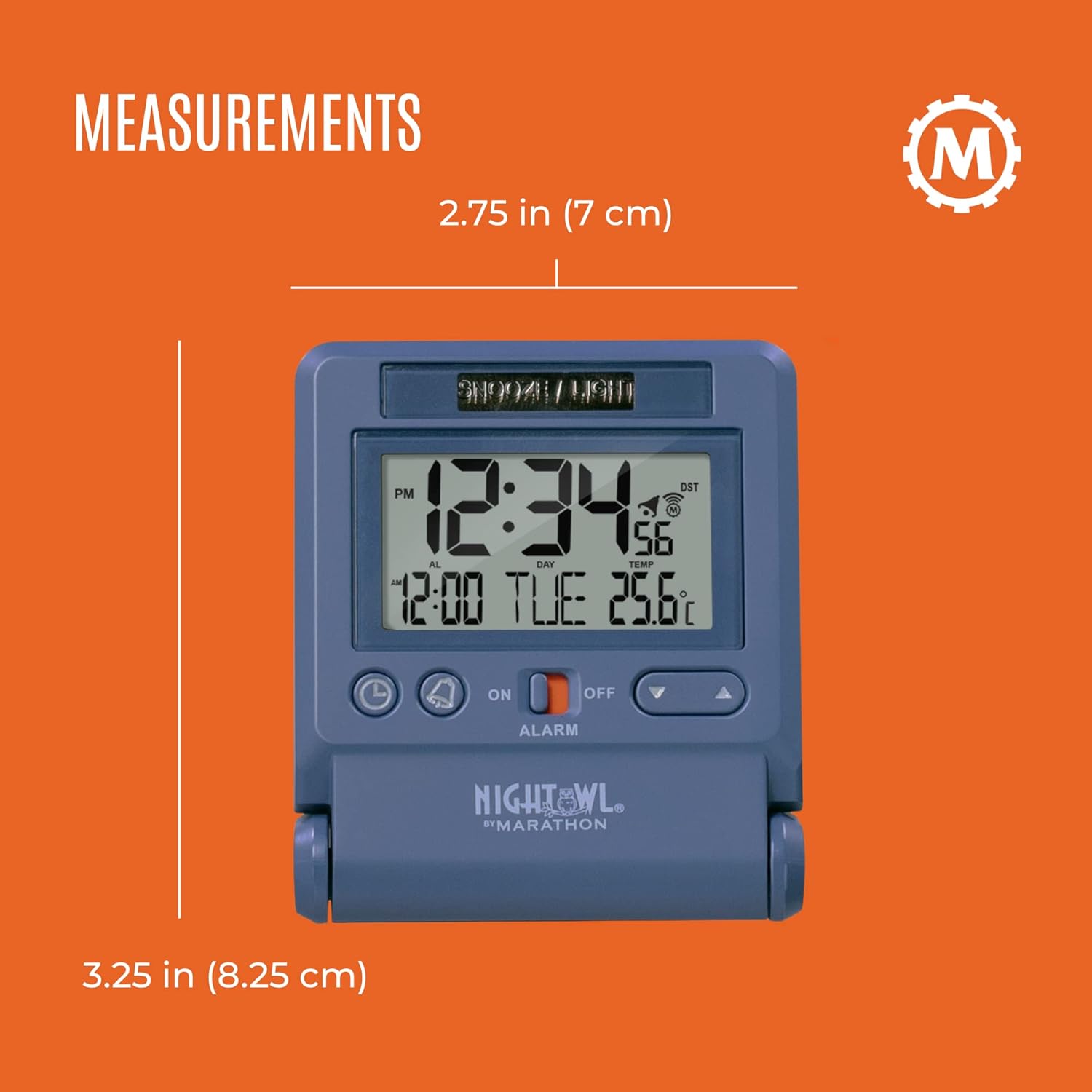
Detailed measurements of the clock for reference.
Warranty and Support
For detailed warranty information and further support, please refer to the official user manual provided by MARATHON.
You can access the comprehensive user manual in PDF format via the following link:
For additional assistance, please visit the official MARATHON store or contact their customer support.
