
Introduction
This manual provides instructions for the installation, operation, and maintenance of the Charbroil Electronic Ignition Module Button, model G409-0030-W1. This component is an Original Equipment Manufacturer (OEM) authorized replacement part designed for various Char-Broil grill models. Please read these instructions carefully before proceeding with installation or use to ensure proper function and safety.
Safety Information
- Always ensure the grill's gas supply is turned off and the grill is cool before attempting any installation or maintenance.
- Disconnect any power source to the grill's ignition system before working on the electronic ignition module or button.
- Wear appropriate personal protective equipment, such as gloves, if necessary.
- If you are unsure about any step, consult a qualified technician or refer to your grill's main instruction manual.
Package Contents
Verify that your package contains the following item:
- One (1) Charbroil Electronic Ignition Module Button (G409-0030-W1)
Setup and Installation
This button is a replacement part for the electronic ignition module found on various Char-Broil grill models. The installation process typically involves replacing an existing, damaged, or non-functional button.
- Preparation: Ensure your grill is completely cool and the gas supply is turned off at the propane tank or natural gas line. If your grill uses batteries for ignition, remove them.
- Locate Existing Button: Identify the current ignition button on your grill's control panel.
- Remove Old Button: Carefully remove the old ignition button. This may involve unscrewing it, prying it gently, or detaching it from a clip mechanism. Refer to your specific grill model's manual for precise removal instructions if needed.
- Install New Button: Align the new Charbroil G409-0030-W1 button with the opening on the control panel. Push or screw the new button into place until it is securely seated. Ensure it clicks or engages properly with the underlying ignition switch.
- Reconnect Power/Gas: If batteries were removed, reinsert them. Turn on the gas supply to your grill.
- Test Functionality: Press the new ignition button to confirm it activates the electronic igniter and produces a spark.
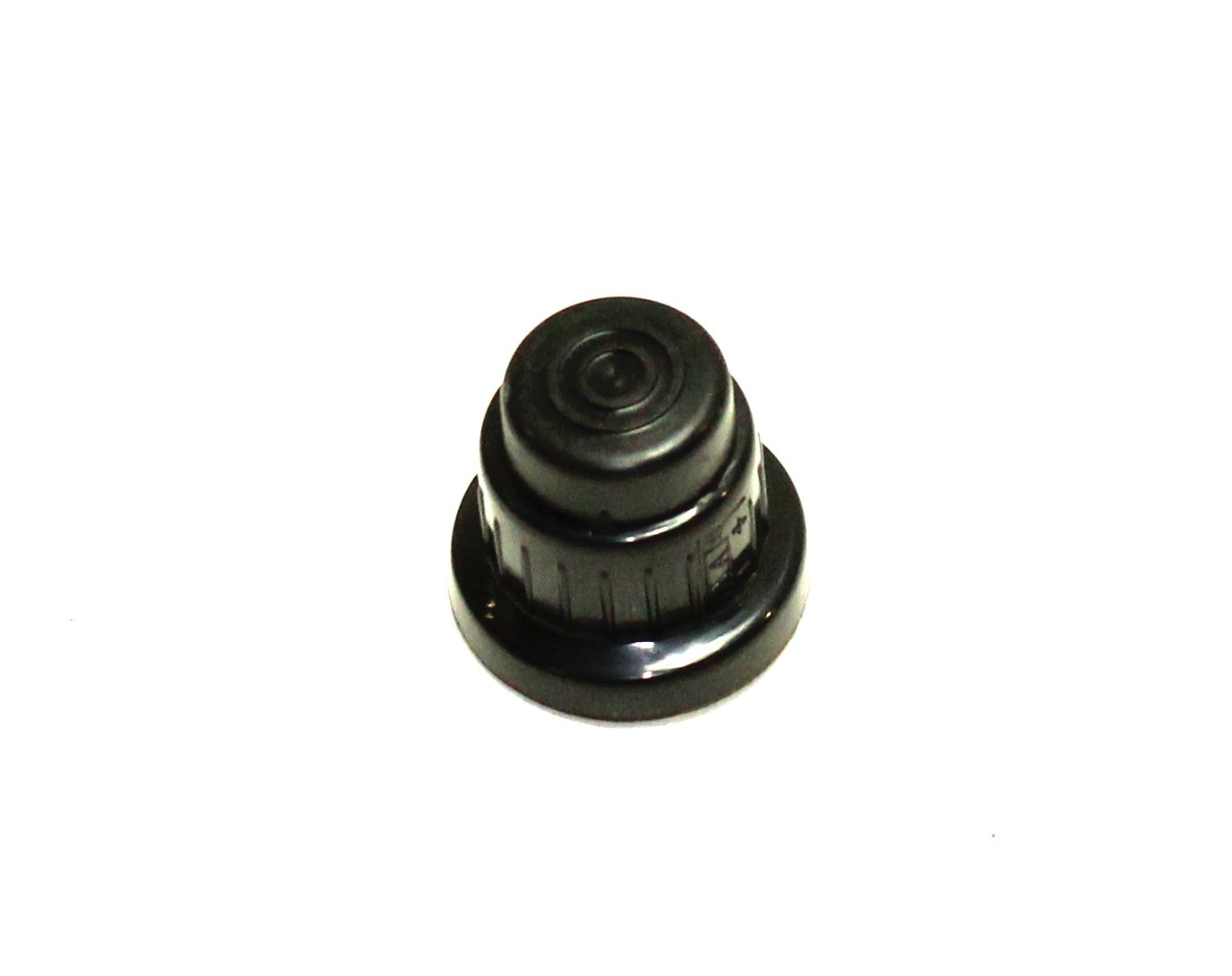
Image of the black electronic ignition module button, model G409-0030-W1, for Charbroil grills. This is the replacement part you will be installing.
Operating Instructions
Once the Charbroil Electronic Ignition Module Button (G409-0030-W1) is correctly installed, operating it is straightforward:
- Open Grill Lid: Always open the grill lid before attempting to light the burners.
- Turn on Gas: Turn the control knob of the burner you wish to light to the "HIGH" or "LIGHT" position.
- Press Ignition Button: Firmly press and hold the G409-0030-W1 ignition button. You should hear a clicking sound, indicating the igniter is sparking.
- Verify Ignition: Observe the burner to ensure it has ignited. If it does not light within a few seconds, release the button, turn off the gas to that burner, wait a few minutes for gas to dissipate, and then repeat the process.
If the burner still does not light, refer to the Troubleshooting section or your grill's main manual for further assistance.
Maintenance
The G409-0030-W1 ignition button requires minimal maintenance to ensure continued reliable operation.
- Cleaning: Periodically wipe the button with a damp cloth to remove any grease or debris. Avoid using harsh chemicals or abrasive cleaners, as these can damage the button's finish.
- Inspection: Regularly inspect the button for any signs of wear, cracking, or damage. If the button becomes loose or difficult to press, it may need to be replaced.
- Environmental Protection: While designed for outdoor use, protecting your grill from extreme weather conditions (e.g., using a grill cover) can extend the life of all its components, including the ignition button.
Troubleshooting
If you encounter issues with your Charbroil G409-0030-W1 ignition button, consider the following:
| Problem | Possible Cause | Solution |
|---|---|---|
| Button does not click or engage when pressed. | Button not properly seated or internal mechanism damaged. | Ensure the button is fully installed and secure. If it's still unresponsive, the button or the underlying switch may be faulty and require replacement. |
| Button clicks, but no spark is produced. | Issue with the ignition module, battery, or igniter electrodes. |
|
| Button feels loose or wobbly. | Improper installation or wear over time. | Re-seat the button firmly. If it continues to be loose, the mounting mechanism may be worn, and a new button might be needed. |
For issues beyond the button's direct function, refer to your Char-Broil grill's comprehensive user manual or contact Char-Broil customer support.
Specifications
- Model Number: G409-0030-W1
- Brand: Charbroil
- Product Dimensions: Approximately 1 x 1 x 1 inches
- Item Weight: Approximately 1 pound
- Part Type: Electronic Ignition Module Button (OEM Authorized)
- Compatibility: Fits various Char-Broil models (refer to your grill's manual for specific part numbers)
Warranty and Support
This product is an OEM authorized part. For specific warranty information regarding the Charbroil G409-0030-W1 Electronic Ignition Module Button, please refer to the documentation provided with your original grill purchase or contact Char-Broil directly. Warranty terms may vary depending on the purchase date and region.
For technical support or further assistance, please visit the official Char-Broil website or contact their customer service department. You may need your grill's model number and serial number when seeking support.
Visit the Charbroil Store on Amazon for more products and information.