1. Product Overview
The House of Marley Rebel BT On-Ear Headphones offer a blend of superior sound quality and sustainable design. Featuring powerful 40mm drivers and Bluetooth technology, these headphones provide a continuous audio experience. They are crafted with eco-friendly materials, including Regrind silicone rubber and bio-plastic ear housings, reflecting a commitment to environmental responsibility. The design prioritizes comfort and durability, making them suitable for extended use.

Figure 1: Front view of the House of Marley Rebel BT On-Ear Headphones.
2. What's in the Box
Upon unboxing your Rebel BT headphones, ensure all components are present:
- Rebel BT On-Ear Headphones
- Removable Audio Cable with In-Line Microphone and 1-Button Remote
- USB Charging Cable (Micro-USB)
- Instruction Manual (this document)
3. Product Features
- Superior Sound: Equipped with 40mm dynamic drivers for balanced audio and enhanced bass.
- Wireless Connectivity: Bluetooth technology for seamless pairing with compatible devices.
- Dual Connectivity: Use wirelessly via Bluetooth or wired with the included 3.5mm audio cable.
- Integrated Controls: On-ear controls for volume adjustment, track navigation (play, pause, skip), and power.
- Built-in Microphone: For hands-free calls, available both wirelessly and via the removable cable.
- Long Battery Life: Rechargeable lithium-ion battery provides up to 10 hours of continuous Bluetooth playback.
- Sustainable Design: Constructed with Regrind silicone rubber and 70% bio-plastic ear housings.
- Comfortable Fit: Lightweight on-ear design with a durable polymer headband for extended wear.

Figure 2: Key features of the headphones, including durable construction, wireless controls, and extended playtime.
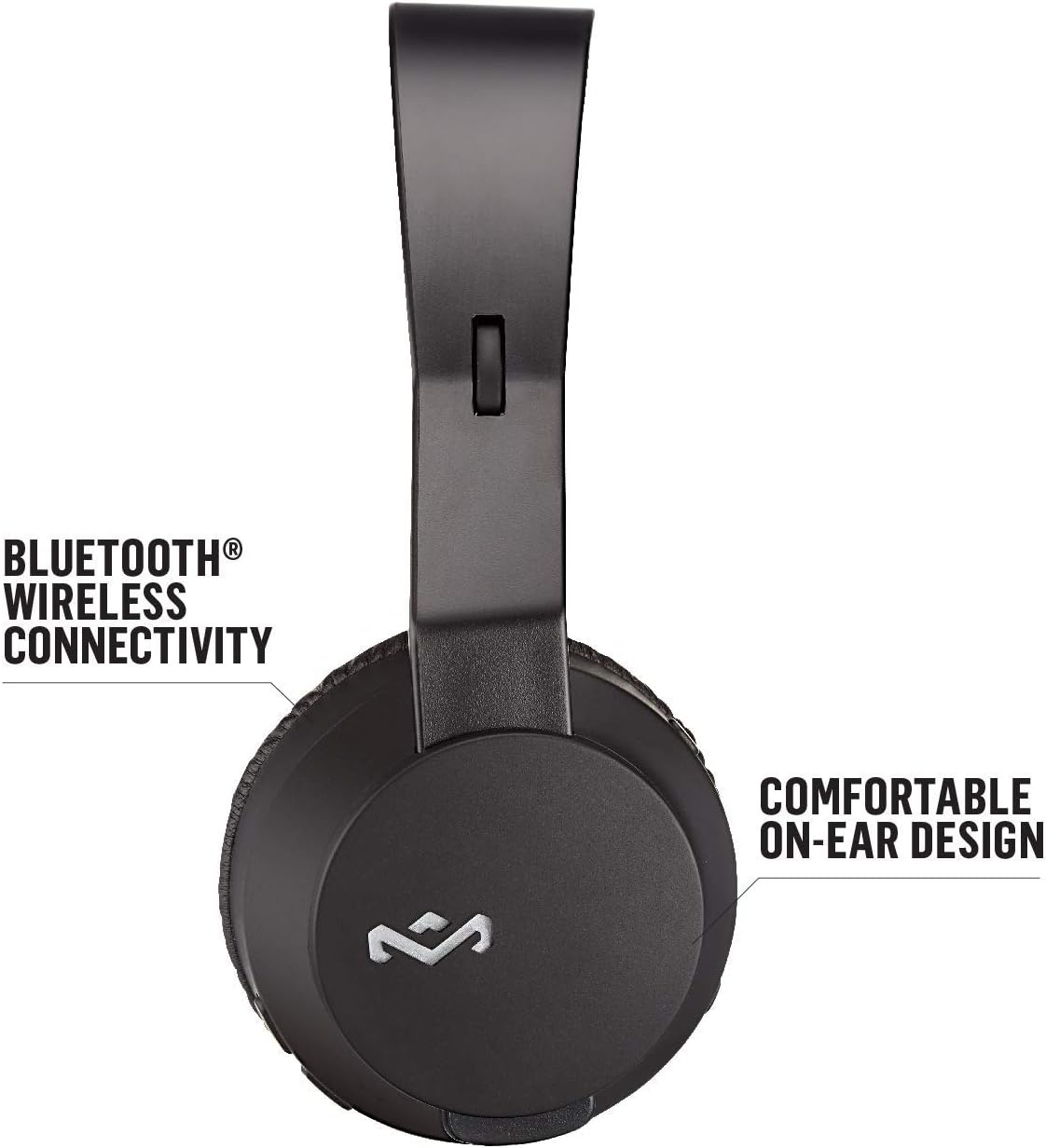
Figure 3: Illustrates the Bluetooth wireless connectivity and comfortable on-ear design of the headphones.

Figure 4: Details the sustainable materials used in the headphones, including Regrind silicone rubber and bio-based polymer.
4. Setup
4.1 Charging the Headphones
Before first use, fully charge your Rebel BT headphones. Connect the micro-USB end of the provided USB charging cable to the charging port on the headphone ear cup. Connect the USB-A end to a compatible USB power source (e.g., computer USB port, USB wall adapter). The LED indicator will show charging status and turn off when fully charged.
4.2 Powering On/Off
- To Power On: Press and hold the Power button until the LED indicator lights up.
- To Power Off: Press and hold the Power button until the LED indicator turns off.
4.3 Bluetooth Pairing
- Ensure the headphones are powered off.
- Press and hold the Power button for approximately 5-7 seconds until the LED indicator flashes blue and red, indicating pairing mode.
- On your device (smartphone, tablet, computer), enable Bluetooth and search for available devices.
- Select "Rebel BT" from the list of found devices.
- Once paired, the LED indicator on the headphones will turn solid blue or flash blue slowly.
Note: The headphones will automatically attempt to reconnect to the last paired device when powered on.
5. Operating Instructions
5.1 Music Playback Controls
- Play/Pause: Press the multi-function button once.
- Next Track: Press and hold the Volume Up button.
- Previous Track: Press and hold the Volume Down button.
- Volume Up: Short press the Volume Up button.
- Volume Down: Short press the Volume Down button.
5.2 Call Management
- Answer/End Call: Press the multi-function button once.
- Reject Call: Press and hold the multi-function button.
5.3 Wired Connection
To use the headphones in wired mode, connect the 3.5mm audio cable to the audio input port on the headphone ear cup and the other end to your audio device's 3.5mm output. The in-line microphone and 1-button remote on the cable can be used for basic controls (play/pause, answer/end call) when connected via wire.
Video 1: Official product video for House of Marley Rebel Wireless Headphones. This video provides an overview of the headphones' features and usage.
6. Maintenance
- Cleaning: Use a soft, dry cloth to clean the headphones. Do not use abrasive cleaners or solvents.
- Storage: Store the headphones in a cool, dry place away from direct sunlight and extreme temperatures.
- Battery Care: To prolong battery life, avoid fully discharging the battery frequently. Charge regularly, even if not in use for extended periods.
- Avoid Moisture: These headphones are not water-resistant. Avoid exposure to water or excessive moisture.
7. Troubleshooting
| Problem | Possible Cause | Solution |
|---|---|---|
| Headphones not powering on | Low battery | Charge the headphones fully. |
| Cannot pair via Bluetooth | Headphones not in pairing mode; device Bluetooth off; too far from device | Ensure headphones are in pairing mode (flashing red/blue LED). Turn on Bluetooth on your device. Move headphones closer to the device (within 10 meters). |
| No sound | Volume too low; incorrect audio source; headphones not connected | Increase volume on headphones and device. Check if the correct audio source is selected on your device. Re-pair Bluetooth or ensure wired connection is secure. |
| Poor sound quality | Interference; low battery; damaged audio cable | Move away from other wireless devices. Charge the headphones. Try using the wired connection or a different audio cable. |
8. Specifications
- Model Name: Rebel
- Model Number: EM-JH101-BK
- Brand: Marley
- Color: Black
- Ear Placement: On Ear
- Connectivity Technology: Bluetooth, 3.5 mm Jack
- Audio Driver Size: 40mm
- Battery: 1 Lithium Polymer battery (included)
- Continuous Playback: Up to 10 hours (Bluetooth)
- Material: Regrind Silicone Rubber, 70% Bio-Plastic Ear Housings
- Product Dimensions: 2.5 x 7.5 x 7.5 inches
- Item Weight: 7.1 ounces (200 Grams)
- Control Type: Media Control, Music, Touch Control
- Water Resistance Level: Not Water Resistant
- UPC: 846885007266

Figure 5: Dimensions of the headphones in comparison to a standard smartphone.
9. Warranty and Support
For warranty information and customer support, please refer to the official House of Marley website or contact their customer service directly. Keep your proof of purchase for any warranty claims.
Official Website: www.thehouseofmarley.com
For additional support and resources, you may also visit the Marley Store on Amazon.


