
Pantone P5D50840
Pantone 5-Light Booth P5D50840 User Manual
Comprehensive Guide for Accurate Color Assessment
Introduction
The Pantone 5-Light Booth (Model P5D50840) is an essential tool designed to provide consistent and controlled lighting environments for accurate color assessment. This cabinet allows users to evaluate colors under various standard light sources, helping to identify metameric effects and ensure color consistency across different viewing conditions. It is particularly valuable in industries such as printing, manufacturing, and textiles where precise color matching is critical.
This manual provides detailed instructions for the setup, operation, maintenance, and troubleshooting of your Pantone 5-Light Booth.
Safety Information
Please read all safety instructions carefully before operating the Pantone 5-Light Booth. Failure to follow these instructions may result in injury or damage to the unit.
- Ensure the unit is connected to a 120-volt power source.
- Do not expose the unit to water or excessive moisture. It is not water resistant.
- Do not attempt to open or service the internal components. Refer all servicing to qualified personnel.
- Place the unit on a stable, level surface to prevent tipping.
- Keep the viewing area clear of obstructions to ensure proper light distribution.
Product Overview
The Pantone 5-Light Booth features a robust aluminum construction and a spacious viewing area designed for optimal color evaluation. It integrates five distinct light sources to simulate various real-world lighting conditions.
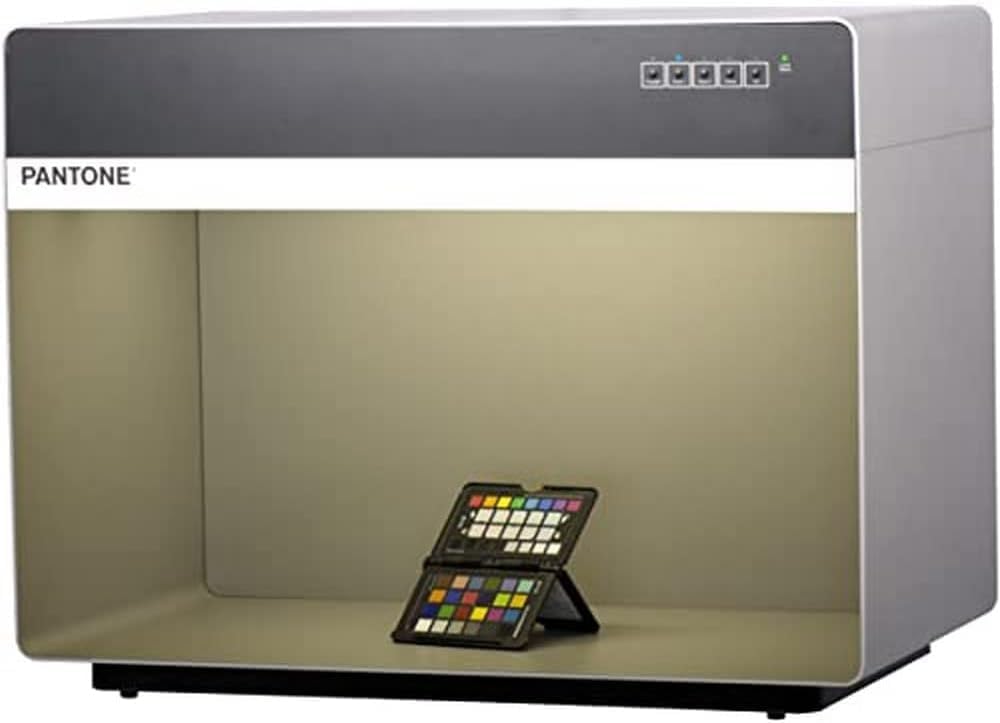
Image: The Pantone 5-Light Booth, showing its compact design and the internal viewing area with a color checker chart placed inside. The unit is illuminated with a warm light setting.
Key Components:
- Control Panel: Located on the top front, with push buttons for light source selection and a lamp status indicator.
- Viewing Area: The internal chamber where samples are placed for color assessment.
- Light Sources: Five distinct light types for simulating various environments.
- Power Inlet: For connecting the power cord.

Image: A close-up view of the control panel on the Pantone 5-Light Booth, showing the "Daylight", "Store 1", "Store 2", "Home", and "UV" buttons, along with the "Lamp Status" indicator.
Setup
- Unpacking: Carefully remove the Pantone 5-Light Booth from its packaging. Inspect the unit for any signs of damage during transit. Retain packaging for future transport or storage.
- Placement: Choose a stable, flat surface for the light booth. Ensure there is adequate space around the unit for ventilation and access to the power outlet. Avoid placing it in direct sunlight or near strong ambient light sources that could interfere with color assessment.
- Power Connection: Locate the power inlet on the unit. Connect the provided power cord to the inlet and then plug the cord into a standard 120-volt AC electrical outlet.
- Initial Power On: Once connected, the unit is ready for operation. There is no separate power switch; the unit powers on when plugged in.
Operating Instructions
The Pantone 5-Light Booth is designed for straightforward operation using its intuitive control panel.
Light Source Selection:
The control panel features five distinct buttons, each corresponding to a specific light source. Press the desired button to activate that light setting. Only one light source can be active at a time.
- Daylight (D50): Simulates natural daylight with a color temperature of 5,000K. Ideal for general color assessment and matching.

Image: The light booth illuminated with a bright, neutral daylight setting, suitable for standard color evaluation.
- Store 1 (CWF): Simulates Cool White Fluorescent lighting, common in USA retail stores.

Image: The light booth displaying a cool white fluorescent light, simulating typical retail store conditions.
- Store 2 (TL84): Simulates TL84 fluorescent lighting, another common retail and industrial light condition.

Image: The light booth under TL84 fluorescent light, representing another common commercial lighting scenario.
- Home (Illuminant A): Reproduces typical residential lighting environments (Tungsten).
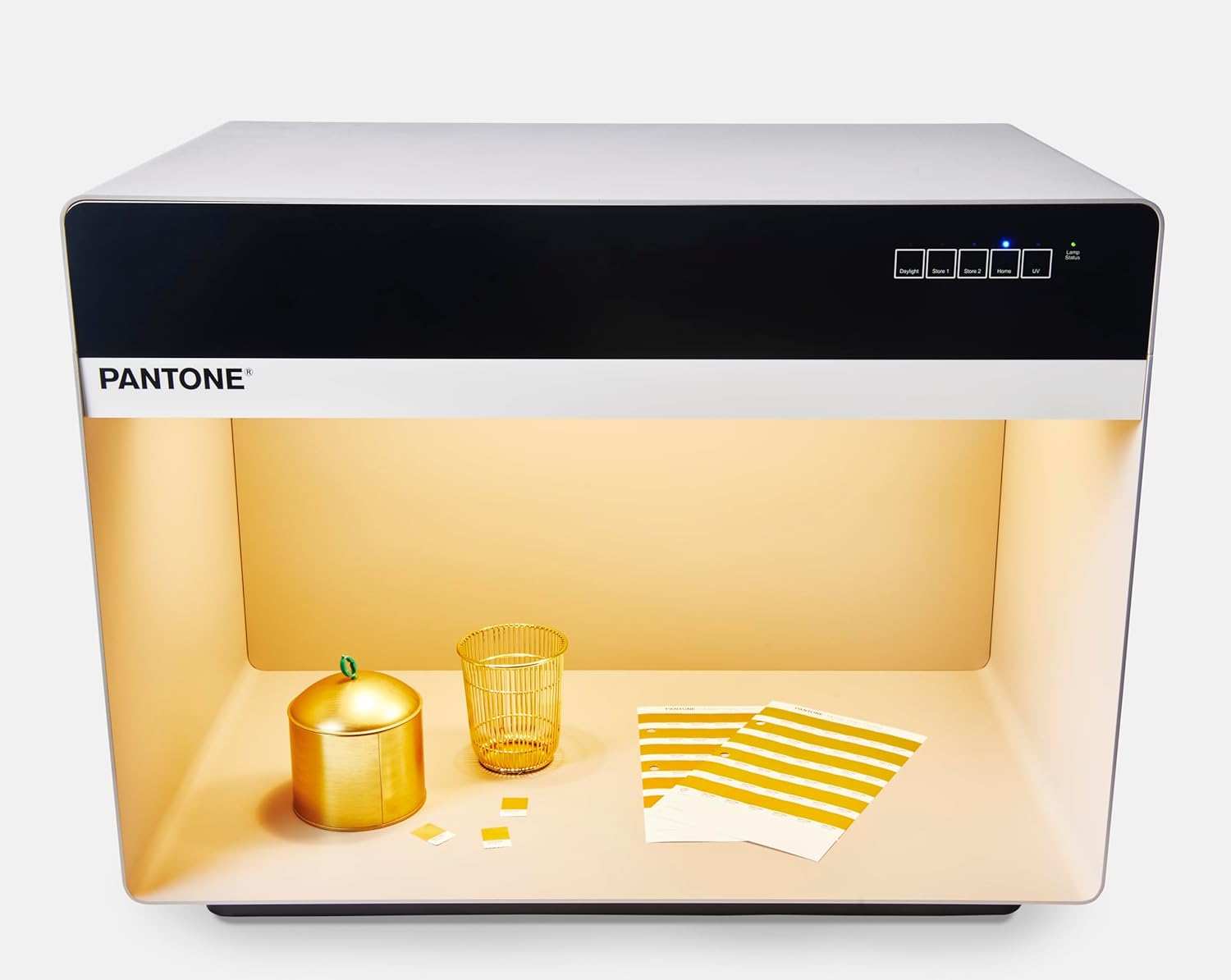
Image: The light booth illuminated with a warm, incandescent-like light, simulating typical home lighting.
- UV (Ultraviolet): Activates ultraviolet light to reveal optical brighteners and fluorescent dyes.

Image: The light booth under ultraviolet (UV) light, used to detect optical brighteners or fluorescence in materials.
Color Assessment Procedure:
- Place the color samples or products to be assessed inside the viewing area.
- Select the desired light source by pressing the corresponding button on the control panel.
- Observe the samples under the selected light. Note any color shifts, metamerism (colors appearing to match under one light but not another), or inconsistencies.
- Switch between different light sources to evaluate how colors appear under various conditions. This is crucial for identifying potential issues before production or final approval.
- The "Lamp Status" indicator on the control panel will show the operational status of the lamps.
Maintenance
Proper maintenance ensures the longevity and accurate performance of your Pantone 5-Light Booth.
- Cleaning:
- Wipe the exterior surfaces with a soft, dry cloth.
- For the interior viewing area, use a soft, lint-free cloth slightly dampened with a mild, non-abrasive cleaner. Avoid harsh chemicals that could damage the finish or affect light reflection.
- Ensure the unit is unplugged before cleaning.
- Lamp Replacement:
- Lamps have a finite lifespan and their color output can drift over time. Refer to Pantone's official guidelines or contact customer support for recommended lamp replacement intervals.
- Lamp replacement should ideally be performed by qualified personnel to ensure correct lamp type and calibration. The bulb base is GU24.
- Storage: If storing the unit for an extended period, unplug it and store it in a dry, dust-free environment, preferably in its original packaging.
Troubleshooting
This section addresses common issues you might encounter with your Pantone 5-Light Booth.
| Problem | Possible Cause | Solution |
|---|---|---|
| Unit does not power on. | No power supply; loose power cord. | Ensure the power cord is securely plugged into both the unit and a live 120V outlet. Check the outlet with another device. |
| Selected light source does not illuminate. | Lamp failure; incorrect selection. | Check the "Lamp Status" indicator. If a lamp is out, it may need replacement. Ensure only one light button is pressed. |
| Inconsistent color assessment. | Aging lamps; external light interference; dirty viewing area. | Consider lamp replacement if lamps are old. Ensure the booth is in a dark environment. Clean the interior viewing surfaces. |
| Buttons on control panel are unresponsive. | Temporary electronic glitch. | Unplug the unit from the power source for 30 seconds, then plug it back in to reset. |
If the problem persists after attempting these solutions, please contact Pantone Customer Support.
Specifications
| Feature | Detail |
|---|---|
| Model Name | 5 Light Booth - P5D50840 |
| Brand | Pantone |
| Product Dimensions (L x W x H) | 24.02" x 21.47" x 31.5" |
| Viewing Area Size (L x W x D) | 26.9" x 15.5" x 13.7" |
| Item Weight | 51.8 lbs |
| Material | Aluminum |
| Number of Light Sources | 5 |
| Light Source Type | Fluorescent (Combination: Fluorescent, UV, likely LED) |
| Light Colors | White, Warm White, Ultraviolet |
| Voltage | 120 Volts |
| Control Method | Touch / Push Button |
| Bulb Base | GU24 |
| Indoor/Outdoor Usage | Indoor |
| Assembly Required | No |
| UPC | 849572004982 |
Warranty Information
The manufacturer's warranty information for the Pantone 5-Light Booth (Model P5D50840) is listed as "N/a" in the product specifications. For specific warranty details or inquiries, please contact Pantone Customer Support directly.
Customer Support
For technical assistance, service, or any questions regarding your Pantone 5-Light Booth, please contact Pantone Customer Support. Refer to the official Pantone website or your purchase documentation for the most current contact information.
You can also visit the Pantone Store on Amazon for additional product information and resources.
Ask a question about this manual
Ask about setup, troubleshooting, compatibility, parts, safety, or missing instructions. Manuals+ will review the question and use this page’s manual context to help answer it.