
1. Introduction
This manual provides comprehensive instructions for the Fujifilm Fujinon XF1.4X TC WR 1.4x Teleconverter. This high-performance accessory is designed to multiply the focal length of compatible Fujifilm X-Series lenses by 1.4x, extending your photographic reach. It features a robust optical design that maintains the image quality of the original lens and boasts weather and dust resistance, making it suitable for outdoor use when paired with similarly resistant X-Series lenses and camera bodies.
2. Product Overview
2.1. What's in the Box
- Lens
- Lens Pouch
Note: The term "Lens" refers to the XF1.4X TC WR Teleconverter itself.
2.2. Key Features
- Multiplies focal length of mounted lenses by 1.4x.
- Weather-resistant design for weather and dust resistance, and operation as low as 14°F (-10°C).
- Maintains autofocus speed equivalent to the XF lens by itself.
- Camera displays and records information reflecting the change in aperture and focal length when the teleconverter is mounted.
- Currently compatible with XF50-140mm, XF100-400mm, and XF80mm lenses.
2.3. Teleconverter Components

Figure 1: Front view of the Fujifilm Fujinon XF1.4X TC WR Teleconverter. This image displays the teleconverter with its front element visible, showing the FUJIFILM branding and "TELE CONVERTER XF 1.4X TC WR" text.

Figure 2: Rear view of the Fujifilm Fujinon XF1.4X TC WR Teleconverter. This image shows the rear lens element and the camera mount interface, including the red alignment dot.
The teleconverter consists of precision optical elements housed within a durable, weather-resistant barrel. It features a lens mount on one side for attachment to a compatible Fujifilm X-mount lens and a camera mount on the other side for attachment to a Fujifilm X-series camera body. Alignment marks (red dots) are present on both sides to ensure correct mounting.
3. Setup and Installation
Proper installation of the teleconverter is crucial for optimal performance and to prevent damage to your equipment.
3.1. Attaching the Teleconverter to a Compatible Lens
- Ensure both the teleconverter and the lens are clean and free of dust.
- Align the red dot on the teleconverter with the red dot on the rear of your compatible Fujifilm XF lens (e.g., XF50-140mm, XF100-400mm, XF80mm).
- Gently push the teleconverter onto the lens mount and rotate it clockwise until it clicks securely into place. Do not force the attachment.
- Verify that the teleconverter is firmly attached and does not wobble.
Important: Only attach the teleconverter to compatible lenses as listed in the product specifications. Attempting to attach it to incompatible lenses may cause damage.
3.2. Attaching the Lens/Teleconverter Assembly to the Camera Body
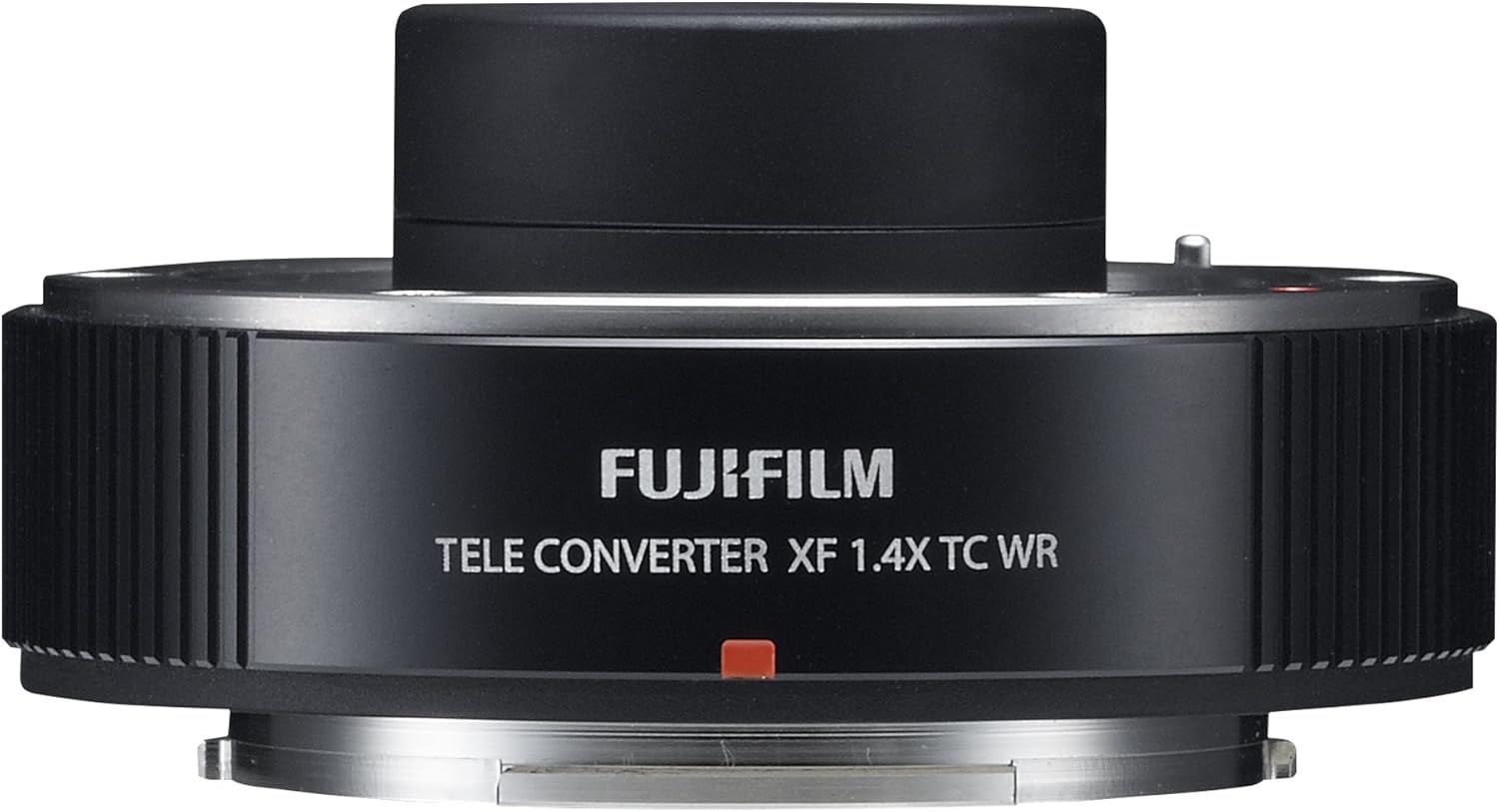
Figure 3: A Fujifilm X-T1 camera body with an XF50-140mm lens and the XF1.4X TC WR Teleconverter attached, demonstrating the complete assembly.
- With the teleconverter already attached to the lens, align the red dot on the teleconverter's camera mount with the red dot on your Fujifilm X-series camera body.
- Gently push the lens/teleconverter assembly onto the camera mount and rotate it clockwise until it clicks securely into place.
- Ensure the assembly is firmly attached to the camera body.
Note: When removing the teleconverter, first detach the entire lens/teleconverter assembly from the camera, then detach the teleconverter from the lens.
4. Operating Instructions
Once the XF1.4X TC WR Teleconverter is correctly installed, its operation is largely integrated with your camera and lens system.
4.1. Focal Length and Aperture Impact
- The teleconverter multiplies the focal length of the attached lens by 1.4x. For example, a 100mm lens will become a 140mm lens.
- The maximum aperture of the attached lens will be reduced by one stop. For example, an f/2.8 lens will become an f/4 lens.
- Your camera will automatically detect the teleconverter and display the adjusted focal length and aperture values in the viewfinder and on the LCD screen. This information will also be recorded in the EXIF data of your images.
4.2. Autofocus Performance
The XF1.4X TC WR is designed to maintain autofocus speed equivalent to the XF lens itself, ensuring responsive performance even with the extended focal length. However, in very low light conditions or with subjects lacking contrast, autofocus performance may be slightly affected, similar to how it might be with the bare lens under challenging conditions.
4.3. Image Stabilization
If your attached lens features optical image stabilization (OIS), the teleconverter will pass the signals, allowing the OIS to function normally. This is particularly beneficial when shooting at longer focal lengths where camera shake is more pronounced.
5. Maintenance and Care
Proper care will ensure the longevity and optimal performance of your teleconverter.
5.1. Cleaning
- Lens Elements: Use a lens blower to remove dust and loose particles. For smudges or fingerprints, use a clean, soft microfiber lens cloth specifically designed for optics, along with a small amount of lens cleaning fluid if necessary. Apply fluid to the cloth, not directly to the lens.
- Body: Wipe the teleconverter body with a soft, dry cloth. For stubborn dirt, a slightly damp cloth can be used, followed by a dry cloth.
- Avoid using harsh chemicals, solvents, or abrasive materials, as these can damage the coatings and finish.
5.2. Storage
- When not in use, store the teleconverter with its front and rear caps attached in the provided lens pouch or a dry, cool place away from direct sunlight and extreme temperatures.
- Avoid storing in areas with high humidity to prevent mold or fungus growth. If storing for extended periods, consider using desiccant packets.
5.3. Weather Resistance
The XF1.4X TC WR is designed with weather and dust resistance. When used with a compatible weather-resistant Fujifilm XF lens and camera body, the entire system offers enhanced protection against moisture and dust. While resistant, it is not waterproof; avoid submerging the teleconverter or exposing it to heavy rain for prolonged periods.
6. Troubleshooting
This section addresses common issues you might encounter with your teleconverter.
6.1. Camera Does Not Recognize Teleconverter/Lens
- Check Connection: Ensure the teleconverter is securely attached to both the lens and the camera body. Listen for the click when mounting.
- Clean Contacts: Gently clean the electronic contacts on both the teleconverter and the camera/lens with a clean, dry microfiber cloth.
- Compatibility: Verify that your lens is one of the compatible models (XF50-140mm, XF100-400mm, XF80mm).
- Firmware Update: Ensure your camera and lens firmware are up to date. Visit the Fujifilm support website for the latest firmware versions and instructions.
6.2. Image Quality Appears Degraded
- Clean Optics: Dust or smudges on the teleconverter's or lens's elements can affect image quality. Refer to the cleaning section.
- Lighting Conditions: Teleconverters reduce the maximum aperture, meaning less light reaches the sensor. In low light, this can lead to increased noise or slower shutter speeds.
- Shooting Technique: At longer focal lengths, camera shake is more pronounced. Ensure proper hand-holding technique or use a tripod.
- Lens Quality: While designed to maintain optical performance, the overall image quality is still dependent on the quality of the primary lens.
6.3. Autofocus is Slow or Inaccurate
- Lighting: Autofocus systems perform best in good light. Reduced aperture from the teleconverter can impact performance in dim conditions.
- Subject Contrast: Autofocus struggles with low-contrast subjects. Try focusing on an area with more defined edges.
- Camera Settings: Ensure your camera's autofocus mode and settings are appropriate for your shooting situation.
7. Specifications
| Feature | Detail |
|---|---|
| Model Number | 16481892 |
| Magnification | 1.4x |
| Lens Type | Teleconverter (Extension Tube) |
| Compatible Mountings | Fujifilm X-Mount |
| Compatible Lenses | Fujifilm XF50-140mm, XF100-400mm, XF80mm |
| Weather Resistance | Yes (Weather and Dust Resistant) |
| Operating Temperature | As low as 14°F (-10°C) |
| Product Dimensions | 0.59 x 2.28 x 2.28 inches (1.5 x 5.8 x 5.8 cm) |
| Item Weight | 4.6 ounces (130 grams) |
| First Available Date | October 21, 2015 |
| Manufacturer | Fujifilm |
8. Warranty and Support
For detailed warranty information, please refer to the warranty card included with your product or visit the official Fujifilm website. Fujifilm provides customer support for product inquiries, technical assistance, and service requests.
- Official User Manual (PDF): A downloadable PDF version of the user manual is available for more detailed information. Download PDF Manual
- Fujifilm Support: For further assistance, please visit the Fujifilm Support Website or contact their customer service.


