1. Safety Information
Please read this manual carefully before installing and using the appliance. Keep it for future reference.
1.1 General Safety
- This appliance is intended for domestic use only.
- Ensure the appliance is installed by a qualified professional.
- Do not operate the appliance if it is damaged.
- Always disconnect the appliance from the power supply before cleaning or maintenance.
- The appliance surface can become hot during operation. Avoid touching hot surfaces.
1.2 Child Lock
The cooktop is equipped with a child lock function to prevent unauthorized use. To activate the child lock, press and hold the designated button for a few seconds until the indicator lights up. To deactivate, press and hold the same button again for a few seconds.
1.3 Residual Heat Indicator
After switching off a cooking zone, the residual heat indicator will show if the zone is still hot. Do not touch the cooking zone while the indicator is active.
2. Product Overview
The Siemens EH375FBB1E is an iQ100 series autonomous domino induction cooktop, featuring two cooking zones and a ceramic glass surface. Its compact design makes it suitable for various kitchen layouts.
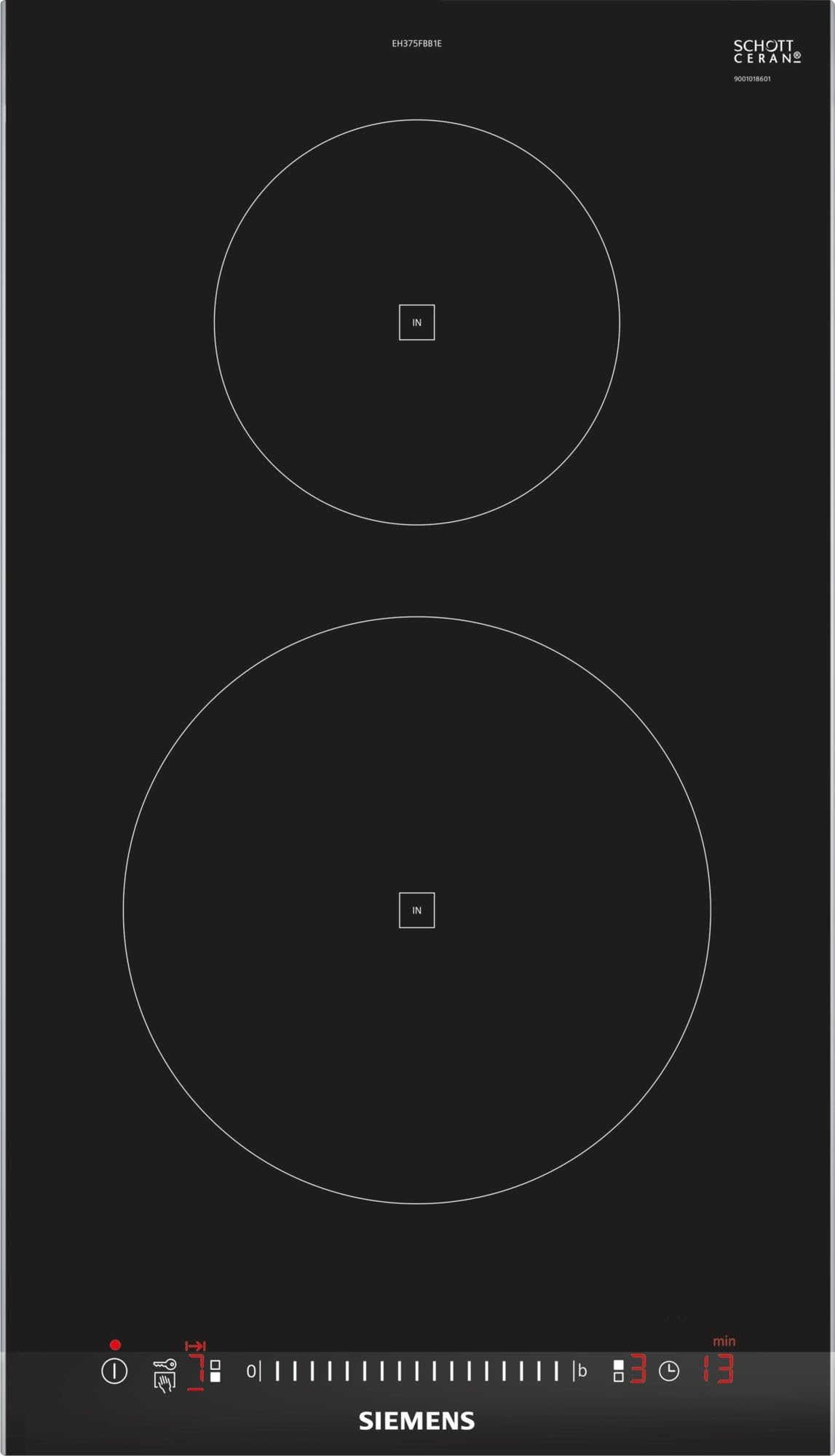
Image 1: Siemens EH375FBB1E iQ100 Induction Cooktop. This image displays the sleek black ceramic glass surface with two induction cooking zones and the integrated touch control panel.
3. Setup and Installation
This appliance is designed for built-in installation. Ensure proper ventilation and electrical connections are made according to local regulations.
3.1 Dimensions and Cut-out
- Appliance Dimensions (W x D x H): 30.2 cm x 52 cm x 5.1 cm
- Product Weight: 7 kg
- Refer to the separate installation instructions for precise cut-out dimensions and mounting details.
3.2 Electrical Connection
- Connected Power: 3700 W
- Supply Voltage: 220-240 V
- The appliance must be connected to a suitable electrical supply by a qualified electrician.
4. Operating Instructions
The cooktop features intuitive touch controls for easy operation.
4.1 TouchSlider Control
The innovative TouchSlider control panel allows you to adjust the temperature settings by simply sliding your finger across the control area or by tapping directly on the desired power level.
4.2 PowerBoost Function
The PowerBoost function temporarily increases the power of a cooking zone by up to 50%, significantly reducing heating times. Activate PowerBoost for rapid boiling or searing. The function automatically deactivates after a set period or when the maximum temperature is reached.
4.3 Timer Function
The timer with switch-off function allows you to set a specific cooking duration. Once the set time has elapsed, the cooking zone will automatically switch off, ensuring precise cooking results and safety.
4.4 Additional Functions
- reStart Function: If the cooktop is accidentally switched off, the reStart function allows you to quickly resume cooking with the previous settings.
- Quick Start: Enables rapid selection of the highest power level.
- Pot Detection: Automatically detects the presence and size of cookware on the cooking zone.
- ShortClean: Temporarily locks the control panel for 30 seconds to allow for quick cleaning without changing settings.
- End-of-Work Sound Signal: An audible signal indicates when a set timer has finished.
- Energy Consumption Indicator: Displays the energy consumed during the cooking process.
5. Maintenance and Cleaning
Regular cleaning and maintenance will ensure the longevity and optimal performance of your induction cooktop.
- Always ensure the cooktop is cool before cleaning.
- Use a soft cloth and a mild cleaning agent specifically designed for ceramic glass surfaces.
- For stubborn stains, use a specialized ceramic hob scraper.
- Avoid abrasive cleaners, scouring pads, or harsh chemicals, as these can damage the surface.
- Wipe up spills immediately to prevent them from burning onto the surface.
6. Troubleshooting
If you encounter any issues with your cooktop, refer to the following common troubleshooting tips before contacting customer service.
6.1 Cooktop Not Turning On
- Check if the appliance is properly connected to the power supply.
- Ensure the circuit breaker has not tripped.
- Verify that the child lock is not activated.
6.2 Cooking Zone Not Heating
- Ensure you are using induction-compatible cookware.
- Check if the cookware is correctly positioned on the cooking zone.
- Verify that the power level is set appropriately.
6.3 Displaying Error Codes
If an error code appears on the display, consult the full user manual for a detailed explanation and resolution steps. Often, turning the appliance off and on again can resolve minor issues.
7. Specifications
| Feature | Detail |
|---|---|
| Model Number | EH375FBB1E |
| Type of Cooktop | Induction |
| Number of Heating Zones | 2 |
| Dimensions (W x D x H) | 30.2 cm x 52 cm x 5.1 cm |
| Connected Power | 3700 W |
| Supply Voltage | 220-240 V |
| Control Type | Digital Touch (TouchSlider) |
| Heating Surface Material | Ceramic Glass |
| Color | Black |
| Weight | 7 kg |
| Special Features | PowerBoost, reStart, Quick Start, Pot Detection, ShortClean, Timer, Residual Heat Indicator, Child Lock |
8. Warranty and Support
This Siemens EH375FBB1E Induction Cooktop comes with a 24-month warranty, including door-to-door service.
For technical assistance, spare parts, or warranty claims, please contact Siemens customer service or your authorized dealer. Ensure you have your model number (EH375FBB1E) and proof of purchase available.
You can find contact information for your region on the official Siemens website or in the warranty card included with your product.


