
Introduction
This user manual provides comprehensive instructions for the safe and effective operation of your HealthmateForever YK15AB Digital Electrotherapy Massager. This device is designed to provide temporary relief of pain associated with sore and aching muscles in the shoulder, waist, back, neck, upper extremities (arm), and lower extremities (leg) due to strain from exercise or normal household work. Please read this manual thoroughly before use and keep it for future reference.
Important Safety Information
WARNING: Do not use this device if you have a pacemaker, implanted defibrillator, or other implanted metallic or electronic device.
Consult your physician before using this device if you have any medical conditions, including but not limited to:
- Pregnancy
- Heart disease
- Epilepsy
- Malignant tumor
- Acute disease
- High fever
- Abnormal blood pressure
- Skin conditions or open wounds in the treatment area
Precautions:
- Do not apply stimulation over the carotid sinus nerves (front of neck), across the chest, or over the head.
- Do not use while driving, operating machinery, or during any activity where involuntary muscle contractions may put the user at undue risk of injury.
- Keep out of reach of children.
- Use only as directed.
- Discontinue use if you experience any adverse reactions and consult a physician.
Package Contents
Verify that all items listed below are included in your package:

This image displays the complete contents of the HealthmateForever YK15AB package. It includes the main digital electrotherapy device, multiple sets of self-adhesive electrode pads, connection wires, AAA batteries, a quick start guide, a warranty card, and a diagram illustrating normal treatment points on the human body.
- 1 x HealthmateForever YK15AB Device
- 4 x Large Electrode Pads
- 2 x Electrode Wires
- 3 x AAA Batteries
- 1 x Pad Holder
- 1 x Quick Start Guide
- 1 x Warranty Card
- 1 x Treatment Point Diagram
Product Overview
The HealthmateForever YK15AB is a compact, portable digital electrotherapy massager. It features a clear LCD display and intuitive buttons for easy operation.
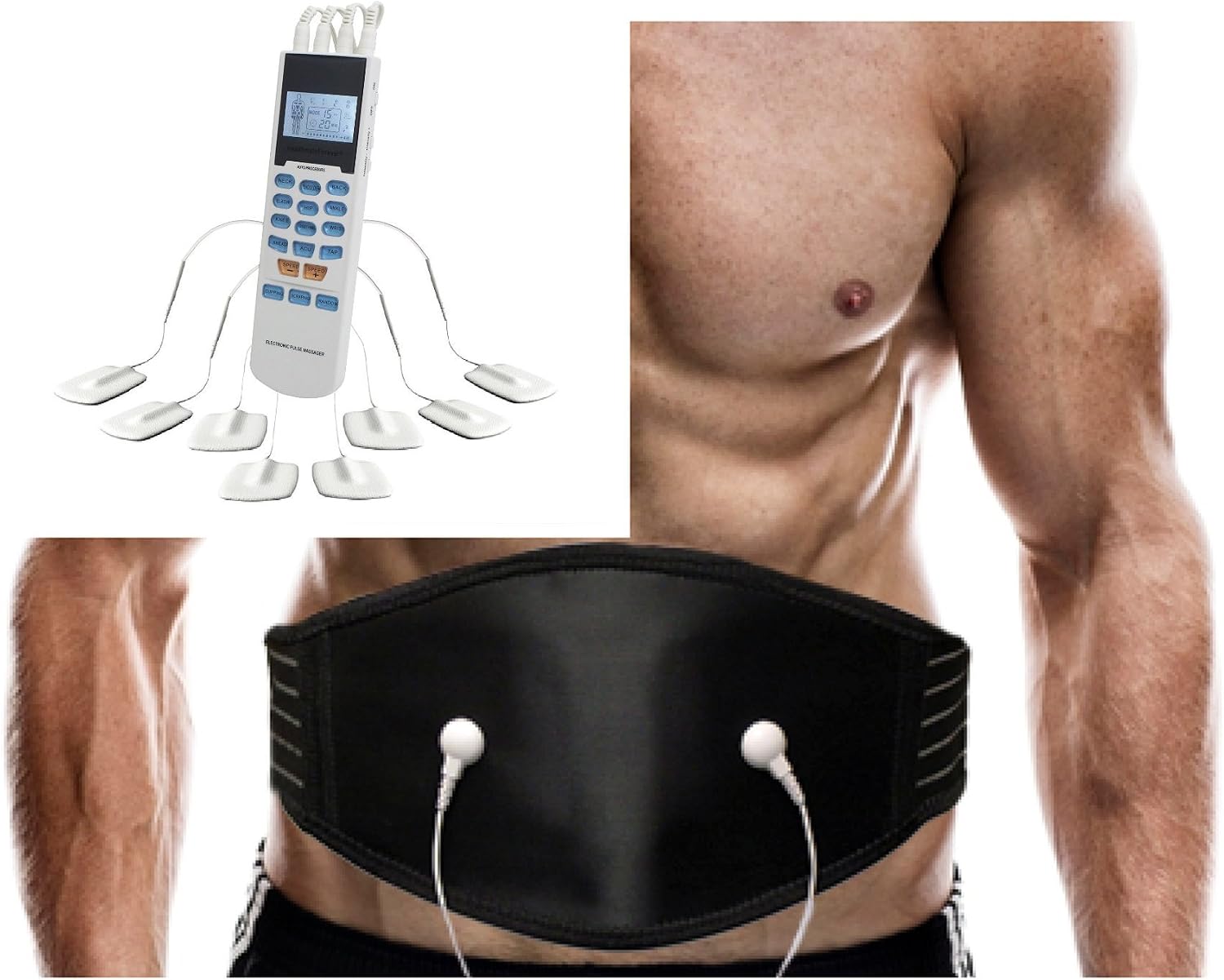
This image shows the HealthmateForever YK15AB digital electrotherapy massager unit. The main unit is white with a blue LCD screen and various control buttons. Multiple electrode pads are connected to the unit via wires, demonstrating how the device delivers electrical impulses to the body.
Device Components:
- LCD Display: Shows mode, intensity, time, and battery status.
- Mode Buttons: Select from 15 pre-programmed massage modes.
- Intensity Buttons (+/-): Adjust the stimulation intensity.
- Time Button: Set the treatment duration.
- On/Off Button: Power the device on or off.
- Output Ports: Connect electrode wires.
- Electrode Pads: Self-adhesive pads for applying stimulation to the skin.
Setup Instructions
- Install Batteries: Open the battery compartment on the back of the device and insert 3 AAA batteries, ensuring correct polarity. Close the compartment securely.
- Connect Electrode Wires: Plug the electrode wires into the output ports on the top of the device.
- Attach Electrode Pads: Connect the electrode pads to the pins at the end of the electrode wires. Ensure a secure connection.
- Prepare Skin: Clean and dry the skin area where you intend to place the electrode pads. Remove any lotions, oils, or sweat to ensure proper adhesion and conductivity.
- Apply Pads: Carefully remove the protective film from the electrode pads and firmly place them on the desired treatment area. Ensure the pads are flat against the skin and not overlapping.
Operating Instructions
Starting a Session:
- Power On: Press the "On/Off" button to turn on the device. The LCD screen will illuminate.
- Select Mode: Press the "Mode" button repeatedly to cycle through the 15 available massage modes. Each mode offers a different type of stimulation (e.g., Knead, Acupuncture, Tapping). Refer to the mode diagram for visual representation.
- Set Time: Press the "Time" button to adjust the treatment duration. The default session time is typically 15-30 minutes.
- Adjust Intensity: Use the "+" button to increase the intensity and the "-" button to decrease it. Start with the lowest intensity and gradually increase until you feel a comfortable, yet effective, sensation. Do not increase to an uncomfortable level.

This diagram illustrates the 15 distinct massage modes available on the HealthmateForever YK15AB device. Each mode is represented by an icon and a label, such as Neck, Shoulder, Back, Elbow, Hip, Ankle, Knee, Hand/Foot, Wrist, Knead, Acupuncture, Tapping, Cupping, Scraping, and Random, indicating various types of pain relief or massage techniques.
Pad Placement Guidelines:
Proper pad placement is crucial for effective treatment. Refer to the diagram below for recommended massage points.

This circular diagram illustrates various recommended massage points on the human body for electrode pad placement. It shows examples of pad placement on the back, shoulders, lower back, legs, and abdomen, guiding users on where to apply the pads for optimal pain relief.
- Place pads on clean, dry, healthy skin.
- For localized pain, place pads on either side of the painful area, ensuring they are not touching.
- Avoid placing pads directly over joints or bony prominences.
- Ensure good contact between the entire pad surface and the skin.
Using the Back Belt (if applicable):
The HealthmateForever YK15AB may be used with compatible accessories such as a back belt for broader application.
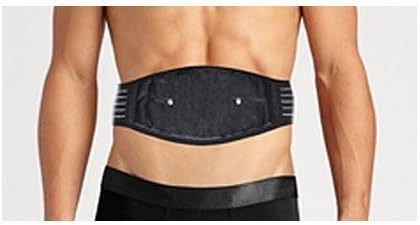
This image shows a person from behind wearing a black electrotherapy back belt. The belt is positioned around the lower back, suggesting its use for pain relief in that region.
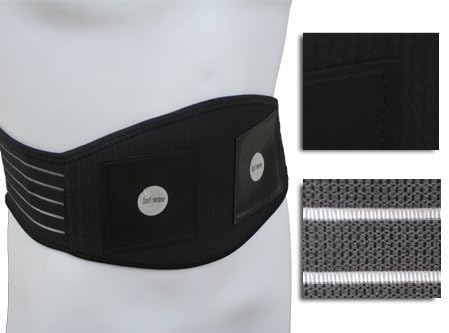
This image provides a detailed view of the black electrotherapy back belt. It highlights the internal electrode pads and the adjustable straps, demonstrating the design and functionality of the belt for targeted pain relief.
- Connect the back belt to the device's output ports as you would with standard electrode pads.
- Wrap the belt around the desired area (e.g., lower back) and secure it comfortably.
- Ensure the internal electrodes of the belt make good contact with your skin.
- Adjust intensity as described above.
Maintenance and Care
Cleaning the Device:
- Turn off the device and disconnect all wires and pads before cleaning.
- Wipe the device body with a soft, slightly damp cloth. Do not use abrasive cleaners or immerse the device in water.
- Ensure the device is completely dry before storing or next use.
Caring for Electrode Pads:
- After each use, place the protective film back onto the adhesive side of the pads to prevent drying and maintain stickiness.
- Store pads in a cool, dry place, away from direct sunlight.
- If pads lose their stickiness, gently wipe the adhesive surface with a damp cloth and let air dry. Do not use soap or harsh chemicals.
- Replace pads when they no longer adhere well to the skin, as this can affect conductivity and treatment effectiveness.
Storage:
- Store the device and accessories in their original packaging or a protective case when not in use.
- Remove batteries if the device will not be used for an extended period to prevent battery leakage.
Troubleshooting
| Problem | Possible Cause | Solution |
|---|---|---|
| Device does not turn on. | Batteries are dead or incorrectly inserted. | Replace batteries or ensure correct polarity. |
| No sensation or weak sensation. | Pads not adhering well; intensity too low; wires loose or damaged. | Ensure pads are firmly on skin; increase intensity gradually; check wire connections; replace pads or wires if damaged. |
| Sensation is uncomfortable or stinging. | Intensity too high; pads not fully adhering; skin is too dry. | Decrease intensity; ensure full pad contact; moisten skin slightly before applying pads. |
| LCD display is dim or flickering. | Low battery power. | Replace batteries. |
Specifications
- Model: YK15AB
- Power Source: 3 x AAA Batteries
- Modes: 15 Pre-programmed Massage Modes
- Intensity Levels: Adjustable
- Output Channels: 2 (allowing 4 pads to be used simultaneously)
- Automatic Shut-off: Yes (after session completion)
- Dimensions: (Approximate, based on typical palm-sized devices) 4.5 x 2.5 x 0.8 inches (11.4 x 6.3 x 2 cm)
- Weight: (Approximate) 0.2 lbs (90g) without batteries
Warranty and Support
The HealthmateForever YK15AB typically comes with a manufacturer's warranty. Please refer to the included Warranty Card for specific terms, conditions, and duration of your warranty.
For technical support, customer service, or warranty claims, please contact Healthmate International, LLC directly. Contact information can usually be found on the warranty card or the manufacturer's official website.
Legal Disclaimer: Statements regarding dietary supplements have not been evaluated by the FDA and are not intended to diagnose, treat, cure, or prevent any disease or health condition.
