Introduction
Thank you for choosing the Monster ROC Sport Wireless Over-Ear Headphones. This manual provides essential information for setting up, operating, maintaining, and troubleshooting your headphones to ensure optimal performance and longevity.
Package Contents
Before you begin, please verify that all items are present in your package:
- Monster ROC Sport Wireless Over-Ear Headphones
- Audio Cable
- Ear Cushions (pre-installed or spare)
- USB Charging Cable (not explicitly listed but implied by 'Lithium Ion batteries required')
- Quick Start Guide (if included)
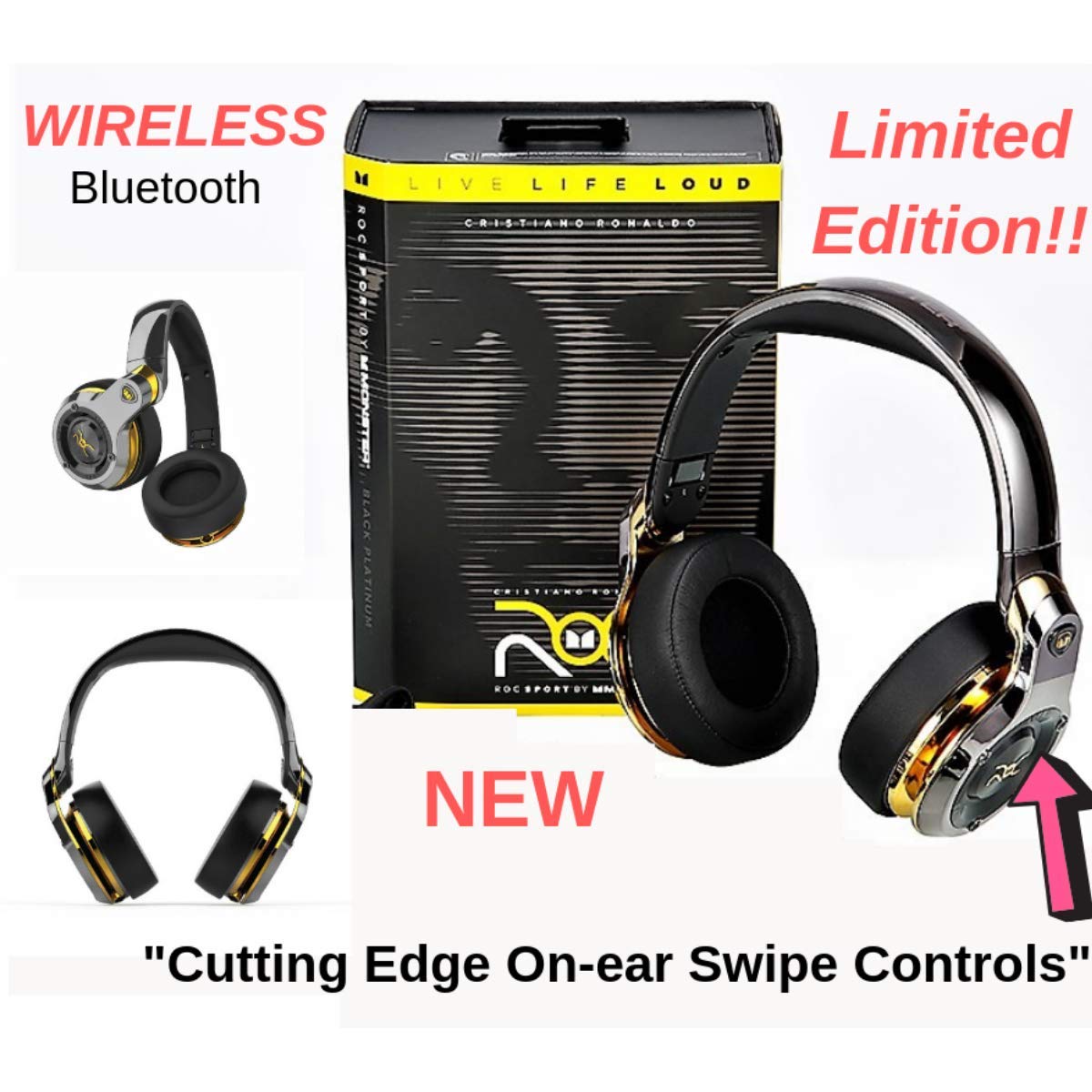
Image: Monster ROC Sport Wireless Over-Ear Headphones shown with its retail packaging, highlighting the product and its box.
Setup
1. Charging the Headphones
Your headphones contain a rechargeable Lithium Ion battery. Before first use, fully charge the headphones.
- Locate the charging port on the headphones.
- Connect the provided USB charging cable to the headphones and to a standard USB power source (e.g., computer USB port, USB wall adapter).
- The LED indicator on the headphones will show the charging status. Refer to the quick start guide for specific LED behavior.
- Once fully charged, disconnect the charging cable.
2. Powering On/Off
- To power on: Press and hold the Power button until the LED indicator illuminates.
- To power off: Press and hold the Power button until the LED indicator turns off.
3. Bluetooth Pairing
To connect your headphones wirelessly to a device:
- Ensure the headphones are charged and powered off.
- Press and hold the Power button for approximately 5-7 seconds until the LED indicator flashes rapidly (usually blue and red), indicating pairing mode.
- On your audio device (smartphone, tablet, laptop), enable Bluetooth and search for new devices.
- Select "ROC Sport by Monster" or a similar name from the list of available devices.
- Once paired, the LED indicator on the headphones will change to a steady blue or flash slowly, confirming the connection.

Image: A detailed front view of the Monster ROC Sport Wireless Over-Ear Headphones, showcasing the earcups and headband.
4. Wired Connection
For a wired audio experience or when the battery is depleted, use the included audio cable:
- Plug one end of the audio cable into the 3.5mm jack on the headphones.
- Plug the other end into the 3.5mm audio output of your device.
- The headphones will operate in passive mode, requiring no battery power.
Operating Instructions
Wearing the Headphones
Adjust the headband to ensure a comfortable and secure fit. The earcups are designed to sit over your ears for optimal sound isolation and comfort.

Image: A person wearing the Monster ROC Sport Wireless Over-Ear Headphones, demonstrating how they fit over the ears.
Controls
The headphones feature touch controls for various functions. Specific control gestures may vary; refer to the quick start guide for detailed instructions. Common functions include:
- Play/Pause: Single tap on the earcup.
- Volume Up/Down: Swipe up/down on the earcup.
- Next/Previous Track: Swipe forward/backward on the earcup.
- Answer/End Call: Single tap during an incoming call.
- Reject Call: Press and hold during an incoming call.
- Activate Voice Assistant: Double tap or press and hold (refer to specific model instructions).
Sound Isolation
The over-ear design provides passive sound isolation, reducing external noise for an immersive listening experience.
Maintenance and Care
Cleaning
- Use a soft, dry cloth to clean the surfaces of the headphones.
- Do not use liquid cleaners or aerosols directly on the headphones.
- Gently wipe ear cushions with a slightly damp cloth if necessary, then dry thoroughly.
Storage
When not in use, store your headphones in a cool, dry place. The headphones are foldable for compact storage.

Image: The Monster ROC Sport Wireless Over-Ear Headphones shown in a folded position, illustrating their portability and ease of storage.
Water Resistance
These headphones are not water resistant. Avoid exposure to liquids, moisture, or extreme humidity to prevent damage.
Troubleshooting
| Problem | Possible Solution |
|---|---|
| Headphones do not power on. | Ensure the headphones are fully charged. Connect to a power source and allow sufficient charging time. |
| Cannot pair via Bluetooth. | Ensure headphones are in pairing mode (flashing LED). Turn off and on your device's Bluetooth. Move headphones closer to the device. Clear previous Bluetooth connections on your device. |
| No sound or low volume. | Check volume levels on both headphones and the connected device. Ensure the headphones are properly paired or the audio cable is fully inserted. Test with a different audio source. |
| Sound quality is poor. | Ensure there are no obstructions between the headphones and the Bluetooth device. Move away from sources of interference (e.g., Wi-Fi routers, other Bluetooth devices). |
| Controls are unresponsive. | Ensure the headphones are powered on and connected. Try restarting the headphones and the connected device. |
Specifications
| Feature | Detail |
|---|---|
| Model Name | MH ROC OE BPL BT WW |
| Connectivity Technology | Wireless (Bluetooth), Wired (3.5mm Jack) |
| Wireless Communication Technology | Bluetooth |
| Included Components | Audio Cable, Ear Cushions |
| Material | Plastic |
| Compatible Devices | Smartphones, Tablets, Laptops, Desktops, Smart Speakers |
| Cable Feature | Tangle Free |
| Item Weight | 350 Grams |
| Water Resistance Level | Not Water Resistant |
| Control Method | Touch |
| Audio Driver Type | Dynamic Driver |
| Earpiece Shape | Over-Ear |
| Power Source | 1 Lithium Ion battery (rechargeable) |
| Product Dimensions | 11.43 x 17.46 x 25.4 cm |
| Colour | Black (with Platinum accents) |
| Noise Control | Sound Isolation |
Warranty and Support
For warranty information, technical support, or service inquiries, please refer to the warranty card included with your product or visit the official Monster website. Keep your proof of purchase for warranty claims.
Manufacturer: Monster Power, LLC
UPC: 050644749629


