
Monster MSP SPSTR BKF BT BK 24K WW
Monster BackFloat 24K High Definition Bluetooth Wireless Waterproof Floating Speaker Instruction Manual
Model: MSP SPSTR BKF BT BK 24K WW | Brand: Monster
Introduction
This manual provides detailed instructions for the Monster BackFloat 24K High Definition Bluetooth Wireless Waterproof Floating Speaker. Designed for use in various wet environments, including pools, showers, and jacuzzis, this speaker delivers high-performance Pure Monster Sound. Please read this manual thoroughly to ensure proper use and maintenance of your device.
Package Contents
- Monster BackFloat 24K Speaker
- USB charging cable
- Acoustically transparent protective carry pouch

Product Overview
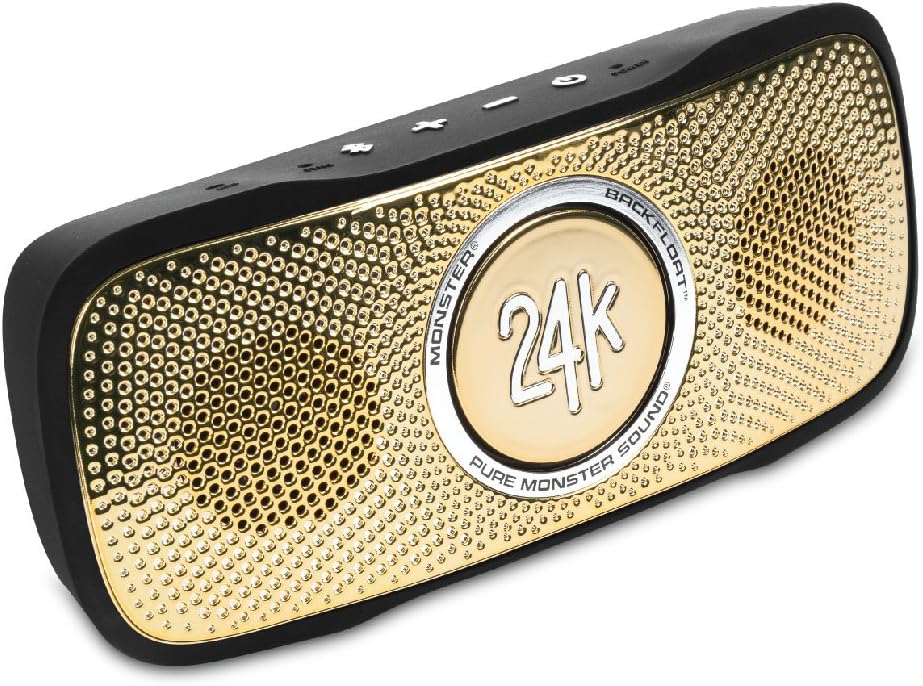
Familiarize yourself with the various parts and controls of your Monster BackFloat 24K speaker.
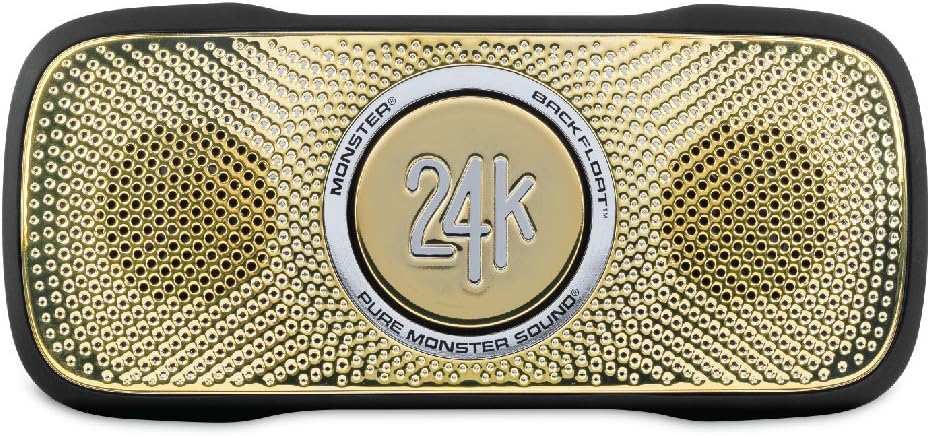
Front View
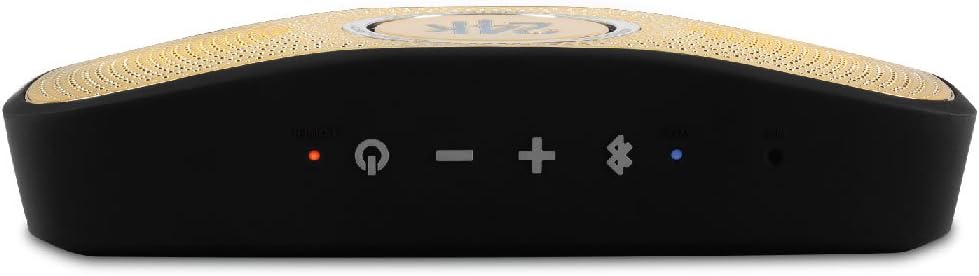
Top Panel Controls
Rear View
Setup
Charging the Speaker
Before first use, fully charge the speaker. Connect the supplied USB cable to the speaker's charging port and the other end to a USB power source (e.g., computer USB port or USB wall adapter). The charging indicator light will illuminate during charging and turn off when fully charged. A full charge provides approximately 7 hours of playback.
Bluetooth Pairing
- Ensure the speaker is charged and powered off.
- Press and hold the Power button until the speaker powers on and the Bluetooth indicator light begins to flash, indicating it is in pairing mode.
- On your Bluetooth-enabled device (smartphone, tablet, etc.), go to the Bluetooth settings and search for available devices.
- Select "Monster BackFloat 24K" from the list.
- Once successfully paired, the Bluetooth indicator light on the speaker will turn solid.
- The speaker will automatically reconnect to the last paired device when powered on, if the device is within range and Bluetooth is enabled.
Auxiliary Connection
For non-Bluetooth devices, connect an audio cable (not included) from your device's headphone jack to the speaker's 3.5mm auxiliary input port. The speaker will automatically switch to auxiliary mode when a cable is detected.
Operating Instructions
Power On/Off
- To power on: Press and hold the Power button until the indicator light illuminates.
- To power off: Press and hold the Power button until the indicator light turns off.
Volume Control
- Volume Up: Press the "+" button.
- Volume Down: Press the "-" button.
Call Handling (Hands-Free Calling)
The speaker features a built-in microphone for hands-free calling.
- Answer/End Call: Press the Bluetooth button once.
- Reject Call: Press and hold the Bluetooth button.
Waterproof Usage
The Monster BackFloat 24K is designed to float and is waterproof (IPX6 rated). It is suitable for use in pools, showers, and other wet environments. Ensure the charging port cover is securely closed before exposing the speaker to water.

Maintenance
Cleaning
After use, especially in chlorinated or saltwater, rinse the speaker with fresh water. Wipe it dry with a soft cloth. Do not use abrasive cleaners or solvents.
Storage
Store the speaker in a cool, dry place away from direct sunlight and extreme temperatures. If storing for an extended period, ensure the battery is partially charged (around 50%) to prolong its lifespan.
Battery Care
To maximize battery life, avoid fully discharging the speaker frequently. Recharge the battery when the low battery indicator is active. Do not attempt to replace the battery yourself.
Troubleshooting
| Problem | Possible Cause | Solution |
|---|---|---|
| Speaker does not power on. | Battery is drained. | Charge the speaker fully. |
| Cannot pair via Bluetooth. | Speaker not in pairing mode; device too far; previously paired device connected. | Ensure speaker is in pairing mode (flashing blue light). Move device closer. Disconnect from other devices or turn off Bluetooth on other devices. |
| No sound or low volume. | Volume too low on speaker or source device; incorrect input mode. | Increase volume on both speaker and source device. Ensure correct input (Bluetooth or Aux) is selected. |
| Sound quality degrades when wet. | Water on speaker grille. | Shake off excess water from the speaker grille. Sound quality will return to normal once water is cleared. |
Specifications
- Model Name: SuperStar 24K BackFloat
- Speaker Type: Outdoor
- Special Features: Built-in microphone, ultra-portable
- Recommended Uses: Pool, shower, outdoor
- Compatible Devices: Smartphone
- Connectivity Technology: Bluetooth, Auxiliary, USB
- Colour: 24k Gold
- Battery Life: Approximately 7 hours
- Item Weight: 287 Grams
- Waterproof Rating: IPX6
- Product Dimensions: 24.89 x 6.86 x 13.97 cm
- Manufacturer: Monster
- Speaker Maximum Output Power: 3 Watts
Warranty and Support
For warranty information and technical support, please refer to the official Monster website or contact their customer service. Keep your proof of purchase for warranty claims.
Official Website: www.monsterproducts.com
Related documentsMSP SPSTR BKF BT BK 24K WW


Ask a question about this manual
Ask about setup, troubleshooting, compatibility, parts, safety, or missing instructions. Manuals+ will review the question and use this page’s manual context to help answer it.