
1. Introduction
This manual provides comprehensive instructions for the safe and effective use of your Kastar NP-FM500H Battery and Charger Kit. This kit is designed to power compatible Sony DSLR and Alpha SLT cameras, offering reliable performance and extended shooting times. Please read this manual thoroughly before using the product.
2. Package Contents
Verify that all items listed below are included in your package:
- 2 x Kastar NP-FM500H Rechargeable Lithium-Ion Batteries
- 1 x Kastar Mini Rapid A/C Charger
- 1 x Car Charging Adapter
- 1 x European Plug Adapter

Image: Overview of the Kastar NP-FM500H Battery and Charger Kit, showing two batteries, the charger, car adapter, and European plug.
3. Safety Information
To ensure safe operation and prevent damage, please observe the following safety precautions:
- Do not disassemble the battery or charger.
- Keep batteries and charger away from water, moisture, and high temperatures.
- Avoid short-circuiting the battery terminals.
- Do not dispose of batteries in fire.
- Use only the provided charger for Kastar NP-FM500H batteries.
- Store batteries in a cool, dry place when not in use.
- Keep out of reach of children.
4. Setup
4.1 Charging the Battery
- Connect the Charger:
- For AC power: Fold out the US plug from the charger and insert it into a standard wall outlet (110-240V). If using in Europe, attach the European plug adapter first.
- For car power: Connect the car charging adapter to the charger and then into your vehicle's 12V accessory socket.
- Insert the Battery: Align the battery with the charging slot on the charger and gently slide it in until it clicks into place.
- Monitor Charging: The charger features an indicator light. A red light indicates that the battery is currently charging. A green light indicates that the battery is fully charged or the charger is in standby mode without a battery.
- Remove Battery: Once the light turns green, the battery is fully charged. Carefully remove the battery from the charger.

Image: The Kastar Mini Rapid A/C Charger with its foldable US plug extended, ready for wall outlet connection.
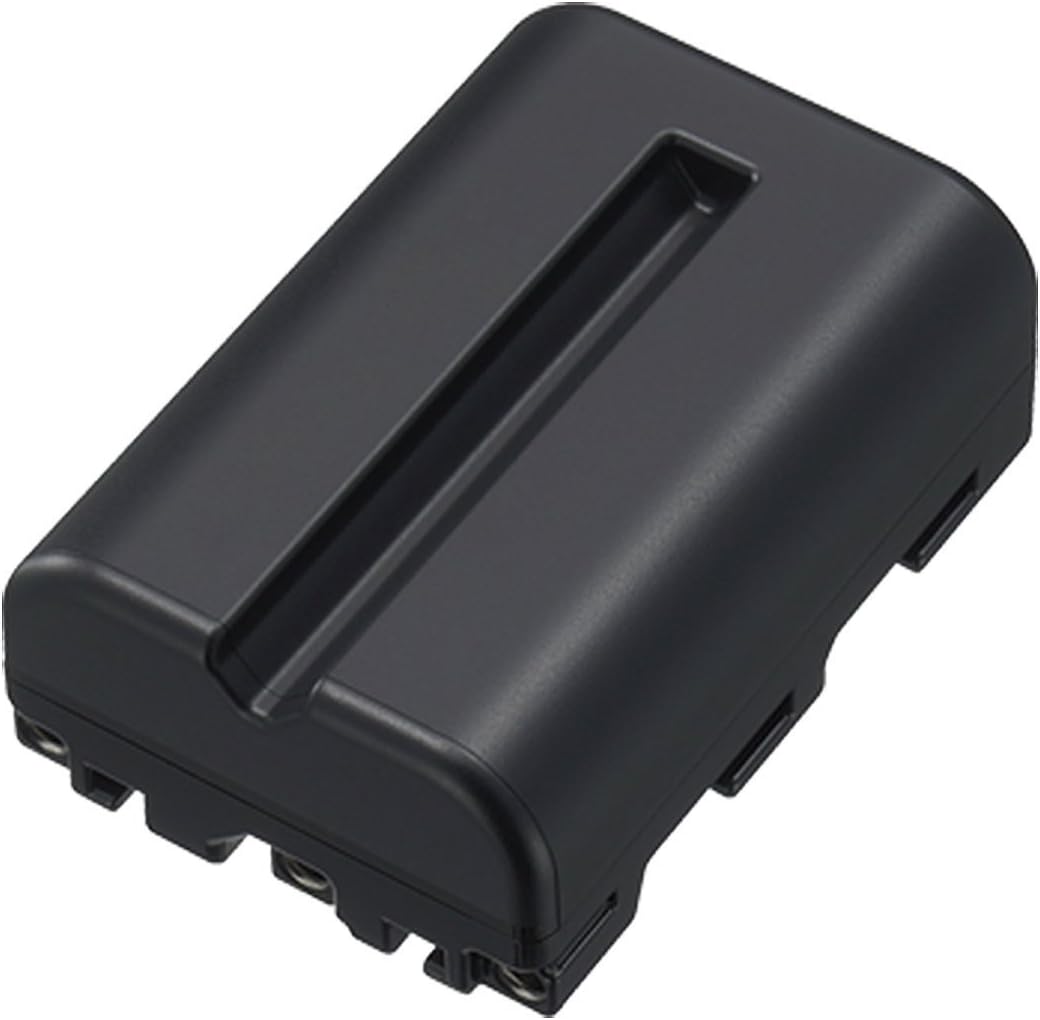
Image: A single Kastar NP-FM500H rechargeable battery.
4.2 Inserting Battery into Camera
Refer to your camera's instruction manual for specific details on battery insertion. Generally, open the battery compartment cover, align the battery according to the polarity indicators, and slide it in until it locks into place. Close the compartment cover securely.
5. Operating Instructions
5.1 Battery Usage
- Ensure the battery is fully charged before use for optimal performance.
- These batteries are 100% decoded and compatible with original camera models, providing accurate battery level display on your camera.
- The ultra-high capacity design, utilizing quality Japanese cells, offers longer battery life without memory effect.
5.2 Charger Operation
- The charger automatically controls constant current to prevent overcharging, short circuits, and electronic shock.
- Always disconnect the charger from the power source when not in use or when charging is complete.
6. Maintenance
6.1 Cleaning
Wipe the battery and charger with a soft, dry cloth. Do not use liquid cleaners or solvents.
6.2 Storage
When storing batteries for extended periods, charge them to approximately 50% and store them in a cool, dry place. Avoid extreme temperatures. Fully discharge and recharge batteries every 3-6 months to maintain their health.
7. Troubleshooting
- Battery not charging:
- Ensure the charger is properly connected to a power source.
- Verify the battery is correctly inserted into the charger.
- Check for any visible damage to the battery or charger.
- Short battery life:
- Ensure the battery is fully charged before use.
- Battery performance can degrade over time with repeated charge cycles.
- Extreme temperatures can affect battery performance.
- Charger indicator light not working:
- Confirm the charger is receiving power.
- If the charger is faulty, discontinue use and contact support.
If you experience persistent issues, please refer to the Warranty and Support section for assistance.
8. Specifications
| Brand | Kastar |
| Model Number | CH-2B-FM500H-E |
| Battery Cell Composition | Lithium Ion |
| Voltage (Charger Input) | 110-240V (Worldwide Input) |
| Reusability | Rechargeable |
| Recommended Uses | Camera (Sony DSLR-A100, A200, A300, A350, A450, A500, A550, A560, A580, A700, A850, A900, Alpha SLT A57, A58, A65, A65V, A77, A77V, A77 II, A77M2, A99, A99V, CLM-V55 Cameras) |
| Item Dimensions (Battery) | 2.2 x 0.81 x 1.51 inches |
9. Warranty and Support
Kastar provides the following coverage for this product:
- 30-Day Money Back Guarantee: If you are not satisfied with your purchase, you may return it within 30 days for a full refund.
- 3-Year Manufacturer Warranty: This product is covered by a 3-year manufacturer warranty against defects in materials and workmanship.
For warranty claims, technical support, or any questions regarding your Kastar product, please contact KastarUSA, the authorized seller. Contact information can typically be found on the seller's page where the product was purchased or through the Kastar official website.