1. Introduction
The Lenovo H30-05 Desktop (Model 90BJ008AUS) is a compact and efficient personal computer designed for home and office use. It features an AMD E1 processor, 4 GB of RAM, and a 500 GB HDD, running on Windows 10. This manual will guide you through the setup, operation, and maintenance of your new desktop computer.
Key features include:
- AMD Processor with integrated AMD Radeon R2 HD Graphics for reliable performance.
- Compact design, approximately half the size of a standard desktop PC, for easy placement.
- 5.1 Channel Audio and DVD read/write capabilities for an immersive multimedia experience.
2. Product Overview
Familiarize yourself with the various components and ports of your Lenovo H30-05 desktop.

Figure 2.1: Angled front view of the Lenovo H30-05 Desktop, showcasing its compact tower design and front panel features.

Figure 2.2: Front view of the desktop, highlighting the optical drive bay and front I/O ports.

Figure 2.3: Right side view of the desktop, showing the ventilation grille.
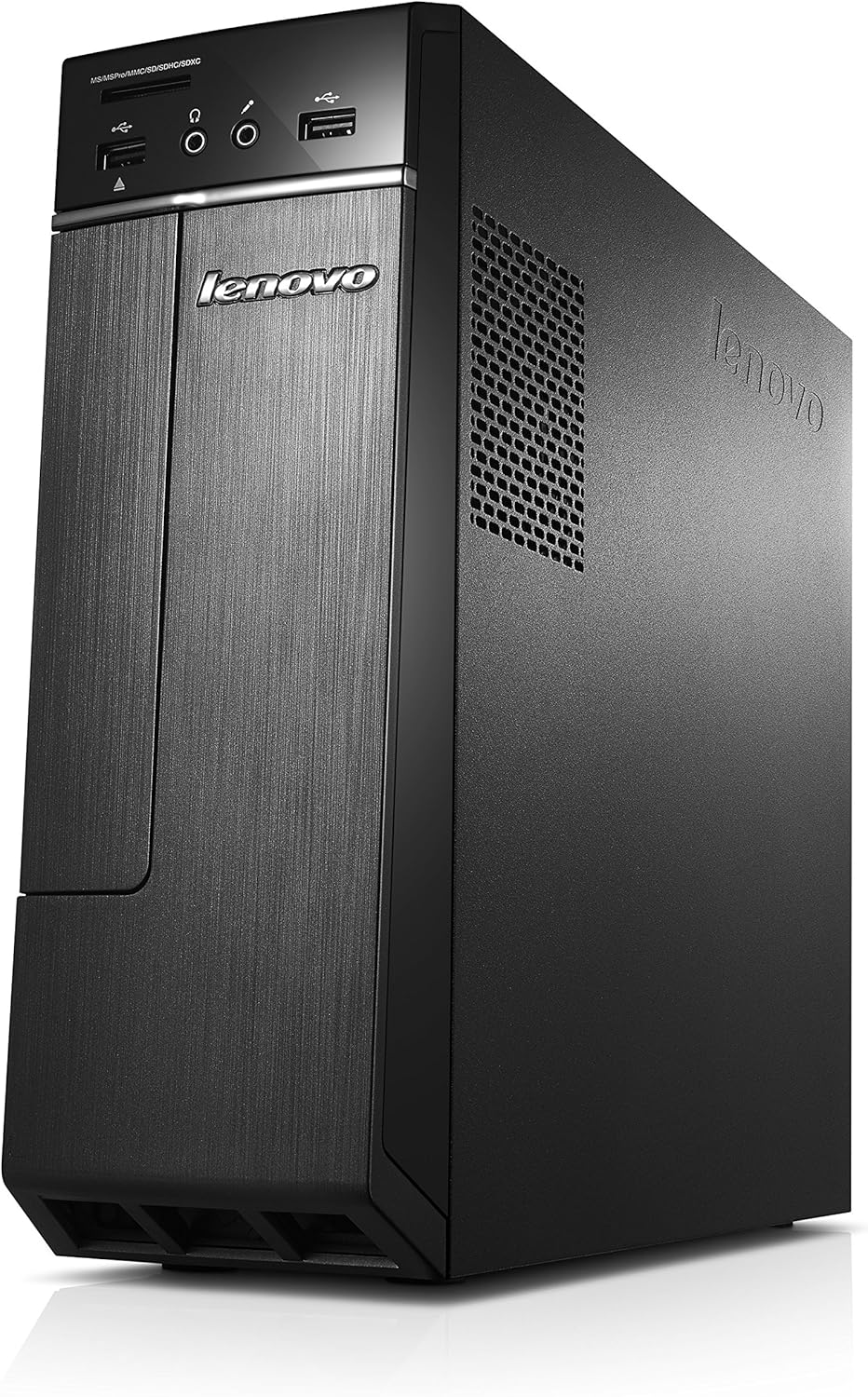
Figure 2.4: Left side view of the desktop, also featuring a ventilation area.

Figure 2.5: Top view of the desktop, showing the sleek, unadorned surface.

Figure 2.6: Bottom view of the desktop, revealing the rubber feet for stability.

Figure 2.7: Close-up of the front panel, showing USB ports, headphone and microphone jacks, and a multi-card reader.

Figure 2.8: Close-up of the power button located on the top right of the front panel.
3. Setup Guide
Follow these steps to set up your Lenovo H30-05 Desktop.
3.1. Unboxing and Contents Verification
Carefully unpack all components from the box. The package should contain:
- Lenovo H30-05 Desktop PC
- AC Adapter
- Power Cord
- Manual (this document)
Ensure all items are present and undamaged. If any items are missing or damaged, contact your retailer or Lenovo support.
3.2. Connecting Peripherals
- Connect Monitor: Connect your monitor to the appropriate video output port (VGA or HDMI) on the back of the desktop.
- Connect Keyboard and Mouse: Plug your USB keyboard and mouse into any available USB ports on the back or front of the desktop. The desktop has 4 USB 2.0 ports and 2 USB 3.0 ports.
- Connect Audio (Optional): If using external speakers or headphones, connect them to the audio output jack on the front or back panel.
- Connect to Network (Optional): For wired internet, connect an Ethernet cable from your router/modem to the LAN port on the back of the desktop. For wireless internet, the desktop supports 802.11a wireless connectivity.
3.3. Power Connection and Initial Boot
- Connect Power: Connect the AC adapter to the desktop's power input, then plug the power cord into a wall outlet.
- Power On: Press the power button on the front of the desktop. The system will begin to boot up.
- Windows Setup: Follow the on-screen instructions to complete the initial Windows 10 setup, including language, region, network connection, and user account creation.
4. Operating Your Desktop
This section covers basic operation of your Lenovo H30-05 desktop.
4.1. Power Management
- Turning On: Press the power button on the front panel.
- Shutting Down: Click the Start button in Windows 10, then select Power > Shut down.
- Restarting: Click the Start button, then select Power > Restart.
- Sleep Mode: Click the Start button, then select Power > Sleep.
4.2. Using the Optical Drive
The desktop includes a DVD+RW optical drive.
- Opening the Tray: Press the eject button on the optical drive to open the disc tray.
- Inserting a Disc: Place a CD or DVD onto the tray with the label side facing up, then gently push the tray back into the drive until it clicks shut.
- Ejecting a Disc: Press the eject button again, or right-click the optical drive icon in 'This PC' and select 'Eject'.
4.3. Connecting USB Devices
The desktop features both USB 2.0 and USB 3.0 ports. USB 3.0 ports (often blue) offer faster data transfer speeds for compatible devices.
- Simply plug your USB device (e.g., flash drive, external hard drive, printer) into an available USB port.
- Windows will typically install necessary drivers automatically.
4.4. Using the Multi-Card Reader
The front panel includes a multi-card reader supporting MS/MSPro/MMC/SD/SDHC/SDXC cards. Insert your memory card into the appropriate slot until it clicks into place. The card will appear as a removable drive in 'This PC'.
5. Maintenance
Regular maintenance helps ensure the longevity and optimal performance of your desktop.
5.1. Cleaning
- Exterior: Use a soft, lint-free cloth slightly dampened with water or a mild cleaning solution. Avoid harsh chemicals.
- Ventilation: Periodically check and clean the ventilation grilles to prevent dust buildup, which can impede airflow and cause overheating. Use compressed air to gently clear dust.
- Screen: For your monitor, refer to its specific cleaning instructions.
5.2. Software Updates
Keep your operating system and drivers updated to ensure security and performance.
- Windows Updates: Regularly check for and install Windows updates via 'Settings > Update & Security > Windows Update'.
- Driver Updates: Visit the official Lenovo support website for the H30-05 model to download the latest drivers for your hardware components.
5.3. Data Backup
Regularly back up your important data to an external hard drive, cloud storage, or network drive to prevent data loss.
6. Troubleshooting
This section provides solutions to common issues you might encounter.
6.1. No Power / System Not Starting
- Ensure the power cord is securely connected to both the desktop and the wall outlet.
- Verify the wall outlet is functional by plugging in another device.
- Check the power adapter for any damage.
6.2. No Display on Monitor
- Confirm the monitor is powered on and its power indicator light is active.
- Check that the video cable (VGA/HDMI) is securely connected to both the desktop and the monitor.
- Try connecting the monitor to a different video output port on the desktop, if available.
- Test the monitor with another device if possible to rule out monitor issues.
6.3. Slow Performance
- Close unnecessary programs running in the background.
- Run a disk cleanup and defragmentation (for HDD).
- Check for and remove any malware or viruses using reputable antivirus software.
- Ensure Windows and drivers are up to date.
- Consider upgrading RAM (supports up to 8GB) or replacing the HDD with an SSD for significant performance improvement.
6.4. USB Devices Not Recognized
- Try plugging the device into a different USB port.
- Restart the desktop.
- Check Device Manager in Windows for any driver issues related to USB controllers.
7. Specifications
Detailed technical specifications for the Lenovo H30-05 Desktop (Model 90BJ008AUS).
| Feature | Specification |
|---|---|
| Processor | AMD E1 Series (1.5 GHz) |
| RAM | 4 GB DDR3 (expandable to 8 GB, 2 slots available) |
| Hard Drive | 500 GB SATA3 (7200 RPM) |
| Graphics Coprocessor | AMD Radeon R2 HD Graphics (Integrated) |
| Operating System | Windows 10 |
| Optical Drive Type | DVD+RW |
| USB 2.0 Ports | 4 |
| USB 3.0 Ports | 2 |
| Wireless Type | 802.11a |
| Dimensions (LxWxH) | 15.71 x 12.13 x 4.13 inches |
| Item Weight | 12.98 pounds |
| Color | Black |
8. Warranty and Support
For warranty information and technical support, please refer to the official Lenovo website or the warranty card included with your product. You can typically find support resources, driver downloads, and contact information by searching for your specific model (H30-05 or 90BJ008AUS) on the Lenovo support portal.
It is recommended to register your product with Lenovo to receive updates and facilitate warranty claims.


