
1. Introduction
This manual provides detailed instructions for the safe and correct installation, operation, and maintenance of your KIMEX 014-4001 TV Ceiling Mount. Please read this manual thoroughly before installation and retain it for future reference. This mount is designed to securely hold television screens ranging from 23 to 43 inches, with a maximum weight capacity of 50 kg, and supports VESA mounting patterns 100x100, 200x100, and 200x200.
2. Safety Information
Always observe the following safety precautions to prevent personal injury or property damage:
- Weight Capacity: Do not exceed the maximum weight capacity of 50 kg (110 lbs).
- Screen Size: Ensure your TV screen size is within the recommended range of 23-43 inches.
- VESA Compatibility: Verify your TV's VESA mounting pattern (100x100, 200x100, 200x200) matches the mount.
- Ceiling Structure: The ceiling must be capable of supporting at least five times the weight of the TV and the mount combined. Consult a professional if unsure.
- Installation: Installation should be performed by at least two people to ensure safety.
- Tools: Use appropriate tools for installation.
- Cable Management: Ensure all cables are routed safely and do not interfere with the mount's movement or pose a tripping hazard.
- Children: Keep children away from the installation area.
3. Package Contents
Please check that all components are present and undamaged before beginning installation. Refer to the packaging for a complete list of included hardware. The mount is delivered with complete mounting hardware.

Image: All components of the KIMEX 014-4001 TV Ceiling Mount, including the ceiling plate, adjustable pole, and VESA mounting plate.
4. Setup and Installation Instructions
Follow these steps carefully for a secure installation:
- Prepare the Installation Area: Identify the exact location on the ceiling where the mount will be installed. Ensure there are no electrical wires or plumbing in the drilling path.
- Attach the Ceiling Plate: Secure the ceiling plate to the ceiling using the appropriate screws and anchors for your ceiling type (concrete, wood stud, etc.). Ensure it is firmly attached and level.
- Assemble the Pole: Connect the adjustable pole sections. The pole allows for height adjustment from 56 cm to 91 cm. Secure the sections according to the desired height using the provided fasteners.
- Attach VESA Plate to TV: Carefully place your TV face down on a soft, clean surface. Attach the VESA mounting plate to the back of your TV using the screws that fit your TV's VESA pattern. Do not overtighten.
- Mount TV to Pole: With assistance, lift the TV with the attached VESA plate and connect it to the end of the assembled pole. Secure it firmly using the provided locking mechanisms.
- Cable Management: Route all TV cables through the integrated cable management system within the pole for a neat and organized appearance.
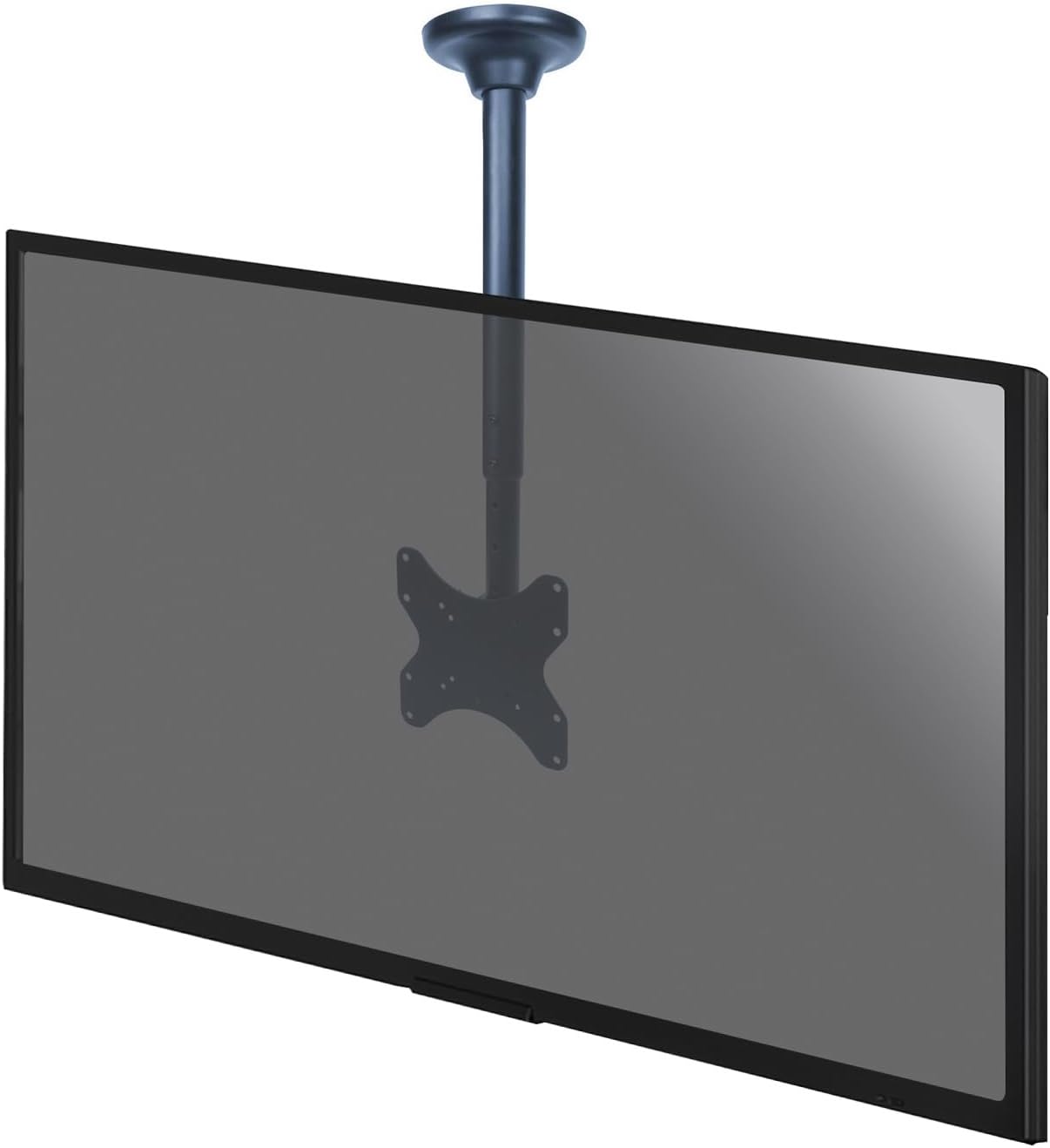
Image: The KIMEX 014-4001 TV Ceiling Mount with a television screen securely attached, demonstrating a completed installation.
5. Operating Instructions (Adjustments)
The KIMEX 014-4001 mount offers flexible viewing options:
- Height Adjustment: The pole allows for height adjustment from 56 cm to 91 cm. To adjust, loosen the locking mechanism on the pole, slide to the desired height, and re-tighten securely.
- Swivel Function: The mount features a 360° swivel capability, allowing you to rotate the TV horizontally to achieve the optimal viewing angle from various positions in the room.
- Tilt Function: The TV can be tilted from 0° to -25° downwards. This adjustment helps reduce glare and provides a better viewing experience, especially when mounted higher.

Image: Technical drawing illustrating the dimensions of the KIMEX 014-4001 mount, including the adjustable height range (56-91cm), 360° swivel, and 0° to -25° tilt angles.
6. Maintenance
To ensure the longevity and safe operation of your TV mount:
- Cleaning: Clean the mount periodically with a soft, dry cloth. Avoid abrasive cleaners or solvents.
- Inspection: Regularly check all screws and connections to ensure they remain tight and secure. Re-tighten if necessary.
- Damage: If any part of the mount appears damaged or worn, discontinue use and contact customer support for assistance.
7. Troubleshooting
If you encounter issues with your KIMEX 014-4001 TV Ceiling Mount, refer to the table below:
| Problem | Possible Cause | Solution |
|---|---|---|
| TV is not level | Mounting plate or ceiling plate not level. | Adjust the leveling screws on the VESA plate or re-level the ceiling plate during installation. |
| Mount feels unstable | Screws are loose; incorrect anchors used; ceiling structure insufficient. | Check and tighten all screws. Ensure correct anchors were used for your ceiling type. If the ceiling structure is insufficient, consult a professional. |
| Difficulty adjusting height/swivel/tilt | Locking mechanisms are too tight; obstruction. | Loosen locking mechanisms before attempting adjustment. Ensure no cables or objects obstruct movement. |
8. Specifications
- Model: KIMEX 014-4001
- Screen Size Compatibility: 23 - 43 inches
- VESA Compatibility: 100x100, 200x100, 200x200 mm
- Weight Capacity: 50 kg (110 lbs)
- Height Adjustment: 56 - 91 cm
- Swivel Range: 360°
- Tilt Range: 0° to -25°
- Material: Stainless Steel
- Color: Black
- Item Weight: 4.5 kg
- Cable Management: Integrated
9. Warranty and Support
The KIMEX 014-4001 TV Ceiling Mount comes with a 3-year manufacturer's warranty. This warranty covers defects in materials and workmanship under normal use. For warranty claims, technical support, or inquiries regarding spare parts, please contact KIMEX customer service. Spare parts are guaranteed to be available for 3 years.
For further assistance, please visit the official KIMEX website or contact their customer support directly.


