
1. Introduction
This manual provides instructions for the safe and efficient operation of your KOLIBRI Money Counter Machine, Model B-KolibriUV. This high-speed bill counter is designed for counting USD and EUR, featuring advanced counterfeit detection and multiple operating modes to streamline your cash handling processes.
2. Safety Information
- Always ensure the machine is placed on a stable, level surface.
- Do not operate the machine with wet hands.
- Disconnect power before cleaning or performing any maintenance.
- Keep away from children.
- Use only the provided power cord.
3. Package Contents
- KOLIBRI Money Counter Machine
- 110V Power Cord
- User Manual
- External Display (included for user's convenience)
- Dust Cover (included for user's convenience)
4. Product Overview
The KOLIBRI Money Counter Machine features a user-friendly design with a clear LCD display and intuitive control panel. Key components include the hopper for bill input, stacker for counted bills, and various sensors for detection. An external display is also provided for enhanced visibility.

Image: Detailed diagram highlighting the features and components of the Kolibri Money Counter Machine.
5. Setup
- Unpack the KOLIBRI Money Counter Machine and its accessories.
- Place the machine on a flat, stable surface.
- Connect the provided 110V power cord to the machine's power input (typically at the rear) and then to a suitable power outlet.
- Turn on the power switch, usually located at the rear or side of the machine.
- The machine will perform a self-test and display the ready screen.
- Adjust the bill guides in the hopper to fit the width of the currency being counted.
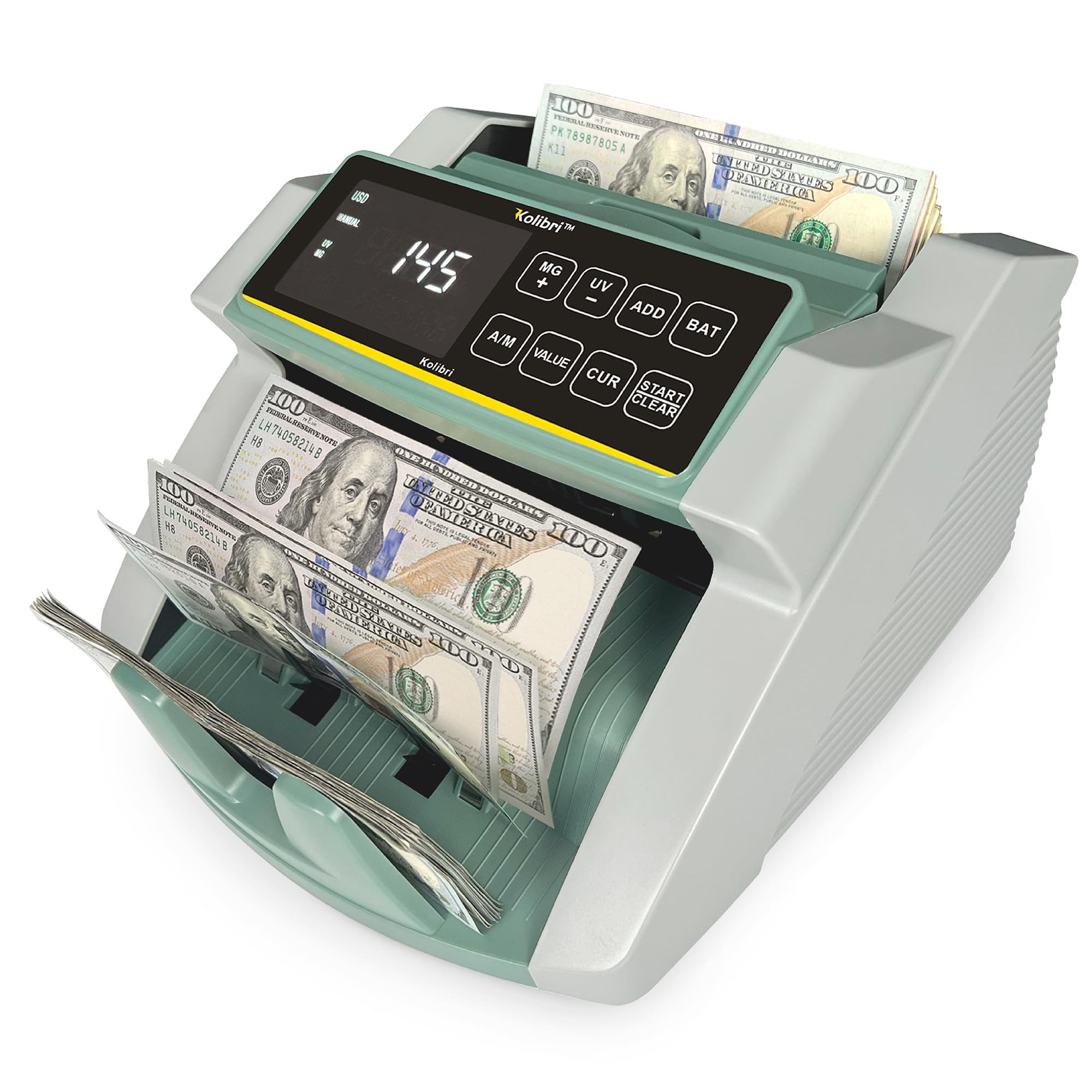
Image: The Kolibri Money Counter Machine, Model B-KolibriUV, set up and ready for operation.
6. Operating Modes
The machine offers several modes to suit various counting needs:
Automatic Start
The machine begins counting automatically when bills are placed in the hopper.
Manual Start
Press the 'Start' button to begin counting after bills are placed in the hopper.
Value Mode
Calculates the total cash value of sorted bills of the same denomination. Note: This machine counts the number of bills and detects counterfeits, but does not automatically read denominations. Users must manually select the denomination for value calculation.
Add Mode
Allows the machine to add multiple batches together, providing a running total of bills counted.
Batch Mode
Counts bills into a preset batch quantity. The machine pauses when the batch quantity is reached, allowing removal of the batch. The default batch size is 100 and can be adjusted.
7. Counterfeit Detection
The KOLIBRI Money Counter Machine is equipped with advanced detection systems to identify suspect counterfeit notes and bill errors. These include:
- UV (Ultraviolet): Detects UV security features present in genuine currency.
- MG (Magnetic): Checks for magnetic ink and security threads.
- IR (Infrared): Verifies infrared security features and bill thickness.
- DD (Dimension Detection): Checks for variations in bill dimensions.
- HLF (Half-Note Detection): Identifies bills that are torn or incomplete.
- DBL (Double Note Detection): Identifies when two bills are fed together.
- CHN (Chain Note Detection): Identifies when bills are fed too closely together.
These technologies can be used individually or in combination for maximum accuracy and confidence with every count.

Image: Visual representation of the advanced counterfeit detection methods employed by the machine.
8. Maintenance
Regular cleaning is essential for optimal performance and accurate counting.
- Power Off: Always turn off and unplug the machine before cleaning.
- Dust Removal: Use a soft brush or compressed air to remove dust and debris from the bill path, sensors, and rollers. Pay special attention to the sensors located in the hopper and stacker areas.
- Sensor Cleaning: Gently wipe sensors with a soft, lint-free cloth, possibly dampened with isopropyl alcohol if necessary.
- Roller Inspection: Periodically inspect the rollers for wear or damage. Clean any residue from the rollers to ensure proper bill feeding.
- External Cleaning: Wipe the exterior of the machine with a soft, dry cloth.
9. Troubleshooting
| Issue | Solution |
|---|---|
| Bills getting stuck or jamming | Ensure bills are neatly stacked and not folded or wrinkled. Adjust bill guides to fit currency. Clean the bill path and rollers. |
| Inaccurate counts | Clean all sensors. Ensure bills are not excessively worn or damaged. Try counting at a lower speed if available. |
| Counterfeit detection errors (false positives) | Ensure bills are clean and dry. Re-feed the suspect bill. If persistent, clean the UV/MG/IR sensors. |
| Machine stops frequently during UV/MG detection | This can occur with very worn or slightly damaged bills. Ensure bills are in good condition. Clean UV/MG sensors. |
10. Specifications
| Feature | Detail |
|---|---|
| Brand | Kolibri |
| Model Number | B-KolibriUV |
| Item Weight | 5 pounds |
| Product Dimensions | 11 x 10 x 7 inches |
| Color | White/Green |
| Material Type | Plastic, Metal |
| Counting Speed | Up to 1,500 notes/min |
| Hopper Capacity | 200 bills |
| Stacker Capacity | 200 bills |
| Detection Methods | UV, MG, IR, DD, HLF |
| Supported Currencies | USD, EUR |
11. Warranty and Support
The KOLIBRI Money Counter Machine, Model B-KolibriUV, is backed by a one-year warranty. Additionally, Lifetime Technical Support is provided to assist with any questions or technical issues you may encounter.
For customer support, please contact Kolibri directly. You can typically find contact details on the official Kolibri website or through your purchase platform. For immediate assistance, you may call: +1 (866) 710-9980.

Image: Kolibri customer support team, emphasizing the 1-year warranty and available assistance.

