
Introduction
This manual provides detailed instructions for the setup, operation, and maintenance of your BALDR CL0929BR1 Wooden Digital Alarm Clock. Please read this manual thoroughly before using the product to ensure proper function and longevity.
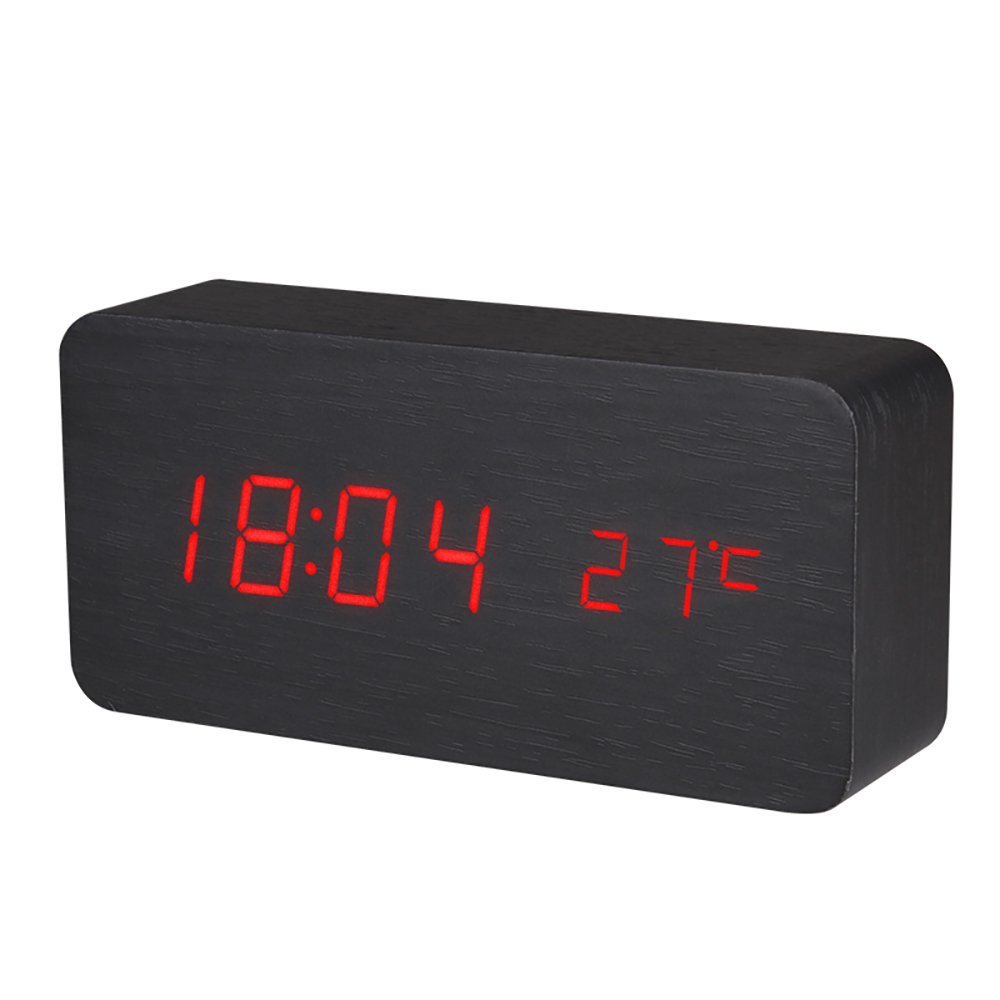
Image: Front view of the BALDR Wooden Digital Alarm Clock, showing the time 18:04 and temperature 27°C in red LED digits on a black wood finish.
Package Contents
- 1 x BALDR Wooden Digital Alarm Clock
- 1 x USB Cable
- 1 x User Manual (this document)
Setup
Powering the Clock
The BALDR CL0929BR1 clock can be powered by either a USB cable (DC 5V/500mA) or 4 AAA dry batteries. For continuous display and optimal performance, it is recommended to use the USB cable. Batteries are primarily for backup or temporary use, as continuous display drains them quickly.
- Connect the provided USB cable to the DC 5V port on the back of the clock.
- Plug the other end of the USB cable into a compatible USB power adapter (not included) or a USB port on a computer/power bank.
- Alternatively, open the battery compartment on the back and insert 4 AAA batteries, ensuring correct polarity.

Image: Rear view of the alarm clock, highlighting the 'SET', 'UP', 'DOWN' buttons, DC 5V input, and battery compartment.
Initial Power On
Upon connecting power, the LED display will illuminate, showing the current time and temperature. If the display does not light up, check the power connection or battery installation.
Operating Instructions
Control Buttons
The clock features three control buttons on the back: SET, UP, and DOWN. These buttons are used to navigate menus and adjust settings.
Setting Time and Date
- Press and hold the SET button to enter the time setting mode.
- The display will show the setting item (e.g., year, month, day, 12/24 hour format, hour, minute).
- Use the UP and DOWN buttons to adjust the value.
- Press SET again to confirm the current setting and move to the next item.
- Continue until all settings are configured. The clock will automatically exit setting mode if no button is pressed for a few seconds.
12/24 Hour Format Selection
During time setting, you can switch between 12-hour and 24-hour formats using the UP or DOWN buttons when the format option is displayed.
Temperature Unit Selection (Celsius/Fahrenheit)
To switch between Celsius (°C) and Fahrenheit (°F) temperature display, press the DOWN button once when the clock is in normal display mode.
Sound Control Mode (Voice Activation)
The clock features a sound control mode where the display turns off and can be activated by sound (e.g., clapping hands, tapping the clock). This feature can be toggled on or off.
- To activate sound control, press the DOWN button until "oN:Sd" appears on the display.
- To deactivate sound control, press the DOWN button until "--:Sd" appears on the display.
LED Brightness Adjustment
The clock offers three levels of brightness (L1, L2, L3) for the LED display. L1 is the brightest, and L3 is the dimmest.
- Press the UP button once to cycle through the brightness levels (L1, L2, L3).
- Select the desired brightness level.
Alarm Setting
The clock supports up to three independent alarms (A1, A2, A3). You can set alarms for everyday, weekdays, or specific days.
- Press the SET button repeatedly until "A1", "A2", or "A3" appears on the display.
- Press and hold SET to enter the alarm time setting for the selected alarm.
- Use UP and DOWN to adjust the hour and minute.
- Press SET to confirm and move to the alarm frequency setting (e.g., "oN:E" for everyday, "oN:AE" for weekdays).
- Use UP and DOWN to select the desired frequency.
- Press SET to confirm and exit.
- To turn an alarm on or off, press SET until the alarm (A1, A2, or A3) is displayed, then press UP or DOWN to toggle it.
Display Modes
The clock offers two display modes:
- dp-1 (Switch Display): The display will cycle between time, date, and temperature.
- dp-2 (Fixed Display): The display will show only the time.
To switch between display modes, press the SET button once when the clock is in normal display mode.
Official Product Video
Video: An official product video demonstrating the features of the BALDR Wooden Digital Alarm Clock, including sound control, display modes, temperature unit selection, brightness adjustment, and alarm setting.
Maintenance
To ensure the longevity and proper functioning of your BALDR CL0929BR1 Wooden Digital Alarm Clock, follow these maintenance guidelines:
- Cleaning: Wipe the clock gently with a soft, dry cloth. Avoid using abrasive cleaners, solvents, or harsh chemicals, as these can damage the wood finish and electronic components.
- Placement: Place the clock on a stable, flat surface away from direct sunlight, extreme temperatures, and high humidity.
- Power: If using batteries, replace them promptly when the display dims or functions become erratic to prevent leakage and damage to the device. For continuous use, rely on the USB power supply.
- Avoid Water: This device is not waterproof. Keep it away from water and liquids to prevent electrical damage.
Troubleshooting
| Problem | Possible Cause | Solution |
|---|---|---|
| Display is off or dim. | Sound control mode is active, power supply issue, or low batteries. |
|
| Clock not responding to buttons. | Temporary software glitch or power issue. |
|
| Alarm does not sound. | Alarm is not activated or set incorrectly. |
|
| Temperature reading seems inaccurate. | Clock placed near heat sources, direct sunlight, or drafts. |
|
Specifications
| Model Number | CL0929BR1 |
| Brand | BALDR |
| Color | Black Wood Red Light |
| Display Type | Digital LED |
| Material | Wood |
| Product Dimensions (L x W x H) | 5.9" x 1.57" x 2.76" (150mm x 40mm x 70mm) |
| Power Source | DC 5V/500mA via USB cable or 4 x AAA dry batteries |
| Time Mode | 12-Hour / 24-Hour selectable |
| Brightness Levels | 3 levels (L1, L2, L3) |
| Alarms | 3 independent alarms |
| Special Features | Sound control (voice activation), Temperature display (°C/°F), Date display, 2 Display Modes |

Image: The BALDR Wooden Digital Alarm Clock showing its dimensions: 5.9"L, 1.57"W, and 2.76"H.
Warranty and Support
BALDR Electronic is committed to providing quality products. For any questions, concerns, or technical support regarding your CL0929BR1 Wooden Digital Alarm Clock, please refer to the contact information provided with your purchase or visit the official BALDR website for assistance.
Please retain your proof of purchase for warranty claims. Warranty terms and conditions may vary and are typically outlined at the point of sale or on the manufacturer's website. It is generally recommended to contact customer support within 30 days of purchase for any initial defects or issues.