
Accutime PAW4039
Nickelodeon Paw Patrol Kids Digital LED Watch
Model: PAW4039
Introduction
This manual provides essential information for the setup, operation, and maintenance of your Nickelodeon Paw Patrol Kids Digital LED Watch. Designed for young users, this watch features a clear digital display and an exciting light-up function, making time-telling engaging and fun. Please read this manual thoroughly to ensure proper use and longevity of the product.
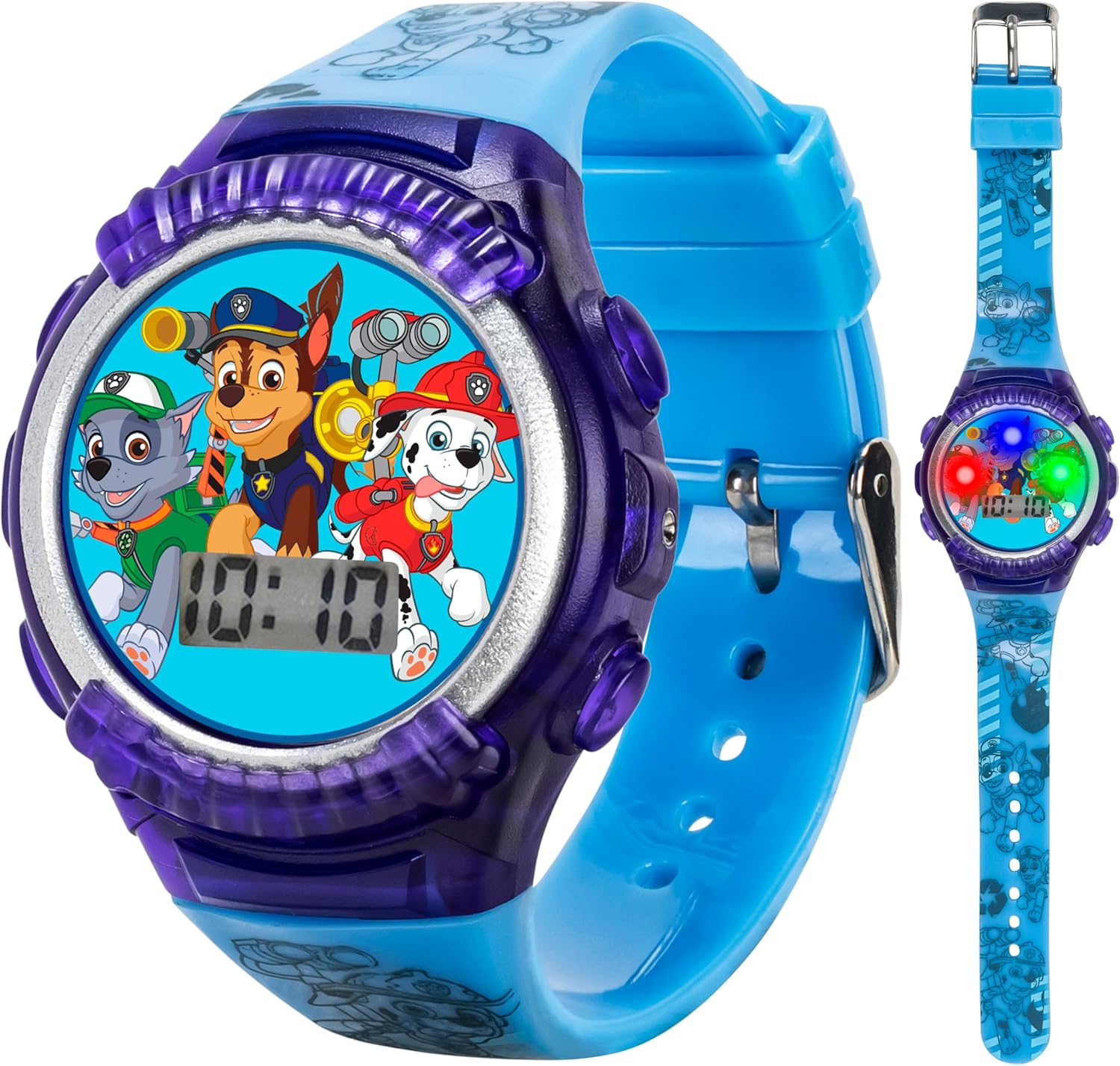
Figure 1: Front view of the Paw Patrol Digital LED Watch, displaying the time and character graphics.
Setup
Battery Information
The watch comes with 2 product-specific batteries (1.5V) pre-installed. No initial battery installation is required for first use.
Setting the Time
- Locate the buttons on the side of the watch case. Typically, there are two buttons: one for display/light and one for setting.
- Press the Set button (usually the lower or right-side button) repeatedly until the desired digit (hour or minute) begins to flash.
- Use the Adjust button (usually the upper or left-side button) to change the flashing digit to the correct time.
- Continue pressing the Set button to cycle through hours, minutes, and potentially date/month settings, adjusting each with the Adjust button.
- Once all settings are correct, press the Set button one last time to confirm and exit the setting mode.

Figure 2: Close-up view of the watch face, highlighting the digital time display and character details.
Operating Instructions
Reading the Time
The time is displayed digitally on the watch face. Simply press the main display button (often the upper or left-side button) to illuminate the screen and show the current time.
Activating the Light-Up Display
To activate the light-up display feature, press the designated light button (refer to the watch's buttons, typically distinct from the time-setting buttons). The watch face will illuminate with a colorful LED light show, highlighting the Paw Patrol characters.

Figure 3: The watch demonstrating its LED light show feature, illuminating the characters.
Product Demonstration Video
Video 1: A short demonstration of the Paw Patrol watch, showcasing its design and the light-up display feature.
Maintenance
Cleaning
To clean your watch, gently wipe the watch face and strap with a soft, damp cloth. Avoid using harsh chemicals or abrasive materials, as these can damage the watch's finish or display.
Water Resistance
This watch is not water resistant. Avoid exposing the watch to water, including showering, swimming, or heavy rain, to prevent damage to the internal components.
Battery Replacement
When the display becomes dim or the lights no longer activate, it may be time to replace the batteries. This watch requires 2 product-specific 1.5V batteries. Battery replacement should ideally be performed by an adult or a qualified technician to ensure proper sealing and function.

Figure 4: Rear view of the watch, displaying manufacturing and battery specifications.
Troubleshooting
| Problem | Possible Cause | Solution |
|---|---|---|
| Display is dim or blank. | Low or depleted batteries. | Replace the 2 x 1.5V product-specific batteries. |
| Light-up feature not working. | Low battery or button malfunction. | Check battery level. Ensure the light button is pressed firmly. If issue persists, contact support. |
| Time is incorrect or changes easily. | Accidental button press or setting error. | Re-set the time following the "Setting the Time" instructions. Ensure buttons are not accidentally pressed during wear. |
| Watch stopped working after contact with water. | Water damage. | This watch is not water resistant. Water exposure can cause irreversible damage. |
Specifications
| Feature | Detail |
|---|---|
| Model Number | PAW4039 |
| Brand | Accutime |
| Movement | Quartz Movement |
| Case Diameter | 31mm |
| Material | Plastic |
| Water Resistance | Not Water Resistant |
| Recommended Age | 6 years and up (Manufacturer recommended) |
| Batteries | 2 Product Specific batteries (1.5V) (included) |
| Strap Fit | 5.5" - 8" wrists |
Warranty and Support
For warranty information or technical support regarding your Nickelodeon Paw Patrol Kids Digital LED Watch, please contact the manufacturer, Accutime Watch Corp. Refer to the product packaging or their official website for contact details.
Note: Damage due to water exposure is not covered under warranty as the product is not water resistant.
Related documentsPAW4039


Ask a question about this manual
Ask about setup, troubleshooting, compatibility, parts, safety, or missing instructions. Manuals+ will review the question and use this page’s manual context to help answer it.