

Introduction
Thank you for choosing the Calypso K5684/6 Digital Watch. This manual provides essential information for the proper setup, operation, and maintenance of your watch. Please read it carefully to ensure optimal performance and longevity of your device.
The Calypso K5684/6 is a sporty and fashionable digital multifunction watch featuring a clear LCD display, 10 ATM (100 meters) water resistance, a durable plastic strap, chronograph, alarm, and dual time zone functions.
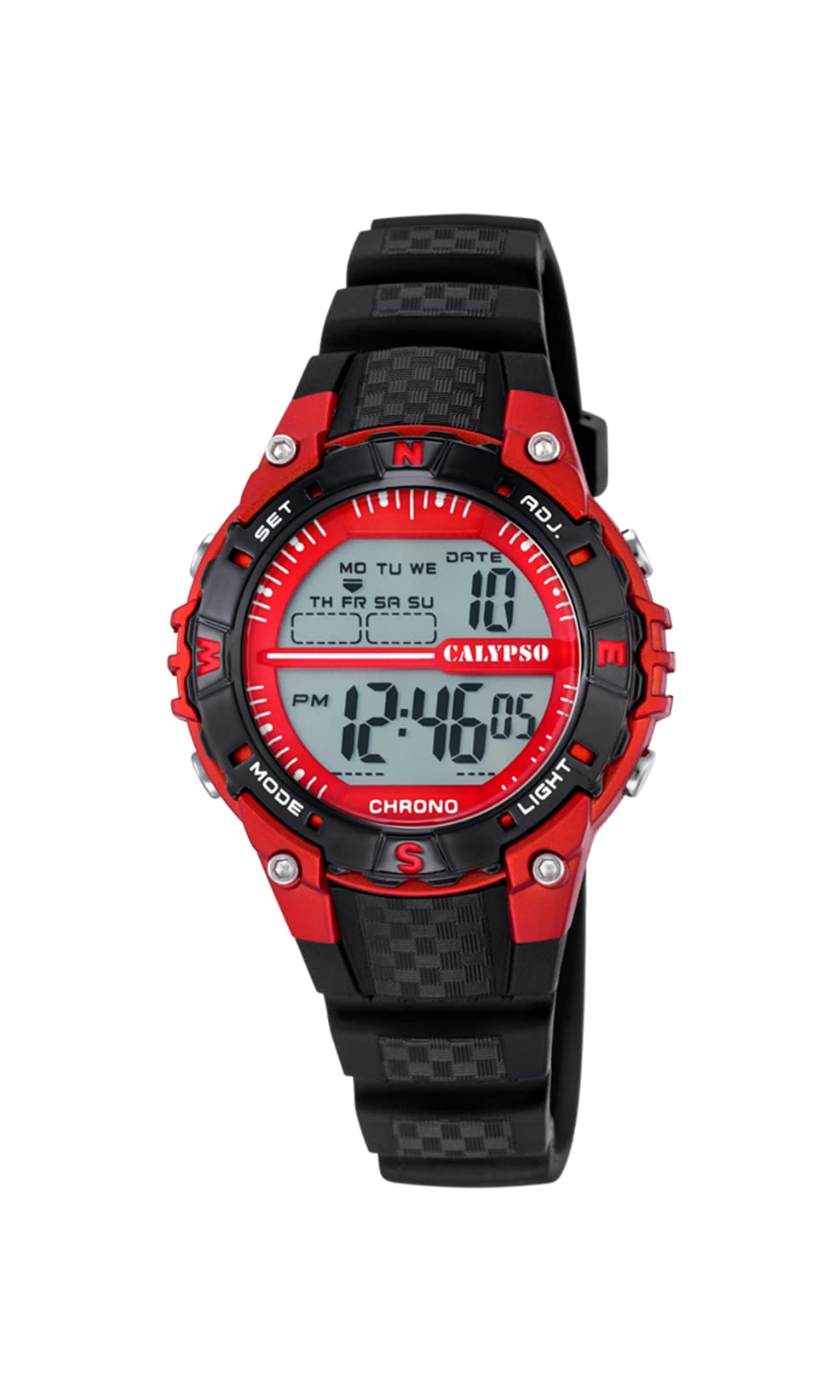
A front view of the Calypso K5684/6 digital watch, showcasing its LCD display, black plastic case, and strap. The display shows time, date, and mode indicators.
Initial Setup
Button Functions Overview
Your Calypso K5684/6 watch features four primary control buttons:
- MODE: Cycles through different display modes (Time, Alarm, Chronograph, Dual Time).
- SET: Used to enter and confirm settings in various modes.
- ADJ (Adjust): Used to adjust values (increment/decrement) during setting. Also functions as Start/Stop for Chronograph.
- LIGHT: Activates the backlight for visibility in low light conditions.

A close-up view of a Calypso digital watch, highlighting the 'MODE', 'SET', 'ADJ', and 'LIGHT' buttons on the sides of the watch case. The display shows 'MON 12:44 8-17 06'.
Operating Instructions
1. Time and Date Setting
- From the normal time display, press the MODE button repeatedly until the seconds begin to flash. This indicates you are in time setting mode.
- Press the SET button to cycle through the settings: Seconds → Hours → Minutes → Year → Month → Day.
- While a value is flashing, use the ADJ button to increase or decrease the value. Hold ADJ for faster adjustment.
- Once all settings are correct, press the MODE button to exit the setting mode and return to the normal time display.
2. Alarm Function
- Press the MODE button until the alarm time is displayed (usually indicated by 'AL' or a bell icon).
- Press and hold the SET button until the alarm hours begin to flash.
- Use the ADJ button to set the desired alarm hour.
- Press SET again to move to the alarm minutes, then use ADJ to set the minutes.
- Press SET to confirm and exit the alarm setting.
- To activate/deactivate the alarm, in alarm mode, press the ADJ button. An alarm icon will appear/disappear on the display.
3. Chronograph (Stopwatch)
- Press the MODE button until 'CHRONO' or 'STW' is displayed. The display will show '00:00:00'.
- Press the ADJ button to start the chronograph.
- Press ADJ again to stop the chronograph.
- To reset the chronograph to zero, press the SET button while the chronograph is stopped.
4. Dual Time Zone
- Press the MODE button until 'DT' or 'DUAL TIME' is displayed.
- Press and hold the SET button until the hours begin to flash.
- Use the ADJ button to set the desired hour for the second time zone.
- Press SET again to move to the minutes, then use ADJ to set the minutes (minutes are usually synchronized with the main time zone).
- Press SET to confirm and exit the dual time setting.
5. Backlight
Press the LIGHT button to illuminate the display for a few seconds. This feature is useful in dark environments.
Care and Maintenance
1. Cleaning
- Wipe the watch case and strap regularly with a soft, dry cloth to remove dirt and moisture.
- For stubborn dirt, use a slightly damp cloth with mild soap, then wipe dry immediately.
- Avoid using chemical cleaners, solvents, or abrasive materials, as these can damage the watch's finish and seals.
2. Water Resistance Precautions
Your Calypso K5684/6 watch is water-resistant up to 10 ATM (100 meters), making it suitable for swimming and snorkeling. However, please observe the following:
- Do not operate any buttons while the watch is submerged in water. This can compromise the water resistance.
- Avoid exposing the watch to hot water, steam, or extreme temperature changes, as this can affect the seals.
- After exposure to saltwater, rinse the watch with fresh water and dry it thoroughly.
3. Battery Replacement
When the display becomes dim or the watch stops functioning, the battery may need replacement. It is recommended to have the battery replaced by a qualified watch technician to ensure the water resistance is maintained.
Troubleshooting
| Problem | Possible Cause | Solution |
|---|---|---|
| Display is blank or dim. | Low or depleted battery. | Replace the battery. Consult a professional watch technician. |
| Buttons are unresponsive. | Watch may be in a locked mode or battery is low. | Try pressing the MODE button to cycle through modes. If unresponsive, consider battery replacement. |
| Time is incorrect. | Time was not set correctly or watch was exposed to strong magnetic fields. | Refer to the "Time and Date Setting" section to reset the time. |
| Water inside the watch. | Water resistance compromised (e.g., buttons pressed underwater, damaged seals). | Immediately take the watch to a professional watch repair service to prevent further damage. |
Product Specifications
| Feature | Detail |
|---|---|
| Model Number | K5684/6 |
| Brand | Calypso |
| Display Type | Digital LCD |
| Case Material | Polycarbonate with Stainless Steel Back |
| Strap Material | Plastic |
| Water Resistance | 10 ATM (100 meters) |
| Functions | Time, Date, Day, Alarm, Chronograph, Dual Time Zone, Backlight |
| Product Dimensions (L x W x H) | 17.4 x 8.99 x 8.2 cm |
| Item Weight | 50 grams |
| Country of Origin | Spain |
Warranty Information
Calypso watches typically come with a manufacturer's warranty covering defects in materials and workmanship. The specific terms and duration of your warranty are usually provided with your purchase documentation. Please retain your proof of purchase for any warranty claims.
The warranty does not cover damage resulting from improper use, accidents, unauthorized repairs, or normal wear and tear.
Customer Support
For further assistance, technical support, or service inquiries regarding your Calypso K5684/6 Digital Watch, please contact your retailer or the official Calypso customer service in your region. Contact details can often be found on the Calypso official website or in the packaging materials.


