
1. Introduction
This manual provides instructions for the safe and efficient use of your Xqisit 21711 10400 mAh Power Bank. Please read this manual thoroughly before using the device and retain it for future reference.
2. Package Contents
- 1 x Xqisit 10400 mAh Power Bank (Model 21711)
- 1 x Micro-USB Charging Cable
- 1 x User Manual
3. Product Features
- High capacity 10400 mAh (3.7V) battery.
- Dual USB output ports: 1A (5V) and 2.1A (5V) for simultaneous charging of two devices.
- Micro-USB input port for recharging the power bank.
- LED charge indicator to display battery status.
- Compact and portable design.
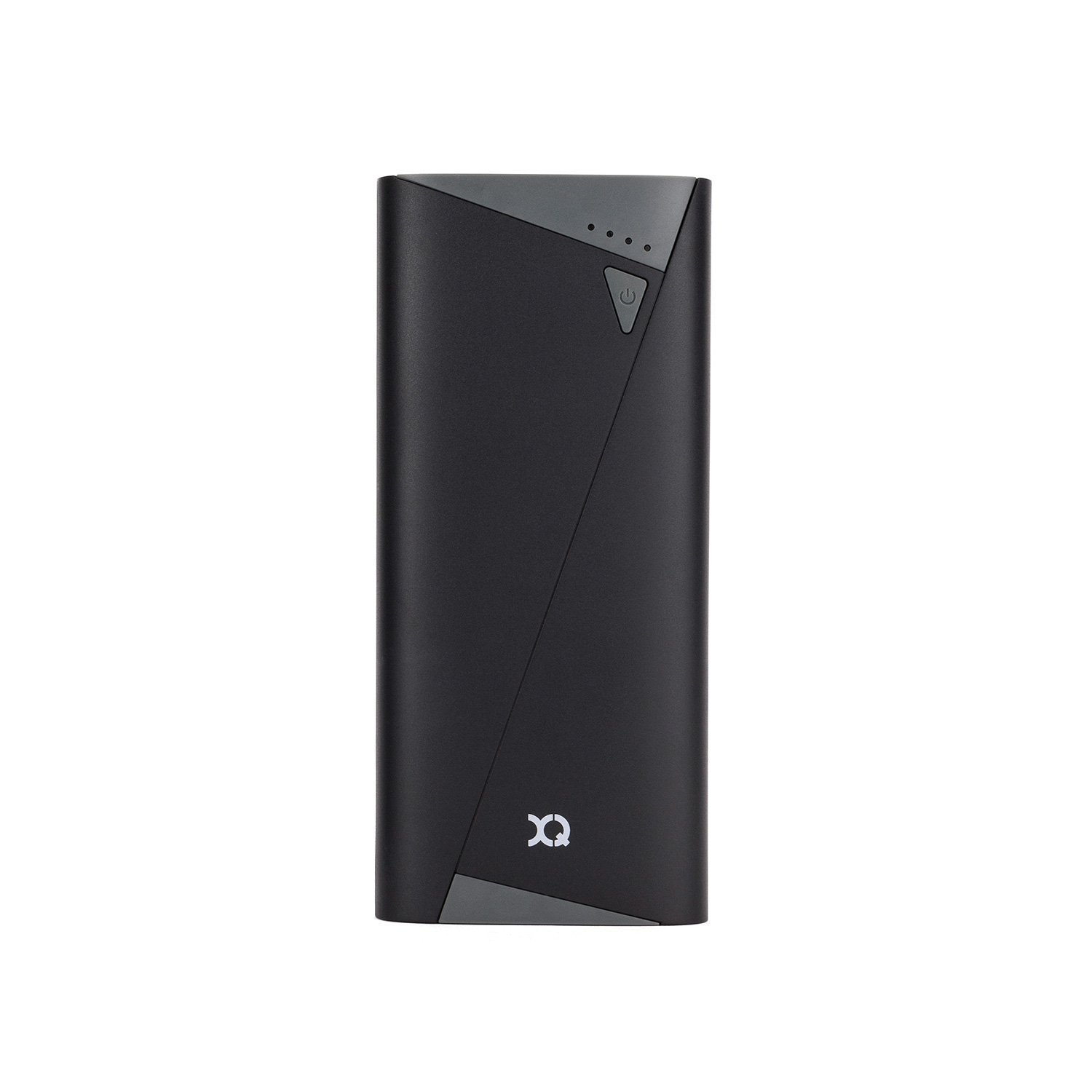
Figure 1: Front view of the Xqisit 21711 Power Bank, showing the power button and LED indicators.
4. Setup
4.1 Initial Charge
Before first use, fully charge your Xqisit Power Bank. This ensures optimal battery performance and longevity.
- Connect the supplied Micro-USB cable to the power bank's Micro-USB input port.
- Connect the other end of the cable to a USB power source (e.g., a wall adapter, computer USB port).
- The LED indicators will illuminate to show the charging progress. All four LEDs will be solid when fully charged.

Figure 2: Top view of the Xqisit 21711 Power Bank, highlighting the Micro-USB input and dual USB output ports.
5. Operating Instructions
5.1 Charging External Devices
The power bank features two USB output ports: a 1A port for standard charging and a 2.1A port for faster charging of compatible devices like tablets.
- Connect your device's USB charging cable to one of the power bank's USB output ports (1A or 2.1A).
- Connect the other end of the cable to your smartphone, tablet, or other compatible device.
- Press the power button on the power bank to initiate charging. The LED indicators will light up to show the remaining battery level.
- Disconnect your device once it is fully charged.
5.2 Checking Battery Level
Press the power button once to check the remaining battery level. The LED indicators will illuminate for a few seconds.
6. LED Indicator Guide
| Number of LEDs Lit | Battery Level |
|---|---|
| 1 LED | 0-25% |
| 2 LEDs | 25-50% |
| 3 LEDs | 50-75% |
| 4 LEDs | 75-100% (Fully Charged) |
7. Maintenance and Care
- Keep the power bank away from water, moisture, and extreme temperatures.
- Do not drop, disassemble, or attempt to repair the device yourself.
- Clean the power bank with a soft, dry cloth. Do not use harsh chemicals or abrasive materials.
- Store the power bank in a cool, dry place when not in use. For long-term storage, charge it to about 50% every three months to maintain battery health.
8. Troubleshooting
8.1 Power Bank Not Charging
- Ensure the Micro-USB cable is securely connected to both the power bank and the power source.
- Try a different Micro-USB cable or USB power source.
- Verify the power source is active and providing sufficient power (e.g., a wall adapter, not a low-power USB port).
8.2 Device Not Charging from Power Bank
- Ensure the power bank is sufficiently charged. Check the LED indicators.
- Verify your device's charging cable is securely connected to both the power bank and your device.
- Press the power button on the power bank to activate charging.
- Try a different USB output port on the power bank.
- Ensure your device's charging cable is functional.
9. Specifications
| Model Number: | 21711 |
| Battery Capacity: | 10400 mAh (3.7V) |
| Input: | Micro-USB 1A (5V) |
| Output 1: | USB 1A (5V) |
| Output 2: | USB 2.1A (5V) |
| Dimensions: | 16.9 x 8.8 x 1.2 cm |
| Connector Type: | Micro USB (Input) |
| Color: | Black |
10. Warranty and Support
For warranty information or technical support, please refer to the documentation provided with your purchase or visit the official Xqisit website. Keep your proof of purchase for warranty claims.
Note: Product specifications and appearance are subject to change without prior notice.
