
1. Introduction
The Outdoorchef 14.491.34 Gourmet Thermometer is designed to provide precise temperature monitoring for grilling and oven cooking. Its intuitive interface and dual-sensor probe allow for simultaneous measurement of both ambient air and core food temperatures, ensuring optimal cooking results. This manual provides essential information for the safe and effective use of your thermometer.
2. Package Contents
- Outdoorchef Gourmet Thermometer Unit
- Dual-Sensor Probe
- 1 x AAA Battery (included)
- User Manual
3. Setup
3.1 Battery Installation
- Locate the battery compartment on the back of the thermometer unit.
- Open the compartment cover.
- Insert one AAA battery, ensuring correct polarity (+/-).
- Close the battery compartment cover securely.
3.2 Probe Connection
- Carefully uncoil the dual-sensor probe cable.
- Insert the probe's connector firmly into the designated port on the side of the thermometer unit.
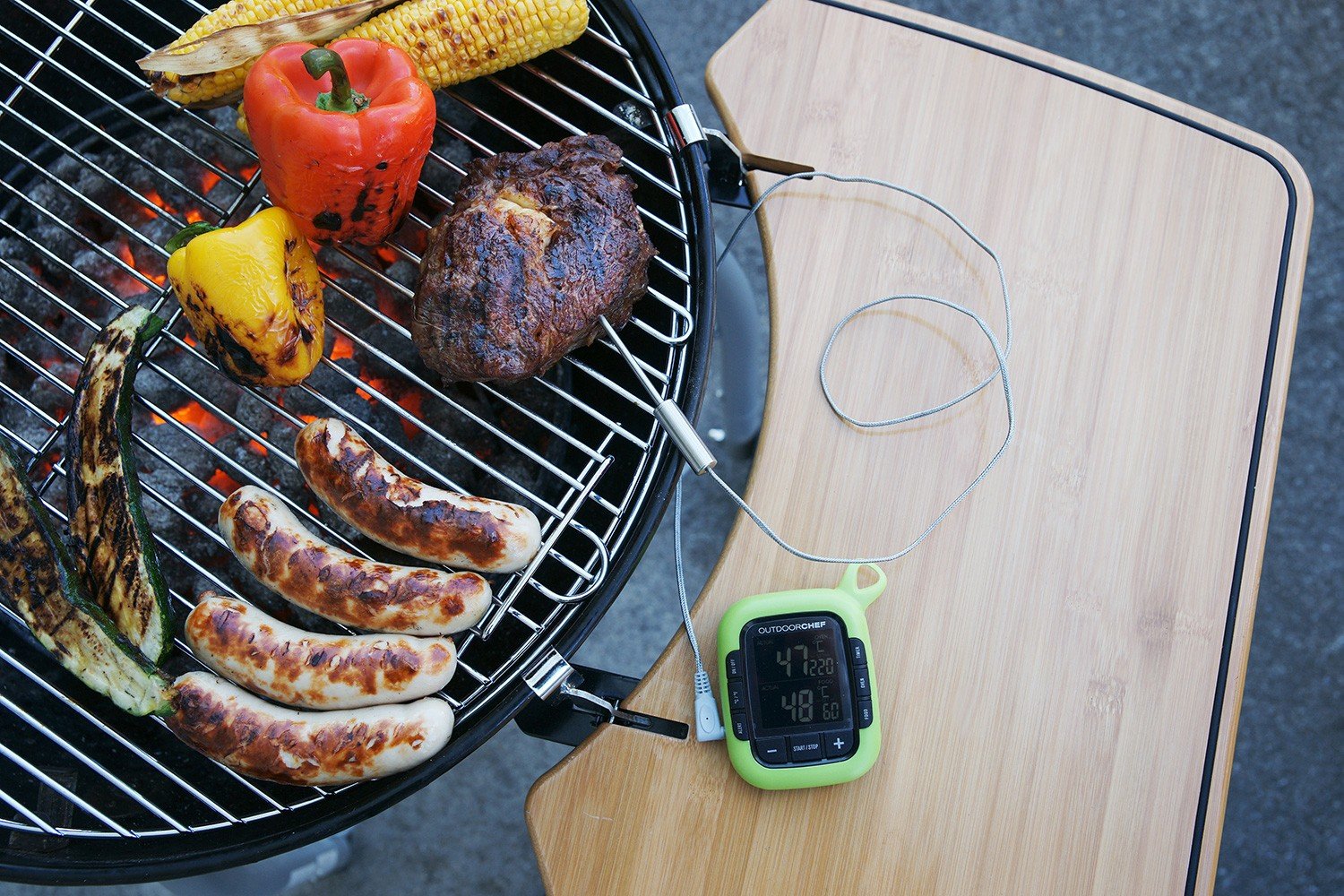
Image: The Outdoorchef Gourmet Thermometer unit with its dual-sensor probe connected, resting on a wooden surface. The display shows temperature readings.
4. Operating Instructions
4.1 Power On/Off
Press the power button (usually marked 'ON/OFF' or a similar symbol) to turn the device on. Press and hold the same button to turn it off.
4.2 Using the Dual-Sensor Probe
The probe is designed to measure two temperatures simultaneously:
- Core Temperature: Insert the pointed tip of the probe into the thickest part of the food, avoiding bone.
- Ambient/Air Temperature: The thicker part of the probe cable, near the connection point, contains a sensor for measuring the surrounding air temperature (e.g., inside a grill or oven). Ensure this part is exposed to the ambient air you wish to measure.
4.3 Setting Temperature Alarms
The thermometer features an alarm function to alert you when a desired temperature is reached.
- Press the 'ALARM' button (if available) or navigate through the menu to the alarm setting.
- Use the '+' and '-' buttons to set your desired target temperature for the food.
- Confirm the setting. An audible alarm will sound when the core temperature reaches the set value.
4.4 Timer Function
The device includes a timer function for monitoring cooking duration.
- Press the 'TIMER' button (if available) or navigate to the timer setting.
- Use the '+' and '-' buttons to set the desired countdown or count-up time.
- Press 'START/STOP' to begin or pause the timer.
4.5 Display and Backlight
The intuitive display shows both core and ambient temperatures clearly. If available, press the 'LIGHT' or a similar button to activate the backlight for improved visibility in low-light conditions.
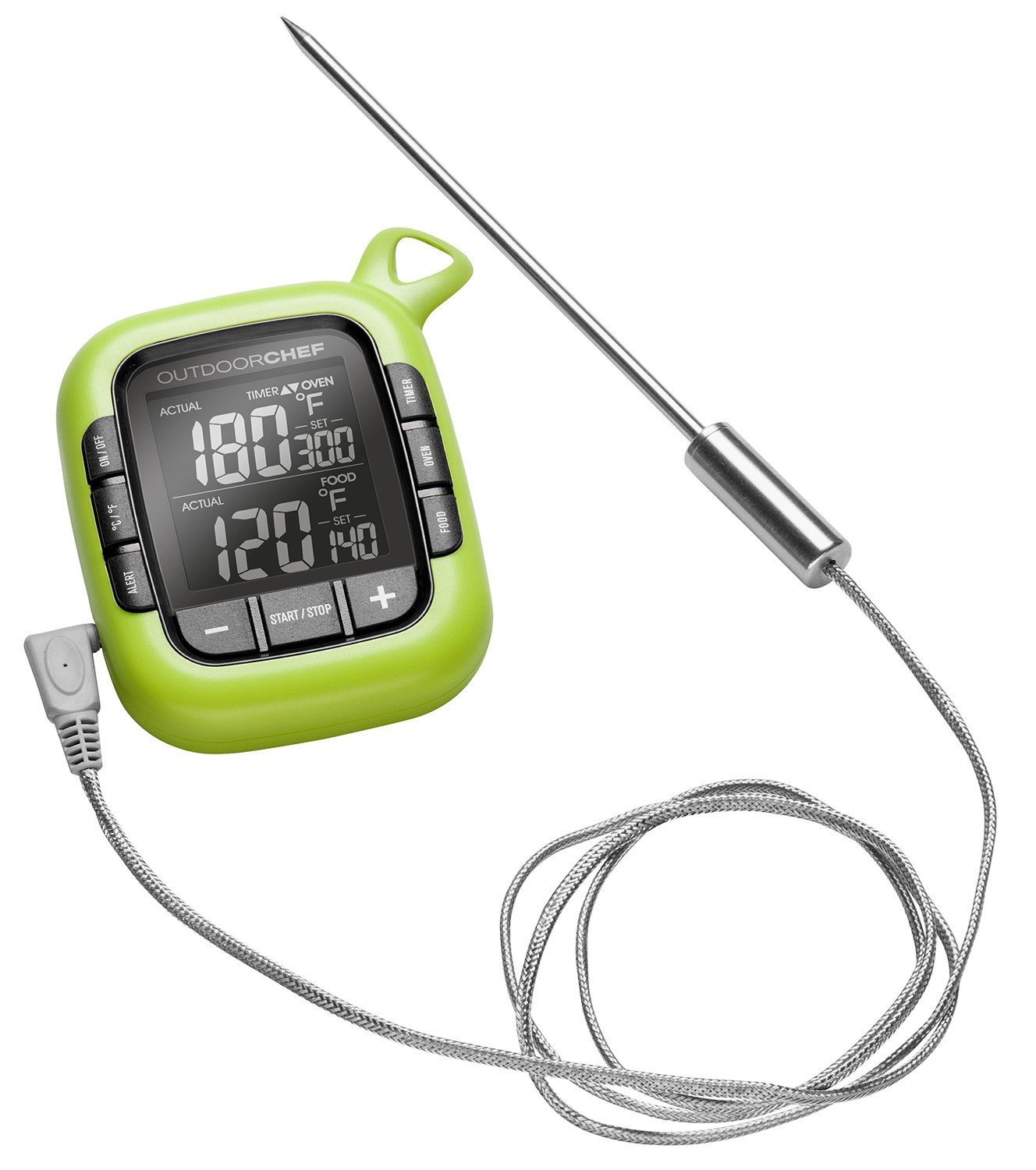
Image: The Outdoorchef Gourmet Thermometer actively monitoring temperatures on a barbecue grill, with the probe inserted into meat and sausages.
5. Maintenance
5.1 Cleaning
- Always turn off the thermometer and disconnect the probe before cleaning.
- Wipe the thermometer unit with a damp cloth. Do not immerse the unit in water.
- Clean the metal probe with warm, soapy water. Rinse thoroughly and dry completely before storage.
- The thick end of the probe, which contains the ambient sensor, should not be immersed in water. Wipe it clean with a damp cloth.
5.2 Storage
Store the thermometer and probe in a clean, dry place when not in use. Ensure the probe cable is not kinked or damaged during storage.
6. Troubleshooting
- Inaccurate Temperature Readings: If readings appear consistently high or low, consider cross-referencing with another thermometer if possible. Ensure the probe is correctly inserted into the food and that the ambient sensor is not obstructed.
- Display Not Working: Check the battery. Replace with a fresh AAA battery if necessary. Ensure the battery is inserted with correct polarity.
- Probe Not Registering: Ensure the probe connector is fully inserted into the thermometer unit. Check the probe cable for any visible damage.
- Magnet Detachment: If the magnet on the back of the unit detaches, it can often be re-secured with a strong adhesive.
7. Specifications
| Model Number | 14.491.34 |
| Dimensions (L x W x H) | 8.7 x 2.8 x 10.7 cm |
| Weight | 160 grams |
| Material | Stainless Steel, Plastic |
| Color | Green, Black |
| Power Source | 1 x AAA Battery (included) |
| Display Type | Digital |
| Special Features | Alarm, Dual-Sensor Probe |
| Care Instructions | Clean (Wipe clean, do not immerse unit) |
8. Warranty and Support
For warranty information and customer support, please refer to the documentation provided with your purchase or visit the official Outdoorchef website. Specific warranty terms may vary by region and retailer.
