
Introduction
The AKG N60 Noise Canceling Headphones are designed to deliver a world-class acoustic signature with active noise-cancelling technology, minimizing disruptive sounds for an immersive listening experience. Crafted with premium materials such as aluminum, memory foam, and leather, these lightweight headphones offer both superior sound quality and comfort. This manual provides detailed instructions for setting up, operating, and maintaining your AKG N60 headphones.
What's in the Box
- 1 pair of AKG N60 headphones
- Carrying pouch
- Flight adaptor
- USB charging cable
- 3.5mm detachable cable with universal mic/remote
Product Overview

The AKG N60 headphones in black, showcasing their sleek design and on-ear form factor.

A user wearing the AKG N60 headphones, demonstrating their compact and comfortable fit for daily use.

The headphones in use during travel, highlighting their effectiveness in noisy environments like an airplane cabin.

A detailed view of the active noise-cancelling (NC) switch located on the earcup, indicated by a green light when active.

A close-up of the earcup, featuring the AKG logo and the perforated design for acoustic performance.

Detail of the headband adjustment mechanism, allowing for a customized and comfortable fit.
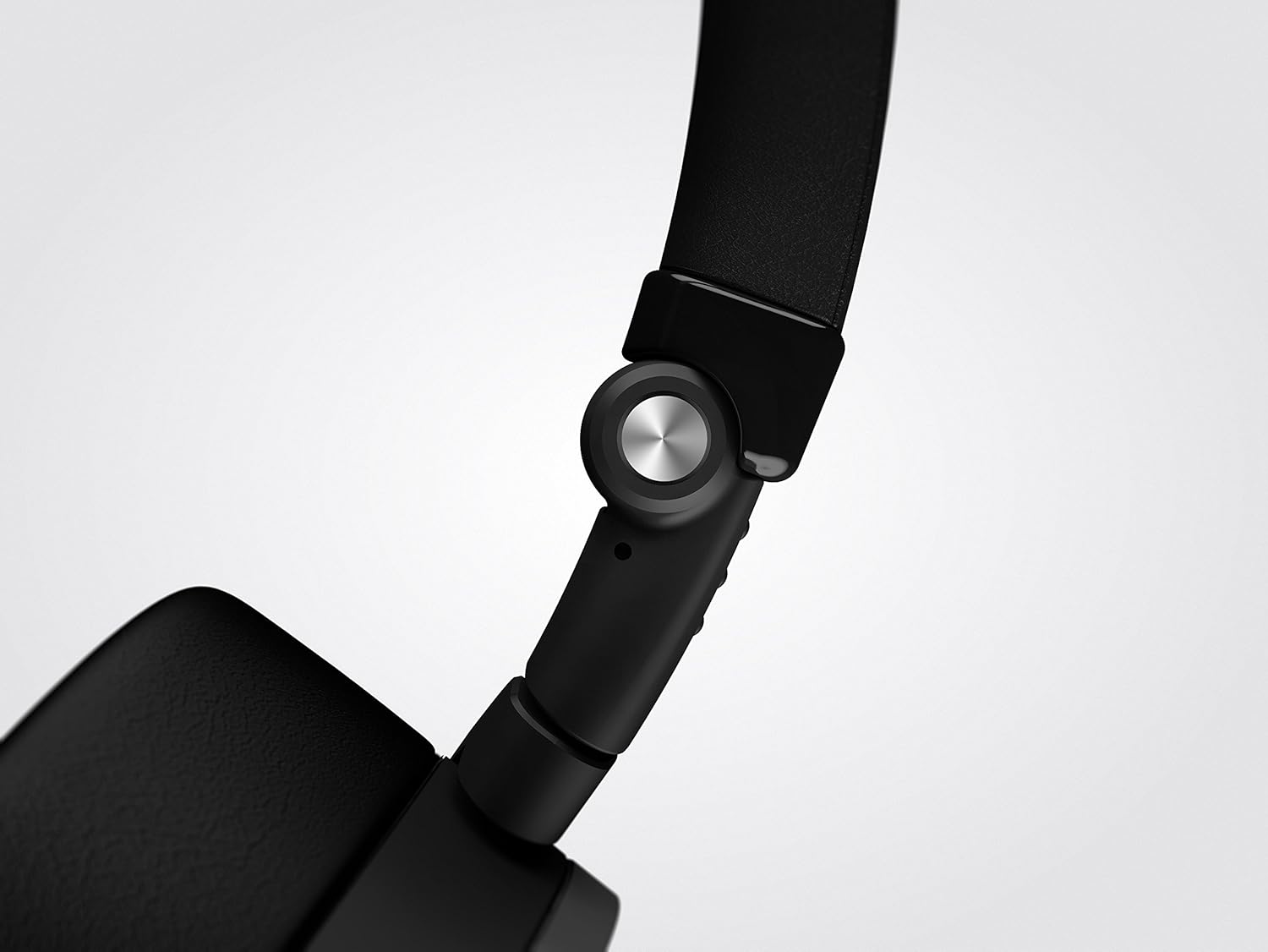
The robust folding hinge, enabling the headphones to collapse for easy storage and portability.
Setup
- Initial Charge: Before first use, fully charge your AKG N60 headphones using the provided USB charging cable. Connect the micro-USB end to the headphone's charging port and the USB-A end to a powered USB port (e.g., computer, wall adapter). A full charge provides up to 30 hours of battery life with noise-cancelling active.
- Connect Audio Cable: Insert the 3.5mm detachable audio cable into the headphone's audio jack. Connect the other end to your audio source (smartphone, tablet, computer, etc.). The headphones can be used in passive mode even if the battery is depleted.
- Adjust Fit: Extend or retract the headband to ensure the earcups sit comfortably over your ears. The on-ear design should provide a snug fit without excessive pressure.
Operating Instructions
- Powering On/Off Noise Cancelling: Locate the NC (Noise Cancelling) switch on the earcup. Slide the switch to the 'ON' position to activate active noise cancellation. A green indicator light will illuminate. Slide the switch to 'OFF' to deactivate.
- Audio Playback: Once connected via the 3.5mm cable, audio will play from your source device.
- Using the Universal Remote/Mic Cable: The included cable features a one-button universal remote and microphone.
- Press once to Play/Pause audio or Answer/End a call.
- Press twice to skip to the next track.
- Press three times to go to the previous track.
- Volume Control: Adjust the volume directly from your connected audio source device.
- Flight Adaptor: Use the flight adaptor with the 3.5mm cable to connect to in-flight entertainment systems.
Charging
The AKG N60 headphones are equipped with a rechargeable Lithium Polymer battery. To charge, connect the supplied USB charging cable to the micro-USB port on the headphones and a standard USB power source. The battery provides up to 30 hours of active noise cancellation playback. The headphones can still be used in passive mode (without noise cancellation) even if the battery is fully depleted.
Maintenance
- Cleaning: Use a soft, dry cloth to clean the headphones. Do not use liquid cleaners or sprays.
- Storage: When not in use, store the headphones in the provided carrying pouch to protect them from dust and scratches. The 3D-axis folding mechanism allows for compact storage.
- Avoid Extreme Conditions: Do not expose the headphones to extreme temperatures, humidity, or direct sunlight.
- Cable Care: Handle the detachable cable gently. Avoid sharp bends or excessive pulling.
Troubleshooting
| Problem | Possible Cause | Solution |
|---|---|---|
| No sound | Cable not fully connected; Audio source volume too low; Audio source not playing. | Ensure 3.5mm cable is securely plugged into both headphones and audio source. Increase volume on audio source. Verify audio is playing from source. |
| Noise Cancelling not working | NC switch is off; Battery is depleted. | Slide the NC switch to the 'ON' position. Charge the headphones using the USB cable. |
| Headphones not charging | USB cable not connected properly; USB power source not active. | Ensure USB cable is firmly connected to headphones and power source. Try a different USB port or power adapter. |
| Poor sound quality / Distortion | Cable connection issues; Audio source quality; Damaged cable. | Check cable connections. Test with a different audio source or audio file. If possible, try a different 3.5mm cable. |
Specifications
| Feature | Detail |
|---|---|
| Model Name | N60 |
| Connectivity Technology | Wired |
| Headphones Jack | 3.5 mm Jack |
| Frequency Response | 10Hz – 22kHz |
| Impedance | 32 Ohm |
| Noise Control | Active Noise Cancellation |
| Battery Life | 30 Hours (with NC) |
| Item Weight | 5.3 ounces |
| Product Dimensions | 2.6 x 7.01 x 8.46 inches |
| Material | Aluminum |
| Color | Black |
| UPC | 028292269776 |
Warranty and Support
For warranty information, technical support, or service inquiries regarding your AKG N60 headphones, please visit the official AKG website or contact their customer support. Keep your proof of purchase for warranty claims.


