
beyerdynamic 718998
beyerdynamic T 1 2nd Generation Audiophile Stereo Headphones User Manual
Model: 718998
Introduction
The beyerdynamic T 1 2nd Generation Audiophile Stereo Headphones redefine high-end audio. This manual provides essential information for the proper use, care, and maintenance of your headphones, ensuring optimal performance and longevity.
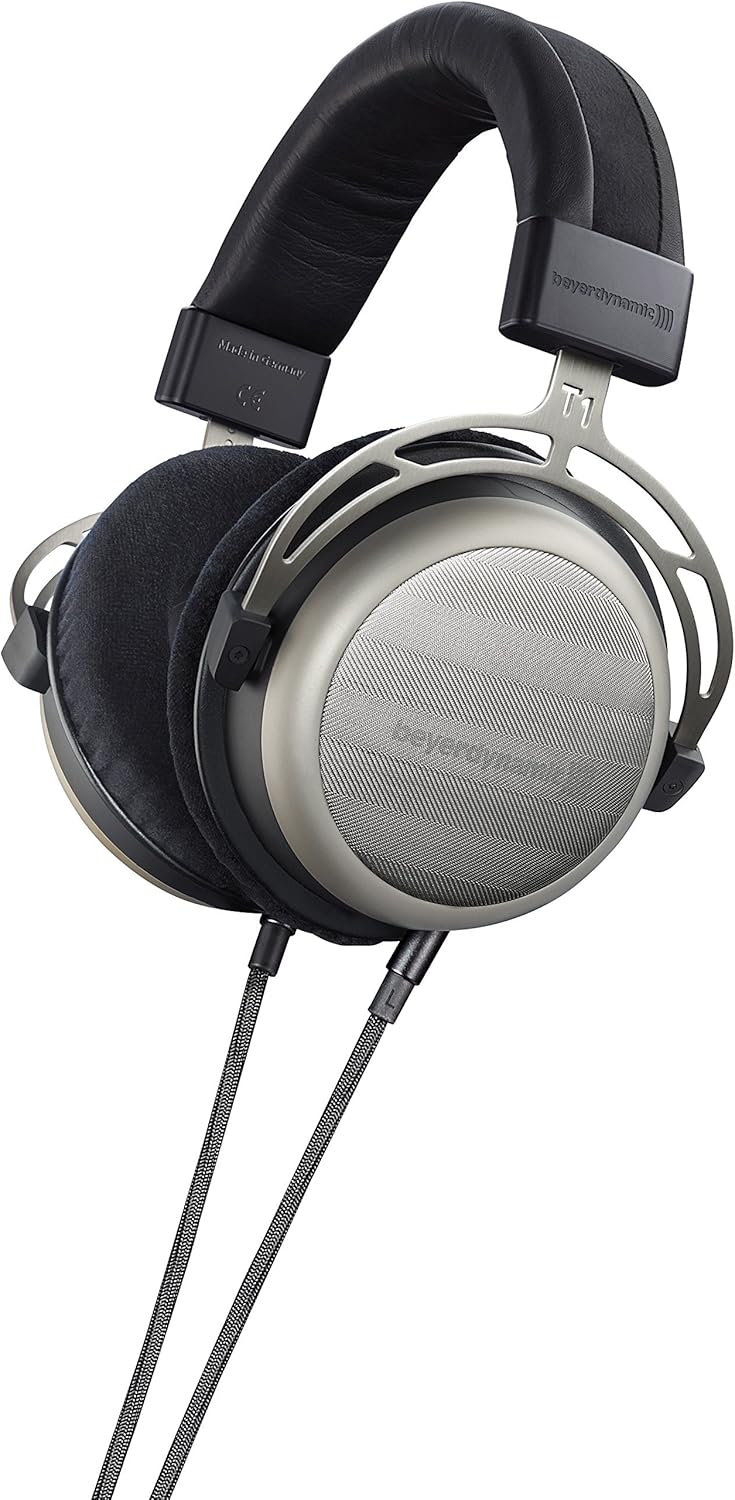
These headphones feature highly efficient Tesla technology drivers, delivering a spacious, transparent, and powerful sound. Designed for discerning audiophiles, the T 1 2nd Generation offers an enhanced listening experience with its perfectly honed sound.
What's in the Box
Upon unboxing your beyerdynamic T 1 2nd Generation headphones, please ensure all the following components are present:
- beyerdynamic T 1 2nd Generation Audiophile Stereo Headphones
- Luxury grade hard carry case
- 3m long double-sided detachable cable
- Connection cable with 3.5mm jack plug and screw-on 6.35mm adapter

Setup
- Connect the Cable: Locate the detachable cable. Insert the 3.5mm jack end into the corresponding port on the left earcup of the headphones. Ensure it is securely connected.
- Connect to Audio Source:
- For devices with a 3.5mm headphone jack (e.g., laptops, smartphones with adapter): Plug the other end of the cable directly into your device's headphone jack.
- For devices with a 6.35mm (1/4") headphone jack (e.g., audio interfaces, amplifiers): Screw the included 6.35mm adapter onto the 3.5mm jack of the cable, then plug it into your device.
- Adjust Headband: Place the headphones on your head. Adjust the headband slides on both sides until the earcups comfortably cover your ears and the headband rests gently on your head.
Operating the Headphones
Wearing Comfort
The beyerdynamic T 1 2nd Generation headphones are designed for extended listening sessions. They feature breathable, super-soft ear cushions made of protein-coated synthetic leather with memory foam, ensuring high wearing comfort. Adjust the headband to find the perfect fit that minimizes pressure points and maximizes sound isolation (while maintaining their semi-open characteristic).

Audio Playback
Once connected to your audio source, begin playback. Adjust the volume on your source device to a comfortable listening level. These semi-open headphones provide a natural soundstage and are ideal for critical listening in quiet environments.
The 600 Ohm impedance of these headphones means they are designed to be driven by dedicated headphone amplifiers or high-quality audio sources capable of providing sufficient power for optimal performance.
Maintenance and Care
- Cleaning: Use a soft, dry cloth to wipe the surfaces of the headphones. For the ear cushions, a slightly damp cloth can be used, but avoid excessive moisture. Do not use harsh chemicals or abrasive cleaners.
- Storage: When not in use, store the headphones in their provided luxury hard carry case to protect them from dust, moisture, and physical damage.
- Cable Care: Avoid sharp bends or kinks in the cable. When detaching, pull from the connector, not the cable itself.
- Temperature: Avoid exposing the headphones to extreme temperatures or direct sunlight for prolonged periods.
Troubleshooting
| Problem | Possible Cause | Solution |
|---|---|---|
| No sound or low volume |
|
|
| Distorted sound |
|
|
Specifications
| Feature | Detail |
|---|---|
| Model Name | FBA_718998 |
| Connectivity Technology | Wired |
| Headphones Jack | 3.5 mm Jack |
| Ear Placement | Over Ear |
| Form Factor | Over Ear |
| Impedance | 600 Ohm |
| Frequency Range | 5 - 50,000 Hz |
| Noise Control | Sound Isolation (Semi-Open Design) |
| Item Weight | 14.1 ounces (0.4 Kilograms) |
| Product Dimensions | 6 x 8.5 x 11.5 inches |
| Material | Stainless Steel (frame), Protein-coated synthetic leather with memory foam (ear cushions) |
| Included Components | 3m long double-sided detachable cable, connection cable with 3.5mm jack plug and screw on 6.35mm adaptor, Luxury grade hard carry case |
| Manufacturer | Beyerdynamic, Inc. |
| Date First Available | September 4, 2015 |
Warranty and Support
The beyerdynamic T 1 2nd Generation Audiophile Stereo Headphones come with a 5-year warranty, reflecting the manufacturer's confidence in their quality and durability.
For technical support, warranty claims, or further assistance, please refer to the official beyerdynamic website or contact their customer service directly. Keep your proof of purchase for warranty purposes.
For additional information, you may also consult the official User Manual (PDF) available at: beyerdynamic T 1 User Manual PDF
Related documents718998


Ask a question about this manual
Ask about setup, troubleshooting, compatibility, parts, safety, or missing instructions. Manuals+ will review the question and use this page’s manual context to help answer it.