
MEDION MD 15324
MEDION MD 15324 Dual Induction Cooktop User Manual
Model: MD 15324 (50047125)
Brand: MEDION
1. Introduction
This user manual provides comprehensive instructions for the safe and efficient operation, maintenance, and troubleshooting of your MEDION MD 15324 Dual Induction Cooktop. Please read this manual thoroughly before first use and keep it for future reference.
The MEDION MD 15324 is a portable dual induction cooktop designed for versatile cooking. It features two cooking zones, a total power output of 3500 watts, 10 temperature settings, and intuitive touch controls with an LED display, offering a modern and efficient cooking solution.
2. Safety Information
Always observe the following safety precautions to prevent injury or damage to the appliance:
- Ensure the cooktop is placed on a stable, flat, and heat-resistant surface, away from flammable materials.
- Do not immerse the appliance, power cord, or plug in water or other liquids.
- Use only induction-compatible cookware. Non-compatible cookware will not heat.
- The cooking surface remains relatively cool, minimizing the risk of injury, making it suitable for households with children. However, always supervise children near the appliance.
- Do not touch the hot cooking surface immediately after removing cookware, as residual heat may be present.
- Ensure adequate ventilation around the cooktop during operation. Do not block air vents.
- Individuals with pacemakers or similar medical devices should consult their doctor before using an induction cooktop due to potential electromagnetic interference.
- Unplug the appliance from the power outlet when not in use and before cleaning.
- Do not operate the appliance if the power cord or plug is damaged, or if the appliance malfunctions or has been damaged in any way.
3. Package Contents
The package includes the following items:
- MEDION MD 15324 Dual Induction Cooktop
- User Manual (this document)
4. Product Features
- Efficient Heating: The practical dual induction cooktop is safer than conventional cooktops, heats pots and pans very efficiently, and consumes little energy.
- Powerful Performance: Thanks to the high heating power of 3,500 watts (total), your meal cooks particularly quickly. Precise settings prevent burning.
- Child Safety: Heat is only used to warm the dishes, keeping the cooking surface relatively cool. This minimizes the risk of injury – ideal for households with children.
- Time and Cost Savings: The dual induction cooktop cooks your food quickly and consumes little energy, saving both valuable time and money.
- Digital Touch Controls: Easy and comfortable operation via the integrated LED display with sensor-touch controls.
- Durable Surface: Features a black crystal glass plate, offering high temperature resistance, scratch resistance, and easy cleaning.
- Integrated Timer: Includes a 180-minute timer for precise cooking control and automatic shut-off for maximum safety and convenience.
- Cookware Compatibility: Suitable for pots and pans up to 20 cm in diameter.

Figure 4.1: The MEDION MD 15324 Dual Induction Cooktop in use, showing two cooking zones with pots. The left zone displays 1200W and the right 1000W on the LED touch panel.

Figure 4.2: Illustration of the cooktop's energy efficiency, highlighting the induction technology with blue glowing rings around a pot, indicating precise and efficient heating.

Figure 4.3: Demonstrates the 3500 watt power and 10 temperature settings (60°C to 240°C) for targeted cooking, with a dish of roasted vegetables on one hob.

Figure 4.4: Close-up of the LED display with sensor-touch controls, illustrating the simple and comfortable operation of the cooktop.
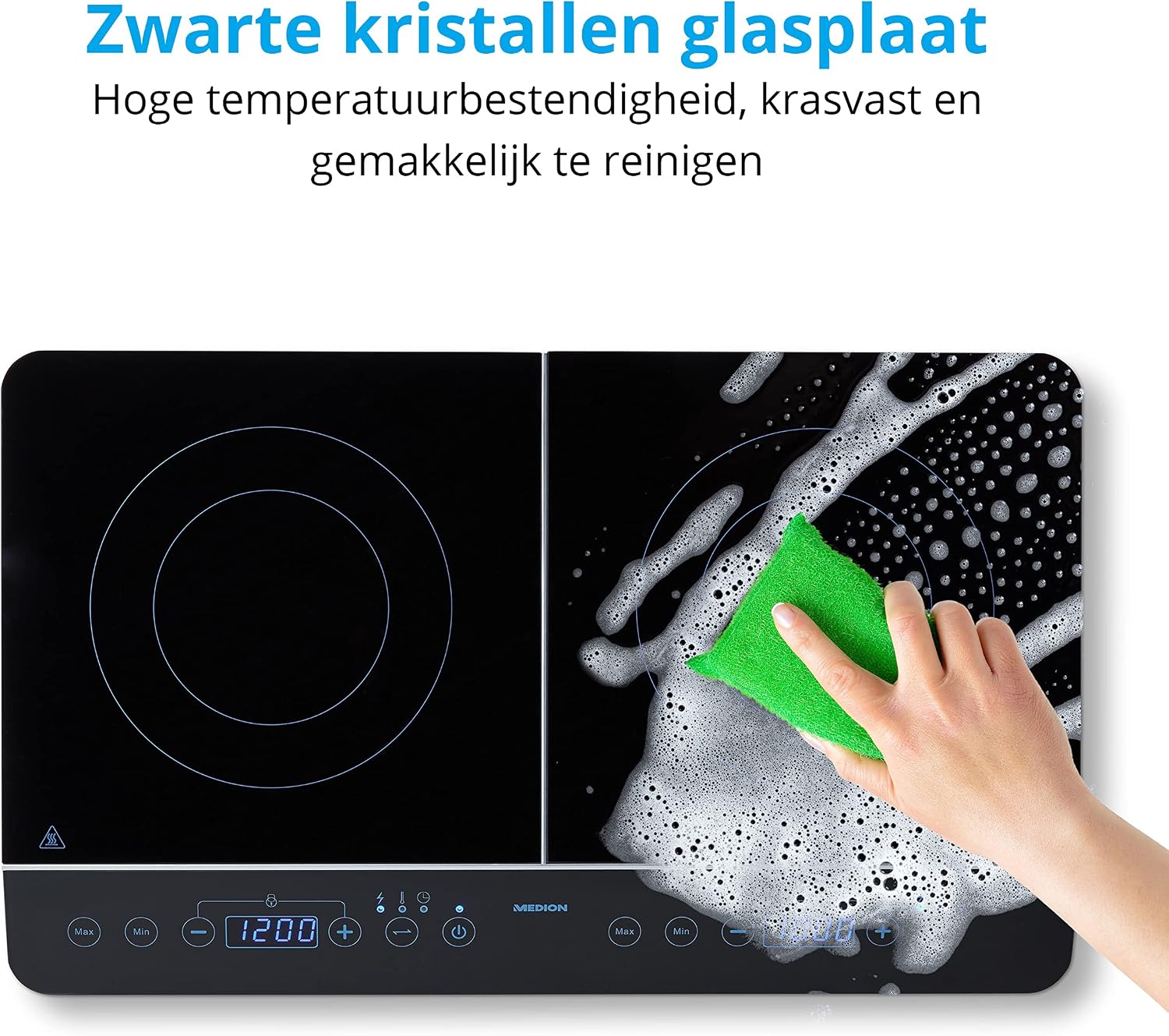
Figure 4.5: The black crystal glass plate being cleaned, emphasizing its high temperature resistance, scratch resistance, and ease of cleaning.

Figure 4.6: Highlights the 180-minute timer and automatic shut-off feature, ensuring maximum safety and convenience during cooking.

Figure 4.7: Technical drawing illustrating the product dimensions and the recommended maximum diameter of 20 cm for pots and pans on each cooking zone.
5. Setup
5.1 Unpacking
Carefully remove the cooktop from its packaging. Retain the packaging for future storage or transport if needed. Check for any signs of damage. If the appliance is damaged, do not use it and contact customer support.
5.2 Placement
Place the cooktop on a stable, level, and heat-resistant surface. Ensure there is sufficient space around the appliance for proper ventilation (at least 10 cm on all sides). Do not place it near heat sources or on metallic surfaces that could interfere with induction.
5.3 Power Connection
Plug the power cord into a grounded electrical outlet. The cooktop has a total power consumption of 3500 watts. It is recommended to connect it to a dedicated circuit to avoid overloading household circuits, especially if other high-power appliances are in use simultaneously.
6. Operating Instructions
6.1 Compatible Cookware
Induction cooktops require cookware made of ferromagnetic material. Look for pots and pans with a flat bottom and the induction symbol (a coil icon). Suitable materials include cast iron, enameled iron, and stainless steel with a magnetic bottom. Glass, ceramic, aluminum, or copper cookware without a magnetic base will not work.
6.2 Powering On/Off
- To turn on: Place suitable cookware on the desired cooking zone. Press the Power button (usually indicated by a circle with a vertical line) on the control panel.
- To turn off: Press the Power button again for the specific zone, or press the main power button to turn off the entire unit. The cooktop will automatically shut off if no cookware is detected or after a period of inactivity.
6.3 Adjusting Power/Temperature
- After powering on a zone, use the "+" and "-" buttons to adjust the power level or temperature.
- The cooktop offers 10 temperature settings, allowing for precise control from simmering to rapid boiling.
- The LED display will show the selected power level or temperature.
6.4 Using the Timer
- Press the Timer button (often indicated by a clock icon) to activate the timer function.
- Use the "+" and "-" buttons to set the desired cooking time, up to 180 minutes.
- Once the set time expires, the cooking zone will automatically turn off, and an audible signal may sound.
6.5 Child Lock Function
To prevent accidental operation, the cooktop may feature a child lock. Refer to the control panel for a lock icon. Typically, pressing and holding the lock button for a few seconds will activate/deactivate this function.
7. Maintenance and Cleaning
Regular cleaning and maintenance will ensure the longevity and optimal performance of your cooktop.
- Always unplug the cooktop and allow it to cool completely before cleaning.
- Wipe the black crystal glass surface with a soft, damp cloth and mild detergent. For stubborn stains, use a non-abrasive cleaner specifically designed for glass cooktops.
- Do not use abrasive sponges, scouring pads, or harsh chemical cleaners, as these can scratch or damage the surface.
- Wipe the control panel gently with a damp cloth. Ensure no liquid enters the control area.
- Clean the ventilation openings regularly to prevent dust buildup, which can affect performance. Use a soft brush or vacuum cleaner.
- Dry the cooktop thoroughly after cleaning to prevent water spots.
8. Troubleshooting
If you encounter issues with your MEDION MD 15324 Dual Induction Cooktop, refer to the following common problems and solutions:
| Problem | Possible Cause | Solution |
|---|---|---|
| Cooktop does not turn on. | Not plugged in; power outage; main power switch off. | Ensure the plug is securely inserted. Check the circuit breaker. Press the main power button. |
| Cookware is not heating. | Cookware is not induction-compatible; cookware is too small or too large; no cookware detected. | Use induction-compatible cookware. Ensure the cookware base covers the cooking zone. Place cookware firmly on the zone. |
| Display shows an error code (e.g., "E0", "E1"). | Specific error (e.g., overheating, voltage issue, sensor fault). | Refer to the specific error code in the full manual (if available) or unplug the unit for 5 minutes and try again. If the problem persists, contact customer support. |
| Cooktop automatically shuts off. | Timer expired; overheating; no cookware detected for a period. | This is normal operation for the timer or safety features. Allow the unit to cool if it overheated. Ensure cookware is present. |
| Loud fan noise during operation. | Cooling fan is active. | This is normal. The fan operates to cool internal components, especially at higher power settings. |
For issues not covered here, please contact MEDION customer support.
9. Specifications
| Attribute | Detail |
|---|---|
| Brand | MEDION |
| Model Number | 50047125 (MD 15324) |
| Color | Black |
| Product Dimensions (D x W x H) | 35.5 x 60.3 x 7 cm |
| Weight | 5.5 kg |
| Power/Wattage | 3500 watts (total) |
| Material | Stainless Steel (base), Black Crystal Glass (surface) |
| Automatic Shut-off | No (Note: Timer-based auto-off is available) |
| Annual Energy Consumption | 3500 Watt-hours (Note: This value seems unusual for "annual" consumption and might refer to peak power) |
| Special Features | Electric, Digital Touch Controls, LED Display, Timer |
| Manufacturer | MEDION |
| Burner Type | Induction |
| Heating Elements | 2 |
| Max Pot/Pan Diameter | 20 cm |
10. Warranty and Support
MEDION products are designed for reliability and performance. For warranty information, technical support, or service inquiries, please refer to the warranty card included with your product or visit the official MEDION website. Keep your proof of purchase for warranty claims.
Official MEDION Website: www.medion.com
Related documentsMD 15324


Ask a question about this manual
Ask about setup, troubleshooting, compatibility, parts, safety, or missing instructions. Manuals+ will review the question and use this page’s manual context to help answer it.