
1. Introduction
Thank you for choosing the Baseus Mechanical Eye Six-in-one Smart HUB Docking Station. This device expands the connectivity of your USB Type-C enabled laptop, tablet, or phone, providing multiple essential ports for enhanced productivity and versatility. Please read this manual carefully before use to ensure proper operation and to maximize the product's lifespan.
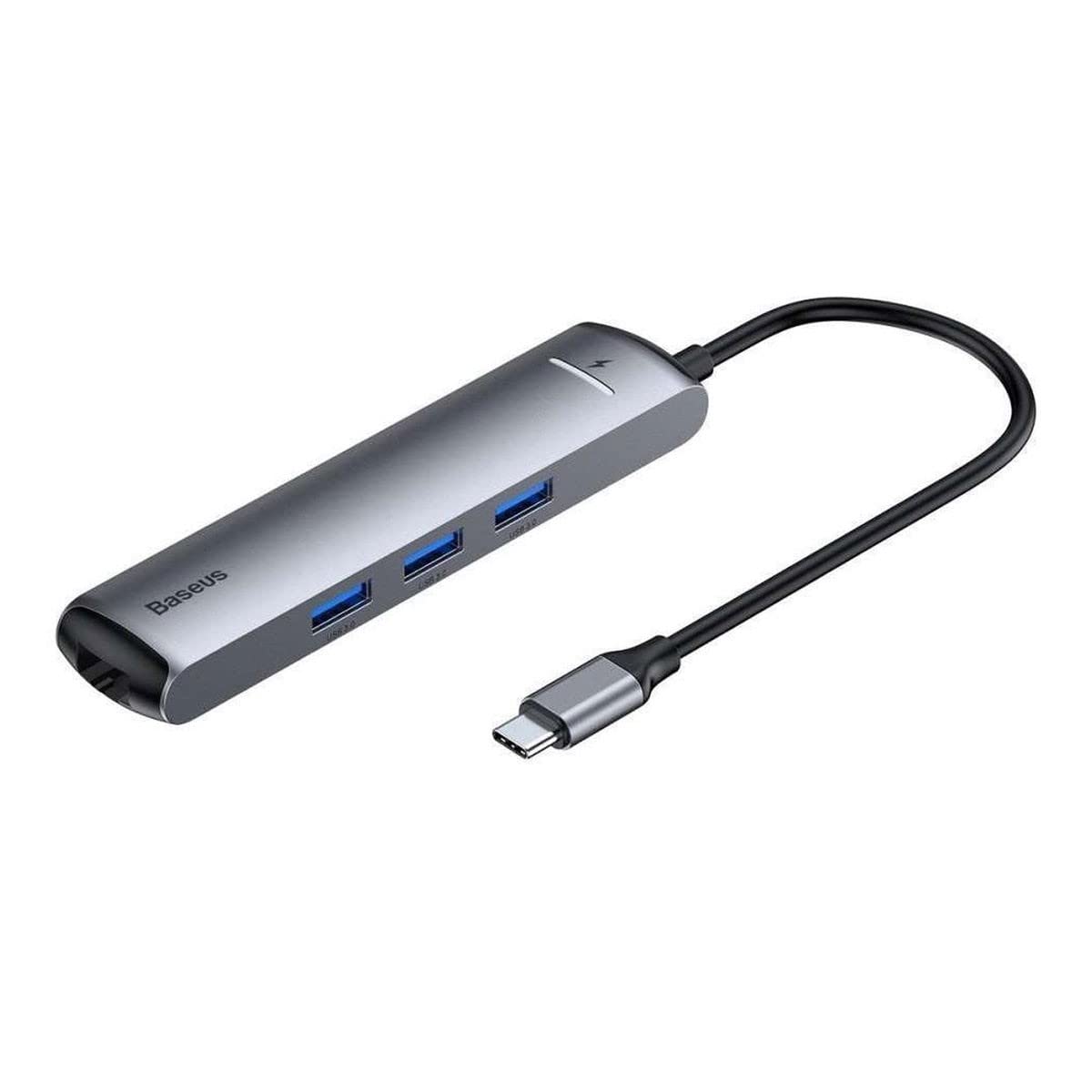
Image 1.1: The Baseus Mechanical Eye Six-in-one Smart HUB Docking Station, showcasing its compact design and Type-C connector.
2. Product Overview
The Baseus Mechanical Eye Smart HUB is designed to provide a comprehensive connectivity solution. It features a durable aluminum enclosure and offers six distinct ports:
- 3 x USB 3.0 Ports: For high-speed data transfer up to 5Gbps. Ideal for connecting external drives, keyboards, mice, and other USB peripherals.
- 1 x HDMI Port: Supports 4K/30Hz HD video output for connecting to external monitors, TVs, or projectors.
- 1 x RJ45 Ethernet Port: Provides a stable wired network connection with support for 1000Mbps Ethernet.
- 1 x Type-C PD (Power Delivery) Port: Supports up to 87W power charging for your host device, allowing you to power your laptop while using the hub.

Image 2.1: View of the Baseus Smart HUB, highlighting the USB 3.0 ports, HDMI port, RJ45 Ethernet port, and Type-C PD port.

Image 2.2: An internal diagram illustrating the sophisticated circuitry and components within the Baseus Smart HUB.
3. Setup Instructions
- Connect to Host Device: Plug the integrated USB Type-C connector of the docking station into an available USB Type-C port on your laptop, tablet, or smartphone. Ensure the connection is firm.
- Power Connection (Optional): If your host device requires charging or if you are connecting power-intensive peripherals, connect your device's original Type-C power adapter to the PD (Power Delivery) port on the docking station.
- Connect Peripherals:
- USB Devices: Insert USB flash drives, external hard drives, keyboards, mice, or other USB 3.0/2.0 devices into the three USB 3.0 ports.
- HDMI Display: Connect an HDMI cable from your monitor or TV to the HDMI port on the docking station. Ensure your display is set to the correct input source.
- Ethernet Network: Connect an Ethernet cable from your router or modem to the RJ45 port on the docking station for a wired network connection.
- Driver Installation: The Baseus Smart HUB is typically plug-and-play for most modern operating systems, including Mac OS. No additional drivers are usually required. If issues arise, ensure your host device's operating system is up to date.

Image 3.1: The docking station connected to a laptop, demonstrating simultaneous use of USB peripherals, HDMI display, and Ethernet.
4. Operating Instructions
Once connected, the Baseus Smart HUB operates automatically. Your host device will recognize the connected peripherals and displays.
- USB Data Transfer: Files can be transferred to and from connected USB storage devices at speeds up to 5Gbps.
- Video Output: The HDMI port supports resolutions up to 4K at 30Hz. Adjust display settings on your host device to extend or mirror your screen.
- Ethernet Connectivity: The RJ45 port provides a stable gigabit Ethernet connection. Network settings can be configured via your host device's operating system.
- Power Delivery: The Type-C PD port will automatically charge your host device when a compatible power adapter is connected.
5. Maintenance
- Keep the docking station clean and free from dust. Use a soft, dry cloth for cleaning.
- Avoid exposing the device to extreme temperatures, direct sunlight, or high humidity.
- Do not attempt to disassemble or repair the device yourself. This may void the warranty and cause damage.
- Disconnect the hub from your host device when not in use for extended periods.
6. Troubleshooting
| Problem | Possible Solution |
|---|---|
| No display output via HDMI. |
|
| USB devices are not recognized. |
|
| Ethernet connection is unstable or not working. |
|
| Host device is not charging via PD port. |
|
7. Specifications
| Feature | Detail |
|---|---|
| Model Number | CAHUB-J0G |
| Output Ports | 3 x USB 3.0, 1 x HDMI, 1 x RJ45, 1 x Type-C PD |
| HDMI Resolution | Supports 4K/30Hz HD On-screen Display |
| USB 3.0 Data Transfer Rate | Up to 5Gbps |
| RJ45 Ethernet | Supports 1000Mbps Ethernet Network |
| Type-C PD Charging | Supports up to 87W PD Charge (Max) |
| Compatible Devices | Laptops, Mobile, Tablets, Phones with USB Type-C |
| Operating System | Mac OS (and generally compatible with Windows, Linux, Android) |
| Enclosure Material | Aluminum |
| Color | Grey |
| Weight | 35 Grams |
8. Warranty and Support
This product is covered by a warranty as per Amazon's return policy. For specific warranty details or technical support, please refer to the official Baseus website or contact your point of purchase. Keep your purchase receipt for warranty claims.

