Download PDFFree PDF. The Save button below keeps a bookmark and private notes in your account.
SunFounder 37 Modules Sensor Kit V2.0 for Raspberry Pi
Model: FBA_CZ0003
1. Introduction
The SunFounder 37 Modules Sensor Kit V2.0 is designed to provide a comprehensive learning experience for users interested in electronics and programming with Raspberry Pi. This kit includes 37 self-designed sensor modules and offers 35 diverse projects, enabling dynamic creative and educational experiences. It is compatible with various Raspberry Pi models including 4B, 3 Model B+, 3B, 2B, B+, A+, and Zero.
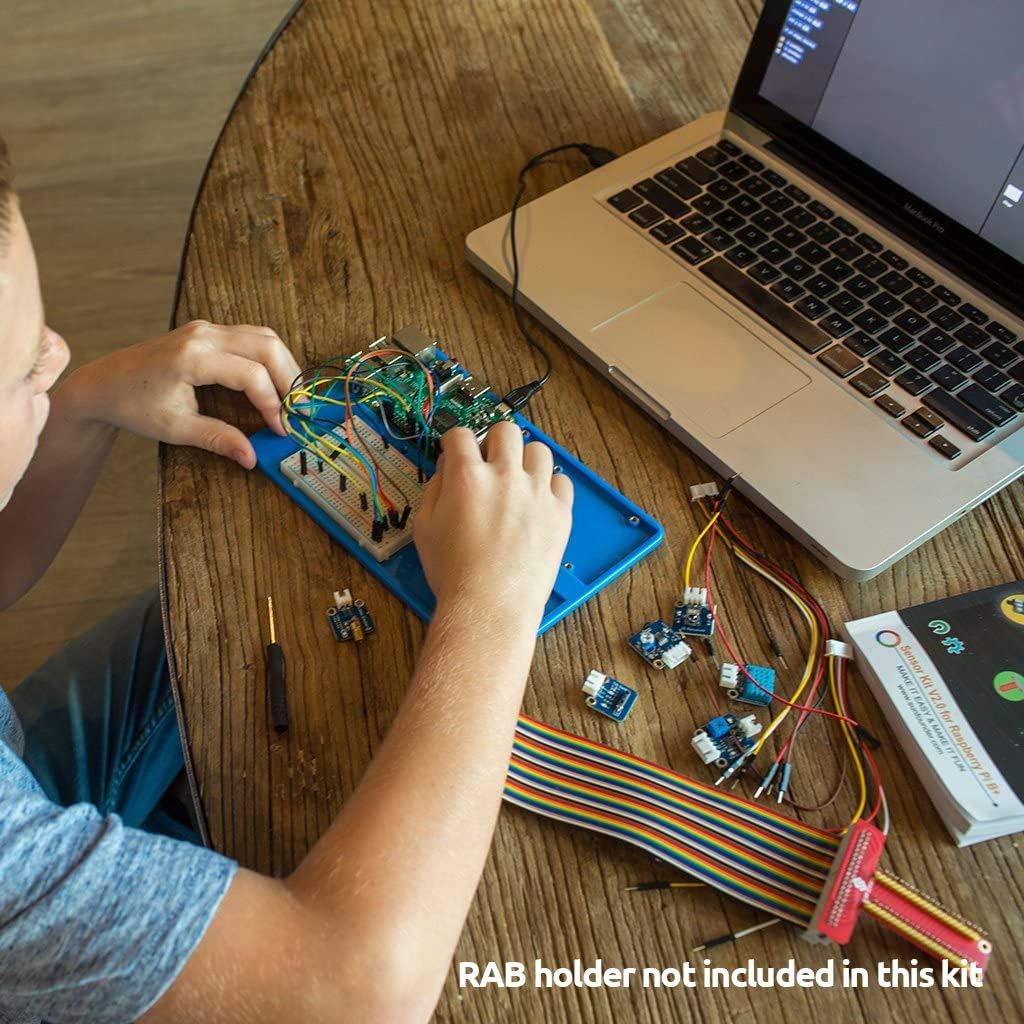
Image: A user learning to code with the SunFounder kit connected to a laptop, demonstrating ease of use.
2. Kit Contents
This kit contains 37 elaborately designed sensor modules, each made to a roughly uniform size for ease of use. The modules are packaged in a cool-blue plastic box for organized storage.
Image: An overhead view displaying the 37 individual sensor modules and jumper wires included in the kit.
Key Modules Included:
LED Modules (various colors)
Button Module
Buzzer Module
Light Sensor Module
Temperature and Humidity Sensor
Ultrasonic Sensor
Motion Sensor (PIR)
Joystick Module
Relay Module
And many more diverse sensor modules.
Note: Raspberry Pi board is not included in this kit.
3. Getting Started
To begin using your SunFounder 37 Modules Sensor Kit, follow these general steps:
Access Online Tutorials: Detailed instructions, code examples, and schematics are available online. Refer to the provided documentation for the specific URL.
Software Setup: Install the necessary software and drivers for your Raspberry Pi, including the Arduino IDE or visual programming language software as recommended in the tutorials.
Component Identification: Familiarize yourself with the various sensor modules using the included guide or online resources.
Initial Connections: Start with simple projects to understand basic wiring and programming concepts. Ensure all connections are secure and correctly aligned to prevent damage.
Video: An official SunFounder video showcasing the 3-in-1 IoT/Smart Car/Learning Starter Kit, demonstrating various projects and capabilities.
4. Project Examples
The kit offers 35 projects with diverse functions, allowing for a dynamic creative experience. These projects are designed to help you learn coding faster and easier.
Image: A child and an adult engaged in a project using the sensor kit, with a laptop displaying programming code, highlighting the educational aspect.
Example Project Categories:
Basic Sensor Readings: Learn to read data from various sensors like light, temperature, and motion.
Interactive Displays: Control LEDs, buzzers, and LCD screens based on sensor inputs.
Robotics and Automation: Implement obstacle avoidance, line following, and remote control functionalities.
IoT Applications: Monitor environmental conditions or control devices remotely using internet connectivity.
5. Specifications
Feature
Detail
Product Dimensions
8.6 x 5.9 x 2.6 inches
Item Weight
1.32 pounds
Manufacturer
SunFounder
Item Model Number
FBA_CZ0003
Compatibility
Raspberry Pi 4B, 3 Model B+, 3B, 2B, B+, A+, Zero
Number of Modules
37
Number of Projects
35
6. Care and Maintenance
Storage: Store all modules and components in the provided plastic box to prevent loss and damage. Keep in a dry, cool environment away from direct sunlight.
Handling: Handle electronic components with care to avoid electrostatic discharge. Avoid bending pins or applying excessive force.
Cleaning: Use a soft, dry cloth to clean modules. Do not use liquid cleaners or solvents.
Power: Always ensure correct voltage and polarity when connecting power to your Raspberry Pi and modules to prevent damage.
7. Troubleshooting
Module Not Responding: Double-check all wiring connections against the schematic. Ensure the module is receiving power and the correct data pins are used. Verify your code for any logical errors.
Code Upload Issues: Confirm that the correct board and port are selected in your IDE. Ensure all necessary libraries are installed.
Unexpected Behavior: Review the project tutorial steps carefully. Sometimes, small details in wiring or code can lead to unexpected results. Isolate the problematic component or section of code.
Power Problems: If your Raspberry Pi or modules are not powering on, check the power supply and all power connections.
8. Support
For further assistance, detailed tutorials, and community support, please visit the official SunFounder website or refer to the online resources linked in your kit's documentation. SunFounder is committed to providing quality products and support for your learning journey.
For specific product inquiries or technical support, please contact SunFounder customer service through their official channels.
Ask about setup, troubleshooting, compatibility, parts, safety, or missing instructions. Manuals+ will review the question and use this page’s manual context to help answer it.