1. Introduction
Thank you for choosing the PATONA Dual USB Charger 1967. This manual provides detailed instructions for the safe and efficient use of your new charger. Please read this manual thoroughly before use and keep it for future reference.
2. Product Overview
The PATONA Dual USB Charger 1967 is designed to charge two Canon LP-E8 camera batteries simultaneously. It features a compact design, LED indicators for charging status, and multiple input options for convenient power supply.

Figure 2.1: PATONA Dual USB Charger and its retail packaging.
3. Key Features
- Dual Charging Capability: Charges two Canon LP-E8 batteries simultaneously.
- Intelligent Charging Current: Provides 700 mA when one battery is inserted and 500 mA per slot when two batteries are charging.
- USB Powered: Conveniently powered via USB to micro USB connection.
- Individual LED Indicators: Separate LED indicators for each charging slot to show charging status.
- Automatic Trickle Charge: Automatically switches to trickle charge mode once batteries are fully charged to prevent overcharging.
4. Package Contents
Please check the package for the following items:
- 1 x PATONA Dual Charger for Canon LP-E8 batteries
- 1 x USB to micro USB cable (60 cm)
5. Setup
- Connect the Charger: Insert the micro USB end of the provided cable into the charger's micro USB port.
- Connect to Power Source: Connect the standard USB end of the cable to a compatible USB power source (e.g., computer USB port, USB wall adapter, power bank). Ensure the power source provides sufficient current (minimum 5V, 1A recommended).
- Insert Batteries: Carefully insert one or two Canon LP-E8 batteries into the designated charging slots on the charger. Ensure the battery contacts align correctly with the charger's pins.
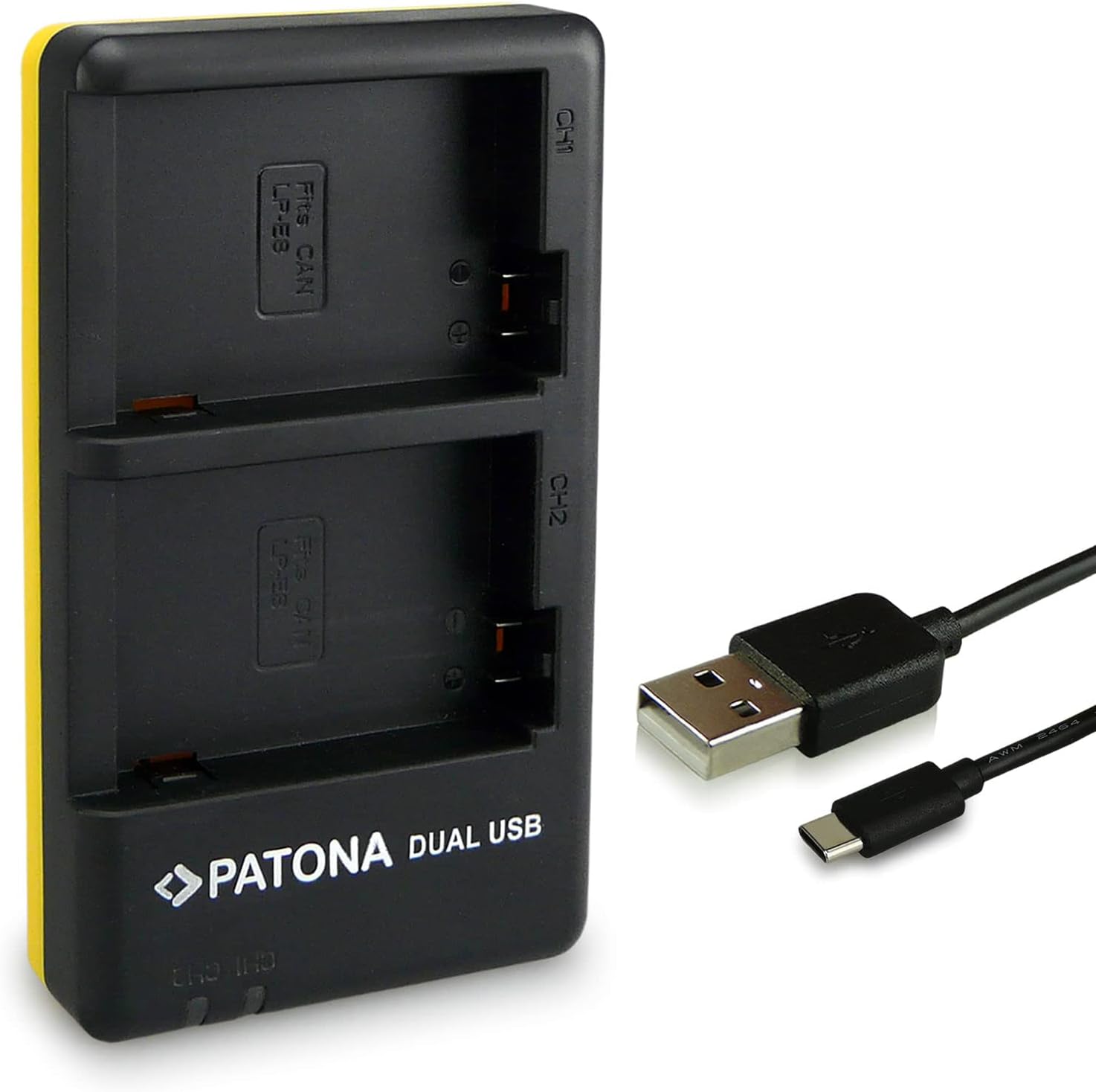
Figure 5.1: Connecting the USB cable to the charger.
6. Operating Instructions
Once the charger is connected to a power source and batteries are inserted:
- Charging Indicator: The LED indicator for each slot will illuminate to show the charging status. Typically, a red light indicates charging, and a green light indicates fully charged.
- Charging Process: The charger will automatically begin charging the inserted batteries. The charging current will adjust based on the number of batteries (700mA for one, 500mA per battery for two).
- Completion: Once a battery is fully charged, its corresponding LED indicator will change, and the charger will switch to a trickle charge to maintain battery health.

Figure 6.1: Front view of the charger showing battery slots and LED indicators.

Figure 6.2: Top view of the charger, highlighting the two charging bays.
7. Maintenance
- Cleaning: Use a soft, dry cloth to clean the charger. Do not use liquid cleaners or solvents.
- Storage: Store the charger in a cool, dry place away from direct sunlight and moisture when not in use.
- Handling: Avoid dropping the charger or subjecting it to strong impacts.
- Moisture: Ensure the charger is not exposed to moisture or extreme temperatures.
8. Troubleshooting
| Problem | Possible Cause | Solution |
|---|---|---|
| Charger not powering on / LEDs not lighting up. | No power supply; faulty USB cable; faulty power source. | Ensure USB cable is securely connected. Try a different USB port or power adapter. Test with a different USB cable. |
| Battery not charging. | Battery not inserted correctly; battery is faulty; charger slot is faulty. | Re-insert the battery, ensuring proper alignment. Try charging a different battery if available. Try the other charging slot. |
| Charging is slow. | Low current from USB power source; charging two batteries simultaneously. | Ensure your USB power source provides at least 1A. Charging two batteries simultaneously will result in 500mA per battery, which is slower than 700mA for a single battery. |
9. Specifications
| Brand | PATONA |
| Model Number | 1967 |
| Color | Black |
| Input | Micro USB, USB Type-C (5V, 2.1A min) |
| Output | 8.4V 700mA (1 battery) / 500mA (2 batteries) |
| Manufacturer | Bundlestar |
| Compatible Batteries | Canon LP-E8 |
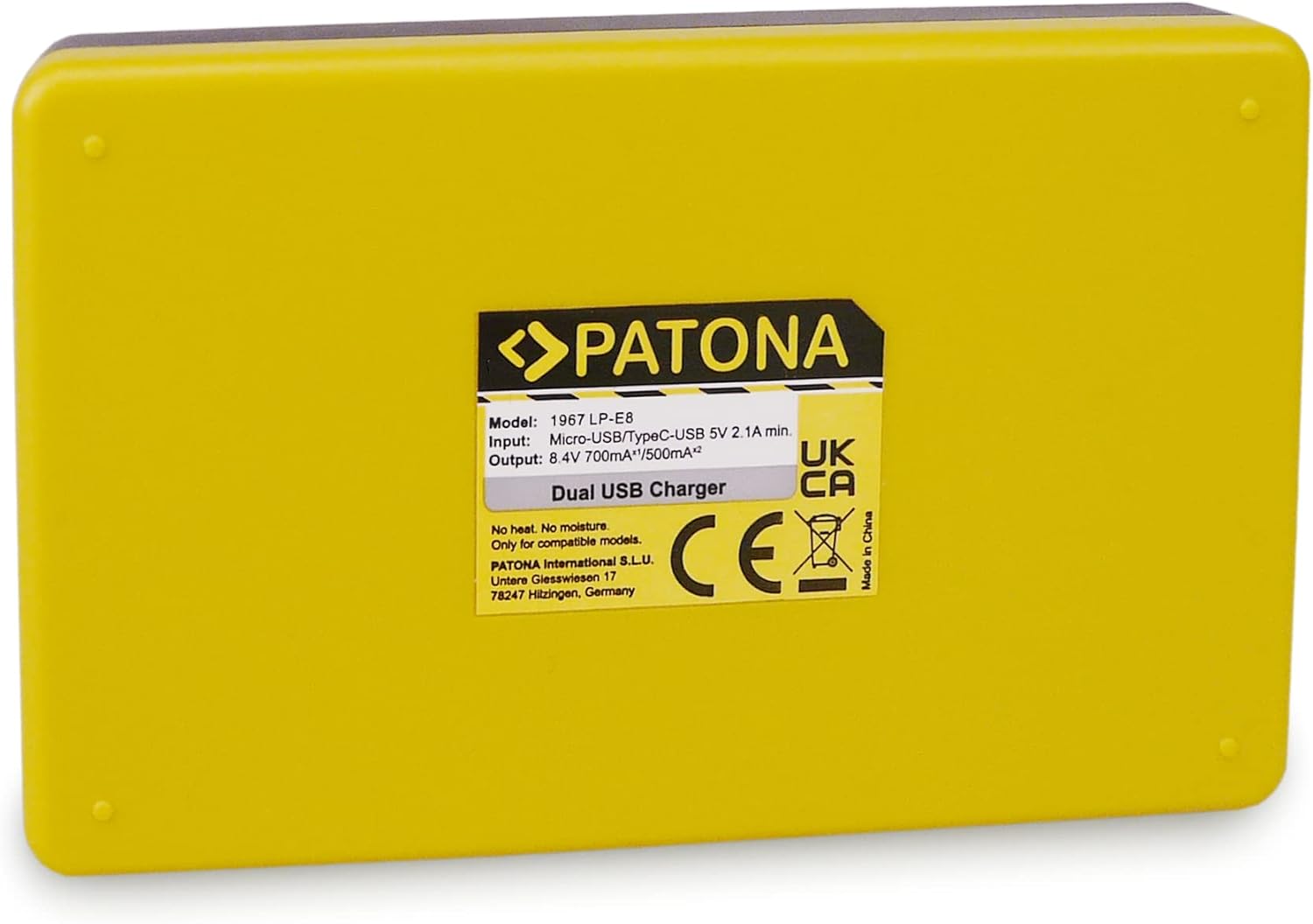
Figure 9.1: Back label of the charger with detailed specifications.
10. Warranty and Support
For warranty information and technical support, please refer to the official PATONA website or contact your retailer. Keep your purchase receipt as proof of purchase.
Manufacturer: Bundlestar
Contact: Please visit the official PATONA website for contact details and support resources.


