
1. Introduction
This manual provides essential instructions for the safe and effective use of your UpBright AC/DC adapter. This adapter is specifically designed for charging Hover-1 Rebel H1-REBL 25.2V Li-ion battery hoverboards and other compatible electric scooters. Please read this manual thoroughly before use to ensure proper operation and to prevent damage to your device or the adapter.
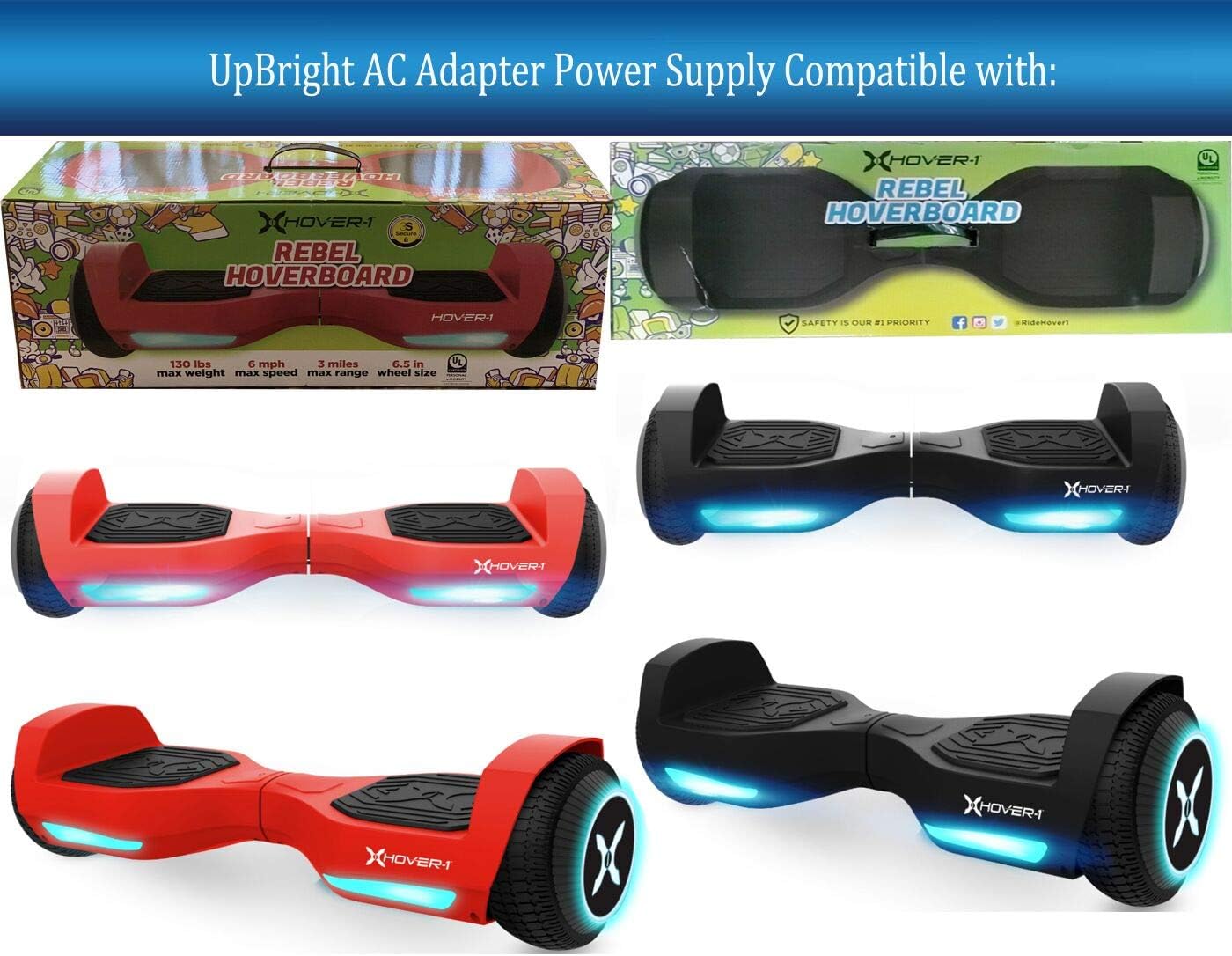
This image displays different color variations of the Hover-1 Rebel H1-REBL hoverboard, which are compatible with this UpBright AC adapter. The hoverboards feature LED lights and self-balancing capabilities.
2. Safety Information
Please observe the following safety precautions to ensure safe operation and prevent damage:
- Voltage Compatibility: The 25.2V rating refers to the hoverboard's battery voltage, NOT the charger's output voltage. This adapter provides 29.4V output, which is correct for 25.2V battery versions. It is NOT compatible with 36V or 42V hoverboard versions.
- Connector Type: This adapter features a Barrel Round Plug. It is NOT compatible with 3-Prong or 4-Prong connectors. Always verify your device's charging port type.
- Plug Connection: The new plug may feel tight. Ensure you push it firmly into the DC IN socket of your hoverboard until it is fully seated.
- Battery Lifespan: Rechargeable batteries have a limited lifespan, typically 1 to 3 years. If your hoverboard's battery is old or dead, it may not accept a charge, which is a battery issue, not a charger defect.
- Verification: Always check for compatibility with your specific hoverboard model or part number before use.
- Protection Features: The adapter includes Over Voltage Protection (OVP), Over Current Protection (OCP), and Short Circuit Protection (SCP) to safeguard your devices.

This image clearly shows the required barrel round plug connector for the UpBright AC adapter, marked with a green checkmark. It also displays examples of incompatible 3-prong and 4-prong connectors, marked with red crosses, to help users identify the correct plug type for their device.
3. Product Overview
The UpBright AC/DC adapter is a reliable power supply designed for specific hoverboard models. It converts standard AC wall power to the DC voltage required by your device.
- Brand: UPBRIGHT
- Input: 100-240VAC, 50/60Hz (Worldwide compatible)
- Output: 29.4VDC
- Connector Type: Barrel Round Plug
- Compatibility: Specifically designed for Hover-1 Rebel H1-REBL 25.2V 2.0Ah Li-ion Battery Hoverboards. Also compatible with models such as HLT-118A-2940400U, FY0132940400, and CP294040A.

This image displays the UpBright AC/DC adapter, featuring its input specifications (100-240V ~0.3A 50-60Hz) and the attached output cable terminating in a barrel plug. This is the primary component for charging your compatible hoverboard.

This image presents two types of 'Smart Plug Tip' barrel connectors, both indicated as compatible. These tips are designed to ensure broader compatibility with various devices requiring a barrel-type connection.
4. Setup
Follow these steps to set up your UpBright AC adapter for charging:
- Connect to Power: Plug the AC adapter into a standard wall outlet (100-240VAC, 50/60Hz).
- Connect to Device: Locate the charging port on your Hover-1 Rebel hoverboard. Carefully insert the barrel plug of the adapter into the hoverboard's charging port. Ensure the plug is fully and firmly seated.
- Verify Connection: Check for any charging indicator lights on your hoverboard (refer to your hoverboard's manual for specific indicator behavior).
5. Operating Instructions
Once properly connected, the adapter will begin charging your hoverboard's battery:
- Charging Process: The adapter will automatically regulate the charging process.
- Charging Indicators: Observe the charging indicator on your hoverboard. Typically, a red light indicates charging, and a green light indicates a full charge. Consult your hoverboard's manual for exact indicator meanings.
- Disconnection: Once the hoverboard is fully charged, disconnect the adapter from the hoverboard first, then unplug it from the wall outlet.
6. Maintenance
To ensure the longevity and proper function of your UpBright AC adapter:
- Storage: Store the adapter in a cool, dry place when not in use.
- Cleaning: Wipe the adapter with a dry, soft cloth. Do not use liquid cleaners.
- Inspection: Periodically inspect the adapter's cable and plug for any signs of damage, such as fraying or bending. Do not use a damaged adapter.
- Environmental Conditions: Avoid exposing the adapter to extreme temperatures, direct sunlight, or high humidity.
7. Troubleshooting
If you encounter issues with your UpBright AC adapter, consider the following:
- No Charging Indication:
- Ensure the adapter is firmly plugged into both the wall outlet and the hoverboard's charging port.
- Verify that the wall outlet is functional by testing it with another device.
- Check the hoverboard's battery. If the battery is old or completely depleted (dead), it may not accept a charge. Rechargeable batteries typically last 1 to 3 years.
- Use a voltmeter to test the adapter's output voltage if you suspect the adapter is faulty. It should output approximately 29.4V.
- Incorrect Plug Fit:
- Confirm that your hoverboard requires a Barrel Round Plug. This adapter is not compatible with 3-Prong or 4-Prong connectors.
- If the plug feels tight, apply firm, steady pressure to fully insert it into the DC IN socket.
- Overheating: It is normal for the adapter to feel slightly warm during charging. If it becomes excessively hot, disconnect it immediately and contact support.
8. Specifications
Detailed specifications for the UpBright AC Adapter:

This table provides a detailed comparison of specifications for the Hover-1 Rebel (H1-REBL) and Hover-1 My 1st Hoverboard (H1-MFH). Key differences include net weight, load capacity, max speed, max distance range, max incline angle, minimum turning radius, charge time, battery type, battery voltage, battery capacity, and power requirements. This adapter is specifically for the 25.2V Rebel model.
| Feature | Specification |
|---|---|
| Brand | UPBRIGHT |
| Input Voltage | 100-240VAC, 50/60Hz |
| Output Voltage | 29.4VDC |
| Output Current | 0.4 Amps |
| Wattage | 6 Watts |
| Connector Type | Barrel Connector |
| Compatible Devices | Hover-1 Rebel H1-REBL Hoverboard, Electric Scooter |
| Special Feature | Short Circuit Protection (SCP), Over Voltage Protection (OVP), Over Current Protection (OCP) |
| Certification | CE |
9. Warranty and Support
Your UpBright AC adapter comes with the following warranty and support:
- Refund Policy: 30 days refund period from the date of purchase.
- Exchange Policy: 24 months exchange for defective units.
- Customer Support: For any questions, troubleshooting assistance, or warranty claims, please refer to the contact information provided with your purchase or visit the UpBright official website.

This image illustrates various international outlet adapters (AU, EU, UK) that may be included with the product for international orders, ensuring compatibility with different power sockets. It also shows a 'UpBright Limited Warranty Certificate', detailing the terms of the product's warranty.
