
UPBRIGHT Panasonic SL-S200 SL-S201C
UpBright AC/DC Power Adapter Instruction Manual
For Panasonic Portable CD Players (SL-S Series)
1. Introduction
This manual provides essential information for the safe and effective use of your UpBright AC/DC Power Adapter. Please read this manual thoroughly before using the product and retain it for future reference. This adapter is designed as a replacement power supply for various Panasonic SL-S series portable CD players.
2. Safety Information
- Voltage Compatibility: Ensure the adapter's input voltage (100-240V) is compatible with your local power supply.
- Device Compatibility: Only use this adapter with the specified Panasonic portable CD player models. Using it with incompatible devices may cause damage. Refer to the "Product Overview" and "Specifications" sections for a list of compatible models.
- Indoor Use Only: This adapter is designed for indoor use. Do not expose it to rain, moisture, or extreme temperatures.
- Proper Handling: Do not drop, disassemble, or attempt to repair the adapter. Avoid pulling the cord forcefully when unplugging.
- Ventilation: Ensure adequate ventilation around the adapter during use. Do not cover it.
- Children and Pets: Keep the adapter out of reach of children and pets.
3. Product Overview
The UpBright AC/DC Power Adapter provides a reliable power source for your compatible Panasonic portable CD player. It converts standard AC wall power to the required DC voltage for your device.
Compatible Models:
- Panasonic SL-S200, SL-S201C, SL-S202, SL-S220
- Panasonic SL-S170, SL-S171C, SL-S162, SL-S180
- Panasonic SL-S265, SL-S291C, SL-S292, SL-S295, SL-S310
- And other compatible Panasonic Anti-Shock Memory Mash XBS Portable CD Players requiring 4.5V - 5V DC power.
Product Components:
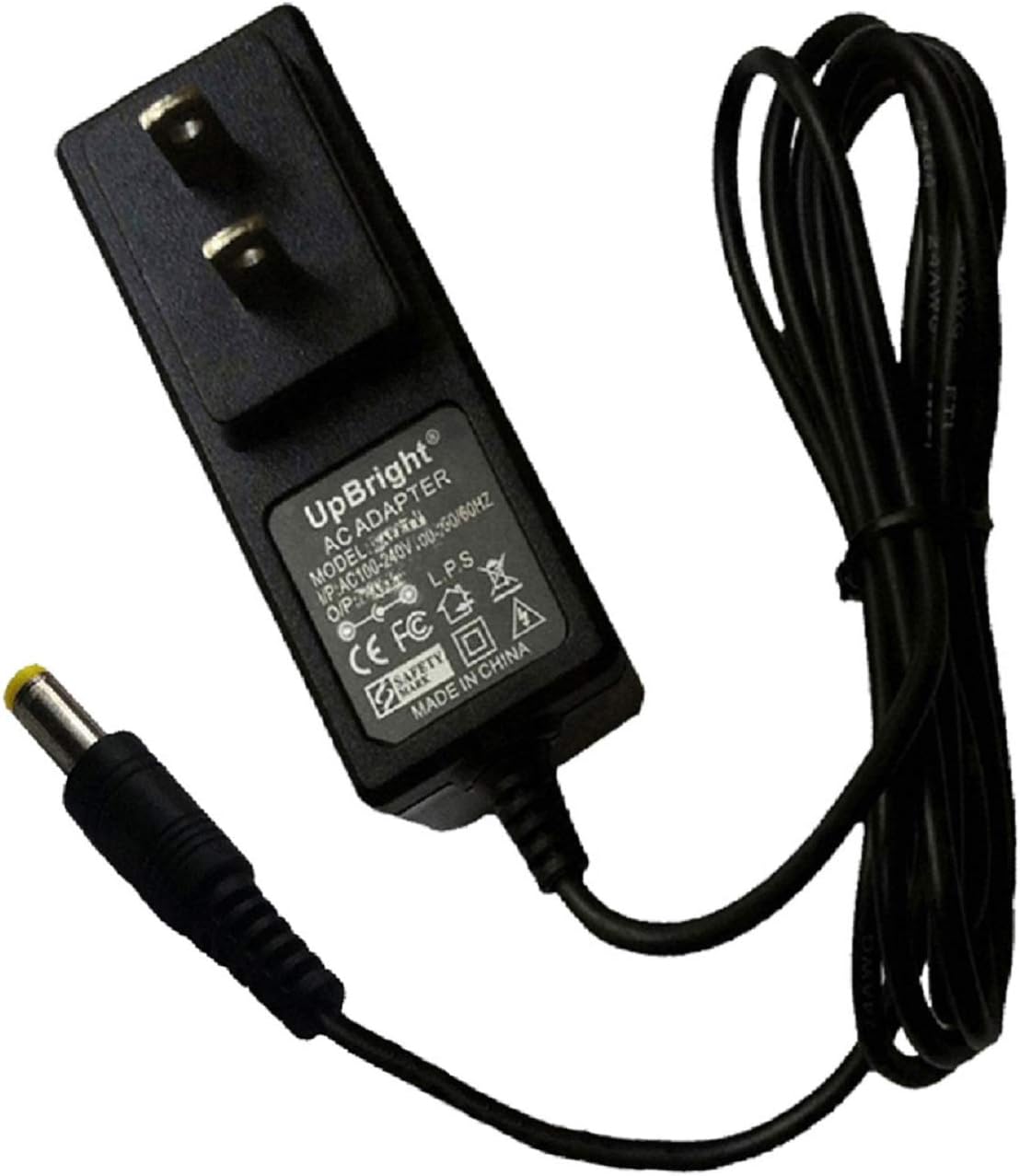
Figure 3.1: The UpBright AC/DC Power Adapter, showing the main power brick with integrated US-style prongs and the attached DC barrel connector cable.

Figure 3.2: Side view of the power adapter, highlighting the two flat prongs for insertion into a standard US wall outlet.

Figure 3.3: A different perspective of the power adapter, showing the compact design of the power brick and the coiled cable.

Figure 3.4: This image illustrates potential international outlet adapters (AU, EU, UK types) that may be included with the product for international orders, along with a representation of the UpBright Limited Warranty Certificate.
4. Setup
- Verify Compatibility: Before connecting, confirm that your Panasonic portable CD player model is listed as compatible with this UpBright adapter. Check the voltage and connector type required by your device.
- Connect to Device: Insert the DC barrel connector of the UpBright adapter firmly into the DC input jack of your Panasonic portable CD player.
- Connect to Power Outlet: Plug the adapter's prongs into a standard wall power outlet. Ensure the outlet is easily accessible.
- Power On: Once connected, your CD player should receive power. Turn on your device as per its own instruction manual.
5. Operating Instructions
The UpBright AC/DC Power Adapter operates automatically once connected to a compatible device and a power source. It provides continuous power to your portable CD player, allowing for extended use without relying on batteries. No specific operational steps are required for the adapter itself beyond proper connection.
6. Maintenance
- Cleaning: Disconnect the adapter from the power outlet and the device before cleaning. Use a soft, dry cloth to wipe the surface. Do not use liquid cleaners or abrasive materials.
- Storage: When not in use, store the adapter in a cool, dry place, away from direct sunlight and extreme temperatures. Avoid tightly coiling the cable to prevent damage.
- Inspection: Periodically inspect the adapter and its cable for any signs of damage, such as frayed wires or cracked casing. If damage is observed, discontinue use immediately.
7. Troubleshooting
| Problem | Possible Cause | Solution |
|---|---|---|
| CD player does not power on when connected. |
|
|
| Adapter feels unusually hot. |
|
|
8. Specifications
| Feature | Detail |
|---|---|
| Brand | UPBRIGHT |
| Model Number | Panasonic SL-S200 SL-S201C (and compatible models) |
| Input Voltage | 100-240 Volts AC |
| Output Voltage | 4.5V - 5V DC (as required by compatible devices) |
| Connectivity Technology | Proprietary DC Barrel |
| Connector Type | Barrel Connector |
| Included Components | 1 x AC/DC Power Adapter |
| Manufacturer | UpBright |
| Date First Available | August 24, 2015 |
9. Warranty and Support
This UpBright AC/DC Power Adapter comes with a Limited Warranty. Please refer to the warranty certificate included with your product for specific terms and conditions, including coverage duration and claim procedures. For technical support or warranty inquiries, please visit the official UPBRIGHT store or contact their customer service through the retailer where the product was purchased.
For more information, you may visit the UPBRIGHT Store on Amazon.
Ask a question about this manual
Ask about setup, troubleshooting, compatibility, parts, safety, or missing instructions. Manuals+ will review the question and use this page’s manual context to help answer it.