
Introduction
The Logitech G933 Artemis Spectrum is a versatile wireless gaming headset designed for superior audio performance across multiple platforms. It features advanced Pro-G audio drivers, customizable RGB lighting, and programmable G-keys to enhance your gaming and media experience. This manual provides detailed instructions for setup, operation, maintenance, and troubleshooting to ensure optimal use of your headset.

Figure 1: Logitech G933 Artemis Spectrum Gaming Headset
This image displays the overall design of the Logitech G933 Artemis Spectrum headset, highlighting its sleek black finish and integrated G-logo.
Setup
The Logitech G933 Artemis Spectrum offers flexible connectivity options for various devices. Ensure your device meets the system requirements before proceeding with setup.
Multi-Platform Compatibility

Figure 2: Headset Compatibility Overview
This diagram illustrates the various ways to connect your G933 headset to different platforms, including PC, home theater systems, gaming consoles (PS4, Xbox One), and mobile devices.
PC Connection
For PC, connect using the included USB data/charging cable for wireless functionality via the USB wireless mix adapter. Ensure Logitech Gaming Software is installed for full features like 7.1 surround sound, lighting configuration, and G-key programming.
Console & Mobile Connection
For PS4, Xbox One, Switch, and mobile devices, use the 3.5mm analog cable. The headset can also connect to a TV with powered USB or RCA audio output using the appropriate cables.
Operating Features
The G933 headset is packed with features designed to enhance your audio experience.
Audio Performance
Experience superior sound with advanced Pro-G audio drivers, delivering incredible audio with stereo, 7.1 Dolby Surround, or 7.1 DTS Headphone:X Surround Sound. These drivers are engineered for minimal distortion and clear, precise audio reproduction.

Figure 3: Immersive 7.1 Surround Sound
This image highlights the immersive 7.1 Dolby Surround Sound and DTS Headphone:X capabilities, powered by the Pro-G audio drivers for incredible sound fidelity.
Video 1: Logitech Pro G Audio Driver Technology
This video provides an in-depth look at the innovative Pro-G Audio Drivers, explaining how their unique design contributes to the headset's high-fidelity sound and low distortion.
Customization & Controls
The G933 offers extensive customization options, including adjustable RGB lighting with approximately 16.8 million colors, swappable backlit custom tags, and three programmable G-keys. These G-keys can be assigned macros for complex game commands, enhancing your personalized gaming experience. On-headset volume control is also conveniently located.

Figure 4: Headset Controls and Lighting
This image details the adjustable RGB lighting, programmable G-keys, and the on-headset volume control, showcasing the headset's customizable elements.
Wireless and Wired Connectivity
Enjoy up to 12 hours of wireless battery life without lighting or 8 hours with default lighting on a lag-free 2.4GHz wireless connection. The included analog cable allows for unlimited connectivity, even without battery power, making it ideal for mobile devices or console controllers.
Multiple Source Audio Mixing
Plug in up to three devices (one USB and two analog) simultaneously to answer calls and play music while gaming, providing seamless multitasking capabilities.
Video 2: Logitech G933 Artemis Spectrum Features Overview
This video provides a comprehensive overview of the Logitech G933 Artemis Spectrum, showcasing its key features and benefits for an enhanced gaming experience.
Maintenance
Proper care and maintenance will extend the life of your Logitech G933 headset.
Cleaning
- Gently wipe the ear cups and headband with a soft, damp cloth. Avoid using harsh chemicals or abrasive materials.
- For the mesh ear pads, they can be removed and hand-washed with mild soap and water. Ensure they are completely dry before reattaching.
- Clean the microphone boom with a dry cloth.
Storage
When not in use, store the headset in a cool, dry place away from direct sunlight and extreme temperatures. Avoid placing heavy objects on the headset to prevent damage.
Troubleshooting
If you encounter issues with your G933 headset, try the following steps:
- No Audio/Microphone Issues: Ensure the headset is properly connected (wired or wireless dongle). Check volume levels on both the headset and your device. Verify that the microphone is not muted (red light on mic boom indicates mute).
- Wireless Connectivity Problems: Ensure the USB wireless mix adapter is securely plugged in. Try moving closer to the adapter to rule out range issues. Recharge the headset battery if it's low.
- Software Issues: For advanced features, ensure Logitech Gaming Software is installed and up-to-date. Restart the software or your computer.
- Firmware Reload: Some users have reported resolving connectivity issues by reloading the firmware. This can typically be done via the Logitech Gaming Software or a dedicated firmware update tool found in the software's installation directory (e.g., C:\Program Files\Logitech Gaming Software\FWUpdate\G933\G933Update_v27.exe). Connect the headset via USB and follow the on-screen instructions.
For more detailed troubleshooting, refer to the official User Manual PDF.
Specifications
| Feature | Specification |
|---|---|
| Model Name | 981-000585 |
| Connectivity Technology | Wireless (2.4GHz) / Wired (3.5mm) |
| Audio Drivers | Pro-G |
| Surround Sound | 7.1 Dolby Surround, 7.1 DTS Headphone:X |
| Battery Life | Up to 12 hours (no lighting), 8 hours (default lighting) |
| Wireless Range | 15 meters indoors, 20 meters outdoors |
| Frequency Response | 20 Hz - 20 KHz |
| Item Weight | 1.8 pounds |
| Product Dimensions | 6.77 x 3.21 x 7.16 inches |
What's in the Box

Figure 5: Contents of the G933 Product Box
This image displays all the items included in the Logitech G933 Artemis Spectrum product packaging.
- Logitech G933 Artemis Spectrum Performance Gaming Headset
- 3.5mm analog cable with audio controls
- RCA to 3.5mm cable
- 3.5mm to 2.5mm audio adapter
- USB data/charging cable
- USB powered wireless mix adapter
- Custom tags (left/right)
System Requirements
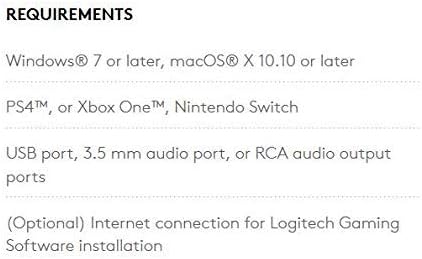
Figure 6: System Requirements for G933 Headset
This image lists the necessary operating systems and hardware for using the Logitech G933 headset.
- Windows® 7 or later, macOS® X 10.10 or later
- PS4™, or Xbox One™, Nintendo Switch
- USB port, 3.5 mm audio port, or RCA audio output ports
- (Optional) Internet connection for Logitech Gaming Software installation
Warranty and Support
Logitech products are manufactured to the highest quality standards and are designed to provide years of reliable performance. For detailed warranty information and support, please refer to the official Logitech website or the documentation included with your product.
You can also find the official User Manual (PDF) for the Logitech G933 Artemis Spectrum headset here.


