
Introduction
The beyerdynamic DT 1770 Pro is a professional studio reference headphone designed for mixing, mastering, monitoring, and recording applications. Featuring Tesla 2.0 technology, these closed-back headphones deliver precise and powerful sound reproduction. This manual provides essential information for the proper setup, operation, and maintenance of your DT 1770 Pro headphones.
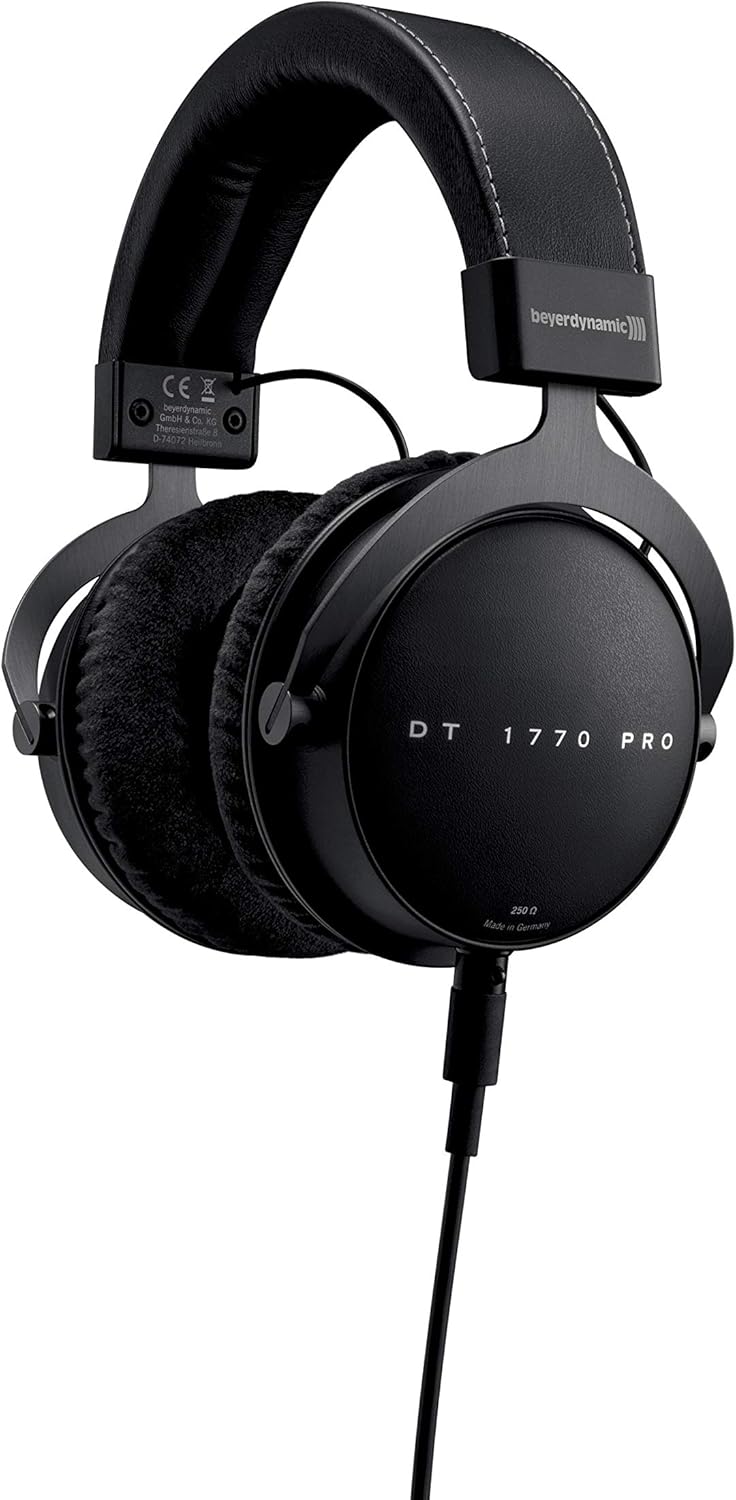
Image: beyerdynamic DT 1770 Pro Studio Headphones, front view.
Setup
Follow these steps to set up your beyerdynamic DT 1770 Pro headphones:
- Unpacking: Carefully remove all components from the premium carrying case. The package includes the headphones, two sets of ear pads (velour and leatherette), two detachable cables (one coiled, one straight 3m), and a 1/4" adapter.
- Attaching Ear Pads: Select your preferred ear pads. The velour pads offer a breathable feel, while the leatherette pads provide enhanced sound isolation. Align the ear pad with the earcup and gently stretch it around the rim until it is securely seated.
- Connecting the Cable: The DT 1770 Pro features a single-sided, detachable cable with a mini-XLR connector. Insert the mini-XLR end of your chosen cable (coiled or straight) into the port on the left earcup until it clicks securely into place.
- Connecting to Audio Source: Connect the other end of the cable (3.5 mm jack) to your audio device. If your device requires a 1/4" connection, use the included adapter. Ensure the connection is firm.
- Adjusting Fit: Adjust the headband to ensure a comfortable and secure fit. The earcups should fully enclose your ears without excessive pressure.

Image: Close-up view of the DT 1770 Pro earcup, highlighting the detachable cable connection point.
Operating
The DT 1770 Pro headphones are designed for optimal performance with professional audio equipment. Due to their 250 Ohm impedance, a dedicated headphone amplifier or an audio interface with sufficient output power is recommended for optimal sound quality and volume levels.
- Volume Control: Adjust the volume directly from your audio source or amplifier. Start with a low volume and gradually increase it to a comfortable listening level.
- Sound Isolation: These closed-back headphones provide passive sound isolation, reducing external noise and preventing sound leakage.
- Extended Use: The ergonomic design and soft, replaceable ear pads are engineered for comfort during long studio sessions. Take regular breaks to prevent listening fatigue.

Image: A person wearing beyerdynamic DT 1770 Pro headphones, demonstrating typical usage in a studio environment.
Maintenance
Proper care ensures the longevity and performance of your headphones:
- Cleaning: Use a soft, dry cloth to clean the exterior of the headphones. For ear pads, follow specific cleaning instructions provided by beyerdynamic or use a mild, damp cloth and allow them to air dry completely before reattaching.
- Ear Pad Replacement: Ear pads are replaceable. If they become worn or damaged, new ones can be purchased from authorized retailers. Refer to the setup section for removal and attachment.
- Cable Care: The detachable cables are designed for durability. Avoid sharp bends or excessive pulling. If a cable becomes damaged, it can be replaced.
- Storage: When not in use, store the headphones in the provided premium carrying case to protect them from dust, moisture, and physical damage.
Troubleshooting
If you encounter issues with your headphones, consider the following:
- No Sound:
- Ensure the cable is securely connected to both the headphone and the audio source.
- Check the volume level on your audio source and any connected amplifier.
- Test the headphones with a different audio source or cable to isolate the problem.
- Distorted Sound:
- Reduce the volume level on your audio source.
- Ensure the audio source is providing a clean signal.
- Verify that the ear pads are correctly attached and not obstructing the drivers.
- Uncomfortable Fit:
- Adjust the headband for a looser or tighter fit.
- Try switching between the velour and leatherette ear pads to find the most comfortable option for extended wear.
Specifications
| Feature | Specification |
|---|---|
| Model Name | DT 1770 PRO |
| Brand | beyerdynamic |
| Ear Placement | Over Ear |
| Form Factor | Closed |
| Connectivity Technology | Wired |
| Impedance | 250 Ohm |
| Frequency Response | 5 - 40,000 Hz |
| Audio Driver Type | Dynamic Tesla Neodymium Drivers |
| Audio Driver Size | 45 Millimeters |
| Noise Control | Sound Isolation |
| Cable Feature | Detachable, Single-sided |
| Item Weight | 1.5 pounds (approx. 680g) |
| Product Dimensions | 7 x 8.5 x 4 inches |
| Included Components | Headphones, Premium Carrying Case, Coiled Cable, Straight Cable (3m), Leatherette Earpads, 1/4" Adapter |
Official Product Video
Video: An official beyerdynamic video showcasing the features and design of the DT 1770 Pro Studio Headphones.
Warranty and Support
For warranty information, technical support, or to purchase replacement parts and accessories, please visit the official beyerdynamic website or contact their customer service. You can also find more information on the beyerdynamic Store on Amazon.


