
Introduction
This manual provides essential information for the setup, operation, maintenance, and care of your Samsonite Omni PC Hardside Expandable 20-Inch Carry-On Luggage. Designed for durability and ease of travel, this luggage combines a scratch-resistant texture with lightweight polycarbonate construction and effortless 360-degree spinner wheels. Please read these instructions thoroughly to ensure optimal use and longevity of your product.
Setup
1. Unpacking and Initial Inspection
Upon receiving your Samsonite Omni PC luggage, carefully remove it from its packaging. Inspect the exterior for any signs of damage during transit. Ensure all components, including the retractable handle, spinner wheels, and TSA lock, are intact and functional.
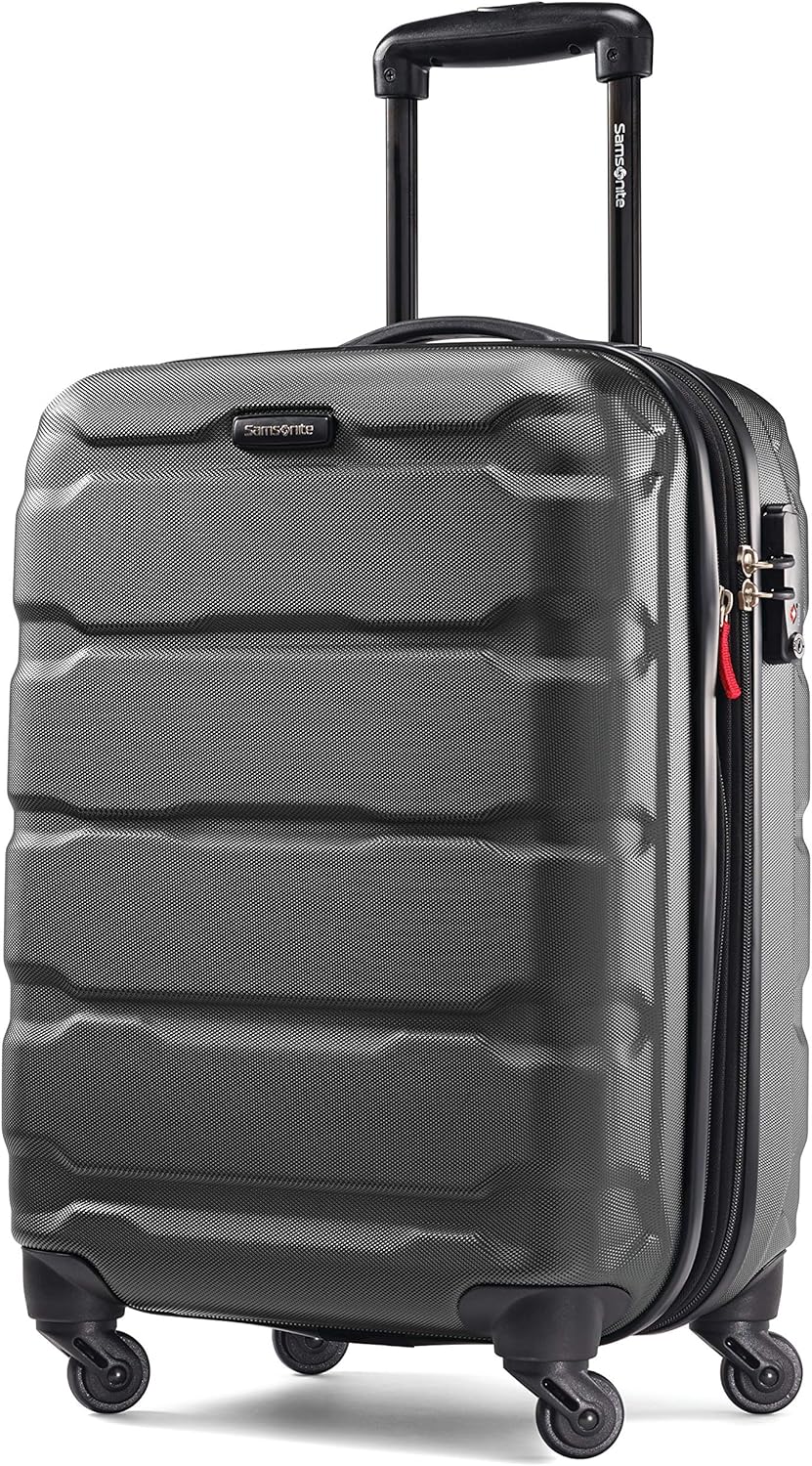
Image 1: The Samsonite Omni PC 20-Inch Carry-On Luggage in black, showcasing its textured hardside exterior and retractable handle.
2. Retractable Handle Operation
To extend the handle, locate the push-button release on the top of the handle. Press the button and pull the handle upwards until it locks into your desired height. To retract, press the button again and push the handle downwards until it fully collapses into the luggage body.

Image 2: Close-up view of the ergonomic, push-button retractable handle in its extended position.
3. Spinner Wheels Functionality
Your luggage is equipped with four multi-directional spinner wheels designed for effortless mobility. These wheels allow the suitcase to glide smoothly in any direction, reducing strain on your arm and shoulder. Ensure no debris is caught in the wheels before travel.

Image 3: Detail of the durable, multi-directional spinner wheels on the Samsonite Omni PC luggage.
4. Setting the TSA Combination Lock
- The lock is preset to 0-0-0.
- To set your personal combination, push the reset button (A) with a pen or pointed object until you hear a "click" sound.
- Set your desired 3-digit combination by turning the dials (B).
- Push the tab (C) to the side until you hear a "click" sound. This releases the reset button. Your personal combination is now set.
- Remember your combination. If you forget it, you will need to contact Samsonite customer service for assistance.

Image 4: Integrated TSA combination lock on the side of the luggage, designed for security and ease of access by TSA agents.
5. Utilizing the Expansion Feature
Your Samsonite Omni PC luggage includes an expansion zipper. To expand the luggage, locate the secondary zipper around the perimeter of the suitcase (often indicated by a red pull tab). Unzip this section to increase the packing capacity. Zip it back up to return to the standard size.

Image 5: Detail of the expansion zipper, typically with a red pull tab, allowing for increased packing volume.
Operating Your Luggage
1. Interior Organization
The interior of your luggage is designed for efficient packing. It features cross-straps to secure your belongings and prevent shifting during transit. A zippered mesh divider separates the two main compartments, allowing for organized packing of different item types, such as clothing on one side and shoes or toiletries on the other. An additional small zippered pocket is available for smaller personal items.

Image 6: The interior of the luggage showing the mesh divider and adjustable cross-straps for securing contents.
2. Packing Recommendations
- Utilize the cross-straps to compress and secure clothing in the main compartment, minimizing wrinkles and movement.
- Place heavier items at the bottom (near the wheels) to maintain stability.
- Use the zippered mesh compartment for items you want to keep separate, such as dirty laundry, shoes, or toiletries.
- For maximum capacity, use the expansion feature when needed, but be mindful of airline carry-on size restrictions.
3. Video Demonstrations
Video 1: A detailed look at the interior and packing features of the Samsonite Omni PC Carry-On luggage.
Video 2: An overview highlighting the key features and benefits of the Samsonite Omni PC Carry-On luggage.
Maintenance
1. Hardside Care
To clean the hardside exterior, use a gentle soap and warm water. Rinse well and wipe dry. For added luster and resistance to marks, you may apply a good silicone-based automobile or furniture polish. Avoid using combination cleaner-polishes, as these may not be suitable for the polycarbonate material.
2. Wheels and Zippers
Regularly check the spinner wheels for any accumulated dirt or debris and clean as needed to ensure smooth operation. For zippers, occasionally apply a silicone-based lubricant to keep them running smoothly. Avoid forcing stuck zippers.
Troubleshooting
- Stuck Retractable Handle: Ensure no items inside the luggage are obstructing the handle mechanism. Gently wiggle the handle while pressing the release button.
- Stiff/Non-spinning Wheels: Check for hair, lint, or debris caught in the wheel axles. Clean thoroughly. If the issue persists, a small amount of silicone lubricant can be applied.
- Zipper Malfunction: If a zipper is difficult to move, try applying a small amount of lubricant (e.g., beeswax or a silicone spray). Ensure the zipper teeth are aligned. Avoid overpacking, which can strain zippers.
- TSA Lock Issues: If you forget your combination, there is no universal reset code. You will need to try combinations or contact Samsonite customer support.
Specifications
| Feature | Detail |
|---|---|
| Product Dimensions | 22 x 15 x 9.5 inches |
| Packing Dimensions | 19" x 14.5" x 9.75" |
| Item Weight | 6.8 pounds |
| Capacity | 6.81 Pounds (approximate) |
| Material | 100% Polycarbonate Hardside |
| Wheels | 4 Multi-directional Spinner Wheels |
| Lock Type | Side-mounted TSA Combination Lock |
| Expansion | Yes |
| Model Number | 68308-1041 |
Warranty Information
Your Samsonite Omni PC Hardside Expandable 20-Inch Carry-On Luggage comes with a 10-Year Limited Warranty against defects in materials and workmanship. This warranty covers manufacturing defects and does not cover damage caused by misuse, neglect, accidents, abrasion, exposure to extreme temperatures, solvents, acids, water, normal wear and tear, or transport damage (e.g., by airlines). For warranty claims, please retain your proof of purchase and contact Samsonite customer service.
Customer Support
For further assistance, product registration, or to inquire about warranty services, please visit the official Samsonite website or contact their customer support directly. You can also visit the Samsonite Store on Amazon for additional product information and accessories.
