
1. Introduction
This manual provides essential information for the safe and effective use of your UpBright 16.8V AC/DC Adapter. This power supply is designed to charge compatible devices such as the Merach K1-Mini percussion massage gun and the JINBEI MARS-3 TTL battery flash. Please read these instructions carefully before use and retain them for future reference.
2. Safety Information
- Ensure the adapter's voltage and current ratings match your device's requirements before connecting. This adapter is for 16.8V devices only, not 24V versions.
- Verify the plug tip size and configuration. This adapter features a 5.5mm x 2.1mm barrel round plug tip.
- Do not expose the adapter to water, moisture, or extreme temperatures.
- Avoid dropping or subjecting the adapter to strong impacts.
- Do not attempt to open or repair the adapter. Refer all servicing to qualified personnel.
- Unplug the adapter from the power outlet when not in use or during electrical storms.
- Keep out of reach of children.
3. Product Overview and Compatibility
The UpBright 16.8V AC/DC Adapter is a switching power supply designed for efficient and safe charging. It incorporates Over Voltage Protection (OVP), Over Current Protection (OCP), and Short Circuit Protection (SCP) to safeguard your devices.
Compatible Devices:
- Merach Electric Handheld Ultralight Percussion Massage Gun (K1-Mini, K1Mini) requiring 16.8V input.
- JINBEI MARS-3 TTL, MARS-3TTL, MARS3 TTL, MARS3TTL GRP864270-15C-14.8V battery flash requiring 14.8V/16.8V input.
Important Compatibility Notes:
This adapter is specifically designed for devices requiring a 16.8V input and utilizing a 5.5mm x 2.1mm barrel round plug tip. It is not compatible with devices requiring 24V or different plug tip sizes/configurations.

Image 1: Compatibility chart illustrating compatible (16.8V) and incompatible (24V) Merach massage gun models.

Image 2: Visual guide to compatible and incompatible barrel plug tip types. This adapter uses the 'Without Pin inside' type.
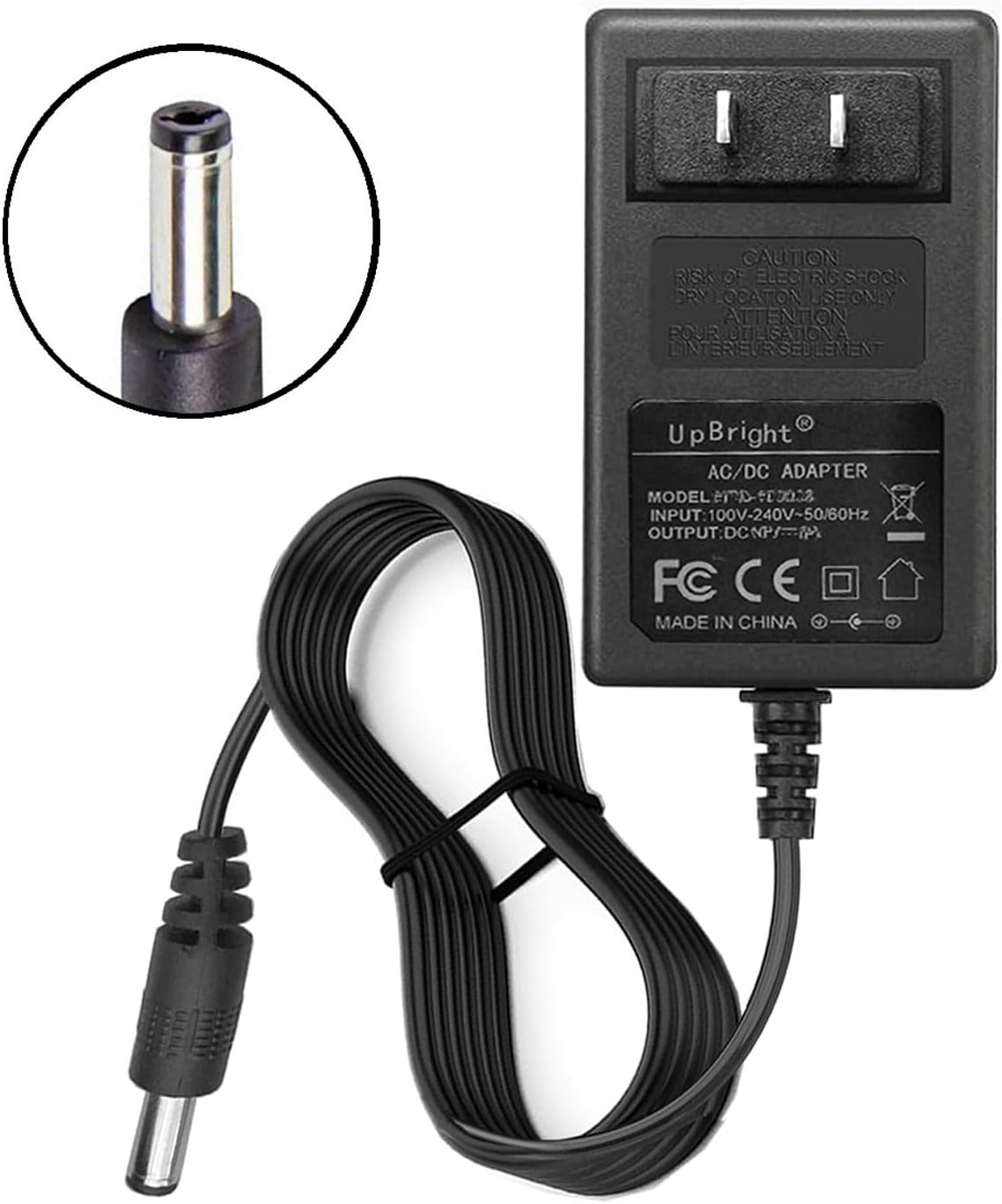
Image 3: The UpBright 16.8V AC/DC Adapter with its specifications label and barrel plug.
4. Setup
- Inspect the Adapter: Before first use, visually inspect the adapter and its cable for any signs of damage.
- Verify Device Compatibility: Confirm that your device requires a 16.8V DC input and has a compatible 5.5mm x 2.1mm barrel plug port.
- Connect to Device: Insert the barrel plug tip of the adapter firmly into the charging port of your device.
- Connect to Power Outlet: Plug the AC end of the adapter into a standard 100-240VAC 50/60Hz wall outlet. If traveling internationally, use the appropriate outlet adapter (AU, EU, UK types may be included depending on region).

Image 4: Examples of international outlet adapters (AU, EU, UK) for global use.
- Charging Indication: Your device should indicate that it is charging (e.g., an LED indicator on the device).
5. Operation
Once connected, the adapter will begin supplying power to your device for charging. The charging time will vary depending on your device's battery capacity and current charge level.
- Always ensure a secure connection between the adapter and your device, and between the adapter and the wall outlet.
- Avoid using the device while it is charging if possible, as this can sometimes prolong charging time or stress the battery.
- Disconnect the adapter once your device is fully charged to conserve energy and prolong the life of the adapter.
6. Maintenance
- Cleaning: Disconnect the adapter from all power sources before cleaning. Use a soft, dry cloth to wipe the exterior. Do not use liquid cleaners or solvents.
- Storage: Store the adapter in a cool, dry place away from direct sunlight and extreme temperatures. Avoid tightly winding the cable to prevent damage.
- Cable Care: Do not bend, twist, or pull the cable excessively. Avoid placing heavy objects on the cable.
7. Troubleshooting
- Device is not charging:
- Ensure the adapter is securely plugged into both the wall outlet and the device.
- Verify that the wall outlet is functional by testing it with another appliance.
- Confirm that the adapter's specifications (voltage, current, plug type) match your device's requirements.
- Check for any visible damage to the adapter or cable.
- Note: Rechargeable batteries have a limited lifespan (typically 1 to 3 years). If the battery in your device is old or faulty, it may not accept a charge, which is not an issue with the charger itself.
- Adapter feels hot during use:
- It is normal for power adapters to become warm during operation. However, if it becomes excessively hot to touch or emits smoke/burning smell, immediately unplug it from the wall and discontinue use.
8. Specifications
| Feature | Specification |
|---|---|
| Input Voltage | 100-240VAC, 50/60Hz |
| Output Voltage | 16.8V DC |
| Output Current | 0.6A - 1.0A (600mA - 1000mA) |
| Plug Tip Type | Barrel Round Plug Tip (5.5mm x 2.1mm) |
| Protections | OVP (Over Voltage Protection), OCP (Over Current Protection), SCP (Short Circuit Protection) |
| Product Dimensions | Approximately 3 x 3 x 1 inches |
| Item Weight | Approximately 0.01 ounces |
| Color | Black |
9. Warranty and Support
UpBright products are designed for reliability and performance. This adapter comes with:
- 30 Days Refund Policy: If you are not satisfied with your purchase, you may return it within 30 days for a refund.
- 24 Months Exchange Policy: In case of product defects or malfunctions, an exchange may be provided within 24 months from the date of purchase.
For warranty claims or technical support, please contact UpBright customer service through your original point of purchase or visit the official UpBright store online.
