
Introduction
The SoundMAGIC E80 wired earbuds are designed to deliver high-fidelity audio with a focus on detailed sound reproduction and robust construction. These in-ear headphones feature a durable metal housing, a high-quality twisted cable, and an ergonomic design for comfortable wear and effective noise isolation. This manual provides essential information for setting up, operating, maintaining, and troubleshooting your E80 earbuds.

Image: SoundMAGIC E80 wired earbuds, showcasing the red and black design with the 3.5mm audio jack.
Setup
1. Unboxing and Included Accessories
Upon opening the SoundMAGIC E80 package, ensure all components are present. The standard package includes:
- SoundMAGIC E80 Earbuds
- Various sizes of silicone ear tips (S/M/L)
- Double flange silicone ear tips
- Foam ear tips (S/M/L)
- Cable clip
- Carrying hardcase
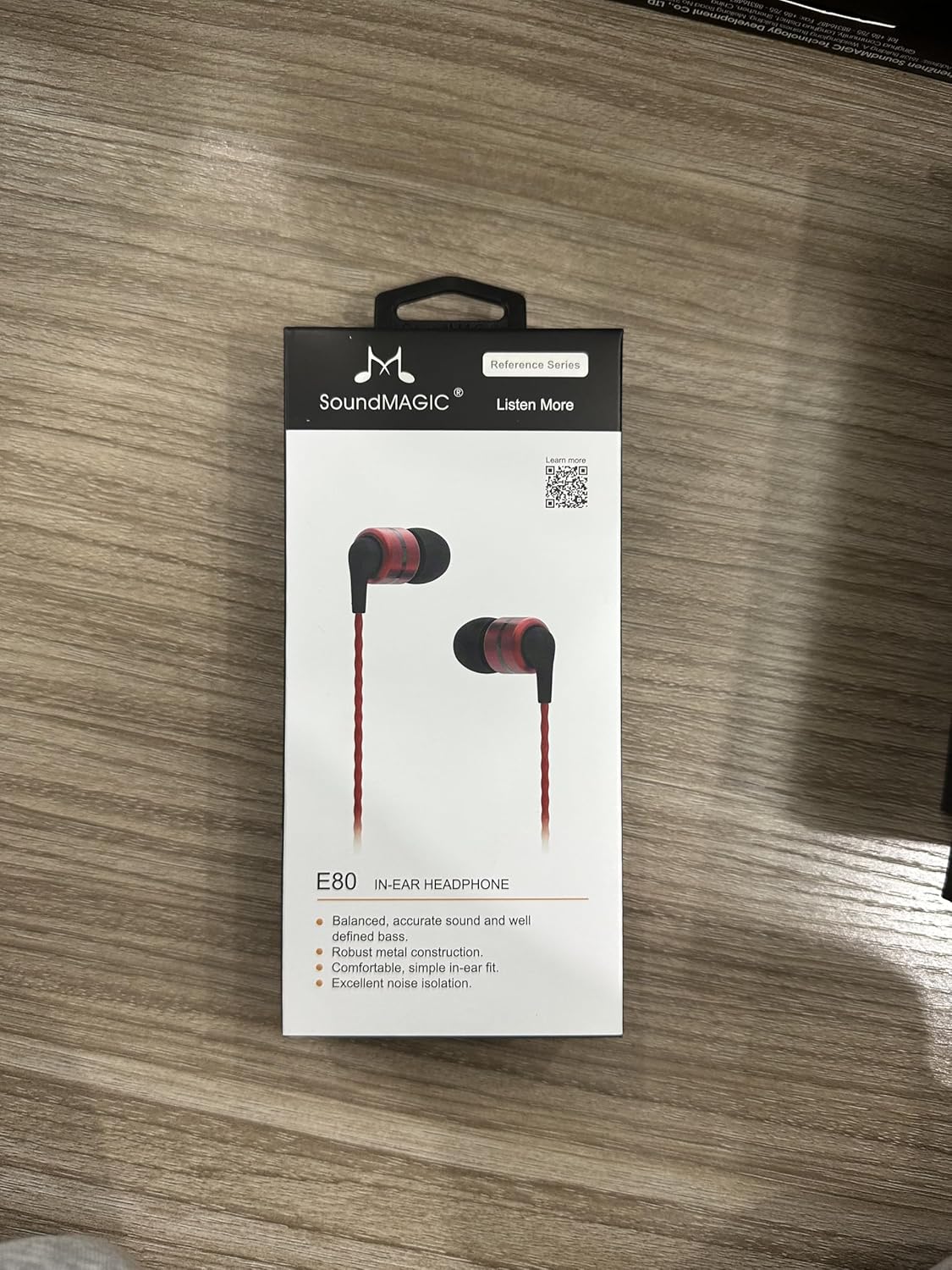
Image: Front view of the SoundMAGIC E80 earbud product box, displaying the earbuds and key features.

Image: Side view of the SoundMAGIC E80 earbud product box, showing a diagram of the earbud cable and plug.
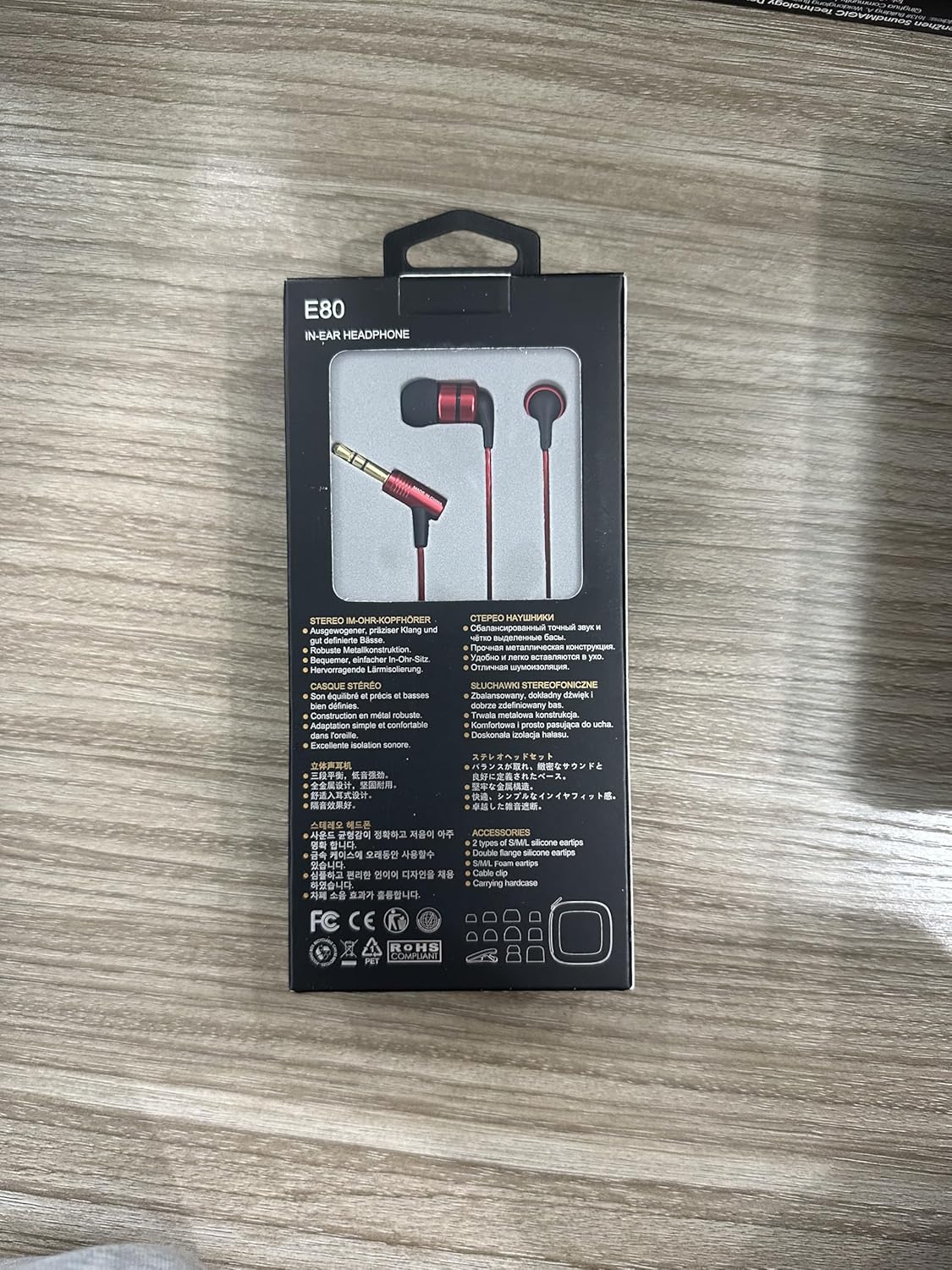
Image: Back view of the SoundMAGIC E80 earbud product box, detailing features in multiple languages and listing included accessories.
Image: A visual representation of the SoundMAGIC E80 earbuds and their included accessories, such as different ear tip sizes, a cable clip, and a hard carrying case.
2. Ear Tip Selection and Fitting
Proper ear tip selection is crucial for optimal sound quality and comfort, as well as effective noise isolation. Experiment with the different sizes and types of ear tips provided to find the best fit for your ears.
- Gently pull the existing ear tip off the earbud nozzle.
- Select a new ear tip size (Small, Medium, or Large) and material (silicone or foam).
- Carefully push the new ear tip onto the earbud nozzle until it is securely seated.
- Insert the earbuds into your ears. The fit should feel snug and comfortable, creating a seal that blocks out external noise. If the sound is thin or lacks bass, try a larger ear tip. If they feel uncomfortable or fall out easily, try a smaller size.

Image: A diagram illustrating the dimensions of the E80 earbuds and how they sit comfortably in the ear, emphasizing light weight and good noise isolation. A person is shown wearing the earbuds correctly.
3. Connecting to Your Device
The SoundMAGIC E80 earbuds feature a standard 3.5mm audio jack for universal compatibility.
- Locate the 3.5mm audio port on your smartphone, tablet, laptop, MP3 player, or other compatible audio device.
- Insert the 3.5mm jack of the E80 earbuds firmly into the audio port until it clicks into place.
- Ensure the connection is secure to prevent audio interruptions or poor sound quality.
Image: A detailed view of the SoundMAGIC E80 earbuds, highlighting the 3.5mm gold-plated audio jack designed for a secure and clear connection.
Operating Instructions
1. Audio Playback
Once connected, your SoundMAGIC E80 earbuds will play audio from your device. Start playing music, podcasts, or any other audio content on your connected device.

Image: Individuals wearing SoundMAGIC E80 earbuds, demonstrating typical use for enjoying music or other audio content.
2. Volume Control
The SoundMAGIC E80 earbuds do not feature inline volume controls. Adjust the audio volume directly on your connected playback device (smartphone, tablet, computer, etc.).
3. Noise Isolation
The ergonomic design and proper ear tip fit of the E80 earbuds provide passive noise isolation. This reduces ambient noise, allowing for a more immersive listening experience. Ensure a good seal with your ear canal for the best noise isolation performance.
Maintenance
1. Cleaning Your Earbuds
Regular cleaning helps maintain hygiene and sound quality.
- Ear Tips: Remove the ear tips from the earbuds. Wipe them gently with a soft, damp cloth. For silicone tips, you can rinse them with lukewarm water and mild soap, then dry thoroughly before reattaching.
- Earbud Nozzles: Use a dry cotton swab or a small, soft brush to carefully remove any earwax or debris from the earbud nozzles. Be gentle to avoid pushing debris further inside.
- Earbud Body and Cable: Wipe the metal body and cable with a soft, dry, lint-free cloth. Avoid using harsh chemicals or abrasive materials.
2. Storage
When not in use, store your SoundMAGIC E80 earbuds in the provided hard carrying case. This protects them from dust, dirt, and physical damage, especially the delicate drivers and cable.
3. Cable Care
The E80 features a high-quality twisted cable designed to be tangle-free and reduce radio interference. To prolong its lifespan:
- Avoid sharp bends or kinks in the cable.
- Do not pull the cable forcefully when disconnecting from a device; always grasp the 3.5mm jack.
- Use the included cable clip to manage excess cable length and prevent snagging during use.
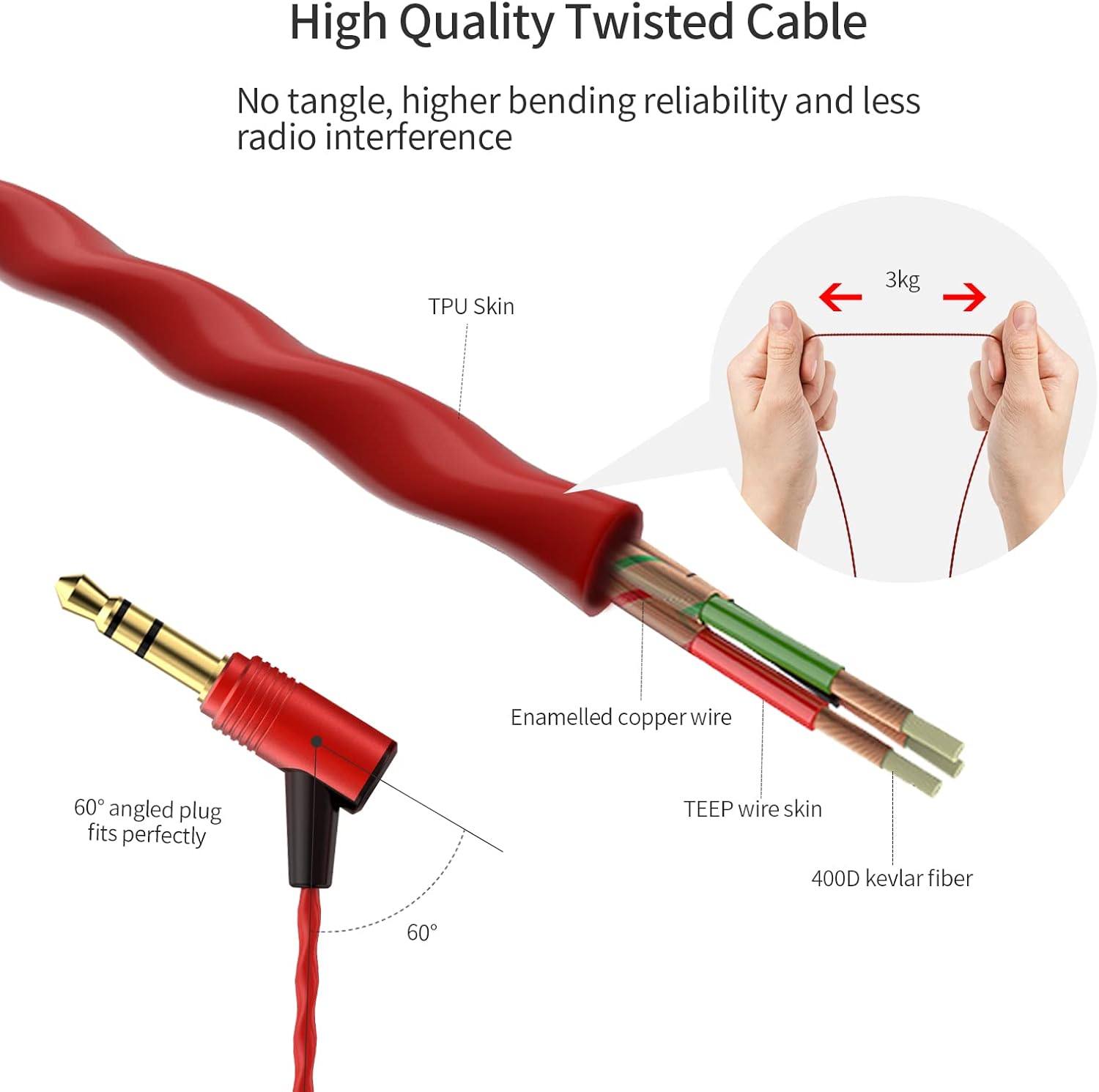
Image: An exploded view of the E80's high-quality twisted cable, detailing its internal structure with enamelled copper wire and Kevlar fiber, designed for durability and tangle resistance. It also shows the 60-degree angled plug.
Troubleshooting
If you encounter issues with your SoundMAGIC E80 earbuds, refer to the following common problems and solutions:
| Problem | Possible Cause | Solution |
|---|---|---|
| No sound or sound from only one earbud. | Loose connection, incorrect audio output setting, debris in jack, faulty cable/earbud. |
|
| Poor sound quality (e.g., weak bass, muffled sound). | Improper ear tip fit, earwax buildup, low-quality audio source. |
|
| Earbuds fall out easily or are uncomfortable. | Incorrect ear tip size. |
|
If the issue persists after trying these steps, please contact SoundMAGIC customer support.
Specifications
Detailed technical specifications for the SoundMAGIC E80 Wired Earbuds:
| Feature | Detail |
|---|---|
| Model Name | E80 RED |
| Connectivity Technology | Wired |
| Headphones Jack | 3.5 mm Jack |
| Driver Type | Dynamic Driver |
| Driver Size | 10 Millimeters |
| Frequency Response | 2.2 Hz - 20,000 Hz |
| Impedance | 64 Ohm |
| Sensitivity | 102 dB |
| Noise Control | Sound Isolation |
| Material | Aluminum (earbud housing) |
| Cable Feature | Tangle Free, Twisting Core |
| Item Weight | 13 Grams (0.459 ounces) |
| Product Dimensions | 2.76 x 0.59 x 0.39 inches |
| Compatible Devices | Smartphones, tablets, laptops, MP3 players |
| Manufacturer | SoundMAGIC |
| Color | Red |

Image: An exploded diagram illustrating the components of the 10mm high-quality full range dynamic driver, including the NdFeB magnet and 6um vibrating diaphragm, designed for detailed music reproduction.

Image: A frequency response graph demonstrating the professional sound quality tuning of the SoundMAGIC E80 earbuds, showing the balanced audio output across the frequency spectrum.

Image: An exploded view illustrating the robust aluminum construction of the E80 earbud housing, highlighting the precision parts manufacturing for stable product quality.
Warranty and Support
Warranty Information
SoundMAGIC products are manufactured to high quality standards. For specific warranty terms and conditions, please refer to the warranty card included with your product or visit the official SoundMAGIC website. Keep your proof of purchase for warranty claims.
Customer Support
If you have any questions, require technical assistance, or need to make a warranty claim, please contact SoundMAGIC customer support through their official channels. You can find more information and contact details on the official SoundMAGIC website:
For general inquiries or to explore other SoundMAGIC products, you may also visit the SoundMAGIC store on Amazon: SoundMAGIC Amazon Store.