
Introduction
This manual provides essential information for the proper use and maintenance of your Futaba 50ft. 24AWG Servo Wire. This bulk wire is designed for custom wiring applications in remote control (RC) systems, specifically for connecting servos to receivers or control boards. It is suitable for a range of servos, from micro to standard sizes.
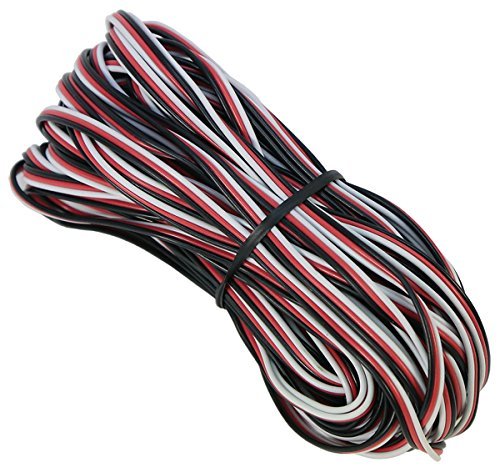
Image: A roll of black Futaba 50ft. 24AWG Servo Wire. This wire is used for custom connections in RC applications.
Setup and Installation
The Futaba 50ft. 24AWG Servo Wire is provided in a bulk roll, allowing for custom length applications. Proper preparation and connection are crucial for reliable operation.
- Preparation: Determine the required length for your application. Carefully cut the wire to the desired length using appropriate wire cutters. If the wire is not pre-terminated, you will need to strip approximately 3-5mm of insulation from each end of the three conductors (signal, positive, negative).
- Connector Attachment: Attach suitable servo connectors (e.g., Futaba J-style, JR-style) to the prepared wire ends. Ensure correct polarity: the signal wire (typically white or yellow) connects to the signal pin, the positive voltage wire (typically red) connects to the positive pin, and the negative/ground wire (typically black or brown) connects to the ground pin. Refer to your servo and receiver/controller manuals for specific pinout diagrams.
- Connection: Plug the custom-made servo wire into the corresponding servo and receiver/controller ports. Ensure connections are firm and secure to prevent intermittent signal loss.
- Routing: Route the servo wire carefully within your RC model, avoiding sharp bends, pinch points, or areas where it might be exposed to excessive heat or moving parts. Use cable ties or clips to secure the wiring and prevent entanglement.
Operating Guidelines
Once installed, the servo wire facilitates the transmission of control signals and power between your RC receiver/controller and the servo. Adhere to the following guidelines for optimal performance:
- Signal Integrity: Ensure the wire is not subjected to electromagnetic interference (EMI) from other electronic components. Keep it away from high-current wires or motors if possible.
- Physical Protection: Protect the wire from physical damage. Avoid stretching, cutting, or abrading the insulation, as this can lead to short circuits or signal degradation.
- Voltage Compatibility: Confirm that the voltage supplied through the wire is compatible with your servos and receiver/controller. The 24AWG wire is suitable for standard RC servo power requirements.
Maintenance
Regular inspection and proper care will extend the lifespan and reliability of your Futaba servo wire.
- Visual Inspection: Periodically inspect the entire length of the wire for any signs of damage, such as cuts, nicks, fraying, or discoloration of the insulation. Pay close attention to areas near connectors and where the wire passes through openings.
- Connection Check: Ensure all connections remain secure. Loose connections can cause intermittent operation or complete signal loss.
- Cleaning: Keep the wire and connectors clean and free from dirt, dust, and moisture. Use a soft, dry cloth for cleaning. Avoid using harsh chemicals.
- Storage: When not in use, store any remaining bulk wire or custom-made cables neatly, preferably coiled, to prevent kinks or damage. Keep them in a dry, temperate environment.
Troubleshooting
If you experience issues with your servo connections, consider the following troubleshooting steps:
- No Servo Response:
- Verify all connections are secure and correctly plugged into the servo and receiver/controller.
- Check the polarity of the wire connections at both ends. Incorrect polarity can prevent operation or damage components.
- Test the continuity of the wire using a multimeter to ensure there are no breaks in the conductors.
- Confirm the servo itself is functional by testing it with a known good wire or another channel.
- Intermittent Operation:
- Inspect the wire for any signs of damage to the insulation or conductors that might cause intermittent contact.
- Ensure connectors are not loose or corroded. Clean connectors if necessary.
- Check for potential sources of electromagnetic interference (EMI) near the wire.
Specifications
| Attribute | Specification |
| Brand | Futaba |
| Model Number | SW24J |
| Wire Gauge | 24 AWG |
| Length | 50 feet (15.24 meters) |
| Color | Black |
| Conductor Configuration | 3 (Signal, Positive, Negative) |
| Number of Cable Strands | 10 (referring to the number of individual strands within each conductor) |
| Item Weight | 5.3 ounces (approx. 150 grams) |
| UPC | 885632885221, 885283725389 |
Warranty and Support
For warranty information or technical support regarding your Futaba 50ft. 24AWG Servo Wire, please contact Futaba customer service or refer to the official Futaba website. Keep your purchase receipt as proof of purchase.


