
1. Introduction
This manual provides essential information for the safe and effective use of your UpBright 5V AC/DC Adapter. This power supply is designed to provide reliable power to various Sylvania Digital Photo Picture Frame models, ensuring optimal performance.
Compatible Sylvania Digital Photo Picture Frame Models:
- SDPF785, SDPF787, SDPF751, SDPF751B
- SDPF757, SDPF757C, SDPF781
- SDPF808 (8"), SDPF1089 (10")
2. Important Safety Information
Please read and understand all safety instructions before using this product. Failure to follow these instructions may result in electric shock, fire, or other hazards.
- Input Voltage: This adapter is designed for a wide input voltage range of 100-240VAC, 50/60Hz. Ensure your power outlet matches these specifications.
- Protection Features: The adapter includes Over Voltage Protection (OVP), Over Current Protection (OCP), and Short Circuit Protection (SCP) to safeguard your devices.
- Dry Environment: Use the adapter in dry locations only. Do not expose it to water, rain, or excessive humidity.
- Ventilation: Ensure adequate ventilation around the adapter during use. Do not cover it or place it in an enclosed space that could restrict airflow.
- Damage: Do not use the adapter if the cord or plug is damaged. Contact support for a replacement.
- Children: Keep the adapter out of reach of children.
3. Package Contents
Verify that all items are present in your package:
- 1 x UpBright 5V AC/DC Adapter (Model: HJ-050200U)
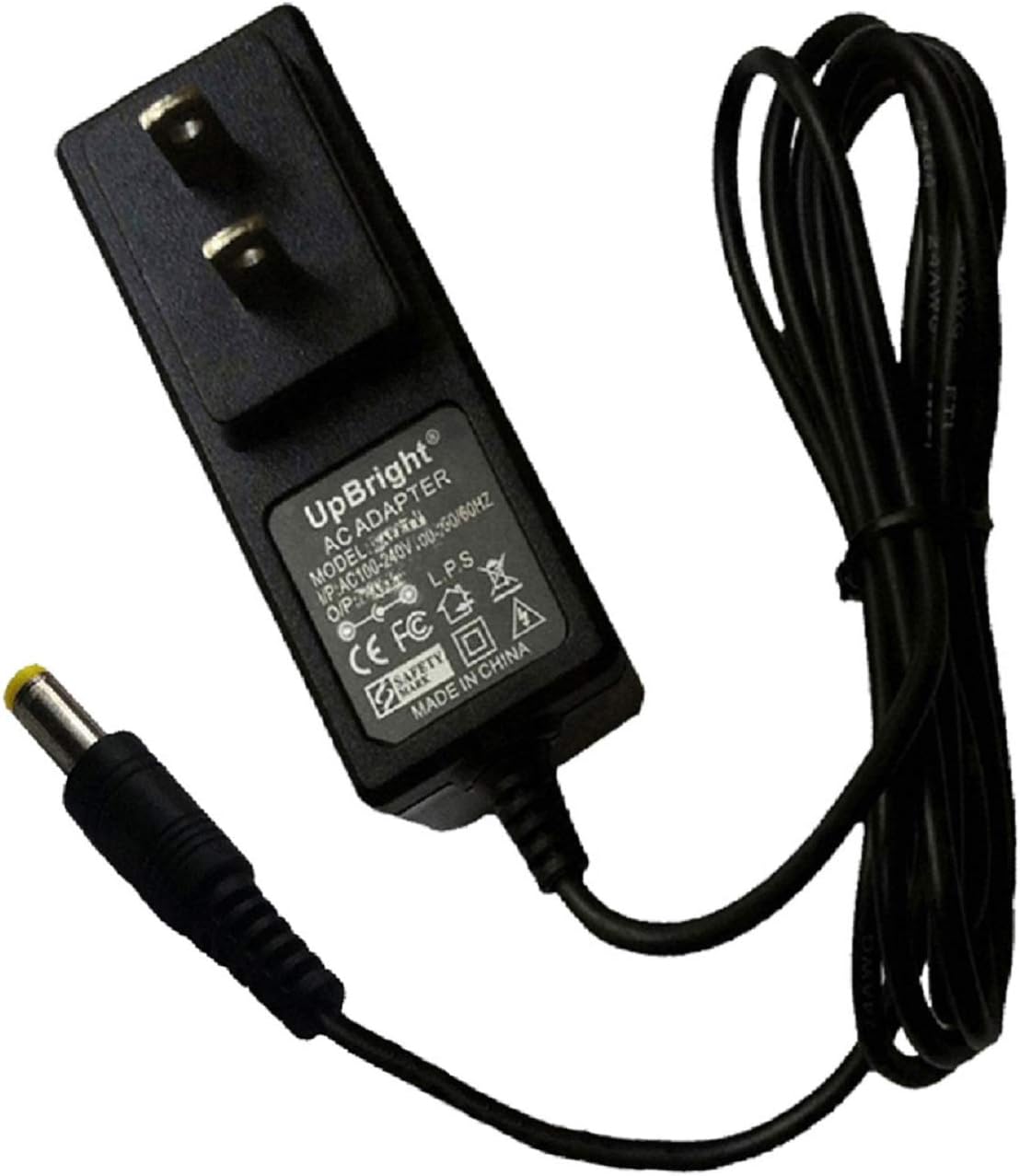
Image: The UpBright 5V AC/DC Adapter, featuring a black casing, standard US two-prong plug, and an attached cable terminating in a yellow barrel connector.
4. Setup Instructions
Follow these steps to connect your UpBright AC/DC Adapter to your Sylvania Digital Photo Picture Frame:
- Identify the Power Port: Locate the DC input port on your Sylvania Digital Photo Picture Frame. This is typically a small, round port.
- Connect the Adapter: Insert the barrel connector of the UpBright adapter firmly into the DC input port of your digital photo frame.
- Plug into Power Outlet: Insert the two-prong plug of the adapter into a standard electrical wall outlet (100-240VAC).
- Verify Power: Once connected, your digital photo frame should receive power and typically turn on or indicate power status.
5. Operating the Adapter
The UpBright AC/DC Adapter operates automatically once connected to a power source and a compatible device. It converts the AC wall current to the required 5V DC power for your digital photo frame.
- Ensure the adapter is always connected to a functioning power outlet.
- Disconnect the adapter from the power outlet when not in use for extended periods.
6. Care and Maintenance
To ensure the longevity and proper functioning of your adapter, follow these maintenance guidelines:
- Cleaning: Disconnect the adapter from the power outlet before cleaning. Use a soft, dry cloth to wipe the exterior. Do not use liquid cleaners or solvents.
- Storage: Store the adapter in a cool, dry place away from direct sunlight and extreme temperatures.
- Cable Care: Avoid bending or crimping the power cord excessively. Do not place heavy objects on the cord.
- Inspection: Periodically inspect the adapter and cable for any signs of damage. If damage is found, discontinue use and replace the adapter.
7. Troubleshooting
If you encounter issues with your UpBright AC/DC Adapter, refer to the following common problems and solutions:
| Problem | Possible Cause | Solution |
|---|---|---|
| Digital photo frame does not power on. | Adapter not receiving power. | Ensure the adapter is securely plugged into a live wall outlet. Test the outlet with another device. |
| Adapter not properly connected to the frame. | Verify the barrel connector is fully inserted into the frame's DC input port. | |
| Damaged adapter or cable. | Inspect the adapter and cable for visible damage. If damaged, discontinue use and replace. | |
| Adapter feels unusually hot. | Overload or poor ventilation. | Ensure the adapter is not covered and has adequate airflow. If the issue persists, disconnect and contact support. |
8. Product Specifications
| Feature | Specification |
|---|---|
| Model Number | HJ-050200U |
| Input Voltage | 100-240VAC, 50/60Hz |
| Output Voltage | 5VDC |
| Output Current | 1.5A - 2A (1500mA - 2000mA) |
| Protection Features | OVP (Over Voltage Protection), OCP (Over Current Protection), SCP (Short Circuit Protection) |
| Connector Type | Barrel Connector |
| Color | Black |
| Product Dimensions | Approximately 3 x 3 x 1 inches |
| Item Weight | Approximately 4 ounces |
9. Warranty and Support
UpBright products are designed for reliability and performance. This adapter comes with the following warranty and support:
- Refund Policy: 30-day refund period from the date of purchase.
- Exchange Policy: 24-month exchange period for defective units.
For warranty claims, technical assistance, or any questions regarding your UpBright AC/DC Adapter, please refer to the contact information provided with your purchase or visit the official UpBright website.

Image: A visual representation of the UpBright Limited Warranty Certificate, alongside examples of international plug adapters (AU, EU, UK) that may be included with international orders.
