
1. Product Overview
The Ozeri Rev Digital Kitchen Scale combines a digital display with an electro-mechanical dial to provide precise weight measurements. It is designed for accuracy and ease of use in various kitchen tasks.

Figure 1.1: Top view of the Ozeri Rev Digital Kitchen Scale, showing the digital display and the mechanical dial.
The scale features high-precision sensors capable of weighing items from 0.1 oz to 11 lbs (5000 g) with graduations of 0.1 oz or 1 gram. It offers a dual display system for both digital and mechanical readings.
2. Setup
2.1 Unpacking
Carefully remove the scale from its packaging. Inspect the scale for any signs of damage. Retain the packaging for future storage or transport.
2.2 Battery Installation
The Ozeri Rev Digital Kitchen Scale requires 3 AAA batteries (included). Follow these steps to install them:
- Locate the battery compartment on the underside of the scale.
- Open the battery compartment cover. No screwdriver is needed for this.
- Insert 3 AAA batteries, ensuring the correct polarity (+/-) as indicated inside the compartment.
- Close the battery compartment cover securely.
Note: If the included batteries appear leaked or damaged, do not use them. Replace with new AAA batteries.
2.3 Initial Placement
Place the scale on a flat, stable, and hard surface to ensure accurate readings. Avoid placing it on soft or uneven surfaces, which can affect precision.
3. Operating Instructions
3.1 Power On/Off
- To turn the scale ON, press the ON/OFF button located on the front panel. The LCD and mechanical dial will illuminate.
- To turn the scale OFF, press and hold the ON/OFF button for a few seconds. The scale also features an automatic shut-off function to conserve battery power if left inactive.

Figure 3.1: Close-up view of the digital display, mechanical dial, TARE button, and ON/OFF button.
3.2 Unit Conversion
The scale can display measurements in various units. To change the unit of measurement:
- Locate the unit conversion button. This is typically a UNIT button or a physical switch on the underside of the scale.
- Press the UNIT button or toggle the switch to cycle through available units: pounds (lb), ounces (oz), grams (g), and milliliters (ml).
- The selected unit will be displayed on the LCD screen. The mechanical dial simultaneously shows measurements in lbs and kg for heavier items.
3.3 Tare Function
The Tare function allows you to weigh ingredients in a container by subtracting the container's weight. This enables you to measure multiple ingredients consecutively in the same bowl.
- Place an empty container on the scale.
- Press the TARE button. The display will reset to zero.
- Add your ingredient to the container. The scale will display only the weight of the ingredient.
- Repeat the process for additional ingredients.
Note: Some users report a slight delay (approx. 3 seconds) for the Tare function to register. If the Tare function does not work immediately after turning the scale on, try placing the container on the scale before powering it on, then press Tare.
3.4 Weighing Items
To weigh an item:
- Ensure the scale is on a flat, stable surface and powered on.
- If using a container, perform the Tare function as described above.
- Place the item(s) to be weighed gently onto the center of the scale platform.
- Read the weight displayed on the digital LCD screen and observe the mechanical dial for a visual representation of heavier weights.

Figure 3.2: The scale accurately weighing strawberries in a bowl.
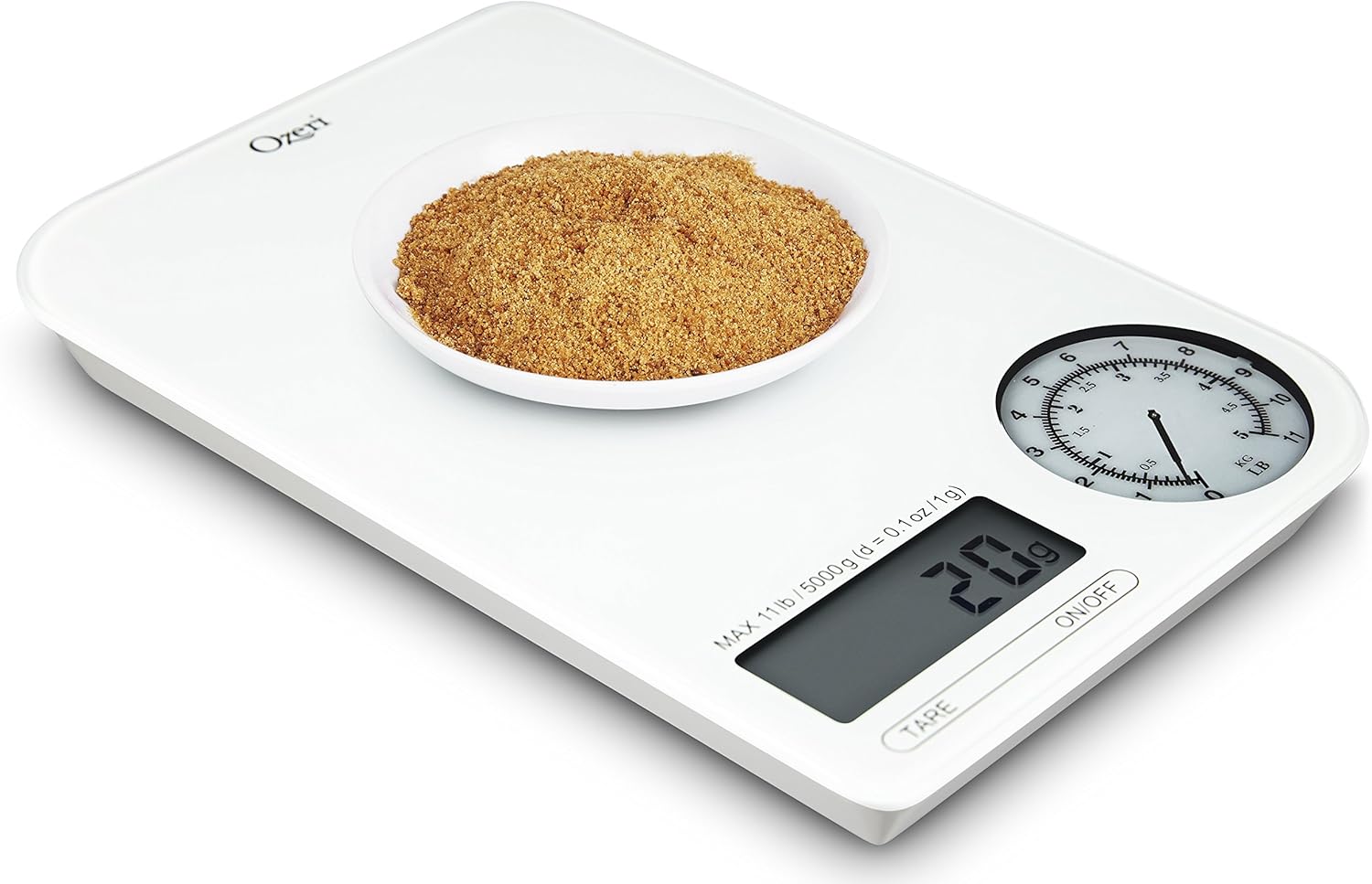
Figure 3.3: The scale displaying the weight of chocolate chips in a measuring cup.
4. Maintenance
4.1 Cleaning
The Ozeri Rev Digital Kitchen Scale features a glass top, making it easy to clean.
- Wipe the scale surface with a soft, damp cloth.
- For stubborn stains, use a mild detergent solution on the cloth, then wipe clean with a damp cloth and dry thoroughly.
- Do not immerse the scale in water or use abrasive cleaners, as this can damage the electronic components.
4.2 Storage
Store the scale in a cool, dry place away from extreme temperatures and humidity. Its compact size allows for easy storage in most kitchen drawers or cabinets.
4.3 Battery Replacement
When the low battery indicator appears on the LCD, replace all three AAA batteries with new ones to ensure continued accurate operation. Refer to Section 2.2 for battery installation instructions.
5. Troubleshooting
5.1 Inaccurate Readings
- Uneven Surface: Ensure the scale is placed on a flat, stable, and hard surface.
- Overload: Do not exceed the maximum weight capacity of 11 lbs (5000 g). Overloading can damage the sensors.
- Low Battery: Replace batteries if the low battery indicator is on, as low power can affect accuracy.
- Calibration: While the scale is factory calibrated, consistent inaccuracies may require contacting customer support.
5.2 Tare Function Issues
- Delay: The Tare function may have a slight delay. Press the TARE button and wait a few seconds for the display to zero out.
- Initial Tare: If the Tare function is unresponsive after power-on, try placing the container on the scale before turning the scale on, then press TARE.
5.3 Display Not Working
- No Power: Check if the scale is turned on.
- Dead Batteries: Replace the AAA batteries.
- Battery Orientation: Ensure batteries are inserted with correct polarity.
6. Specifications
| Feature | Specification |
|---|---|
| Model Number | ZK18-WG |
| Brand | Ozeri |
| Weight Limit | 11 lbs (5000 g) |
| Readout Accuracy | +/- 0.1 oz or +/- 1 gram |
| Display Type | LCD and Electro-Mechanical Dial |
| Power Source | 3 x AAA Batteries |
| Material | Glass |
| Product Dimensions | 8.3 x 5.5 x 0.8 inches |
| Item Weight | 14.4 ounces (0.9 lbs) |
7. Warranty and Support
For warranty information or technical support, please refer to the documentation included with your purchase or visit the official Ozeri website. The product has an EU Spare Part Availability Duration of 2 Years.
For further assistance, you may contact Ozeri customer service through their official channels.
