
Schneider Electric TM221CE24R
SCHNEIDER ELECTRIC TM221CE24R Controller User Manual
Model: TM221CE24R | Brand: Schneider Electric
1. Introduction
This manual provides essential information for the installation, operation, and maintenance of the Schneider Electric TM221CE24R Controller. The TM221CE24R is a Modicon M221 Logic Controller designed for industrial automation applications, featuring 24 I/O points, a 100-240VAC power supply, and Relay NO (Normally Open) outputs with Ethernet connectivity.
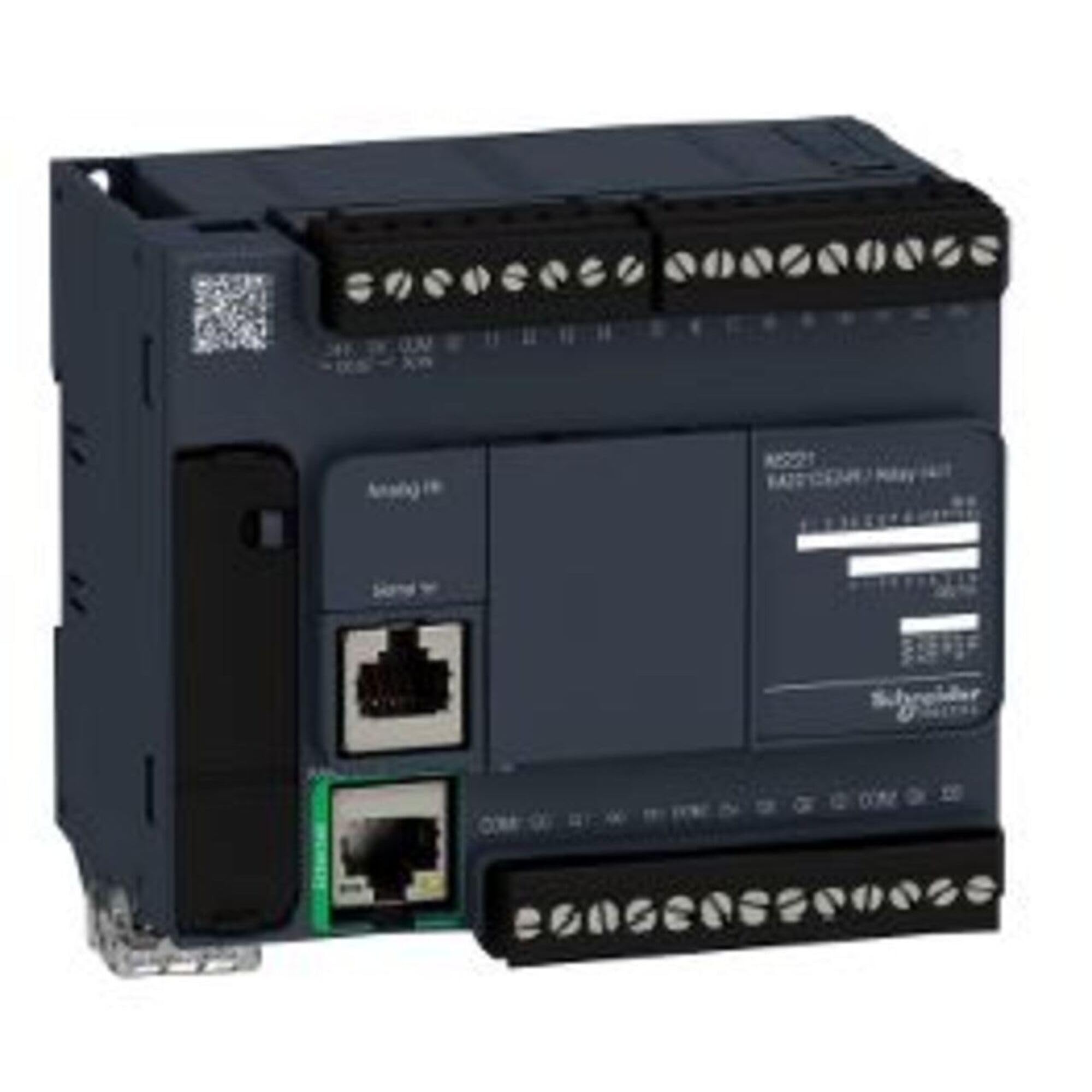
Figure 1: Front view of the Schneider Electric TM221CE24R PLC Controller, highlighting its compact design, input/output terminals, and Ethernet ports.
2. Setup & Installation
Proper installation is crucial for the safe and reliable operation of the TM221CE24R controller. Ensure all local and national electrical codes are followed.
2.1 Mounting
The controller is designed for DIN rail mounting. Securely attach the unit to a standard 35mm DIN rail in an enclosure that provides adequate ventilation and protection from environmental factors.
2.2 Wiring
Before wiring, ensure the power supply is disconnected. Refer to the terminal markings on the device for correct connections.
- Power Supply: Connect the 100-240VAC power supply to the designated terminals. Ensure proper grounding.
- Digital Inputs: Connect input devices (e.g., sensors, switches) to the digital input terminals.
- Relay Outputs: Connect controlled devices to the Relay NO (Normally Open) output terminals. Observe maximum current ratings.
- Ethernet: Connect standard Ethernet cables to the RJ45 ports for network communication and programming.
It is recommended to use shielded cables for I/O and communication to minimize electrical noise interference.
3. Operation
The TM221CE24R controller operates based on the program loaded into its memory. Programming is typically performed using Schneider Electric's EcoStruxure Machine Expert - Basic software.
3.1 Powering On
Once all wiring is complete and verified, apply power to the controller. The status LEDs on the front panel will indicate the operational state.
3.2 Programming & Configuration
Connect the controller to a PC via Ethernet. Use the programming software to download your application program, configure I/O, and set up network parameters. Detailed programming instructions are available in the software's help documentation.
3.3 Monitoring
The programming software allows for real-time monitoring of I/O status, variable values, and diagnostic information, which is essential for commissioning and troubleshooting.
4. Maintenance
The TM221CE24R controller is designed for minimal maintenance. However, periodic checks can help ensure long-term reliability.
- Cleaning: Keep the controller free from dust and debris. Use a soft, dry cloth for cleaning. Do not use solvents or abrasive cleaners.
- Connections: Periodically check all wiring connections for tightness and signs of corrosion.
- Environmental Conditions: Ensure the operating environment remains within the specified temperature and humidity ranges.
- Firmware Updates: Check the Schneider Electric website for any available firmware updates that may improve performance or address known issues.
5. Troubleshooting
This section provides solutions to common issues you might encounter.
| Problem | Possible Cause | Solution |
|---|---|---|
| Controller does not power on. | No power supply; incorrect wiring; blown fuse. | Verify 100-240VAC power connection; check wiring; inspect and replace fuse if necessary. |
| I/O not responding. | Incorrect I/O configuration; faulty wiring; sensor/actuator issue. | Check program I/O mapping; verify wiring continuity; test external devices. |
| Ethernet communication failure. | Incorrect IP settings; faulty cable; network issue. | Verify IP address and subnet mask; replace Ethernet cable; check network infrastructure. |
For more detailed troubleshooting, refer to the comprehensive documentation available on the Schneider Electric support website.
6. Specifications
Key technical specifications for the TM221CE24R Controller:
| Attribute | Value |
|---|---|
| Product Type | Logic Controller (PLC) |
| Model Number | TM221CE24R |
| I/O Points | 24 (Digital) |
| Output Type | Relay NO (Normally Open) |
| Power Supply | 100-240VAC |
| Communication | Ethernet |
| Product Dimensions | 7.09 x 1.97 x 1.97 inches |
| Weight | 13.4 ounces |
| Manufacturer | SCHNEIDER ELECTRIC |
| Date First Available | July 10, 2015 |
7. Warranty & Support
For detailed warranty information, please refer to the official Schneider Electric warranty policy document available on their website. Schneider Electric provides comprehensive technical support for its products.
Online Resources: Visit the official Schneider Electric website for product documentation, software downloads, FAQs, and support contacts. www.se.com
Technical Assistance: Contact Schneider Electric customer support for assistance with installation, configuration, or troubleshooting issues.
Related documentsTM221CE24R


Ask a question about this manual
Ask about setup, troubleshooting, compatibility, parts, safety, or missing instructions. Manuals+ will review the question and use this page’s manual context to help answer it.