
Nerf B4619
Nerf N-Strike Elite Dual-Strike Blaster Instruction Manual
Model: B4619
Introduction
The Nerf N-Strike Elite Dual-Strike Blaster is designed for versatile dart play, allowing users to fire both Elite darts and Mega darts. This manual provides essential information for the safe and effective use of your blaster.

Image Description: The Nerf N-Strike Elite Dual-Strike Blaster is shown in its retail packaging. The blaster is blue with orange and red accents, featuring six barrels (three orange for Elite darts, three red for Mega darts). The packaging highlights "Fires both Elite and Mega darts" and shows a child holding the blaster. Age recommendation is 8+.
Important Safety Information
- WARNING: Do not aim at eyes or face.
- TO AVOID INJURY: Use only darts designed for this product. Do not modify darts or dart blaster.
- Adult supervision is recommended.
- Keep away from small children due to small parts.
Package Contents
Verify that all items are present in the package:
- 1 x Nerf N-Strike Elite Dual-Strike Blaster
- 3 x Elite Darts (blue)
- 3 x Mega Whistler Darts (red)
Setup and Loading
- Loading Elite Darts: Insert one Elite dart into each of the three orange barrels at the top front of the blaster.

Image Description: A hand is shown inserting a blue Elite dart into one of the orange barrels at the top of the Nerf Dual-Strike Blaster. The blaster is blue with orange and red barrels.
- Loading Mega Darts: Insert one Mega dart into each of the three red barrels at the bottom front of the blaster.

Image Description: A hand is shown inserting a red Mega dart into one of the red barrels at the bottom of the Nerf Dual-Strike Blaster. The blaster is blue with orange and red barrels.
Operating Instructions
- Select Dart Type: Use the orange selector switch located on the side of the blaster to choose between "ELITE" (top position) or "MEGA" (bottom position) darts.

Image Description: A finger is shown moving the orange selector switch on the side of the blue Nerf Dual-Strike Blaster to the "ELITE" position. The switch has labels for "ELITE" and "MEGA".

Image Description: A finger is shown moving the orange selector switch on the side of the blue Nerf Dual-Strike Blaster to the "MEGA" position. The switch has labels for "ELITE" and "MEGA".
- Prime the Blaster: Pull the orange priming handle at the back of the blaster all the way back until it clicks into place.
Video Description: This video demonstrates the priming and firing mechanism of the Nerf N-Strike Elite Dual-Strike Blaster. It shows a person loading darts, selecting the dart type with the switch, pulling back the priming handle, and then firing the blaster. The video also highlights the different dart types included.
- Fire a Dart: Aim the blaster at a safe target and squeeze the trigger to fire the selected dart type. The blaster will automatically cycle through the loaded barrels of the selected dart type.
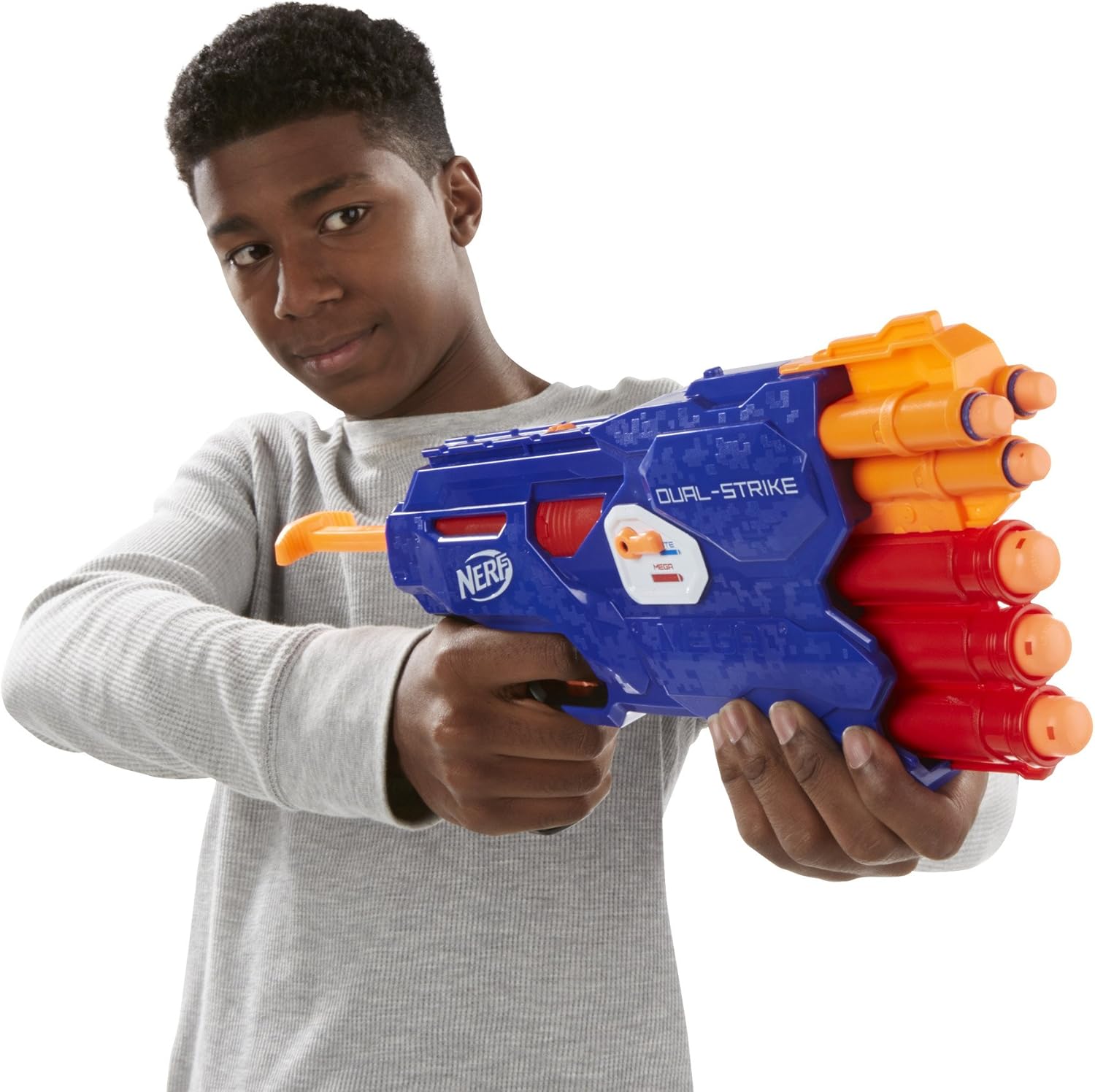
Image Description: A child is shown holding the blue Nerf Dual-Strike Blaster, aiming it forward. The blaster is ready for use.
Maintenance
- Cleaning: Wipe the blaster with a damp cloth to remove dust and dirt. Do not submerge in water.
- Dart Care: Store darts in a clean, dry place. Avoid bending or damaging darts, as this can affect performance.
- Storage: Store the blaster in a cool, dry place away from direct sunlight when not in use.
Troubleshooting
| Problem | Possible Cause | Solution |
|---|---|---|
| Dart does not fire or fires weakly. | Blaster not fully primed; damaged dart; incorrect dart type selected. | Ensure priming handle is pulled back until it clicks. Replace damaged darts. Verify selector switch matches loaded dart type. |
| Selector switch is stuck. | Debris in switch mechanism; internal misalignment. | Gently try to clear any visible debris. If issue persists, contact customer support. |
Specifications
- Model Number: B4619
- Brand: Nerf
- Manufacturer: Hasbro
- Dart Types: Elite, Mega
- Operation Mode: Manual
- Material: Foam, Plastic
- Item Weight: 14.03 ounces (approximately 397.7 grams)
- Item Dimensions: 2.13 x 18.5 x 9.02 inches (approximately 5.4 x 47 x 22.9 cm)
- Recommended Age: 8 years and up
Warranty and Support
This product comes with no manufacturer warranty as per the provided specifications. For any product-related inquiries or support, please refer to the official Nerf or Hasbro customer service channels.
Official Nerf Website: nerf.hasbro.com
Hasbro Customer Service: consumercare.hasbro.com
Ask a question about this manual
Ask about setup, troubleshooting, compatibility, parts, safety, or missing instructions. Manuals+ will review the question and use this page’s manual context to help answer it.