
Introduction
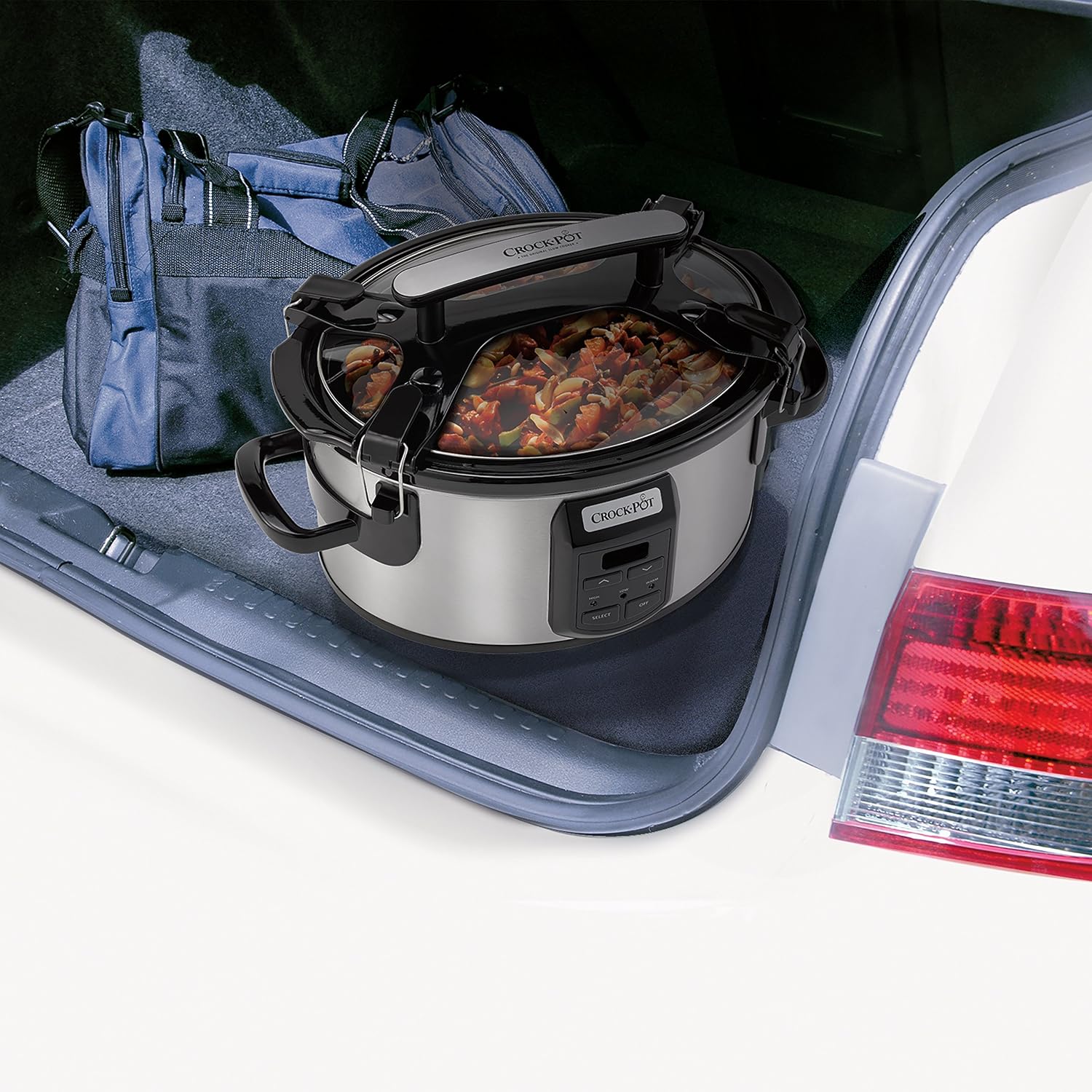
This manual provides detailed instructions for the safe and efficient operation of your Crock-Pot SCCPVS600ECP 6-Quart Programmable Cook & Carry Slow Cooker. This appliance is designed for convenient programmable cooking and enhanced portability, featuring a secure-fit locking lid and an easy-grasp handle for spill-proof transport.
Important Safeguards
When using electrical appliances, basic safety precautions should always be followed to reduce the risk of fire, electric shock, and/or injury to persons, including the following:
- Read all instructions before using this product.
- Do not touch hot surfaces. Use handles or knobs.
- To protect against electrical shock, do not immerse the heating base, cord, or plug in water or other liquid.
- Close supervision is necessary when any appliance is used by or near children.
- Unplug from outlet when not in use and before cleaning. Allow to cool before putting on or taking off parts.
- Do not operate any appliance with a damaged cord or plug or after the appliance malfunctions or has been damaged in any manner.
- The use of accessory attachments not recommended by the appliance manufacturer may cause injuries.
- Do not use outdoors.
- Do not let cord hang over edge of table or counter, or touch hot surfaces.
- Do not place on or near a hot gas or electric burner, or in a heated oven.
- Extreme caution must be used when moving an appliance containing hot oil or other hot liquids.
- Always attach plug to appliance first, then plug cord into the wall outlet. To disconnect, turn any control to 'OFF', then remove plug from wall outlet.
- Do not use appliance for other than intended use.
Parts and Features
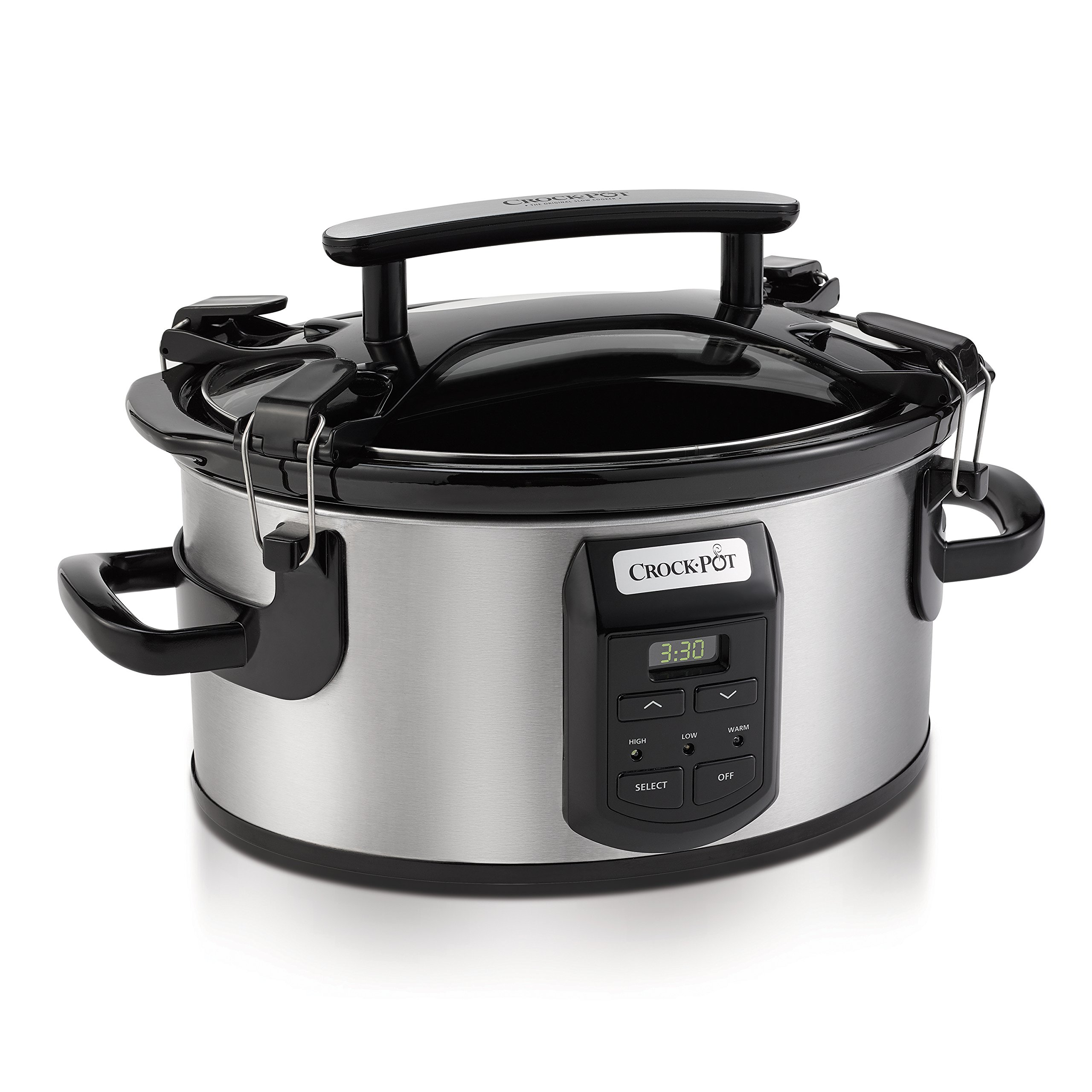
Your Crock-Pot SCCPVS600ECP slow cooker consists of several key components designed for optimal performance and convenience:
- Removable Stoneware: The inner cooking pot, made of durable stoneware, is ideal for even heat distribution and easy cleaning.
- Glass Lid: A transparent lid allows you to monitor cooking progress without releasing heat.
- Heating Base: The main unit that houses the heating element and control panel.
- Digital Control Panel: Features a digital timer and buttons for selecting cooking settings (High, Low, Warm) and adjusting time.
- Easy-Grip Handle: Integrated handle on the lid for comfortable carrying.
- Lid-Locking Mechanism: Secure clips on the side of the unit to lock the lid in place for spill-proof transport.
- Cord Management Feature: A dedicated area to neatly wrap and store the power cord.
Setup and First Use
Before using your slow cooker for the first time, follow these steps:
- Unpack: Carefully remove all packaging materials and any labels from the appliance.
- Wash Components: Wash the removable stoneware and glass lid in warm, soapy water. Rinse thoroughly and dry. These parts are also dishwasher-safe.
- Wipe Base: Wipe the heating base with a soft, damp cloth. Do not immerse the heating base in water.
- Placement: Place the slow cooker on a dry, level, heat-resistant surface away from the edge of the counter.

Operating Instructions
Digital Control Panel Overview
Your Crock-Pot slow cooker features intuitive digital controls for easy programming. The control panel includes buttons for 'Select' (to choose High or Low temperature), 'Timer' arrows (to adjust cooking time), and 'Off'. A digital display shows the remaining cooking time.
Setting Cook Time and Temperature
Follow these steps to begin cooking:
- Prepare Food: Place your ingredients into the removable stoneware. For optimal cooking, ensure the stoneware is at least half to three-quarters full.
- Plug In: Plug the slow cooker into a standard electrical outlet. The digital display will illuminate.
- Select Temperature: Press the 'Select' button to toggle between 'High' and 'Low' cooking temperatures. The corresponding indicator light will illuminate.
- Set Cooking Time: Use the 'Timer' up and down arrow buttons to adjust the desired cooking duration. The time can be set in 30-minute increments, up to a maximum of 20 hours. Once the time is set, the countdown will begin automatically.

Keep Warm Function
Once the set cooking time has elapsed, your slow cooker will automatically switch to the 'Keep Warm' setting. The 'Warm' indicator light will illuminate. This function is designed to maintain the food at a serving temperature. It is not recommended to use the 'Keep Warm' setting for more than 4 hours to ensure food quality and safety.
Turning Off the Slow Cooker
To turn off the slow cooker, simply press the 'Off' button on the control panel. Always unplug the unit from the electrical outlet when cooking is complete and before cleaning or storing.


Maintenance and Cleaning
Proper cleaning and maintenance will ensure the longevity and performance of your slow cooker:
- Unplug and Cool: Always unplug the slow cooker and allow it to cool completely before cleaning.
- Stoneware and Lid: The removable stoneware and glass lid are dishwasher-safe for easy cleaning. Alternatively, they can be washed by hand with warm, soapy water and a non-abrasive cloth or sponge.
- Heating Base: Never immerse the heating base in water or any other liquid. Wipe the exterior of the heating base with a soft, damp cloth. Do not use abrasive cleaners or scouring pads, as they may scratch the surface.
- Stubborn Residue: For stubborn food residue on the stoneware, fill it with warm, soapy water and let it soak for a few hours before cleaning.
Troubleshooting
If you encounter issues with your slow cooker, refer to the following common troubleshooting tips:
- Appliance Not Turning On: Ensure the power cord is securely plugged into a functional electrical outlet. Check if the outlet is receiving power by testing it with another appliance.
- Food Not Cooking Properly: Verify that the correct temperature setting (High or Low) and cooking time have been selected according to your recipe. Ensure the stoneware is filled to the recommended level (at least half to three-quarters full). Avoid frequently lifting the lid, as this can significantly extend cooking time.
- Food Burning on Bottom: This can occur if the cooking temperature is too high for the duration, or if the stoneware is not adequately filled. Adjust cooking time or temperature as needed.
- Lid Not Sealing: Check for any food debris or residue on the rim of the stoneware or lid that might prevent a proper seal. Ensure the lid is correctly aligned and the locking clips are engaged.
- Digital Display Not Working: Unplug the unit for a few minutes and then plug it back in to reset the electronics. If the issue persists, contact customer support.
Specifications
| Feature | Specification |
|---|---|
| Brand | Crock-Pot |
| Model Number | SCCPVS600ECP |
| Capacity | 6 Quarts |
| Color | Silver |
| Material | Stoneware |
| Wattage | 1500 watts |
| Item Weight | 6.17 Kilograms |
| Is Dishwasher Safe | Yes (Stoneware and Lid) |
| Voltage | 220 Volts |
| Control Method | Touch |
| Control Type | Programmable |
| Number of Settings | 3 (High, Low, Warm) |
| UPC | 048894060175 |
Warranty and Support
Your Crock-Pot SCCPVS600ECP slow cooker comes with a 1-year limited warranty from the date of purchase. This warranty covers manufacturing defects under normal household use.
For warranty claims, technical support, or further assistance, please refer to the contact information provided in your product's packaging or visit the official Crock-Pot website. Please have your model number (SCCPVS600ECP) and proof of purchase available when contacting support.


