
1. Introduction
This manual provides instructions for the UpBright 5V AC/DC Adapter, designed to power compatible devices such as the iLive IHB603B and IHB603 Wireless Bluetooth CD Player FM Radio Home Music Speaker System. Please read this manual thoroughly before use to ensure proper operation and safety.

Figure 1: Example of a compatible device (iLive IHB603B/IHB603 system). Note: The adapter is sold separately from the speaker system.
2. Safety Information
To prevent electric shock, fire, or damage to the product, observe the following safety precautions:
- Over Voltage Output Protection (OVP): The adapter is designed to protect against excessive output voltage.
- Over Current Output Protection (OCP): The adapter includes safeguards against excessive output current.
- Short Circuit Output Protection (SCP): Built-in protection against short circuits.
- Do not expose the adapter to rain or moisture.
- Do not disassemble the adapter. Refer servicing to qualified personnel.
- Ensure the adapter is used within its specified input voltage range (100-240VAC, 50/60Hz).
- Always connect the adapter to a properly grounded outlet.
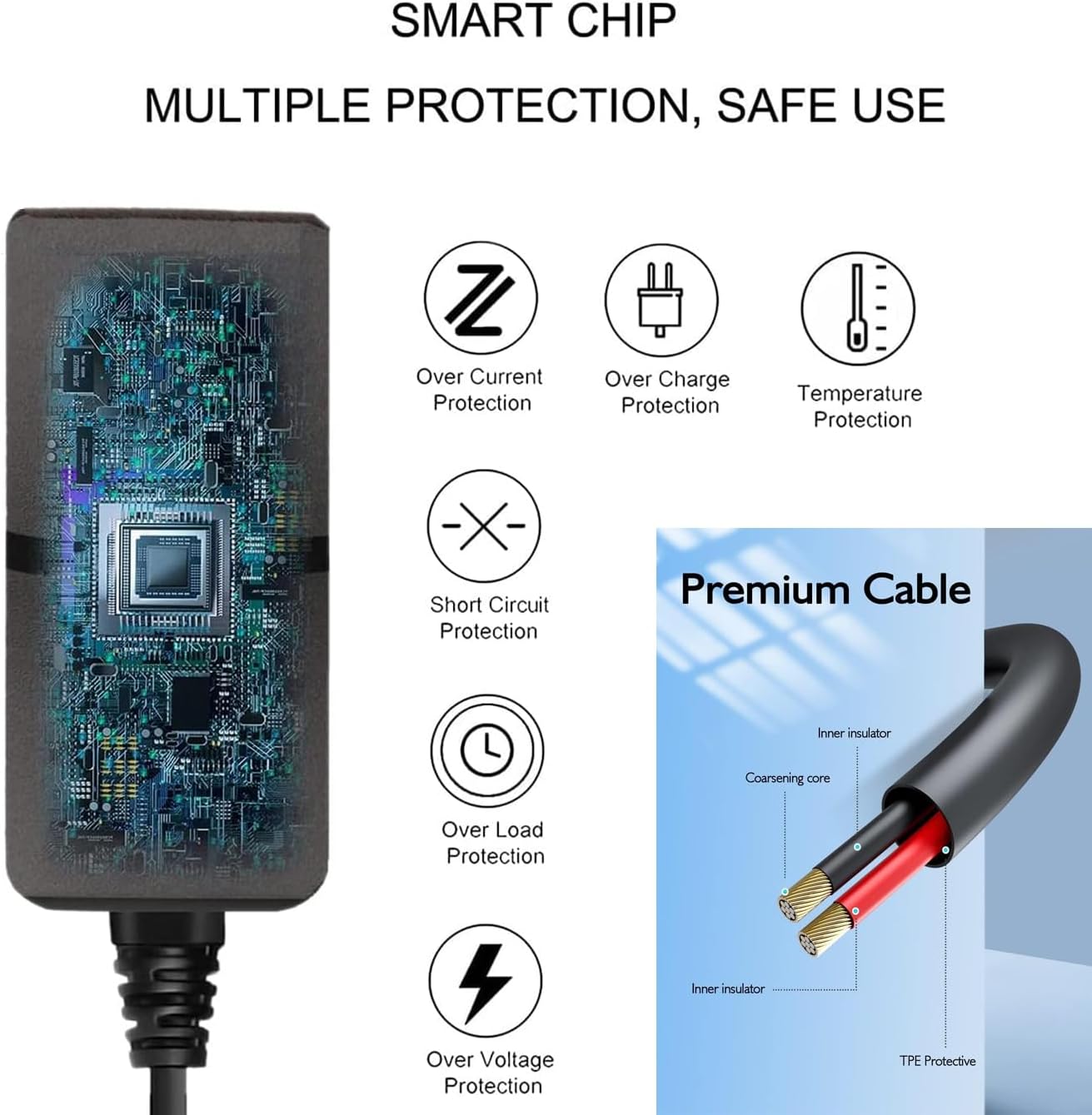
Figure 2: Diagram showing internal protection features (Over Current, Over Charge, Temperature, Short Circuit, Over Load, Over Voltage Protection) and premium cable construction.
3. Package Contents
Verify that all items are present in the package:
- 1 x UpBright 5V AC/DC Adapter

Figure 3: The UpBright 5V AC/DC Adapter with its attached power cord.
4. Setup
Follow these steps to connect your UpBright 5V AC/DC Adapter:
- Identify the Device's Power Input: Locate the DC power input port on your iLive IHB603B or IHB603 Wireless Bluetooth CD Player FM Radio Home Music Speaker System. Ensure it matches the barrel connector of the adapter.
- Connect the Adapter to the Device: Carefully insert the barrel connector of the UpBright adapter into the DC power input port of your speaker system.
- Connect the Adapter to a Power Outlet: Plug the AC prongs of the adapter into a standard 100-240V AC wall outlet.
- Verify Power: Once connected, your device should receive power. Refer to your device's manual for specific power indicators.

Figure 4: The UpBright 5V AC/DC Adapter, showing the AC prongs and the barrel connector for device connection.
5. Operating Instructions
The UpBright 5V AC/DC Adapter operates automatically once connected to a power source and a compatible device. It provides a stable 5V DC power supply to your iLive speaker system.
- Ensure all connections are secure before operating your device.
- The adapter is designed for continuous use, but it is recommended to unplug it from the wall outlet when not in use for extended periods.
6. Maintenance
Proper care ensures the longevity and reliable performance of your adapter:
- Cleaning: Disconnect the adapter from the power outlet and the device before cleaning. Use a soft, dry cloth to wipe the exterior. Do not use liquid cleaners or solvents.
- Storage: Store the adapter in a cool, dry place away from direct sunlight and extreme temperatures. Avoid tightly coiling the cable to prevent damage.
- Inspection: Periodically inspect the adapter and cable for any signs of damage, such as frayed wires or cracked casing. If damage is found, discontinue use and replace the adapter.
7. Troubleshooting
If you encounter issues with your UpBright 5V AC/DC Adapter, refer to the following common problems and solutions:
| Problem | Possible Cause | Solution |
|---|---|---|
| Device does not power on. | Adapter not properly connected. | Ensure the adapter's barrel connector is fully inserted into the device and the AC prongs are securely plugged into a working wall outlet. |
| Device does not power on. | Wall outlet is not supplying power. | Test the wall outlet with another known working appliance. Check circuit breakers if necessary. |
| Device does not power on. | Adapter or device is faulty. | If possible, test the adapter with another compatible device or test your device with another known working adapter. If the adapter is faulty, discontinue use. |
| Adapter feels warm during use. | Normal operation. | It is normal for power adapters to generate some heat during operation. If it becomes excessively hot or emits smoke/odor, unplug immediately and discontinue use. |
8. Specifications
Technical details for the UpBright 5V AC/DC Adapter:
- Input Voltage: 100-240VAC, 50/60Hz
- Output Voltage: 5V DC
- Output Current: 2A (2000mA)
- Wattage: 10W
- Connector Type: Barrel Connector
- Product Dimensions: Approximately 4 x 3 x 2 inches
- Item Weight: Approximately 4 ounces
- Special Features: OVP, OCP, SCP Protection

Figure 5: The UpBright 5V AC/DC Adapter, showing its label with input/output specifications and safety certifications.
9. Warranty and Support
UpBright offers the following for this product:
- Refund Policy: 30 days refund period from the date of purchase.
- Exchange Policy: 24 months exchange period from the date of purchase.
For technical support or warranty claims, please contact UpBright customer service through the retailer where the product was purchased or visit the official UpBright store page.
This instruction manual is subject to change without prior notice.