
1. Introduction
1.1 Product Overview
The Source Audio SA242 Gemini Chorus Effect Pedal is designed to provide a range of chorus effects for musical instruments. It features three distinct chorus types: Classic, Dual, and Quad. The pedal is compatible with the Neuro Mobile App for extended functionality and is MIDI compatible when used with the Neuro Hub.
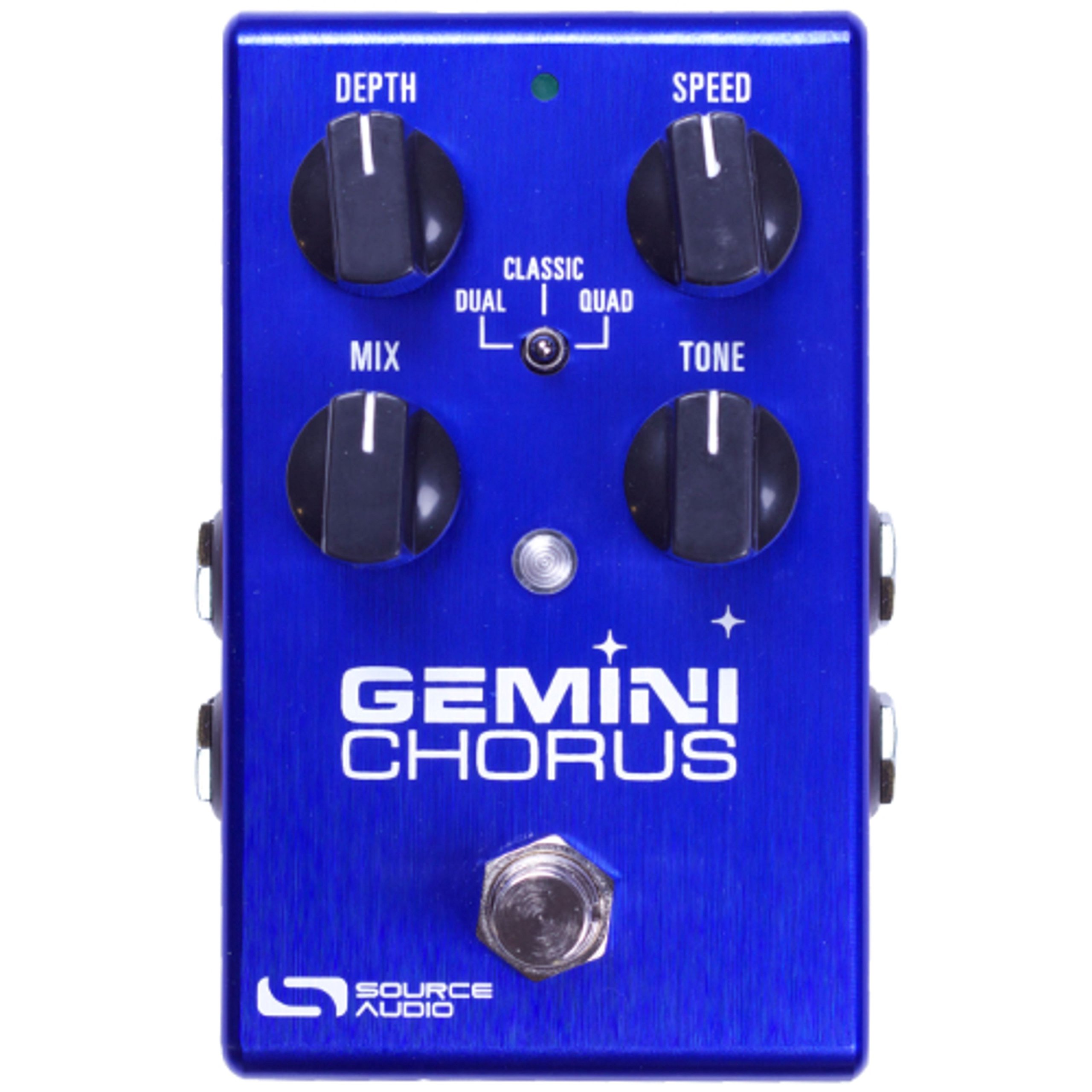
Image 1.1: Front view of the Source Audio SA242 Gemini Chorus Effect Pedal, showcasing its compact design and control knobs.
1.2 Key Features
- Three distinct chorus styles: Classic, Dual, and Quad voiced effects.
- Compatibility with the Neuro Mobile App (iOS and Android) for downloading additional flanger and phaser algorithms, and accessing deep editing parameters.
- MIDI compatibility with the Neuro Hub, allowing storage and recall of up to 128 presets via MIDI program change messages.
2. Setup
2.1 Power Connection
The Gemini Chorus pedal requires a 9-volt DC power supply with a minimum of 300 milliamps. Ensure the power supply is regulated and center-negative, which is standard for most guitar pedals. Connect the power supply to the DC input jack on the pedal.
2.2 Audio Connections
- Connect your instrument (e.g., guitar) to the Input jack on the pedal using a standard 1/4-inch instrument cable.
- Connect the Output jack of the pedal to your amplifier or the next pedal in your signal chain using another 1/4-inch instrument cable.
2.3 USB Connection
The pedal features a USB hardware interface. Connect a USB cable from the pedal to your computer or mobile device to interact with the Neuro Mobile App. This connection facilitates firmware updates and deep editing capabilities.
3. Operating Instructions
3.1 Basic Operation
The Gemini Chorus pedal is controlled via its onboard knobs. The primary controls include Mix and Tone. Adjust these knobs to dial in the desired chorus effect intensity and tonal character. The pedal's footswitch engages or bypasses the effect.
3.2 Chorus Modes
The pedal offers three distinct chorus modes:
- Classic Mode: Produces a single-voiced effect, reminiscent of vintage 1970s chorus pedals, offering subtle and creamy tones.
- Dual Chorus: Provides a thick, rich, and smooth double-voiced effect with animated characteristics.
- Quad Chorus: Delivers a lush and spacious sound, capturing the vibe of 1980s rack system chorus effects.
3.3 Neuro Mobile App Integration
The Neuro Mobile App, available for iOS and Android, expands the pedal's capabilities significantly. Connect your Gemini Chorus to the app to:
- Access and download a free library of additional phaser, flanger, and chorus algorithms.
- Utilize an extended set of adjustable parameters, including Feedback, Output Level, embeddable Tremolo, a Parametric EQ, and Advanced Signal Routing.
- Perform firmware updates for the pedal.
3.4 MIDI Control with Neuro Hub
When paired with the Source Audio Neuro Hub (sold separately), the Gemini Chorus becomes fully MIDI compatible. This allows users to save up to 128 presets and recall them using MIDI program change messages from an external MIDI foot controller.
4. Maintenance
4.1 Cleaning
To clean the pedal, use a soft, dry cloth. Avoid using abrasive cleaners or solvents, as these can damage the finish or internal components. Ensure the pedal is disconnected from power before cleaning.
4.2 Storage
Store the pedal in a cool, dry environment away from direct sunlight and extreme temperatures. If storing for an extended period, disconnect all cables and, if applicable, remove any batteries.
5. Troubleshooting
5.1 No Sound or Intermittent Sound
- Verify all audio cables are securely connected to the input and output jacks.
- Ensure the power supply is correctly connected and providing the specified voltage and amperage (9V, 300mA).
- Test with different cables and a different power supply if possible.
- Check if the pedal is engaged (LED indicator should be on).
5.2 Poor Sound Quality or Noise
- Ensure you are using a regulated power supply to avoid hum or noise.
- Check for ground loops in your signal chain.
- Adjust the Tone knob on the pedal to fine-tune the sound.
- If using the Neuro App, check advanced parameters for any settings that might introduce unwanted artifacts.
5.3 Pedal Not Responding to Neuro App
- Ensure the USB cable is properly connected between the pedal and your device.
- Verify that the Neuro Mobile App is updated to the latest version.
- Check your device's settings to ensure it recognizes the USB connection.
- Restart both the pedal and the Neuro App.
If issues persist, contact Source Audio customer support for further assistance.
6. Specifications
| Brand | Source Audio |
| Model Number | SA242 |
| Item Weight | 0.5 Grams |
| Voltage | 9 Volts |
| Amperage | 300 Milliamps |
| Audio Output Effects | Chorus, Phaser, Flanger (via Neuro App) |
| Controls Type | Knob |
| Power Source | Battery Powered (typically 9V DC adapter compatible) |
| Hardware Interface | USB |
| Signal Format | Analog |
| Item Dimensions | 7 x 5 x 2.5 inches |
| Connector Type | USB |
| UPC | 890729001446 |
| GTIN | 00890729001446 |
| Manufacturer Part Number | SA242 |
7. Warranty and Support
7.1 Warranty Information
Source Audio may, at its option, require proof of the original purchase date in the form of a dated copy of the original authorized dealer's invoice or sales receipt. Service and repairs of Source Audio products are to be performed only at the Source Audio factory or a Source Audio authorized service center. Prior to service or repair under this limited warranty, the purchaser must request a return authorization from Source Audio.
7.2 Customer Support
For technical assistance, troubleshooting, or warranty claims, please contact Source Audio directly through their official website or designated support channels. Ensure you have your product model number (SA242) and proof of purchase available when contacting support.


