
Vivitar V137BT-BLK-KM
Vivitar Bluetooth Speaker User Manual
Model: V137BT-BLK-KM
Introduction
Thank you for purchasing the Vivitar Bluetooth Speaker. This manual provides important information regarding the setup, operation, and maintenance of your new speaker. Please read this manual thoroughly before using the device to ensure proper function and to maximize your listening experience.
Safety Information
Please observe the following safety guidelines to prevent damage to your device or injury to yourself:
- Do not expose the speaker to extreme temperatures, direct sunlight, or high humidity.
- Do not immerse the speaker in water. This product is not waterproof.
- Do not attempt to disassemble or modify the speaker. This will void the warranty and may cause damage.
- Use only the specified charging cable and power source.
- Keep the speaker away from children and pets.
- Avoid listening at excessively high volumes for prolonged periods to prevent hearing damage.
Package Contents
Verify that all items are present in your package:
- Vivitar Bluetooth Speaker
- USB Charging Cable
- User Manual (this document)

Image: The Vivitar Bluetooth Speaker in its retail packaging, showing the "LIGHT-UP WIRELESS SPEAKER" branding.
Product Overview
Familiarize yourself with the various parts of your Vivitar Bluetooth Speaker.

Image: Front view of the Vivitar Bluetooth Speaker, showcasing its hexagonal shape and geometric light-up pattern.
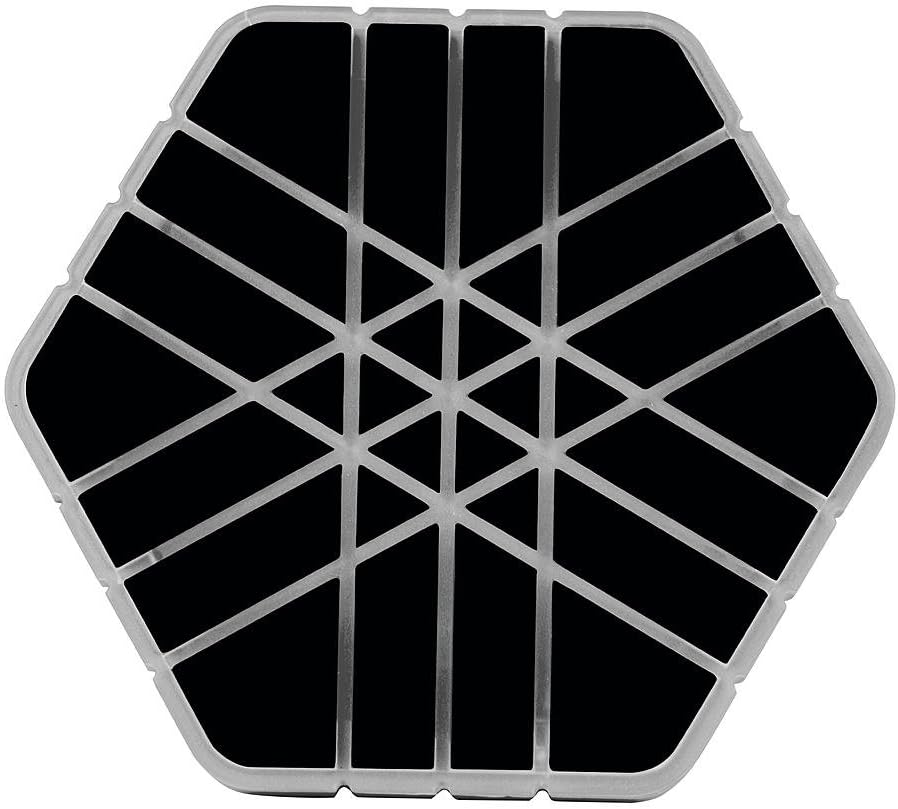
Image: Top-down view of the Vivitar Bluetooth Speaker, highlighting the intricate geometric design on its surface.
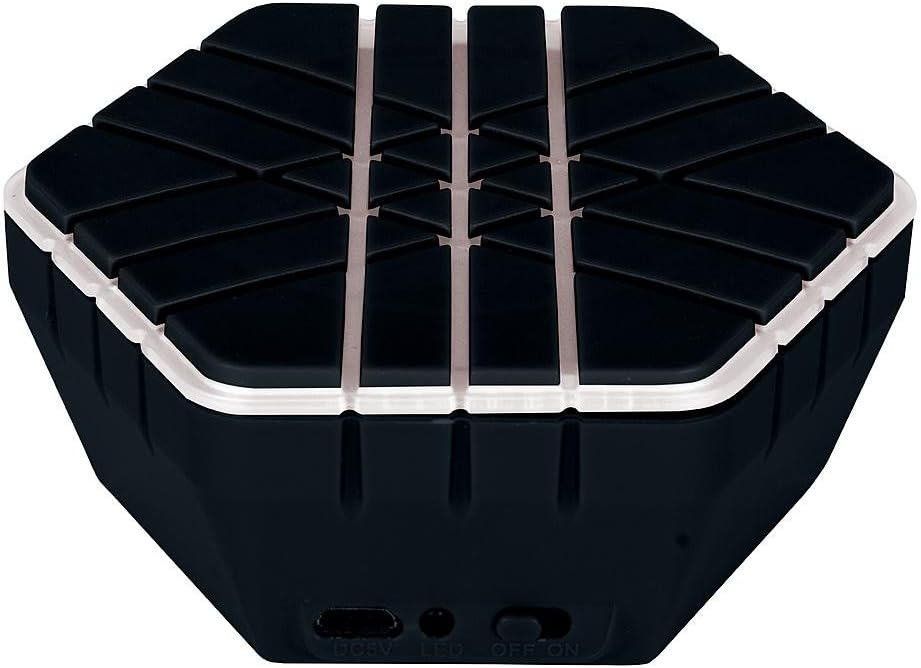
Image: Bottom view of the Vivitar Bluetooth Speaker, showing the DC 5V charging port, LED indicator, and ON/OFF switch.

Image: Back view of the Vivitar Bluetooth Speaker, displaying the product information label with details like speaker driver, max power output, and power supply.
Setup
Charging the Speaker
Before first use, fully charge the speaker. The speaker contains a built-in rechargeable Li-ion battery.
- Locate the DC 5V charging port on the bottom of the speaker.
- Connect the small end of the USB charging cable to the speaker's DC 5V port.
- Connect the large end of the USB charging cable to a USB power adapter (not included) or a computer's USB port.
- The LED indicator light will illuminate during charging. Once fully charged, the LED light may change color or turn off (refer to specific product behavior).
- Charging time may vary. A full charge provides approximately 2.25 hours of battery life.
Operating Instructions
Powering On/Off
- To turn the speaker ON, slide the ON/OFF switch located on the bottom of the speaker to the "ON" position.
- To turn the speaker OFF, slide the ON/OFF switch to the "OFF" position.
Bluetooth Pairing
Pair your Vivitar Bluetooth Speaker with your Bluetooth-enabled device (smartphone, tablet, MP3 player, etc.) to stream audio wirelessly.
- Ensure the speaker is powered on and within 10 meters (33 feet) of your Bluetooth device.
- On your Bluetooth device, enable Bluetooth and search for available devices.
- Select "Vivitar Speaker" or a similar name from the list of found devices.
- Once successfully paired, the speaker will indicate a connection (e.g., an audible tone or a steady LED light).
- You can now play audio from your device through the Vivitar Bluetooth Speaker.
Note: The speaker will attempt to reconnect to the last paired device automatically when powered on, if the device is within range and Bluetooth is enabled.
Audio Playback
Control audio playback directly from your paired Bluetooth device. This speaker does not feature onboard playback controls (e.g., volume, skip track).
- Adjust volume using your connected device's volume controls.
- Play, pause, skip tracks, and manage playlists directly from your connected device.
Maintenance
Proper care will extend the life of your Vivitar Bluetooth Speaker.
- Cleaning: Use a soft, dry cloth to wipe the exterior of the speaker. Do not use abrasive cleaners, solvents, or harsh chemicals.
- Storage: When not in use for extended periods, store the speaker in a cool, dry place away from direct sunlight.
- Battery Care: To maintain battery health, avoid fully discharging the battery frequently. If storing for a long time, charge the battery to about 50% every few months.
Troubleshooting
If you encounter issues with your speaker, refer to the following common problems and solutions:
| Problem | Possible Cause / Solution |
|---|---|
| Speaker does not turn on. |
|
| Cannot pair with Bluetooth device. |
|
| No sound or low volume. |
|
| Sound distortion or crackling. |
|
Specifications
Technical specifications for the Vivitar Bluetooth Speaker, Model V137BT-BLK-KM:
- Model: V137BT-BLK-KM
- Connectivity Technology: Bluetooth
- Wireless Communication Technology: Bluetooth
- Speaker Type: Bookshelf (Portable)
- Audio Output Mode: Stereo
- Speaker Driver: 50mm
- Max. Power Output: 10 Watts
- Receiver Distance: 10m (33 feet)
- Power Source: Battery Powered (Built-in rechargeable Li-ion battery)
- Battery Life: Approximately 2.25 Hours
- Compatible Devices: MP3 Player, Smartphone, Tablet
- Product Dimensions: 4.5 x 2.5 x 6.5 inches
- Item Weight: 6.4 ounces
- Color: Black
- UPC: 681066204702
- Manufacturer: Sakar International, Inc.
Warranty and Support
The Vivitar Bluetooth Speaker comes with a Limited Warranty. For specific warranty terms and conditions, please refer to the warranty card included with your product or contact Vivitar customer support.
For technical support or customer service inquiries, please visit the official Vivitar website or contact their support line. Contact information is typically found on the product packaging or the manufacturer's website.
- Manufacturer: Sakar International, Inc.
- Support (from image label): 800 592 9541 (US), 0800 917 4831 (UK)
- Website: www.vivitar.com (Example link, actual link may vary)
Related documentsV137BT-BLK-KM


Ask a question about this manual
Ask about setup, troubleshooting, compatibility, parts, safety, or missing instructions. Manuals+ will review the question and use this page’s manual context to help answer it.