
Introduction
This manual provides essential information for the safe and effective use of your MaximalPower CR-V3 rechargeable Li-ion camera battery. This battery is designed to power various digital cameras, offering reliable performance with a 3.6V 1300mAh (4.7Wh) output.
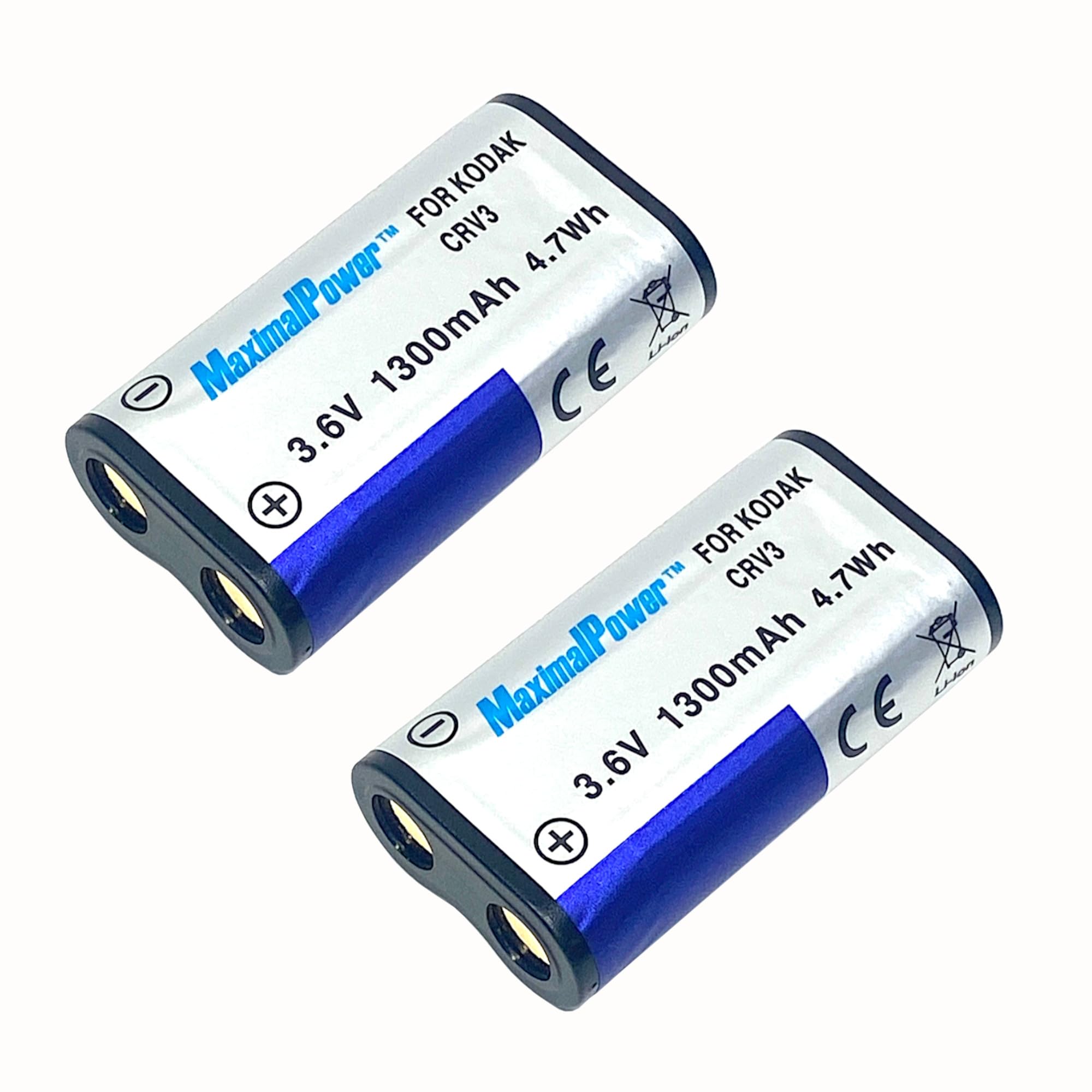
Image: Front view of the MaximalPower CR-V3 camera battery, showing branding and specifications.
Important Safety Information
CAUTION:
- Do not connect improperly.
- Do not dispose of in fire or expose to excess heat.
- Do not crush, puncture, incinerate, or short circuit external contacts.

Image: Back view of the MaximalPower CR-V3 battery, displaying important caution and safety warnings.
Compatibility
This battery is compatible with a wide range of camera models and battery types. Please verify your camera's specific requirements before use. Compatible battery models include CR-V3, CR-V3P, CRV-3, CRV3L, CR-V3L, DLCRV3, DLCR-V3, DLCRV3B, ELCRV3, KCR-V3, KCRV3, KCRV3-1, KITCRV3, PRCR-V3, PRCR-V3R, RLCRV3, SBP-1103, ULCR-V3R, VLCRV3, 1080142, Olympus LB-01, LB01, LB01E, Panasonic 23-354, 23-460, 23-506, 6207, 770410.
Compatible camera brands include, but are not limited to: Nikon (CoolPix series), Kodak (EasyShare series), Olympus (C-series, D-series, FE-series, SP-series), Canon (PowerShot A-series), Casio (GV-series, QV-series), Konica (Digital G-series, Revio KD-series), Pentax (*ist D/DL/DS series, Optio series, K-series), Ricoh (Caplio series), Samsung (Digimax series), Sanyo (Xacti DSC/VPC series), Toshiba (PDR-series), Vivitar, and Premier.
Setup and Charging
Initial Charge
Fully charge the battery before its first use to ensure optimal performance and lifespan.
Charging Procedure
Use a compatible CR-V3 battery charger. Insert the battery into the charger, ensuring correct polarity by aligning the positive (+) and negative (-) terminals. The charging indicator on your charger will typically show when charging is in progress and when it is complete.
Battery Installation
Refer to your camera's user manual for specific instructions on how to insert the CR-V3 battery. Ensure the battery is inserted with the correct orientation, aligning the positive (+) and negative (-) terminals with those in the camera's battery compartment.

Image: Top view of the MaximalPower CR-V3 battery, highlighting the positive and negative contacts.
Operation
Once correctly installed, the battery will power your camera. Monitor your camera's battery indicator to keep track of the remaining charge. The Li-ion chemistry of this battery allows for flexible charging without developing a 'memory effect', meaning you can charge it as much or as little as needed.
For extended shooting sessions or as a backup, it is recommended to carry a fully charged spare battery.
Maintenance and Storage
Cleaning
Keep the battery contacts clean and dry. Use a soft, dry cloth to gently wipe off any dust or debris that may accumulate on the terminals.
Storage
Store the battery in a cool, dry place away from direct sunlight and extreme temperatures. For long-term storage, it is advisable to charge the battery to approximately 50% capacity to help preserve its lifespan.
Disposal
Dispose of used batteries responsibly and according to local regulations. Do not dispose of in household waste or incinerate.
Troubleshooting
Battery Not Charging
- Ensure the battery is correctly inserted into the charger.
- Verify the charger is properly connected to a power source.
- Check if the battery is compatible with your charger and camera model (refer to the Compatibility section).
- Clean the battery contacts on both the battery and the charger.
Battery Not Powering Camera
- Ensure the battery is fully charged.
- Verify the battery is correctly inserted into the camera with proper polarity.
- Check for compatibility with your specific camera model.
- If the issue persists, the battery may be faulty or at the end of its operational lifespan.
Short Battery Life
- Battery life can be significantly affected by camera settings, such as frequent flash use, continuous video recording, or high LCD brightness.
- Operating the camera in extreme temperatures (very hot or very cold) can reduce battery performance.
- Over time, all rechargeable batteries experience a natural decrease in their maximum capacity.
Specifications
- Battery Type: Li-ion Rechargeable
- Voltage: 3.6V
- Capacity: 1300mAh
- Energy: 4.7Wh
- Model Number: DB KOD CRV3 x2
- Dimensions: Approximately 1.1 x 2 x 0.6 inches
- Weight: Approximately 1.6 ounces
- Warranty: 1 Year (Manufacturer)
Warranty and Customer Support
This MaximalPower battery comes with a 1-year manufacturer's warranty, covering defects in materials and workmanship under normal use.
For warranty claims, technical assistance, or any customer service inquiries, please contact MaximalPower support directly. You can find more information and contact details by visiting the MaximalPower Store on Amazon.