
Brookstone 647156
Brookstone Towel Warmer User Manual
Model: 647156
Introduction
Thank you for purchasing the Brookstone Towel Warmer. This appliance is designed to provide you with warm, cozy towels, robes, and blankets, enhancing your comfort after a shower or bath. Please read this manual thoroughly before operating the unit to ensure safe and efficient use.
Important Safety Information
When using electrical appliances, basic safety precautions should always be followed to reduce the risk of fire, electric shock, and injury to persons, including the following:
- Read all instructions before using this appliance.
- Do not immerse the unit in water or other liquids.
- Do not operate the unit with a damaged cord or plug, or if the unit malfunctions or has been dropped or damaged in any manner.
- Keep the cord away from heated surfaces.
- Do not use outdoors.
- Unplug from outlet when not in use and before cleaning.
- Do not allow children to operate this appliance.
- This appliance is for household use only.
- Do not place the unit near water or in areas where it may get wet.
- Ensure the unit is placed on a stable, flat surface.
- The exterior of the unit may become warm during operation. Avoid direct contact with hot surfaces.
Package Contents
Please check the package contents to ensure all items are present:
- Brookstone Towel Warmer Unit
- Lid
- Power Cord (integrated)
- User Manual (this document)
Setup
- Unpacking: Carefully remove the towel warmer from its packaging. Retain packaging for future storage or transport.
- Placement: Place the unit on a firm, flat, heat-resistant surface in a dry location, away from water sources like sinks or bathtubs. Ensure there is adequate space around the unit for ventilation.
- Power Connection: Plug the power cord into a standard electrical outlet.
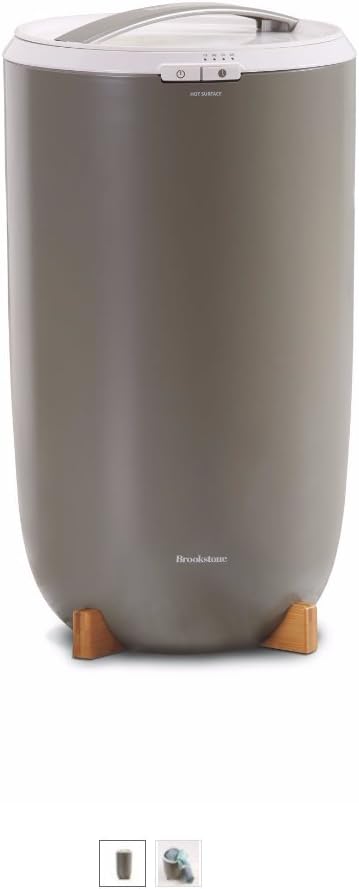
Image: The Brookstone Towel Warmer, a cylindrical unit with a light grey top and a darker grey body, resting on wooden feet. The control panel is visible on the top edge.
Operating Instructions
- Loading Towels: Open the lid and place dry towels, robes, or blankets inside the warmer. The extra-large design can accommodate two oversized towels. Ensure items are unfolded and placed loosely to allow for even heating. Do not overload the unit.
- Closing the Lid: Securely close the lid.
- Power On: Press the power button on the control panel.
- Setting the Timer: Use the timer controls to select your desired heating duration: 15, 30, 45, or 60 minutes. The heating element will thoroughly warm the entire towel, inside and out.
- Heating Process: The unit will begin heating. Indicator lights may show the selected time.
- Retrieving Warm Items: Once the timer completes, the unit will automatically shut off. Carefully open the lid and remove your warm towel or item. Be aware that the item will be hot.
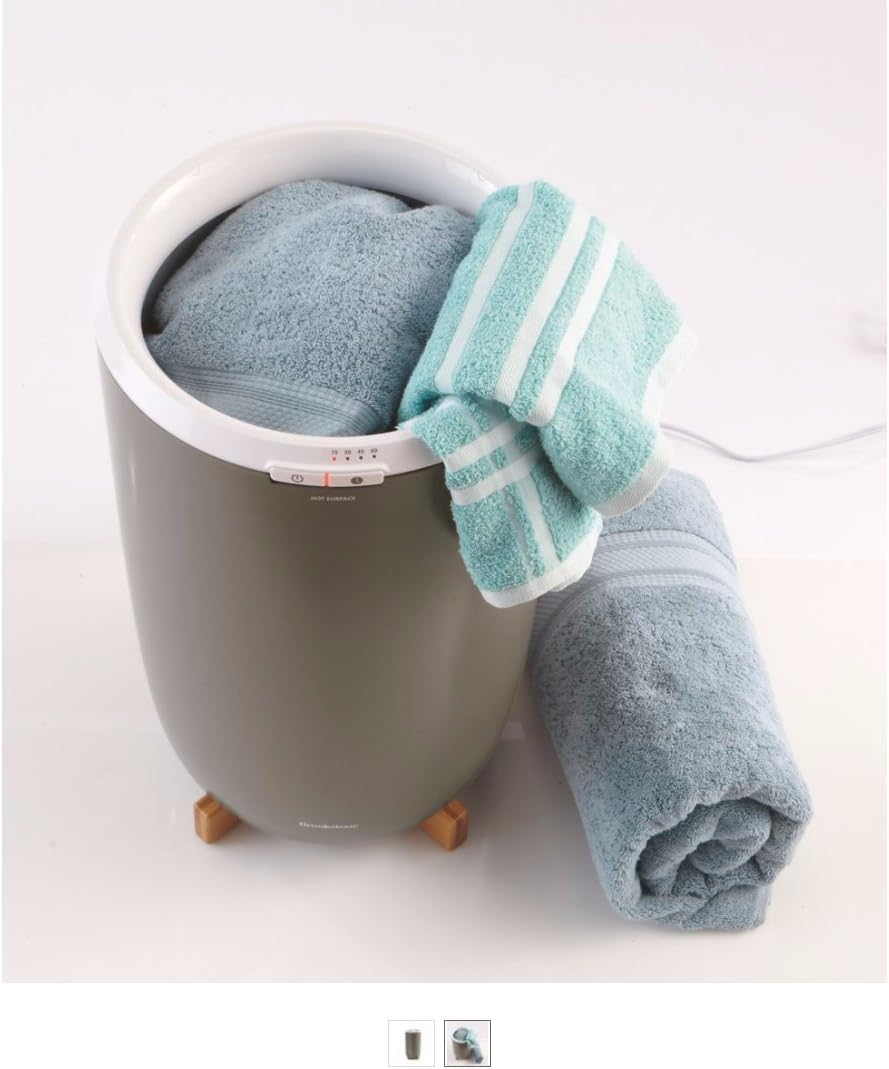
Image: The Brookstone Towel Warmer shown with a light blue towel partially inserted into its opening, and another rolled towel resting beside it, demonstrating its capacity.

Image: A close-up view of the Brookstone Towel Warmer with a person's hands gently placing a folded light blue towel into the top opening, illustrating the loading process.
Maintenance and Care
- Cleaning: Always unplug the unit before cleaning. Allow the unit to cool completely. Wipe the exterior with a soft, damp cloth. Do not use abrasive cleaners or immerse the unit in water.
- Storage: When not in use, store the towel warmer in a cool, dry place.
- No User Serviceable Parts: Do not attempt to disassemble or repair the unit. Refer all servicing to qualified service personnel.
Troubleshooting
| Problem | Possible Cause | Solution |
|---|---|---|
| Unit does not turn on. | Not plugged in; Power outlet not working; Unit malfunction. | Ensure the power cord is securely plugged into a working outlet. Test the outlet with another appliance. If still not working, contact customer support. |
| Towels are not warm enough. | Overloaded unit; Insufficient heating time; Items not unfolded. | Ensure only the recommended number of items are placed inside. Select a longer heating duration. Make sure towels are unfolded and placed loosely. |
| Unit emits an unusual odor. | New unit odor; Foreign object inside; Overheating. | A slight odor is normal for new appliances during initial use. Ensure no foreign objects are inside. If the odor persists or is strong/burning, unplug immediately and contact customer support. |
Specifications
- Model Number: 647156
- Product Dimensions: 13.4 x 13.4 x 24.4 inches
- Item Weight: 12.27 pounds
- Power: AC 120V, 60Hz
Warranty and Support
Brookstone products are manufactured to the highest quality standards. For warranty information or technical support, please refer to the warranty card included with your purchase or visit the official Brookstone website. Please have your model number (647156) and purchase details ready when contacting support.
For further assistance, you may visit the Brookstone Store on Amazon.
Related documents647156


Ask a question about this manual
Ask about setup, troubleshooting, compatibility, parts, safety, or missing instructions. Manuals+ will review the question and use this page’s manual context to help answer it.