
Introduction
The Weighmax GB25 Digital Kitchen Scale is designed for precise measurement of food items and mail, supporting a capacity of up to 25 lbs (11 kg) with an accuracy of 0.1 oz. Featuring a durable tempered glass platform and an easy-to-read LCD backlight, this scale offers multiple units of measurement and a convenient Tare function for versatile use in your kitchen or office.
Safety Precautions
- Always place the scale on a hard, flat, and stable surface to ensure accurate readings.
- Avoid placing the scale near strong electromagnetic fields, such as microwaves or cordless phones, as this may affect accuracy.
- Do not immerse the scale in water or other liquids. Clean with a damp cloth only.
- Handle the tempered glass platform with care to prevent breakage.
- Keep out of reach of children.
- Remove batteries if the scale will not be used for an extended period to prevent leakage.
Package Contents
Please check the package for the following items:
- Weighmax GB25 Digital Kitchen Scale
- 2 x AAA Batteries
Getting Started
1. Battery Installation
- Locate the battery compartment on the underside of the scale.
- Open the battery compartment cover.
- Insert the 2 AAA batteries, ensuring correct polarity (+/-) as indicated inside the compartment.
- Close the battery compartment cover securely.
2. Scale Placement
Place the scale on a firm, level, and stable surface. Uneven surfaces can lead to inaccurate measurements.
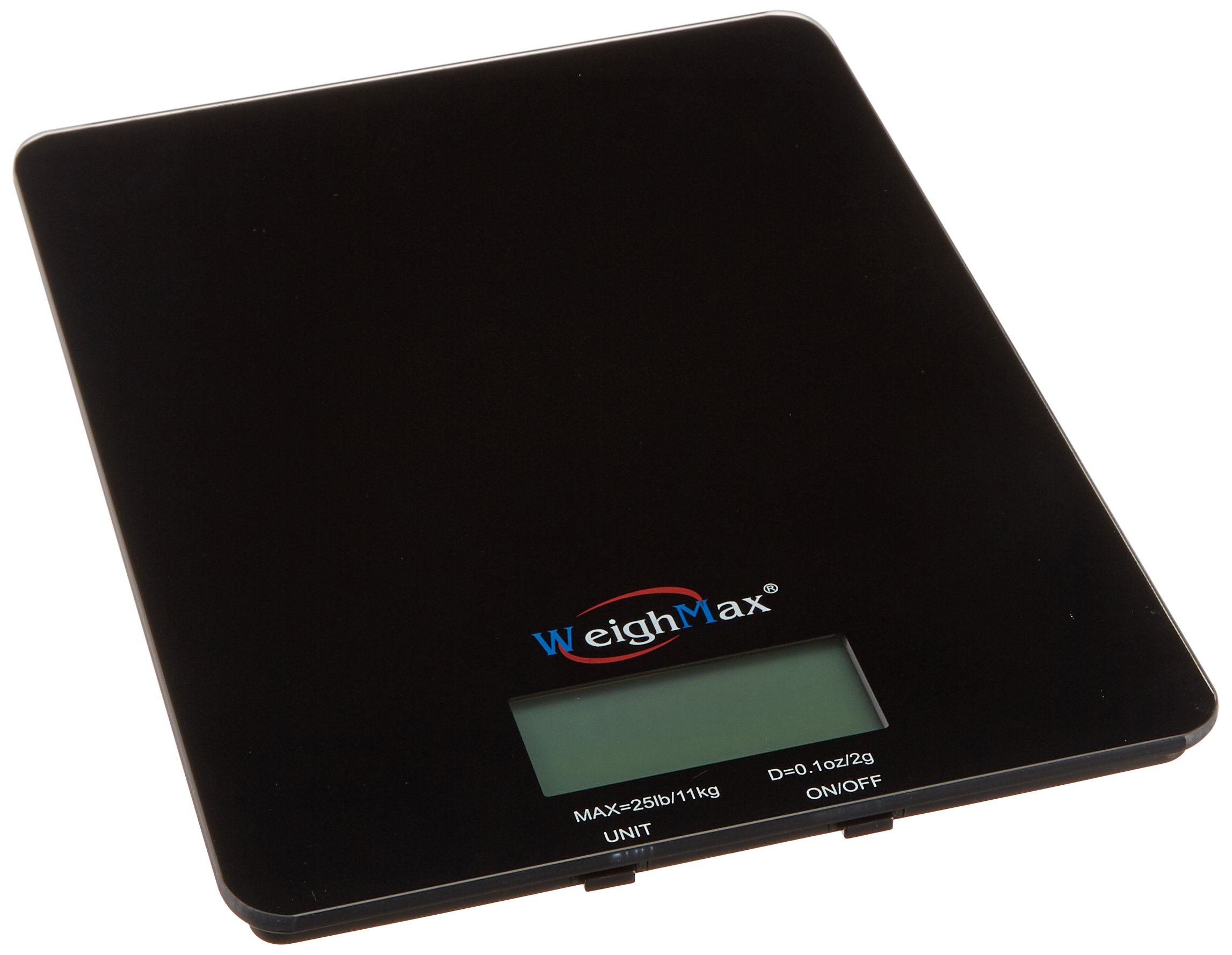
Image: The Weighmax GB25 Digital Kitchen Scale, illustrating its approximate dimensions of 10 inches (24 cm) in length, held by hands for scale reference.
Operation
1. Powering On/Off
- To turn on: Press the power button (usually marked 'ON/OFF' or 'UNIT'). The display will show '0' or '0.0'.
- To turn off: Press and hold the power button for a few seconds, or the scale will automatically shut off after a period of inactivity to conserve battery life.
2. Changing Units
With the scale powered on and displaying '0', press the 'UNIT' button (or the same button used for power on some models) to cycle through the available measurement units:
- lb oz (pounds and ounces)
- kg g (kilograms and grams)
- ml (milliliters for liquids)
- fl.oz (fluid ounces for liquids)
3. Tare Function
The Tare function allows you to weigh items in a container by subtracting the container's weight.
- Place an empty container on the scale platform. The display will show the container's weight.
- Press the 'TARE' button (or the same button used for power/unit on some models). The display will reset to '0'.
- Add the item(s) you wish to weigh into the container. The display will now show only the net weight of the item(s).
- To clear the Tare function, remove the container from the scale and press 'TARE' again, or turn the scale off and on.
4. Weighing Procedure
- Ensure the scale is on a flat surface and powered on, displaying '0'.
- Select your desired unit of measurement using the 'UNIT' button.
- Carefully place the item(s) to be weighed onto the center of the tempered glass platform.
- Read the weight displayed on the LCD screen.
- For items requiring a container, use the Tare function as described above.
Care and Maintenance
Cleaning
- Wipe the scale with a soft, damp cloth. Do not use abrasive cleaners or immerse the scale in water.
- Ensure the scale is completely dry before storage or next use.
Storage
- Store the scale in a cool, dry place away from direct sunlight and extreme temperatures.
- Avoid placing heavy objects on the scale when not in use.
Troubleshooting
- Display shows 'Lo' or 'Err': This indicates low battery. Replace the AAA batteries.
- Inaccurate readings: Ensure the scale is on a flat, stable surface. Recalibrate by turning the scale off and on. Avoid placing the scale near electronic devices that may cause interference.
- Display not turning on: Check battery installation and ensure batteries are fresh.
- Scale not responding: Remove batteries, wait 30 seconds, then reinsert them. If the issue persists, contact customer support.
Specifications
| Feature | Specification |
|---|---|
| Model Number | GB25 |
| Capacity | 25 lbs (11 kg) |
| Accuracy | 0.1 oz |
| Weighing Units | lb oz, kg g, ml, fl.oz |
| Platform Material | Tempered Glass |
| Product Dimensions | 9 x 6.6 x 0.8 inches |
| Power Source | 2 x AAA Batteries |
| Color | Black |
Warranty Information
The Weighmax GB25 Digital Kitchen Scale comes with a 10-year limited warranty. Please retain your proof of purchase for warranty claims. For detailed terms and conditions, refer to the warranty card included with your product or visit the official Weighmax website.
Customer Support
If you have any questions, require assistance, or encounter issues not covered in this manual, please contact Weighmax customer support. Refer to the product packaging or the official Weighmax website for contact details.