
1. Introduction
This manual provides essential information for the safe and effective use of your UpBright AC/DC Adapter. This power supply is designed to provide reliable power to various Wahl cordless rechargeable trimmers, clippers, and shavers. Please read this manual thoroughly before use and retain it for future reference.
Product Overview
The UpBright AC/DC Adapter is a switching power supply unit featuring a small barrel round plug tip, specifically designed for compatibility with a range of Wahl devices. It offers a wide input voltage range for global use and incorporates multiple safety protections.

Figure 1.1: UpBright AC/DC Adapter. This image shows the compact black adapter unit with its attached power cord terminating in a barrel-style connector.
Safety Information
Your UpBright adapter is equipped with advanced safety features to ensure reliable operation and protect your devices:
- OVP (Over Voltage Output Protection): Prevents damage from excessive output voltage.
- OCP (Over Current Output Protection): Safeguards against damage from excessive output current.
Always ensure the adapter is used in a well-ventilated area and avoid covering it during operation. Do not expose the adapter to water or extreme temperatures.
2. Setup
Follow these steps to set up your UpBright AC/DC Adapter:
- Verify Compatibility: Ensure your Wahl device requires a 4.2VDC to 5VDC input and has a small barrel round plug tip. This adapter is NOT compatible with 2-prong connectors.

Figure 2.1: Connector Compatibility. This image illustrates the correct 3.5mm barrel connector type (green checkmark) and incorrect 5.5mm, 4.0mm, and 2-prong connector types (red X marks) for this adapter.
- Connect to Device: Insert the barrel connector of the adapter firmly into the charging port of your Wahl trimmer, clipper, or shaver.
- Connect to Power Outlet: Plug the AC prongs of the adapter into a standard wall outlet (100-240VAC, 50/60Hz).

Figure 2.2: International Outlet Adapters. This image displays examples of AU, EU, and UK plug types, indicating that a suitable outlet adapter may be included for international orders to fit local power sockets.
3. Operating Instructions
Once properly connected, the UpBright AC/DC Adapter will begin charging your compatible Wahl device. The charging indicator on your Wahl device (if present) will typically illuminate to confirm charging is in progress.
Compatible Wahl Models:
This adapter is compatible with, but not limited to, the following Wahl models:
- Wahl 9888, 9888L
- Wahl 8725, 8779, 8725L, 8779L
- Wahl PPL H12 #79600-2102, 79600-2101, 79600-2101P Lithium Ion Clipper Barber Trimmer
- Wahl Adapter Model: S003HU0420060 PT# 97581-405, 97581-1305
- Wahl Adapter Model: S005BDU0420060 PT# 97619, 97620
- Wahl Adapter Model: ZD5F042060AU PT# 97619-1200, 97619-1000
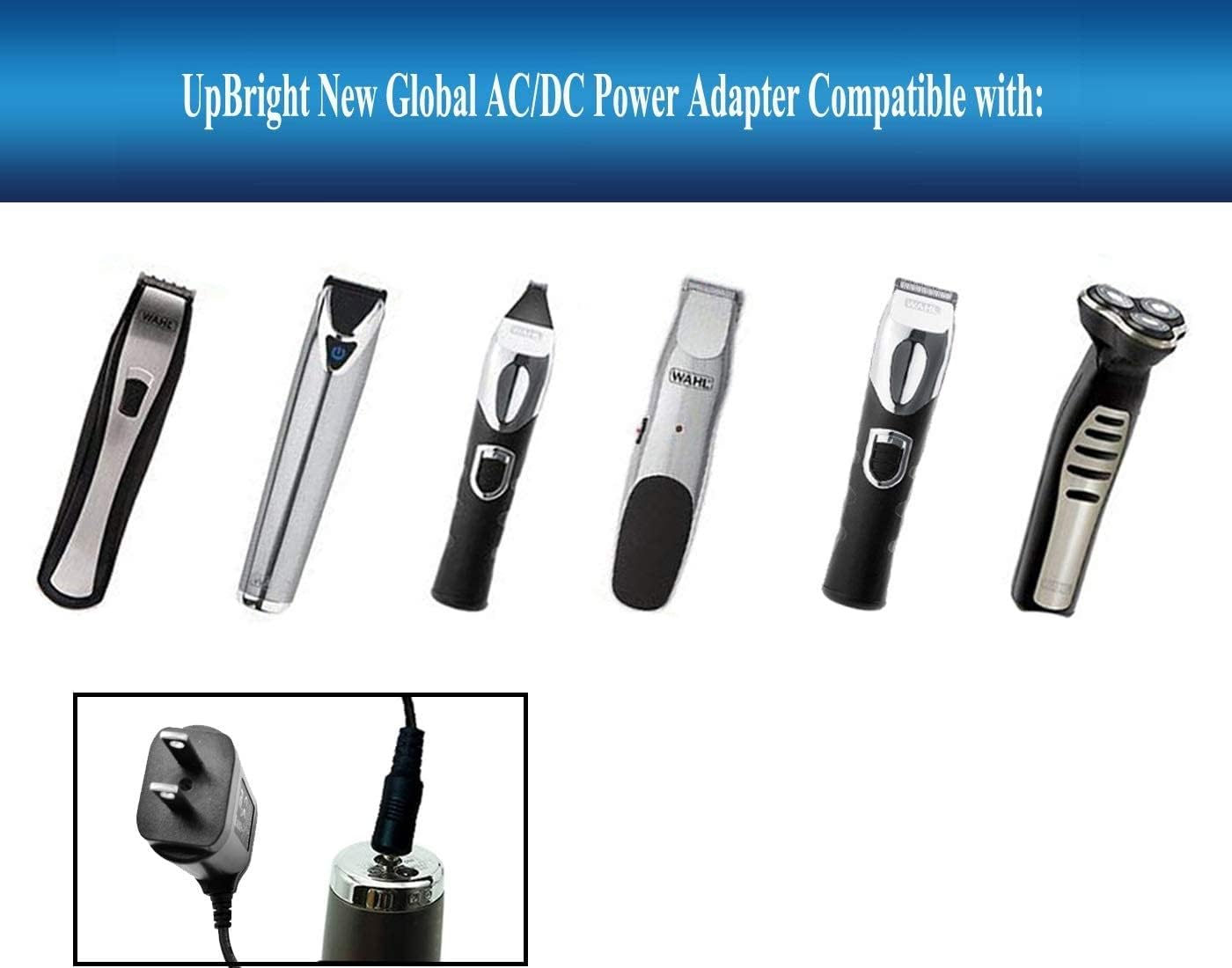
Figure 3.1: Compatible Wahl Devices. This image displays a range of Wahl cordless trimmers and clippers, illustrating the types of devices this UpBright AC/DC adapter is designed to power.
4. Maintenance
Proper care and maintenance will extend the life of your UpBright AC/DC Adapter:
- Cleaning: Disconnect the adapter from the power outlet and your device before cleaning. Wipe the surface with a soft, dry cloth. Do not use liquid cleaners or abrasive materials.
- Storage: When not in use, store the adapter in a cool, dry place away from direct sunlight and moisture. Avoid tightly winding the cable to prevent damage.
- Handling: Do not drop the adapter or subject it to strong impacts. Avoid pulling the cable to disconnect it from the outlet; always grasp the plug itself.
5. Troubleshooting
If you encounter issues with your UpBright AC/DC Adapter, refer to the following common problems and solutions:
| Problem | Possible Cause | Solution |
|---|---|---|
| Device not charging | Loose connection; Incompatible device; Faulty outlet; Damaged adapter/cable | Ensure all connections are secure; Verify device compatibility (check plug tip); Try a different power outlet; Inspect adapter and cable for visible damage. |
| Adapter feels hot | Normal operation (slight warmth); Overload; Poor ventilation | A slight warmth is normal. If excessively hot, disconnect immediately. Ensure adapter is not covered and has adequate airflow. Verify device compatibility. |
| No power indicator on device | Device not receiving power; Device indicator malfunction | Follow steps for 'Device not charging'. If issue persists, consult your device's manual or contact device manufacturer. |
If troubleshooting steps do not resolve the issue, please refer to the Warranty & Support section.
6. Specifications
Detailed technical specifications for the UpBright AC/DC Adapter:
- Model Number: Wahl 97581-1305 S003HU0420060 Power
- Input Voltage: 100-240VAC, 50/60Hz
- Output Voltage: 4.2VDC - 5VDC
- Output Current: 0.6A - 1A
- Wattage: 2.52 watts
- Connector Type: Small Barrel Round Plug Tip
- Product Dimensions: 3 x 2 x 1 inches
- Item Weight: 1.76 ounces
- Color: Black
- Special Feature: Short Circuit Protection (SCP)
- Included Components: Adapter

Figure 6.1: Adapter Label with Specifications. This image shows the back of the adapter, displaying its model number, input/output ratings, and safety certifications.
7. Warranty & Support
UpBright stands behind the quality of its products. Your AC/DC Adapter comes with the following warranty and support:
- Refund Policy: 30 Days Refund from the date of purchase.
- Exchange Policy: 24 Months Exchange for defective units.
For warranty claims, technical support, or any inquiries, please contact UpBright customer service through the platform where the product was purchased or visit the official UpBright store: