
Introduction
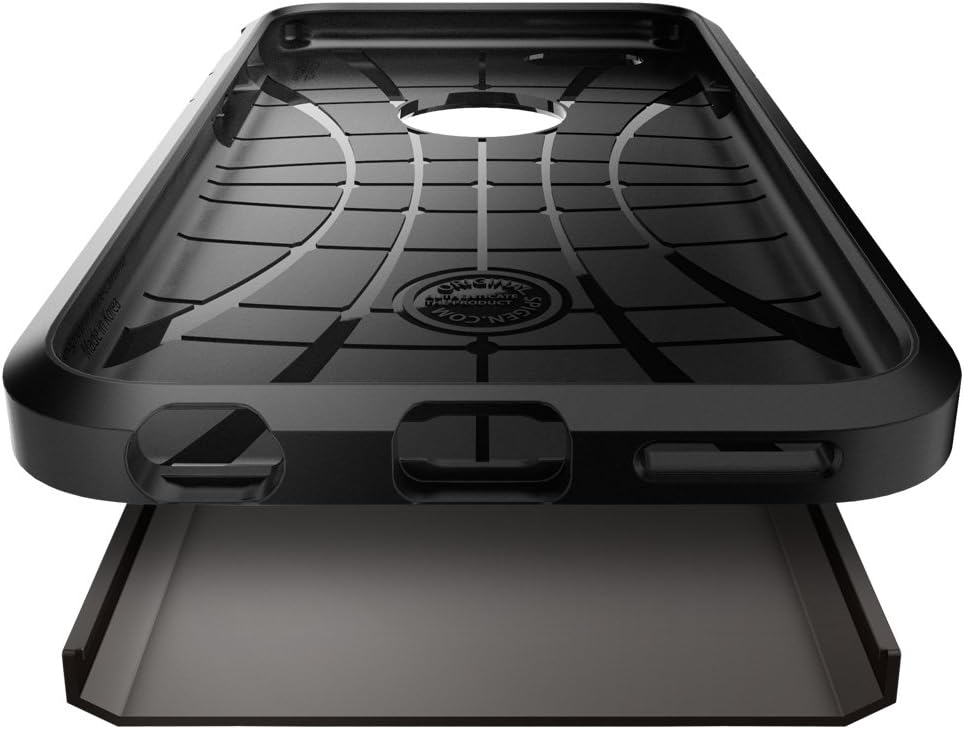
The Spigen Tough Armor case is engineered to provide robust protection for your Apple iPhone 6S and iPhone 6. This case features a two-part construction, combining a shock-absorbing TPU inner layer with a durable hard polycarbonate outer shell. It is designed to offer MIL-STD 810G 516.6 certified protection, utilizing Air Cushion Technology to safeguard your device against drops and impacts.
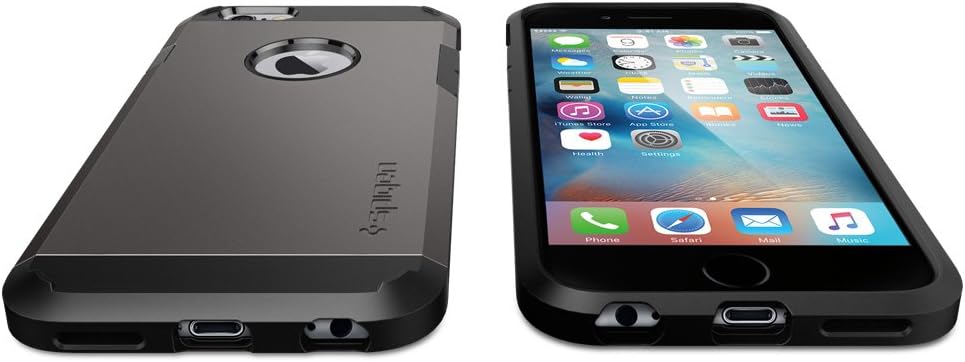
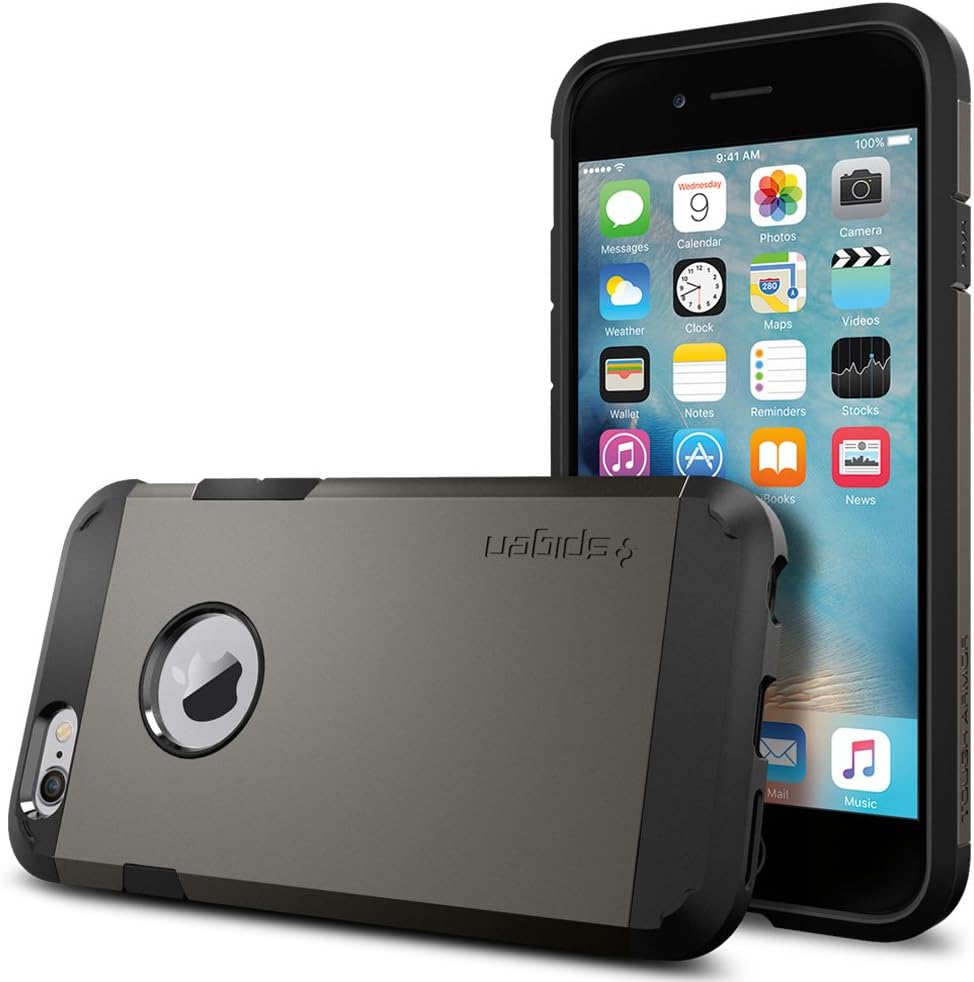
The design incorporates defined buttons for tactile feedback and a raised lip to protect both the screen and camera when the phone is placed on flat surfaces. Large, precise cutouts ensure compatibility with most charging cables and headphone jacks.


Setup and Installation
Follow these steps to properly install your Spigen Tough Armor case on your iPhone 6S or iPhone 6:
- Separate the Case Components: Gently detach the hard polycarbonate outer shell from the flexible TPU inner layer. The case is designed to come apart for easier installation.
- Insert Phone into TPU Layer: Carefully place your iPhone 6S or iPhone 6 into the flexible TPU inner layer. Ensure that all edges and corners of your phone are fully seated within the TPU layer and that the cutouts align with your phone's ports and buttons.
- Attach Polycarbonate Shell: Align the hard polycarbonate outer shell with the TPU layer. Starting from one side, snap the outer shell securely into place around the phone, applying gentle, even pressure until it clicks into position.
- Verify Installation: Check that all buttons (power, volume) are functional and responsive. Ensure that the charging port, headphone jack, and speaker grilles are unobstructed and accessible through the case's precise cutouts.
Operating and Usage
The Spigen Tough Armor case is designed for seamless daily use while providing maximum protection.
- Button Functionality: The case features defined buttons that maintain the tactile feel and responsiveness of your iPhone's original buttons. Press them as you normally would for power and volume control.
- Port Accessibility: Large cutouts are provided for the charging port, headphone jack, and speakers, ensuring compatibility with most standard cables and accessories without needing to remove the case.
- Screen and Camera Protection: The case features a raised lip around the screen and camera cutout. This design elevates your phone's display and camera lens off flat surfaces, providing additional protection against scratches and direct impacts.


Maintenance
To ensure the longevity and appearance of your Spigen Tough Armor case, follow these simple maintenance guidelines:
- Cleaning: Remove the case from your iPhone. Use a soft, damp cloth with a small amount of mild soap and water to gently wipe down the case.
- Avoid Harsh Chemicals: Do not use abrasive cleaners, solvents, or harsh chemicals, as these can damage the material and finish of the case.
- Drying: Allow the case to air dry completely before reattaching it to your phone.
- Regular Inspection: Periodically inspect the case for any signs of wear or damage. While highly durable, extreme impacts can compromise its protective integrity.
Troubleshooting
If you encounter any issues with your Spigen Tough Armor case, consider the following common solutions:
- Difficulty Installing/Removing: If the case is difficult to install or remove, ensure you are separating the two components (TPU and polycarbonate) first. Apply gentle, even pressure rather than forcing it.
- Buttons Stiff/Unresponsive: Verify that your iPhone is correctly seated within the TPU inner layer and that the polycarbonate outer shell is perfectly aligned. A slight misalignment can affect button responsiveness.
- Accessories Not Fitting: While the case features large cutouts, some oversized third-party charging cables or headphone jacks may not fit. Ensure your accessories are of standard dimensions.
- Case Appears Damaged After Drop: If your phone has experienced a significant drop, inspect both the phone and the case thoroughly. Even if the phone appears undamaged, the case's protective structure might be compromised. Consider replacing the case for optimal continued protection.
Specifications
| Product Dimensions | 5.7 x 2.9 x 0.4 inches |
| Item Weight | 1.3 ounces |
| Material | Polycarbonate |
| Compatible Phone Models | iPhone 6S, iPhone 6 |
| Special Features | Shock-Absorbent |
| Model Number | SGP11612 |
| Color | Gunmetal |
Warranty and Support
For detailed warranty information regarding your Spigen Tough Armor case, please refer to the official Spigen website or the documentation included with your purchase. Spigen products typically come with a manufacturer's warranty covering defects in materials and workmanship.
If you require technical assistance, have questions about your product, or need to initiate a warranty claim, please contact Spigen customer service directly. It is recommended to keep your purchase receipt or proof of purchase as it may be required for warranty services.
You can usually find contact information and support resources on the official Spigen website: www.spigen.com
