
Yato YT-0638
Yato YT-0638 Track Bearing and Seal Driver Set User Manual
Model: YT-0638
Introduction
This manual provides comprehensive instructions for the safe and effective use of the Yato YT-0638 Track Bearing and Seal Driver Set. Designed for professional use in mechanic service shops, this 10-piece set is essential for the proper installation of seals, simerings, and bearings into their respective seats. Adhering to these guidelines will ensure optimal performance and longevity of the tool set.
Product Overview
The Yato YT-0638 set includes a handle and nine different sized disks, all crafted from durable aluminium. These components are organized within a robust blow-moulded case for convenient storage and transport.
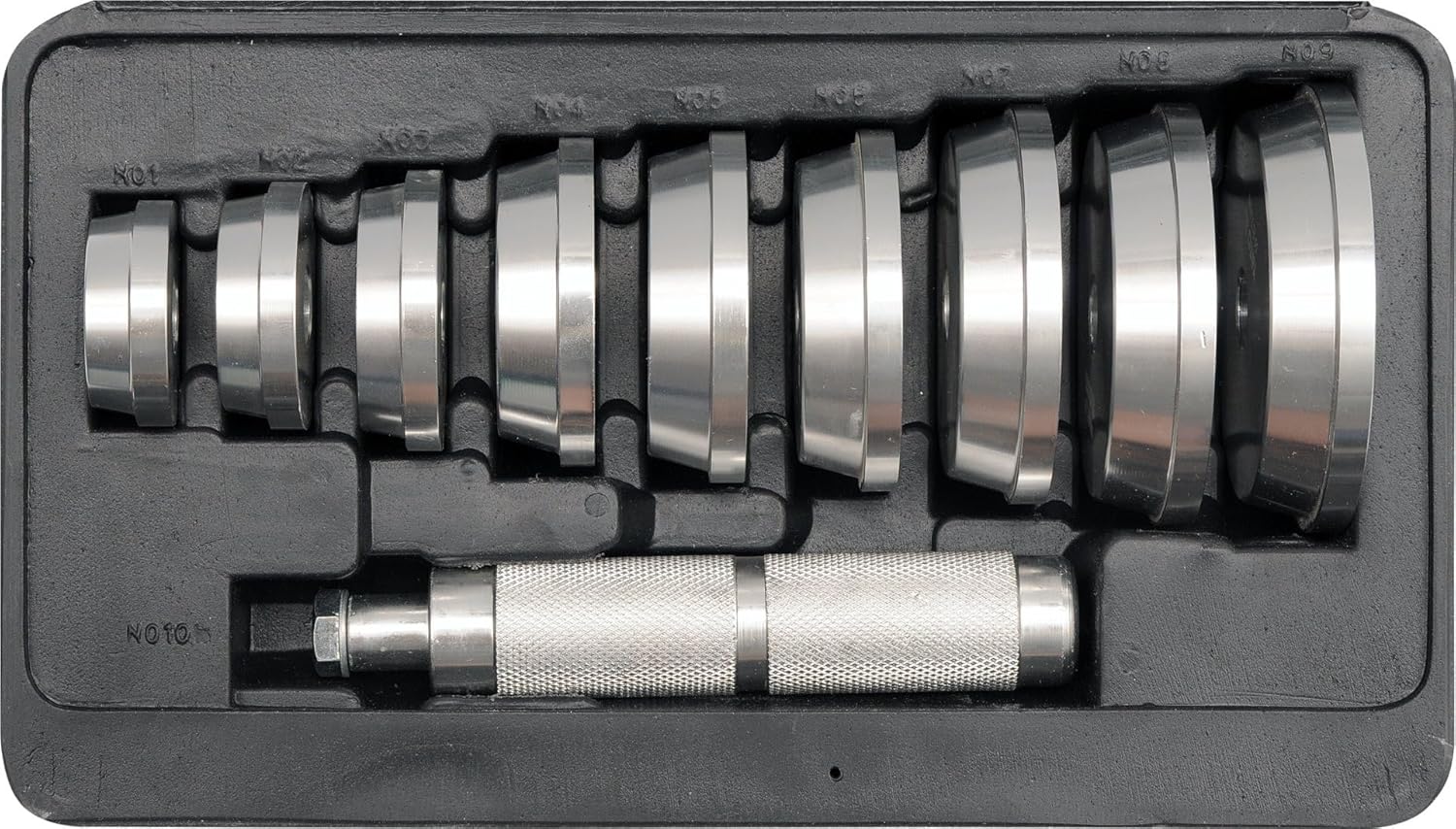
Figure 1: The Yato YT-0638 Track Bearing and Seal Driver Set, neatly arranged in its protective blow-moulded case. The set includes a knurled handle and nine various-sized aluminum disks, designed for driving bearings and seals.
Setup
- Unpack the Set: Carefully remove all components from the blow-moulded case.
- Inspect Components: Before each use, inspect the handle and all driver disks for any signs of damage, wear, or deformation. Do not use damaged tools.
- Select Correct Disk: Identify the appropriate driver disk that matches the outer diameter of the bearing or seal you intend to install. The disks are designed with a cone profile to fit simerings and match the external ring diameter of bearings.
- Attach Disk to Handle: Securely thread the selected driver disk onto the end of the handle. Ensure it is tightened firmly to prevent wobbling during use.
Operating Instructions
Follow these steps for effective and safe operation:
- Prepare the Workpiece: Ensure the bearing or seal seat is clean, free of debris, and properly lubricated if required by the manufacturer of the bearing/seal.
- Position the Bearing/Seal: Carefully place the bearing or seal into its designated seat, ensuring it is as level as possible before driving.
- Apply the Driver: Place the assembled driver (handle with selected disk) squarely onto the bearing or seal. Ensure the disk makes even contact with the outer race of the bearing or the outer edge of the seal.
- Drive the Component: Using a mallet or soft-faced hammer, gently and evenly tap the end of the driver handle. Apply consistent force, ensuring the bearing or seal is driven straight into its seat. Avoid excessive force or striking at an angle, which can damage the component or the seat.
- Check for Proper Seating: Continue tapping until the bearing or seal is fully seated. Verify that it is flush and properly aligned within its housing. The design of the disks helps prevent wedging and damage to the surface of the components during installation.
- Remove the Tool: Once the component is seated, carefully remove the driver tool.
Maintenance
- Cleaning: After each use, wipe down all components with a clean, dry cloth to remove any grease, dirt, or debris. For stubborn grime, a mild degreaser can be used, followed by thorough drying.
- Storage: Store the Yato YT-0638 set in its original blow-moulded case in a dry, clean environment. This protects the tools from corrosion, physical damage, and loss.
- Inspection: Periodically inspect the threads on the handle and disks for wear. Ensure the knurling on the handle remains intact for a secure grip.
Troubleshooting
This section addresses common issues that may arise during the use of the bearing and seal driver set.
| Problem | Possible Cause | Solution |
|---|---|---|
| Bearing/Seal not seating evenly. | Incorrect disk size; uneven striking force; debris in seat. | Ensure correct disk size is used. Apply even, gentle taps. Clean the seat thoroughly before installation. |
| Disk becoming loose from handle. | Disk not tightened sufficiently; worn threads. | Ensure disk is securely threaded and tightened before use. If threads are worn, replace the affected component. |
| Difficulty removing driver after installation. | Component driven too tightly; slight misalignment. | Gently wiggle the handle while pulling. Ensure components are driven only until fully seated, not over-driven. |
Specifications
| Attribute | Detail |
|---|---|
| Brand | Yato |
| Model Number | YT-0638 |
| Material | Aluminium |
| Number of Pieces | 10 (1 handle, 9 disks) |
| Disk Diameters | 40, 44, 50, 59, 63, 65, 72, 76, 81 mm |
| Handle Length | 150 mm |
| Item Weight | 1 kg |
Warranty Information
Yato products are manufactured to high quality standards. For specific warranty terms and conditions, please refer to the documentation provided with your purchase or contact Yato customer support. Keep your proof of purchase for any warranty claims.
Customer Support
Should you require assistance, have questions regarding the use of this product, or need to report an issue, please contact Yato customer support through their official website or the contact information provided with your product packaging. When contacting support, please have your model number (YT-0638) and purchase details ready.
Ask a question about this manual
Ask about setup, troubleshooting, compatibility, parts, safety, or missing instructions. Manuals+ will review the question and use this page’s manual context to help answer it.