
1. Introduction
This manual provides essential instructions for the safe and efficient operation, setup, and maintenance of your Pro'sKit SS-207B Temperature-Controlled Soldering Station. Please read this manual thoroughly before using the device and retain it for future reference.
Safety Warning: Always prioritize safety when operating soldering equipment. Refer to the 'Safety Information' section before use.
2. Product Features
The Pro'sKit SS-207B is a high-performance temperature-controlled soldering station designed for precision work. Key features include:
- Adjustable temperature control with a lock/set screw for consistent operation.
- Digital display for precise temperature monitoring.
- Wide temperature range: 200-480°C (392-896°F).
- Switchable AC110V/220V input voltage for versatile use.
- Insulated and ergonomically designed soldering iron handle for comfort and safety.
- Ceramic heating element ensures rapid heat-up and stable temperature.
- Modular design for simplified repair and maintenance.
- Celsius or Fahrenheit temperature setting.
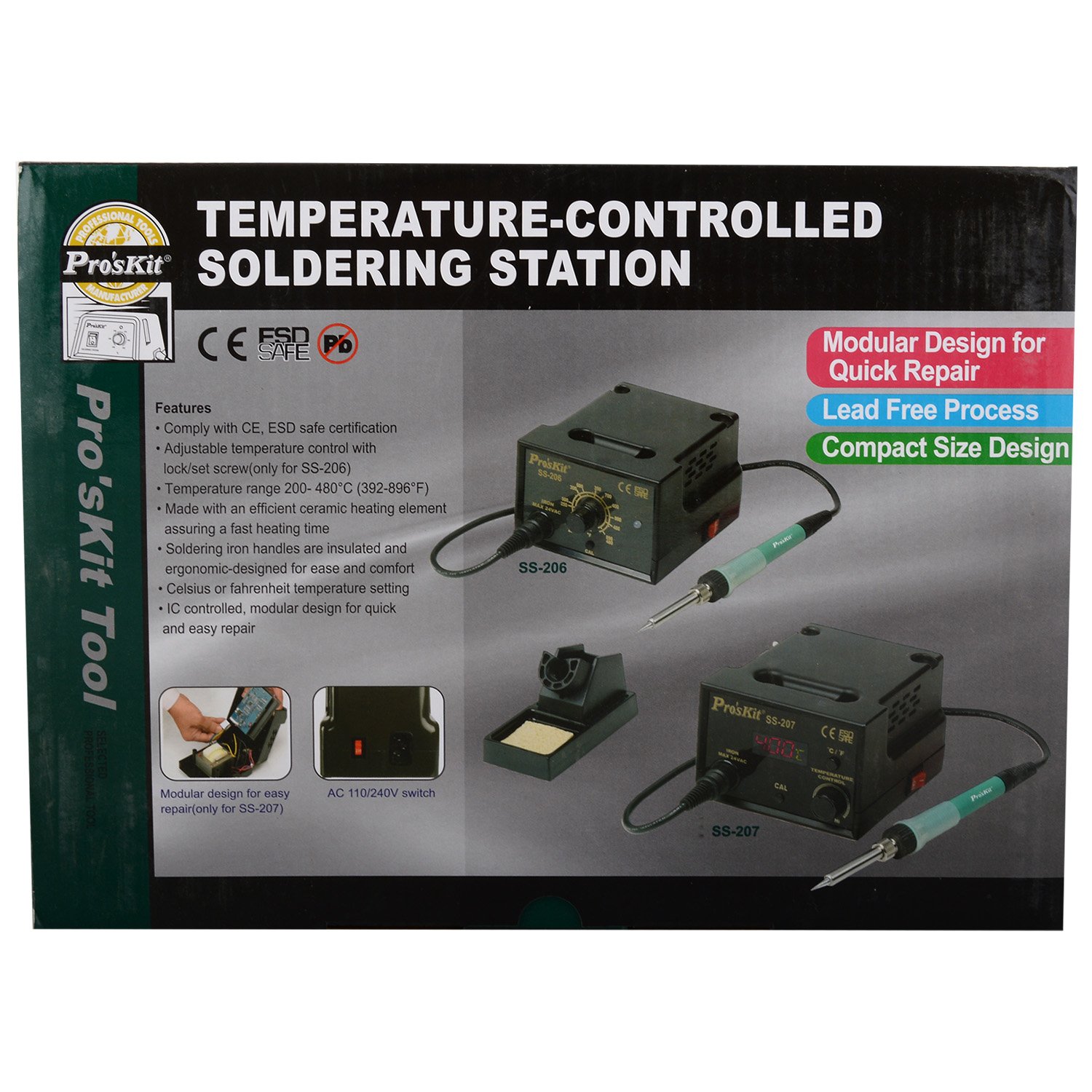
Image: Overview of the Pro'sKit SS-207B Soldering Station highlighting its digital display, temperature control, AC voltage switch, and C/F setting switch.
3. Package Contents
Verify that all items are present in the package:
- 1 x Pro'sKit SS-207B Temperature-Controlled Soldering Station
4. Setup Instructions
- Unpacking: Carefully remove all components from the packaging. Inspect for any damage.
- Placement: Place the soldering station on a stable, heat-resistant surface, away from flammable materials. Ensure adequate ventilation.
- Connect Soldering Iron: Insert the soldering iron's connector plug firmly into the corresponding receptacle on the front panel of the soldering station. Ensure a secure connection.
- Voltage Selection: Locate the AC110/220V switch on the rear of the unit. Set it to match your local mains voltage (110V or 220V). Incorrect voltage selection can damage the unit.
- Power Connection: Connect the power cord to the soldering station and then plug it into a grounded electrical outlet.
- Solder Stand: Position the soldering iron stand and sponge near the station for convenient and safe use. Dampen the sponge with water before use.

Image: Front view of the Pro'sKit SS-207B Soldering Station, showing the digital display, temperature control knob, and soldering iron connection port.
5. Operating Instructions
- Power On: Flip the power switch located on the front panel to the 'ON' position. The digital display will illuminate, showing the current tip temperature.
- Temperature Adjustment: Rotate the temperature control knob on the front panel to set the desired temperature. The digital display will show the set temperature briefly, then return to displaying the actual tip temperature.
- Celsius/Fahrenheit Selection: To switch between Celsius (°C) and Fahrenheit (°F) display, locate the C/F switch (refer to product overview image for location, typically near the display or control knob) and toggle it.
- Temperature Lock: The station features a lock/set screw (often a small screw near the temperature knob) to prevent accidental temperature changes. Once the desired temperature is set, tighten this screw to lock the setting.
- Heating: Allow the soldering iron to heat up to the set temperature. The digital display will indicate when the temperature is stable. This usually takes a few minutes.
- Tinning the Tip: Before first use and periodically during operation, apply a small amount of solder to the hot tip. This 'tins' the tip, preventing oxidation and ensuring efficient heat transfer.
- Soldering: Apply the hot, tinned tip to the joint to be soldered, then feed solder into the joint. Remove the solder, then the iron, allowing the joint to cool naturally.
- Power Off: After use, turn the power switch to the 'OFF' position. Allow the iron to cool completely in its stand before storing.
6. Maintenance
Regular maintenance ensures optimal performance and extends the lifespan of your soldering station.
- Tip Cleaning: Always clean the soldering tip before and after each use by wiping it on a damp sponge or brass wool cleaner. This removes excess solder and oxidation.
- Tip Tinning: Re-tin the tip regularly by applying a small amount of fresh solder. A well-tinned tip heats efficiently and prevents oxidation.
- Tip Replacement: If the tip becomes pitted, corroded, or no longer accepts solder, it should be replaced. Ensure the station is off and cool before changing tips. Use only compatible replacement tips (e.g., Pro'sKit 5SS-200-IRON handpiece).
- General Cleaning: Keep the soldering station and iron handle clean and free of dust and solder debris. Use a soft, dry cloth. Do not use abrasive cleaners or solvents.
- Fuse Replacement: If the unit fails to power on, check the fuse. Ensure the unit is unplugged before inspecting or replacing the fuse. Use a fuse with the correct rating (250V / 2A).
7. Troubleshooting
If you encounter issues with your soldering station, try the following basic troubleshooting steps:
- No Power: Check if the power cord is securely plugged into both the station and the wall outlet. Verify the AC110/220V switch is set correctly. Check the fuse.
- Iron Not Heating: Ensure the soldering iron connector is fully inserted into the station. Check if the temperature setting is above room temperature.
- Temperature Fluctuation: Ensure the tip is clean and properly tinned. Verify the temperature lock screw is tightened if you wish to maintain a specific setting.
- Poor Solder Joints: Ensure the tip is clean and tinned. Use appropriate solder for your application. Verify the temperature setting is suitable for the solder and components.
If problems persist after attempting these steps, contact qualified service personnel.
8. Specifications
Technical specifications for the Pro'sKit SS-207B Soldering Station:
| Feature | Specification (SS-207B) |
|---|---|
| Model Number | SS-207B |
| Display Type | Digital |
| Voltage | AC 110V/220V Switchable |
| Power Consumption | 60W |
| Output Voltage | 24VAC |
| Heater Type | Ceramic heater |
| Temperature Range | 200°C - 480°C (392°F - 896°F) |
| Station Size (mm) | 115 x 95 x 130 |
| Standard Plug | B, E, H (refer to image for details) |
| Fuse | 250V / 2A |
| Replacement Heater | 9SS-900-HT |
| Replacement Handpiece | 5SS-200-IRON |
| Individual Packing | Color Box |
| Item Weight | 220 Grams |
| Number of Channels | 1 |

Image: A table comparing specifications across various Pro'sKit soldering station models, including the SS-207B.
9. Safety Information
Always observe the following safety precautions when using the soldering station:
- Burns: The soldering iron tip reaches very high temperatures. Avoid direct contact with skin or flammable materials.
- Eye Protection: Always wear safety glasses to protect your eyes from solder splashes and fumes.
- Ventilation: Solder fumes can be harmful. Work in a well-ventilated area or use a fume extractor.
- Fire Hazard: Keep flammable liquids, gases, and materials away from the soldering area.
- Electrical Safety: Ensure the station is properly grounded. Do not operate with wet hands or in damp conditions. Unplug the unit before performing any maintenance or when not in use.
- Children and Pets: Keep the soldering station and all related tools out of reach of children and pets.
- Proper Use: Use the tool only for its intended purpose. Do not modify the unit.
- Cool Down: Always allow the soldering iron to cool completely in its stand before storing.


