
Qualarc LSF-LS01
Qualarc Kingsbury Secure Rear Access Locking Mailbox User Manual
Model: LSF-LS01
Brand: Qualarc
Introduction
This manual provides comprehensive instructions for the installation, operation, and maintenance of your Qualarc Kingsbury Secure Rear Access Locking Mailbox (Model LSF-LS01). Manufactured in England from quality materials, this mailbox is designed for secure mail delivery and retrieval, suitable for integration into masonry walls, columns, or wood fences. Please read this manual thoroughly before installation and use to ensure proper function and longevity of your product.

Figure 1: Front view of the Qualarc Kingsbury Secure Rear Access Locking Mailbox.
Setup and Installation
The Qualarc Kingsbury Mailbox is designed for secure installation through masonry walls, columns, or wood fences. For detailed step-by-step instructions, please refer to the official Installation Manual PDF available here. Reading this document is highly recommended before beginning installation.
Key installation considerations include:
- Mounting Location: Choose a suitable location in a masonry wall, column, or wood fence that allows for both front mail delivery and secure rear access.
- Waterproofing: The mailbox features rubber seals on its castings to ensure it is completely waterproof once installed. Ensure proper sealing during installation.
- Secure Fastening: The mailbox is designed to be mounted securely, with mail delivered through the front flap and retrieved from the rear lockable access door.

Figure 2: Internal view illustrating mail delivery path from front to rear retrieval.

Figure 3: Front view of the mailbox integrated into a brick column.

Figure 4: Rear view of the mailbox showing the secure access door on a brick column.

Figure 5: Front view of the mailbox integrated into a wood fence.

Figure 6: Rear view of the mailbox showing the secure access door on a wood fence.
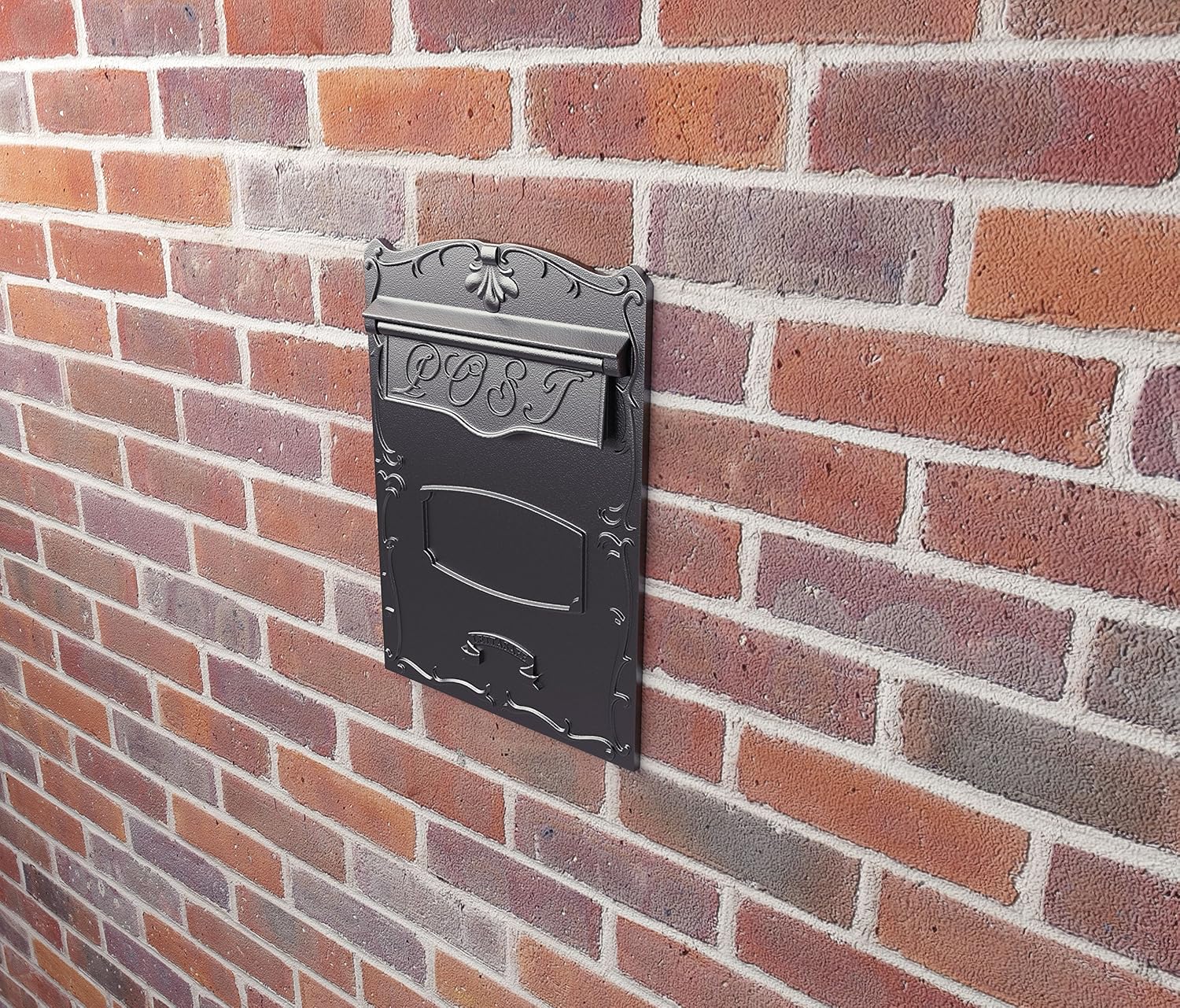
Figure 7: Front view of the mailbox integrated into a brick wall.
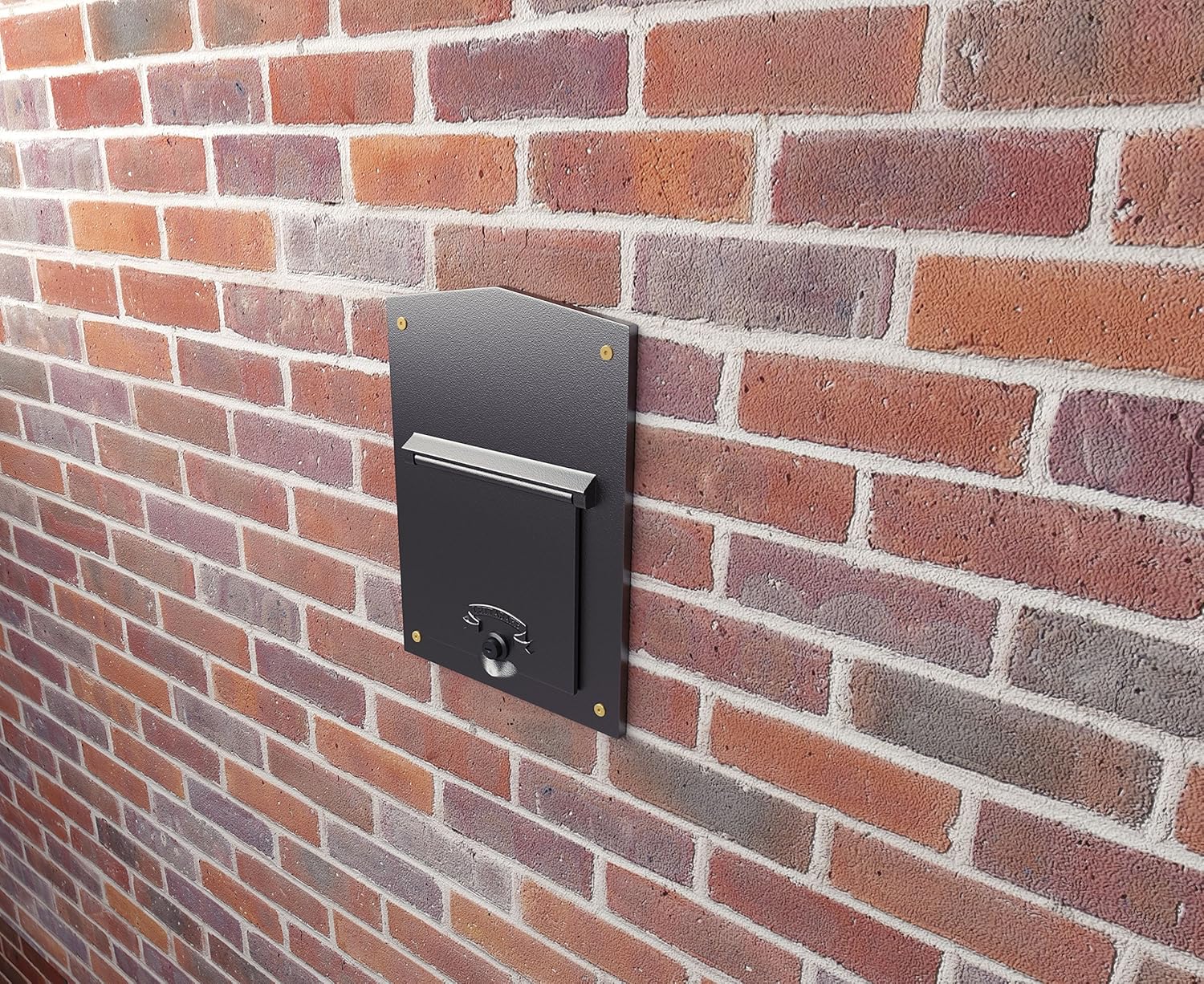
Figure 8: Rear view of the mailbox showing the secure access door on a brick wall.
Operating Instructions
The Qualarc Kingsbury Mailbox is designed for simple and secure operation.
Mail Delivery
- Locate the incoming mail slot on the front of the mailbox. The incoming opening dimensions are 9"W x 2.5"H.
- Gently lift the mail flap.
- Insert mail into the slot. The design ensures mail drops into the secure inner compartment.
- Release the mail flap to close the opening.
Mail Retrieval
- Access the rear of the mailbox where the lockable access door is located.
- Insert one of the two supplied keys into the lock.
- Turn the key to unlock the door.
- Open the rear access door (dimensions: 7"W x 7.5"H) to retrieve your mail.
- Close the door firmly and turn the key to lock it. Remove the key.
Maintenance
To ensure the longevity and appearance of your Qualarc Kingsbury Mailbox, follow these simple maintenance guidelines:
- Cleaning: Periodically wipe down the exterior surfaces with a soft, damp cloth. For stubborn dirt, a mild soap solution can be used. Avoid abrasive cleaners or harsh chemicals, as these may damage the enamel finish.
- Lubrication: If the lock mechanism becomes stiff, apply a small amount of graphite lubricant or a silicone-based spray to the keyhole. Do not use oil-based lubricants as they can attract dirt.
- Inspection: Regularly inspect the rubber seals around the castings for any signs of wear or damage to maintain waterproofing. Check the integrity of the mounting points.
- Key Care: Keep spare keys in a safe, accessible location. Avoid forcing the key if it does not turn easily.
Troubleshooting
This section addresses common issues you might encounter with your mailbox.
Issue: Mailbox door is stiff or difficult to open/close.
Solution: The lock mechanism or hinges may require lubrication. Apply a small amount of graphite lubricant or silicone spray to the keyhole and hinge points. Ensure no debris is obstructing the door's movement.
Issue: Water inside the mailbox.
Solution: Although designed to be waterproof, check the rubber seals around the castings for any damage or displacement. Ensure the mail flap closes completely after mail delivery. Verify that the installation was done correctly, preventing water ingress from the mounting surface.
Issue: Key is difficult to insert or turn.
Solution: Ensure the key is fully inserted. Apply graphite lubricant to the keyhole. If the key is bent or damaged, use a spare key. Do not force a damaged key, as it may break inside the lock.
Specifications
Detailed specifications for the Qualarc Kingsbury Secure Rear Access Locking Mailbox (LSF-LS01):
| Feature | Detail |
|---|---|
| Model Number | LSF-LS01 |
| Brand | Qualarc |
| Material | Solid LM6 Grade Aluminum Castings (front/rear), Zinc Coated Steel (inner sleeve), Solid Brass/Stainless Steel (internal components) |
| Finish | Durable Low Bake Enamel (Phosphate coated before finish) |
| Color | Black |
| Product Dimensions (Overall) | 15"D x 11.63"W x 16.5"H |
| Front Access Door Opening | 7"W x 7.5"H |
| Incoming Opening Dimensions | 9"W x 2.5"H |
| Item Weight | 14.3 lbs (approx. 15 lbs as per description) |
| Security Features | Lockable rear access door (2 keys supplied) |
| Waterproofing | Rubber seals on castings |
| Mounting Type | Wall Mount (for masonry walls, columns, or wood fences) |
| UPC | 814728019042 |

Figure 9: Dimensional overview of the Qualarc Kingsbury Mailbox.
Warranty and Support
For information regarding the product warranty, please refer to the warranty documentation included with your purchase or visit the official Qualarc website. Warranty terms and conditions may vary.
If you require technical assistance, have questions about installation, or need to order replacement parts, please contact Qualarc customer support. Contact details can typically be found on the manufacturer's website or within the product packaging.
Manufacturer: Qualarc
Website: www.qualarc.com (Note: This is a placeholder URL, please verify the actual manufacturer's website for support.)
Related documentsLSF-LS01

Ask a question about this manual
Ask about setup, troubleshooting, compatibility, parts, safety, or missing instructions. Manuals+ will review the question and use this page’s manual context to help answer it.