
1. Introduction
This manual provides essential information for the safe and effective use of your Kungfuking Pop Up Outlet Socket. Please read these instructions thoroughly before installation and operation, and retain them for future reference.
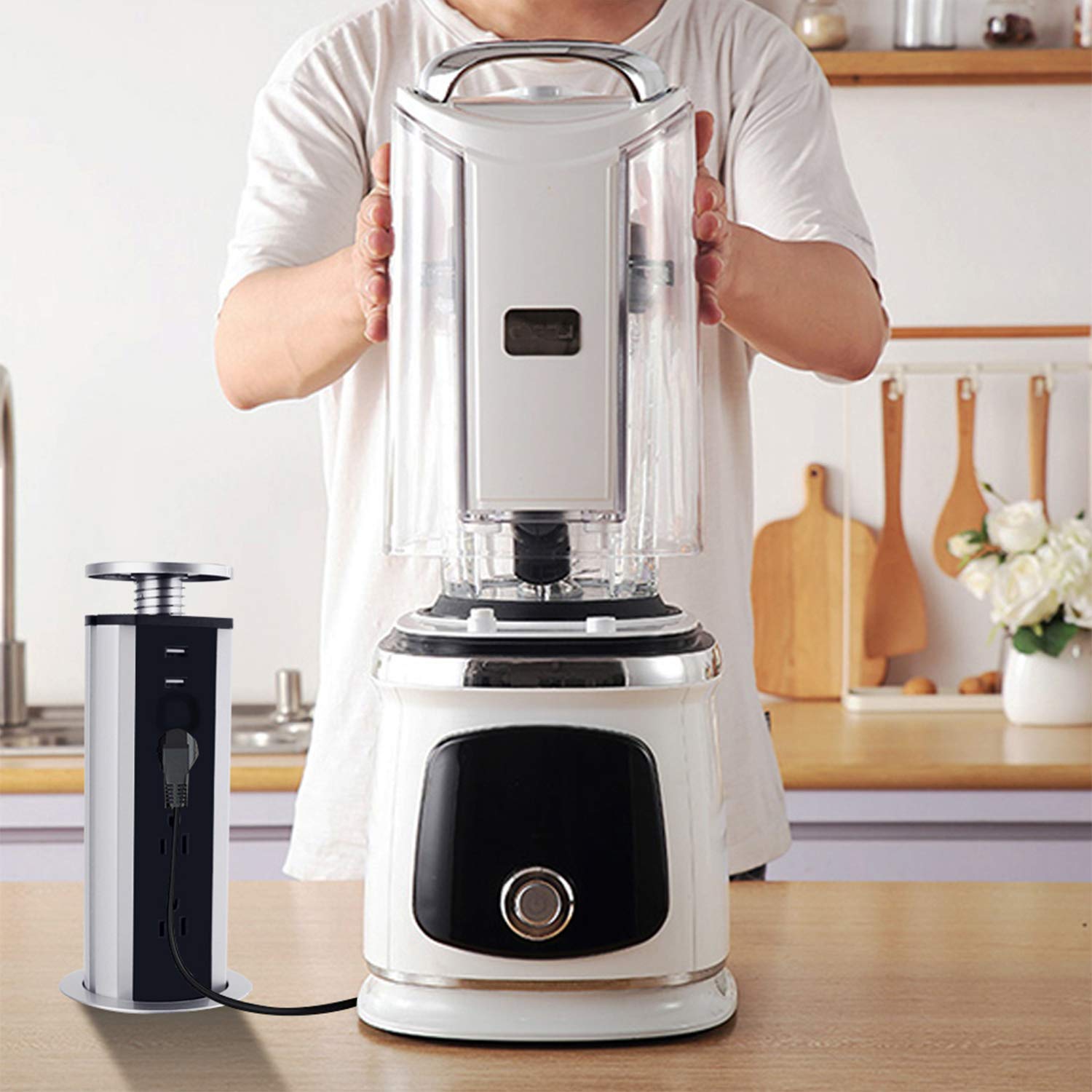
The Kungfuking Pop Up Outlet Socket is designed to provide convenient power access on tabletops, helping to maintain a clean and efficient workspace or living area. Its retractable design allows it to be hidden when not in use, reducing clutter.
2. Product Overview
The Pop Up Outlet Socket features multiple power and charging ports in a compact, retractable design. It is suitable for various environments including kitchens, offices, conference rooms, and RVs.
Key Features:
- 3 US Standard AC Outlets: Provides power for various appliances.
- 2 USB-A Charging Ports: For charging mobile devices.
- Retractable Design: Easily extends for use and retracts for storage.
- Built-in Surge Protector: Offers protection for connected electronics.
- Durable Construction: Features a superior metal housing and ABS+PC flame-resistant material.
- Grounding Protection: Enhanced safety feature.


3. Safety Information
Please observe the following safety precautions to prevent injury or damage to the product:
- Do not exceed the maximum power rating of 15A / 125V.
- Ensure proper grounding during installation.
- Do not disassemble or modify the unit.
- Keep away from water and excessive moisture.
- This product is intended for indoor use only.
- Ensure the installation surface is stable and can support the unit.
- Keep children away from the unit during operation.
4. Package Contents
Verify that all items are present in the package:
- 1 x Kungfuking Pop Up Outlet Socket
5. Installation (Setup)
Follow these steps to install your Pop Up Outlet Socket:
- Prepare the Surface: Ensure the installation surface (e.g., countertop, desk) is clean and clear. Verify there is at least 11.4 inches of clear space underneath the table for the unit to retract fully.
- Mark the Cutout: Use the provided ring lock as a template to mark the exact location for the hole. The required hole size is approximately 3.15 inches (80mm) in diameter.
- Cut the Hole: Carefully cut a 3.15 inch (80mm) diameter hole in the marked location.
- Insert the Unit: Place the pop-up outlet vertically into the cut hole.
- Secure the Unit: From underneath the surface, tighten the locking ring along the thread until the unit is securely fastened.

6. Operating Instructions
Extending the Outlet:
To extend the outlet, gently press down on the top cap. The unit will pop up, revealing the AC outlets and USB ports.
Retracting the Outlet:
To retract the outlet, push down on the top cap until it locks into its recessed position, flush with the surface.
Using the Ports:
- Plug your devices into the 3 US standard AC outlets.
- Connect your USB-compatible devices to the 2 USB-A ports for charging.

7. Maintenance
- Cleaning: Wipe the exterior with a soft, dry cloth. Do not use abrasive cleaners or solvents. Ensure the unit is unplugged before cleaning.
- Inspection: Periodically check the power cord and the unit for any signs of damage. If damage is found, discontinue use and contact support.
- Mechanism Care: Keep the pop-up mechanism free from debris to ensure smooth operation.
8. Troubleshooting
| Problem | Possible Cause | Solution |
|---|---|---|
| No power from outlets/USB ports | Unit not plugged in; circuit breaker tripped; internal fault. | Ensure the unit's power cord is securely plugged into a live wall outlet. Check your home's circuit breaker. If the issue persists, contact support. |
| Unit does not pop up/retract smoothly | Obstruction in mechanism; debris in the hole; improper installation. | Check for any obstructions around or within the mechanism. Ensure the installation hole is clear. Verify the locking ring is not overtightened or misaligned. |
| Devices not charging via USB | USB cable faulty; device not compatible; device requires more power than available. | Try a different USB cable or device. Ensure the device's power requirements are within the USB port's specifications (5V/2.1A). |
9. Specifications
- Brand: Kungfuking
- Model Number: Power Socket
- ASIN: B010EY1O88
- AC Outlets: 3 US Standard
- USB Ports: 2 x USB-A (5V/2.1A)
- Power Output: 15A / 125V / 1875W
- Cable Length: 6 Feet (16AWG)
- Product Dimensions: 13.7 x 4.8 x 4.3 inches (Extended)
- Weight: 1.55 Pounds
- Required Hole Size: 3.15 inches ± 0.1 inches (80mm ± 0.3cm)
- Color: Black
- Manufacturer: Kungfuking
- First Available Date: June 26, 2015

10. Warranty and Support
For warranty information or technical support, please refer to the product packaging or contact Kungfuking customer service directly. Contact details are typically available on the manufacturer's official website or through your purchase platform.
Please have your product model number (Power Socket) and ASIN (B010EY1O88) ready when contacting support.